
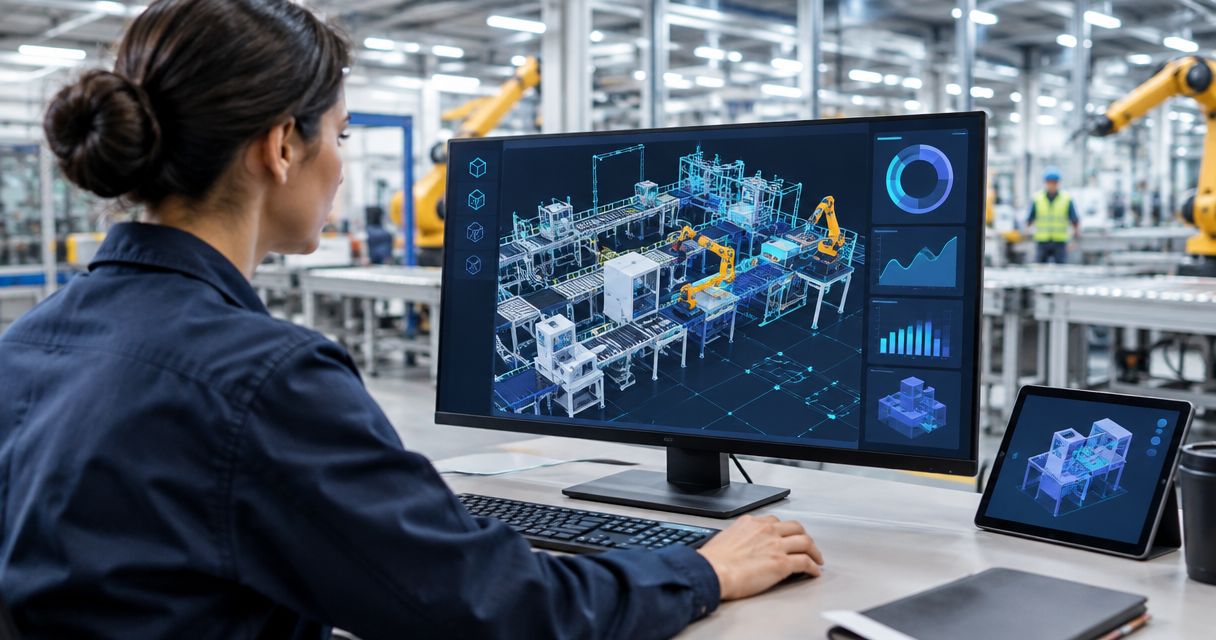
For digital twin software for manufacturing plants, shortlist Siemens Plant Simulation for production-flow studies, Ansys Twin Builder for equipment behavior, and AnyLogic for factory-to-logistics modeling. The Kilo IoT Platform belongs on a different shortlist: connected-device monitoring, digital twins, dashboards and operational responses rather than manufacturing-process simulation.
- Choose digital twin software for manufacturing plants by the decision: simulate production, model equipment or monitor connected assets.
- Siemens Plant Simulation fits production-flow analysis; Ansys Twin Builder fits system-level equipment simulation.
- AnyLogic fits mixed factory and logistics models; Azure Digital Twins provides a foundation for custom connected environments.
- Kilo fits sensor-linked plant monitoring; don't treat an operational twin as a production simulator.
Separate production simulation from live plant monitoring
The phrase digital twin covers several different jobs. A production engineer evaluating conveyor capacity needs a model of queues, processing times and resource constraints. An integrator connecting temperature sensors needs device identities, measurements, locations and useful responses to changing conditions.
Those projects share a connection to physical assets, but they don't require the same software. Choose the decision first, then choose the twin. A detailed factory visualization doesn't establish that a product can simulate throughput, and a simulation model doesn't automatically provide live device management.
This 2026 shortlist separates those jobs instead of declaring a universal winner. Each recommendation occupies a distinct use case, with limitations beside the reason to choose it.
What makes useful manufacturing digital twin software?
Use these criteria before comparing demonstrations:
- Decision fit: Specify whether you need to evaluate a proposed change, understand equipment behavior or respond to current conditions.
- Modeling method: Match production queues to discrete-event simulation, equipment dynamics to system simulation, and live monitoring to connected asset records.
- Data connection: Identify the actual source, required transformation, timestamp and asset mapping for every important measurement.
- Validation: Define how you'll compare model output with observed plant behavior. An attractive model isn't evidence of accuracy.
- Operational boundaries: Separate viewing data, recommending changes and issuing equipment commands. Each requires different permissions and verification.
- Ownership: Name who maintains the model when equipment, routing, sensors or production assumptions change.
Ask vendors to demonstrate your workflow rather than an unrelated reference model. The useful demonstration begins with your input and ends with evidence that supports your decision.
Manufacturing digital twin software at a glance
The order below follows the decision path from production planning through equipment simulation to live monitoring. It is not a performance benchmark.
| Software | Best for | Standout approach | Key limitation |
|---|---|---|---|
| Siemens Plant Simulation | Production-flow and capacity studies | Discrete-event modeling of material flow and resources | Requires credible routing, processing and resource assumptions |
| Ansys Twin Builder | System-level equipment behavior | System simulation and reduced-order modeling | Requires engineering models and validation |
| AnyLogic | Factory-to-logistics scenarios | Discrete-event, agent-based and system-dynamics modeling | Flexibility creates model-development work |
| Azure Digital Twins | Developer-built connected environments | A graph of assets, relationships and properties | An application foundation, not a finished manufacturing simulator |
| Kilo | Sensor-linked plant and facility monitoring | Device context, digital twins, dashboards, rules and alarms | Monitoring does not establish production or physics simulation |
1. Siemens Plant Simulation: production-flow and capacity studies
Siemens Plant Simulation models material flow, resources and production processes using discrete-event simulation. That makes it a relevant choice when your question concerns bottlenecks, buffers, routing or the effect of a proposed production arrangement.
Best for: manufacturing engineers evaluating production-flow changes. Start with a question such as whether changing a buffer or resource allocation improves the modeled flow. The model needs realistic processing times, routing logic, resource calendars and interruption assumptions before its results support a purchasing decision.
Siemens Plant Simulation pros:
- Represents production as interacting processes and resources.
- Supports comparison of alternative production scenarios.
- Fits questions about queues, capacity and material movement.
Siemens Plant Simulation cons:
- Weak input assumptions produce weak conclusions.
- Maintaining the model requires ownership as the plant changes.
- Production-flow simulation doesn't replace detailed equipment-physics analysis.
For an illustrative evaluation, compare a baseline model with a proposed routing change while keeping unrelated assumptions fixed. Review queue behavior and throughput together; moving a bottleneck isn't the same as eliminating it.
Verdict: Buy for production-flow analysis when you can supply and validate the operating assumptions.
2. Ansys Twin Builder: system-level equipment simulation
Ansys Twin Builder supports system-level simulation, including the use of reduced-order models. A reduced-order model simplifies a more detailed model so it can represent relevant behavior without reproducing every underlying calculation.
Best for: engineering teams studying equipment and interacting physical systems. This is a different problem from counting products through a line. Your concern might be how a modeled assembly responds to changing operating conditions rather than where work accumulates between stations.
Ansys Twin Builder pros:
- Focuses on system behavior rather than only asset visualization.
- Supports engineering workflows involving reduced-order models.
- Provides a basis for examining operating scenarios before physical changes.
Ansys Twin Builder cons:
- Requires suitable engineering models and specialist interpretation.
- Validation must cover the operating conditions relevant to your decision.
- A model of equipment behavior doesn't provide a complete factory execution workflow.
Ask the engineering team which outputs must be accurate and across which conditions. A model validated around one operating state doesn't automatically establish useful accuracy elsewhere.
Verdict: Buy for equipment-behavior studies when engineering simulation is the actual requirement.
3. AnyLogic: factory-to-logistics scenario modeling
AnyLogic supports discrete-event, agent-based and system-dynamics modeling. These methods address different questions: process sequences, the behavior of individual entities, and changes in aggregated systems over time.
Best for: analysts connecting factory decisions with logistics and wider operating behavior. A manufacturing project can extend beyond the production line into replenishment, vehicle movement, warehousing or demand scenarios. AnyLogic is relevant when the question crosses those boundaries and your model needs more than one modeling approach.
AnyLogic pros:
- Offers multiple modeling methods in the same environment.
- Fits scenarios spanning production and logistics.
- Lets the model structure follow the operating question.
AnyLogic cons:
- Choosing and combining methods requires modeling judgment.
- Custom behavior increases development and validation work.
- A simulation project doesn't automatically become a maintained live plant application.
Keep the model focused. If the decision concerns replenishment delays, adding detailed machine physics can create work without improving the answer. Every extra modeled behavior should justify its maintenance burden.
Verdict: Buy for cross-boundary scenarios when your team can own model development.
4. Azure Digital Twins: custom connected asset applications
Azure Digital Twins represents connected environments through models, properties and relationships in a twin graph. A graph records not just individual assets but how those assets relate to one another.
Best for: developers building a custom application around connected plant assets. For example, an application can represent equipment within production areas and associate changing properties with the relevant twins. The surrounding solution still needs data ingestion, application logic and a user experience.
Azure Digital Twins pros:
- Represents relationships between assets and spaces.
- Provides a foundation for domain-specific applications.
- Fits teams that need control over their application architecture.
Azure Digital Twins cons:
- Isn't a finished production-flow or physics simulator.
- Requires development around the twin representation.
- The project must account for integration, application maintenance and operational ownership.
Evaluate the whole solution, not just the graph. Ask who handles incoming measurements, failed mappings, user access and the screens that plant personnel actually use.
Verdict: Buy for a developer-led custom twin application, not as a substitute for packaged simulation software.
5. Kilo: sensor-linked manufacturing plant monitoring
Kilo brings device data, digital twins, dashboards, automation, alarms and permissions into one platform. For manufacturing plants, the relevant starting point is an operational question: which connected asset or area needs attention, and what evidence explains the condition?
Best for: integrators and plant teams connecting sensor observations to operational responses. Kilo fits manufacturing digital twin projects centered on monitoring connected assets, not simulating production throughput. Keep that distinction explicit in the project brief.
Kilo pros:
- Combines device context with measurements and monitoring workflows.
- Provides dashboards and alarms alongside digital twins.
- Includes permissions and configured automation for connected deployments.
Kilo cons:
- Device and action compatibility must match the actual integration.
- Threshold alarms don't establish machine-learning failure prediction.
- Operational monitoring isn't a substitute for validated engineering simulation.
An illustrative plant workflow begins with a temperature reading associated with a monitored area. A configured condition raises an alarm, a designated responder investigates, and subsequent measurements help establish whether the condition changed. Don't describe that workflow as predictive maintenance without a separate, supported prediction method.
For hardware sourcing, Kilo Electronics is a separate online authorised dealer serving individual and business buyers. Hardware selection remains separate from platform selection; compatibility depends on the device, interface and intended workflow.
Verdict: Buy for sensor-linked operational monitoring; skip it as a replacement for production or physics simulation.
How the shortlist is organized
These recommendations compare modeling purpose, required inputs, implementation work and the evidence needed to trust an outcome. They don't rely on an invented numerical score or claim that the products were tested against an identical factory dataset.
Siemens Plant Simulation and AnyLogic address simulation questions with different scopes. Ansys Twin Builder addresses system-level engineering behavior. Azure Digital Twins provides a foundation for custom connected applications, while the operational platform entry addresses monitoring and responses.
The strongest choice is the product whose core method matches your plant decision. Feature totals don't resolve a mismatch between the question and the model.
Build a pilot that proves a decision, not a visualization
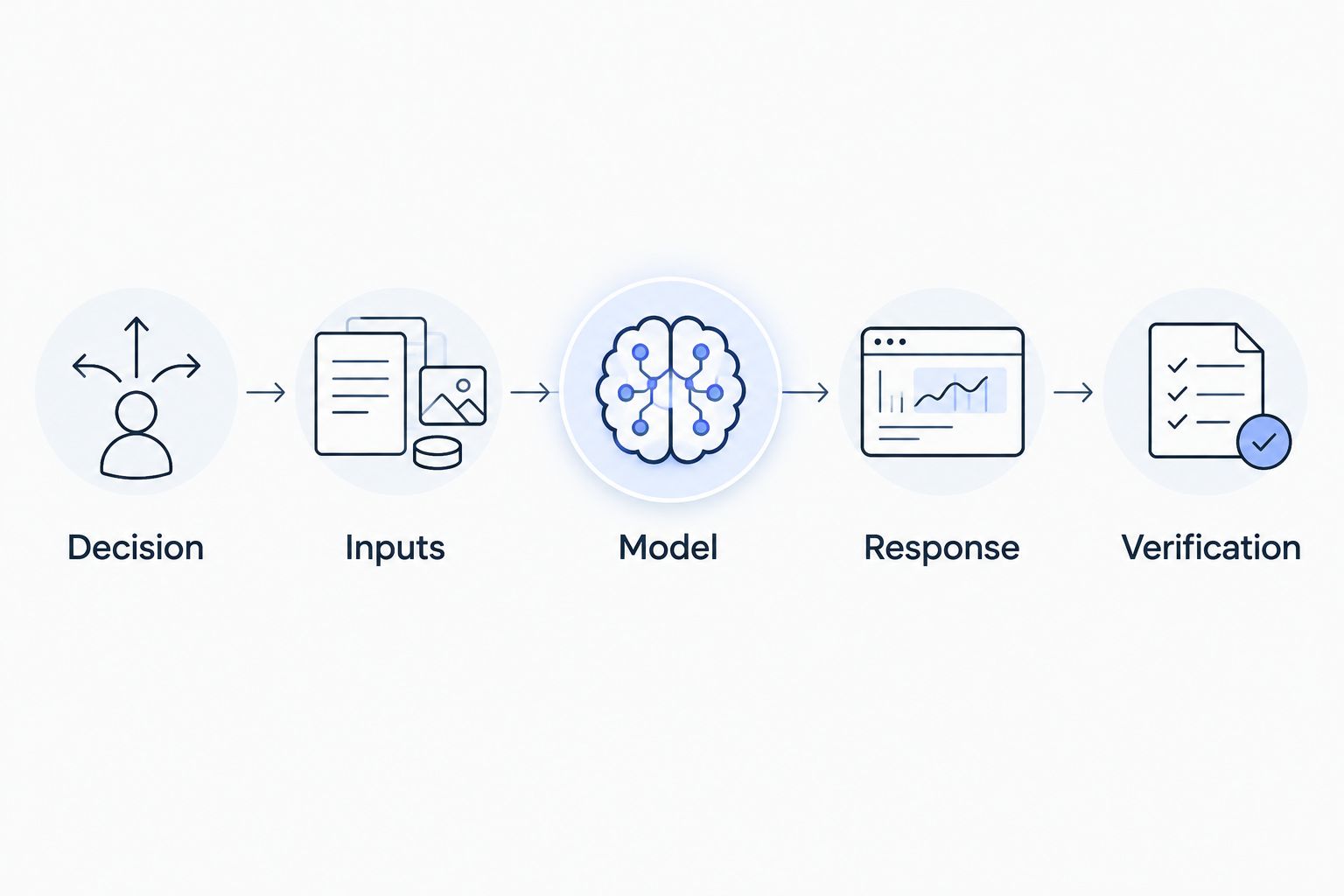
A useful pilot follows a complete path from the physical asset to evidence someone can act on. Keep the initial scope narrow enough that your team can explain every input and output.
- Decision: Write the question in operational language. Identify the person who will use the answer and the action it informs.
- Inputs: List the measurements or assumptions, their source, units and timestamps. Separate measured values from estimates.
- Model: Represent the relationships or behavior needed for that decision. Exclude detail that doesn't improve the answer.
- Response: Define the scenario comparison, alarm or permitted action. Assign responsibility for interpreting the result.
- Verification: Compare the result with observations or agreed validation evidence. Record where the model stops being dependable.
Consider a clearly labeled monitoring assumption: 10 assets each send 1 reading per minute. That produces 600 readings per hour before accounting for missing messages or retransmissions. This calculation describes the assumed input stream, not a platform limit or a recommended reporting interval.
Now ask what happens when a reading arrives late, a sensor changes identity or a measurement uses the wrong unit. Those cases test whether the operational model remains understandable when real data isn't tidy.
For a simulation pilot, use the equivalent discipline: compare the baseline model against observed plant behavior before evaluating a proposed change. Otherwise, the apparent improvement rests on an unproven baseline.
Keep commands and physical outcomes separate
A monitoring twin can inform a person without controlling equipment. Once a project includes commands, define a separate permission and verification path rather than treating control as another visualization feature.
A shut-off example requires a compatible actuator and a configured command path. Accepted, queued or delivered command status doesn't prove that the valve physically closed; that conclusion requires supported device feedback or subsequent measurements.
The same boundary applies to model changes. Restoring a software configuration doesn't reverse a physical action already taken. Keep safety-critical control requirements separate from claims about dashboards, assistants or digital twins.
Which manufacturing digital twin software should you choose?
If your unresolved question concerns production capacity, start by evaluating Siemens Plant Simulation. Choose Ansys Twin Builder when equipment behavior is the question, and AnyLogic when production interacts with logistics or other modeled systems.
For connected environments, decide whether you want to build an application foundation or configure a monitoring workflow. That separates Azure Digital Twins from an operational monitoring platform more clearly than a generic feature checklist.
Before committing, require a demonstration using your inputs, your decision and your acceptance criteria. A vendor's polished model is useful context. It isn't validation of your plant.
FAQ
What's the best digital twin software for manufacturing plants?
The best fit depends on the decision: Siemens Plant Simulation for production flow, Ansys Twin Builder for system-level equipment simulation, and AnyLogic for broader factory-to-logistics modeling. For live monitoring, evaluate connected-asset platforms separately from simulation tools.
Is a manufacturing digital twin the same as a 3D factory model?
No. A 3D factory model represents geometry, while a digital twin project also needs a defined relationship to asset data, behavior or operating context. Geometry alone doesn't establish simulation accuracy or live monitoring.
Do I need live sensor data for a production simulation?
Not necessarily. Production simulation can use measured historical inputs and stated operating assumptions to compare scenarios. Live data becomes relevant when the intended workflow requires the model to reflect changing plant conditions.
Can Azure Digital Twins simulate a production line by itself?
Azure Digital Twins isn't a finished production-line simulator. It provides a way to model connected environments and relationships; simulation logic and the surrounding application require additional implementation.
Can a digital twin replace SCADA or machine safety controls?
A digital twin label doesn't establish that software can replace SCADA or machine safety controls. Evaluate control requirements, equipment interfaces and safety responsibilities separately from visualization and modeling capabilities.
Does a digital twin automatically predict machine failures?
No. Asset records, live measurements and threshold alarms don't establish failure prediction. Predictive claims require a suitable method and validation against the equipment behavior being predicted.
What should I ask a vendor to demonstrate?
Ask the vendor to demonstrate your input-to-decision workflow, including incorrect or missing data. Require evidence of model validity and distinguish command status from proof of a physical outcome.
Before buying, test whether your model becomes stale
The revealing demonstration isn't always the first successful import. Ask what happens after equipment moves, an asset is replaced or a production route changes, and have the proposed model owner explain the update process.
Choose software your team can keep accurate. A simpler maintained model supports better decisions than a detailed model nobody trusts.
Related guides
Written by Tim Kravchunovsky


