
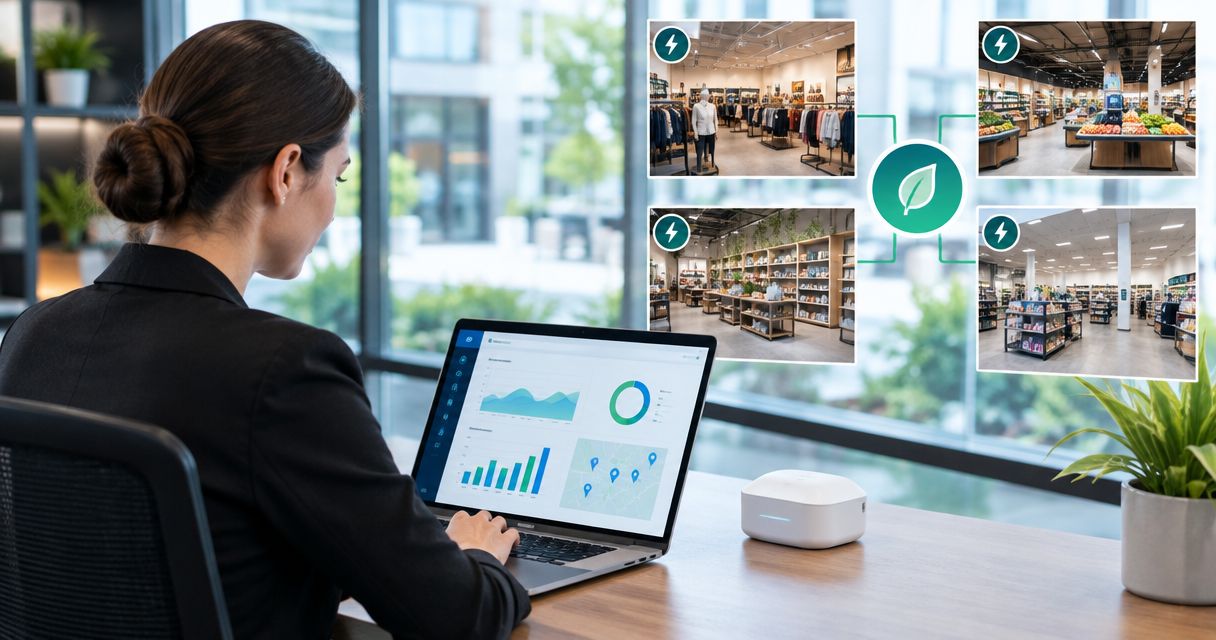
Choose a meter-led system for electricity-only analysis, an existing building management system for control-centered estates, and the Kilo IoT Platform when energy readings need to sit alongside other connected-device data. The right energy monitoring system for multi-site retailers depends on what you need to measure, who investigates exceptions, and whether the project includes equipment control.
- Choose an energy monitoring system for multi-site retailers around metering coverage and response workflows, not dashboard appearance.
- Kilo fits retailers combining energy monitoring with other connected-device data, dashboards, alarms and configured automation.
- Meter-led submetering fits electricity investigations; existing building controls fit projects where equipment schedules are central.
- Utility interval data is a useful starting point, but whole-store readings cannot identify individual equipment loads.
What makes a useful retail energy monitoring system?
A useful system connects an unusual reading to a practical decision. A regional manager needs to know which store deserves attention; an integrator needs to know which meter produced the reading and whether it is trustworthy.
Use these criteria before choosing an approach:
- Measurement coverage: Separate whole-store consumption from refrigeration, lighting, HVAC and other circuits where the investigation requires it.
- Comparable stores: Account for floor area, opening hours, equipment mix and weather before ranking locations.
- Data quality: Preserve units, timestamps and measurement intervals, and distinguish missing readings from genuine zero consumption.
- Response workflow: Give each exception an owner and define what evidence closes the investigation.
- Integration fit: Establish the complete path from the installed meter to the software, including any gateway or payload mapping.
- Control boundaries: Distinguish a notification from a supported command and a command status from evidence that equipment changed state.
Measure the load you want someone to act on. A whole-store total can reveal an overnight baseline, but it cannot, by itself, establish which circuit caused it.
Retail energy monitoring options at a glance
These are different system approaches, not interchangeable products. The order starts with a configurable platform example, then separates electricity analysis, building control and utility-data review into distinct use cases.
| System approach | Best for | Standout capability | Key limitation |
|---|---|---|---|
| Kilo | Energy data alongside wider IoT monitoring | Device data, dashboards, alarms and configured automation in one platform | Meter compatibility and energy-specific analysis need project-level validation |
| Meter-led submetering system | Identifying electricity use by circuit or equipment group | Measurement boundaries aligned to electrical loads | Installation and correct meter configuration are central to useful results |
| Existing building management system | Investigating schedules and controlled building equipment | Equipment context close to the control workflow | Available points and cross-site access depend on the installed estate |
| Utility interval-data portal | Starting with whole-store consumption | Review of consumption at the utility meter boundary | Cannot isolate individual loads without additional measurements |
1. Kilo: for energy monitoring alongside wider IoT data
Kilo brings connected-device data, dashboards, rules, alarms and permissions into a shared platform. For a retailer, the relevant question is whether energy readings need to be investigated alongside temperature, equipment status or other supported sensor inputs.
Kilo fits retailers that need energy monitoring alongside other connected-device workflows. That is a different requirement from buying specialist electricity analysis software or replacing a building controller.
An illustrative workflow starts with compatible meter readings and a store identifier. An integrator maps the incoming fields and units, configures a useful dashboard and defines an alarm condition; a named facilities contact then investigates the exception and checks subsequent measurements after taking action.
The deployment still needs an agreed data model. A shared protocol name does not prove that a particular meter, payload or command works without configuration.
Kilo pros:
- Combines energy-related inputs with other supported device data.
- Provides dashboards, alarms and rules for configured monitoring workflows.
- Includes permissions for access to connected deployments.
Kilo cons:
- A general IoT platform is not proof of specialist tariff analysis or weather-normalized benchmarking.
- Supported connectivity does not establish compatibility with every energy meter.
- Equipment control requires a compatible device and a configured command path.
Best for: Retailers and integrators building a shared monitoring layer across energy and other site conditions.
Verdict: Hold a chain-wide purchase until the actual meter-to-dashboard workflow passes a pilot.
2. Meter-led submetering: for identifying electricity loads
A meter-led system starts with the electrical measurement boundary. Instead of relying only on the store's incoming supply, you measure selected circuits or equipment groups to answer a specific question.
This approach fits investigations such as whether overnight consumption comes from refrigeration, lighting or another load. The software matters, but the circuit schedule, meter selection and installation determine what the data can explain.
Ask the electrical contractor to document what each channel measures. A channel labelled refrigeration is misleading if the circuit also supplies unrelated equipment, and that error follows every report built from it.
Meter-led submetering pros:
- Links consumption to defined circuits or equipment groups.
- Supports investigation below the whole-store total.
- Lets you design measurement coverage around an operational question.
Meter-led submetering cons:
- Requires electrical survey and installation planning.
- Circuit changes can make channel labels inaccurate.
- Current readings alone do not establish accurate real-energy consumption without the necessary electrical measurements.
Best for: Retailers whose main question is which electrical loads account for consumption.
Verdict: Buy for load-level investigation after the measurement design is agreed.
3. Existing building management systems: for equipment schedules
A building management system, or BMS, is a sensible starting point when your question concerns equipment already connected to building controls. Investigating an HVAC schedule requires different information from comparing utility bills.
Start by establishing which points the installed system exposes: schedules, operating states, temperatures and meter readings are separate inputs. Then determine whether the central team can access them consistently across stores.
Do not assume the same point names mean the same thing in different buildings. An estate assembled through acquisitions or separate installation contracts needs a point-by-point inventory before a shared dashboard becomes dependable.
Existing BMS pros:
- Keeps the investigation close to connected equipment and schedules.
- Provides a route to examine existing control settings where accessible.
- Avoids duplicating measurements that are already available and suitable.
Existing BMS cons:
- Point coverage and access differ between installations.
- Portfolio reporting requires consistent naming and permissions.
- Changing a schedule is a control decision, not simply a reporting feature.
Best for: Retailers investigating HVAC or lighting operation in stores with accessible building controls.
Verdict: Hold additional software procurement until the existing points and access rights are inventoried.
4. Utility interval-data portals: for whole-store screening
Where your utility account provides interval data, use it to examine whole-store consumption before specifying additional equipment. The meter boundary makes this an estate-screening approach rather than equipment-level diagnosis.
Look for consumption outside trading hours and differences between comparable stores. Confirm the interval length, timestamp convention and treatment of missing data before comparing files.
A whole-store pattern can justify an investigation, but it cannot prove that an individual appliance caused the change. That distinction prevents a useful screening tool from becoming an unsupported diagnosis.
Utility interval-data pros:
- Starts with the utility meter boundary.
- Supports review of whole-store consumption patterns.
- Helps identify where more detailed measurement would answer a useful question.
Utility interval-data cons:
- Data access and granularity depend on the utility arrangement.
- Individual circuits remain indistinguishable without other measurements.
- A consumption portal is not, by itself, an equipment-response workflow.
Best for: Retailers establishing an initial portfolio view before selecting stores for deeper investigation.
Verdict: Use for screening; skip it as the sole tool for equipment diagnosis.
How to compare stores without creating a misleading league table
Compare like with like before deciding that a store is inefficient. A larger grocery location with refrigeration and longer opening hours is not directly comparable with a smaller non-food shop.
Keep energy and power separate. A load drawing 1 kW for 1 hour uses 1 kWh; kW describes power, while kWh describes energy over time. A system that mixes those units produces misleading comparisons regardless of how polished the chart looks.
For each store, establish:
- The meter boundary and whether it covers the entire premises.
- Opening hours, local time zone and changes to trading schedules.
- Floor area and the major equipment groups present.
- Measurement interval and missing-data handling.
- Relevant weather and operating changes when evaluating a before-and-after result.
Use floor-area normalization only when it serves the question. Energy per square foot helps describe building intensity, but it does not remove differences in refrigeration, occupancy or trading activity.
For closed-hours investigations, compare consumption against each store's actual schedule. A fixed clock-time comparison can classify a legitimately open store as an exception.
Build a pilot around an investigation, not a dashboard
A useful pilot demonstrates the complete response workflow. Choose stores that expose meaningful differences in your estate, rather than selecting only the easiest installation.
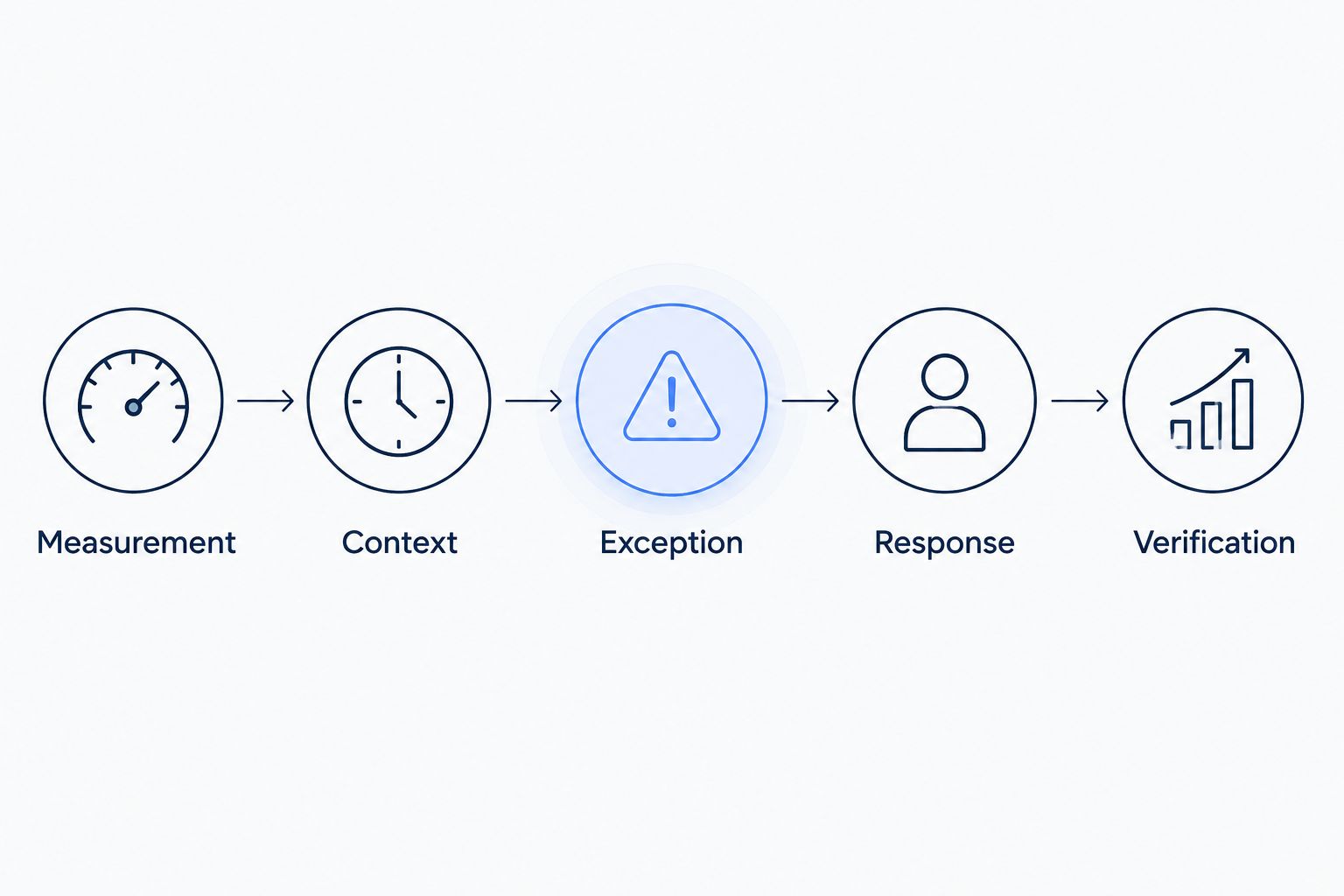
Define these stages before configuration:
- Measurement: Identify the load, meter, unit and reporting interval.
- Context: Attach the store identity and relevant operating schedule.
- Exception: Define the condition that deserves investigation.
- Response: Assign the person who checks the cause and records the action.
- Verification: Examine subsequent readings and relevant equipment feedback.
Consider an illustrative monitoring-only scenario: a store shows an unexpected closed-hours load, and the facilities contact checks the operating schedule against the connected readings. After an authorized adjustment, the team reviews the next comparable closed-hours period and records whether the load changed.
That is not a promised saving or a customer result. It is a testable workflow with an input, an investigator, an action and evidence.
Keep automated control separate during initial evaluation. If control becomes part of the scope, define the supported command, permissions, approval behavior and outcome feedback; an accepted or delivered command does not prove that equipment changed state.
For the wider deployment sequence, use the phased multi-site IoT rollout guide to structure expansion after the pilot.
Separate software selection from hardware sourcing
The platform subscription, electrical installation, meters, gateways and connectivity are different procurement decisions. Assign responsibility for each so a software proposal does not leave the physical measurement path unresolved.
Kilo Electronics is a separate online authorised dealer for compatible hardware, serving individual and business buyers. Hardware sourcing does not replace an integrator's compatibility assessment or a qualified electrician's installation work, and the platform is not restricted to a mandatory store purchase.
Ask who owns channel labelling after installation. A well-configured dashboard becomes unreliable if a refurbishment changes circuits without updating their digital records.
How these options are ranked
The comparison separates measurement coverage, store comparability, data quality, response ownership, integration and control. It does not assign an unsupported overall winner to systems that solve different problems.
Choose the narrowest approach that answers your actual question. Expand the scope when the pilot demonstrates a need for additional measurements, shared context or a wider response workflow.
FAQ
Can I compare stores using their electricity bills alone?
Bills support whole-store consumption comparisons, but they do not identify individual equipment loads. Align billing periods and account for store characteristics before drawing conclusions.
Do wireless sensors replace electricity meters?
A wireless connection does not replace electrical measurement. You still need a suitable meter or measurement device, with a supported route for sending its readings to the software.
Should retailers measure every circuit?
Start with the circuits needed to answer the investigation question. Additional channels are useful when they separate loads that would otherwise remain indistinguishable.
Does energy monitoring automatically reduce consumption?
Monitoring measures consumption; a response changes operation. Assign someone to investigate exceptions and verify the effect of any adjustment.
Can a current sensor show accurate energy consumption?
Current alone does not establish accurate real-energy consumption. The measurement method must account for the electrical quantities needed for the load and installation.
Does an energy monitoring project need AI?
No. Meter readings, schedules, dashboards and threshold alarms can support useful monitoring without AI, and a simple threshold rule is not AI.
Which system should your retail estate choose?
Start with utility data for screening, add submetering for load-level questions, and inspect existing controls before buying a replacement layer. Choose Kilo when a shared IoT workflow across energy and other supported device inputs is the requirement.
The most useful final check is simple: ask a store contact to explain one flagged event using the proposed system. If they cannot identify the measurement, understand the exception and show what happened after the response, another dashboard will not fix the workflow.
Written by Tim Kravchunovsky


