
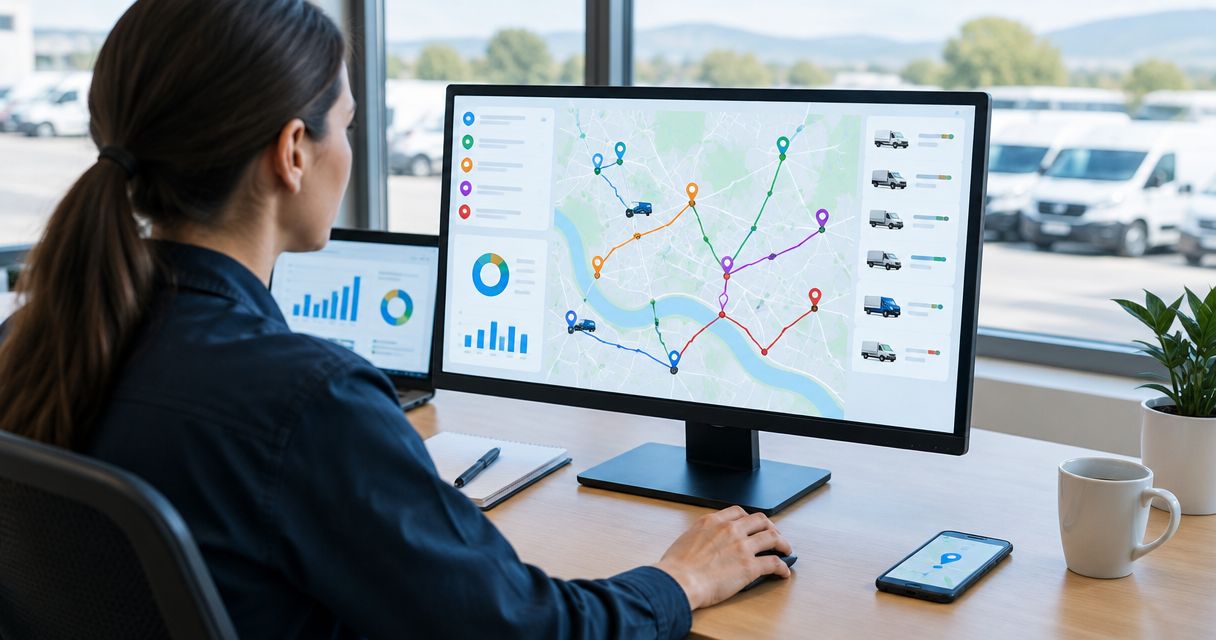
For a GPS tracking dashboard for fleet operations, shortlist Samsara for connected vehicle operations, Geotab for telematics integrations, Verizon Connect Reveal for dispatch visibility, and Traccar for a self-hosted tracking system. The Kilo IoT Platform is a different option: an IoT operating layer for integrators who need fleet telemetry alongside equipment and site monitoring, rather than a dedicated fleet-management suite.
- Samsara belongs on your shortlist when vehicle tracking and video-based fleet workflows need to work together.
- Geotab suits fleets evaluating telematics data, integrations and connected vehicle workflows.
- Traccar suits technical teams that want an open-source, self-hosted GPS tracking dashboard for fleet operations.
- Kilo fits integrators combining fleet telemetry with wider IoT monitoring; validate the tracker integration before choosing.
Choose the operational workflow before the map
A vehicle marker answers where a tracker last reported. Fleet operations also need to know when that position was measured, whether the vehicle is available, and who should respond to an exception. Those are different questions.
Start with your daily decision. Dispatchers choosing an available vehicle need a different dashboard from integrators combining trailer locations, temperature readings and depot equipment status. A polished map does not establish either workflow.
The options below cover distinct approaches, not an independent performance ranking. Use the use-case labels to decide which products deserve a demonstration, then test those products with your own trackers and operating conditions.
What makes a useful GPS tracking dashboard for fleet operations?
Judge every option against the same criteria before comparing presentation or adding features to your shortlist.
- Position freshness: Show the measurement timestamp and distinguish an old position from a current observation. A recent platform connection does not establish a recent GPS fix.
- Operational context: Connect a tracker to the correct vehicle, trailer or asset. Show the status fields your team actually uses, rather than every field the device transmits.
- Exception handling: Test how missed updates, unexpected movement and location-based events become actionable tasks. Establish who owns the response.
- Integration fit: Confirm the exact tracker model, payload and connection path. A shared protocol name does not prove that every field is interpreted correctly.
- Access boundaries: Demonstrate what dispatchers, supervisors, customers and integrators can see or change. Vehicle location deserves deliberate access controls.
- Deployment responsibility: Identify who maintains devices, connectivity, integrations and software. Self-hosting changes who does the work; it does not remove the work.
Fleet tracking dashboards at a glance
| Option | Best for | Defining approach | Key limitation to evaluate |
|---|---|---|---|
| Samsara | Tracking alongside video-based fleet workflows | Connected fleet software spanning vehicle visibility and camera-related workflows | Validate the required hardware and the scope of the proposed package |
| Geotab | Telematics integrations | MyGeotab software with connected vehicle data and an integration ecosystem | Confirm responsibility across hardware, software and integration providers |
| Verizon Connect Reveal | Day-to-day dispatch visibility | Dedicated fleet tracking and operational dashboards | Demonstrate your dispatch workflow rather than assuming route optimization is included |
| Traccar | Self-hosted GPS tracking | Open-source tracking server and web interface | Your team owns hosting, maintenance and integration work |
| Kilo | Fleet telemetry alongside wider IoT monitoring | Device data, dashboards, alarms and automation in an IoT platform | Validate the location workflow; broad IoT functionality does not establish a complete fleet suite |
1. Samsara: fleet dashboards for tracking and video workflows
Samsara combines vehicle tracking with a wider connected-operations offering that includes video-based safety workflows. It belongs on the shortlist when location is part of a broader vehicle-management decision, not just a map display.
Best for: Fleets evaluating vehicle visibility and camera-related workflows together.
In a demonstration, follow an operational question from start to finish. Ask how a supervisor moves from a vehicle's location to the relevant event information, and which hardware and software components that workflow requires. Treat cameras and tracking as related capabilities, not interchangeable evidence.
Samsara pros:
- Vehicle tracking sits within a dedicated fleet-oriented environment.
- Video-related workflows provide a reason to evaluate more than location alone.
- A broader operational scope lets you assess connected vehicle requirements together.
Samsara cons:
- A map-only requirement does not justify every part of a broader fleet package.
- Hardware fit and package scope need evaluation before you commit to a rollout.
Verdict: Buy only after the tracking-to-event workflow passes your acceptance test; skip the broader package if you only need asset positions.
2. Geotab: fleet dashboards for telematics integrations
Geotab's MyGeotab software brings vehicle telematics into fleet-management workflows. Its integration ecosystem makes it relevant when your decision includes connecting vehicle information to other business systems.
Best for: Fleets and integrators planning connected vehicle data integrations.
Define the data contract before the demonstration. List the vehicle identifiers, timestamps and operational fields that must reach your other systems, then ask the proposed provider to show the complete path. An integration listing is a starting point, not proof that your particular workflow is finished.
Geotab pros:
- The platform centers on vehicle telematics rather than generic visualization.
- An integration ecosystem gives teams options to investigate for connected workflows.
- Vehicle data provides a foundation for requirements beyond displaying coordinates.
Geotab cons:
- An ecosystem-based deployment requires clear ownership across the parties involved.
- Compatibility still depends on the actual vehicle, device and integration requirements.
Verdict: Buy when the data integration is demonstrated and support ownership is explicit; hold if those responsibilities remain unresolved.
3. Verizon Connect Reveal: fleet dashboards for dispatch visibility
Verizon Connect Reveal is a dedicated fleet-tracking option for teams whose central question is where vehicles are and how to coordinate daily work. Evaluate it around the dispatcher's decisions rather than a general feature tour.
Best for: Dispatch teams selecting a dedicated vehicle-tracking workflow.
Ask a dispatcher to find the appropriate vehicle for an actual job type using representative data. Location alone is insufficient: the person making the assignment also needs trustworthy freshness and availability information. Make the demonstration expose those distinctions.
Verizon Connect Reveal pros:
- Vehicle tracking is a central product purpose.
- A fleet-specific dashboard is relevant to dispatch-led buying decisions.
- The product provides a concrete alternative to building a tracking application yourself.
Verizon Connect Reveal cons:
- A tracking dashboard does not automatically satisfy route-optimization requirements.
- Specialized sensor or business-system workflows need separate validation.
Verdict: Buy if dispatchers can complete the required assignment workflow; hold if the demonstration shows positions without enough operational context.
4. Traccar: GPS dashboards for self-hosted tracking
Traccar is an open-source GPS tracking system with server software and a web interface. It supports numerous tracking-device protocols, making it relevant to technical teams evaluating their own hosted tracking service.
Best for: Developers and integrators willing to operate a self-hosted GPS tracking system.
The critical distinction is responsibility. Your team chooses the hosting approach and must maintain the deployment, protect access and resolve integration problems. Device-protocol support also needs a real payload test; a protocol name alone does not settle firmware or field-mapping differences.
Traccar pros:
- Open-source software gives technical teams access to the implementation.
- Self-hosting gives your team direct responsibility for deployment choices.
- Tracking-device protocol support provides a starting point for hardware evaluation.
Traccar cons:
- Hosting, updates, backups and security become operational responsibilities.
- A tracking foundation still needs integration work for your specific business process.
Verdict: Buy into this approach when you have a named technical owner; skip self-hosting if nobody will maintain the service.
5. Kilo: fleet telemetry dashboards for wider IoT projects
Kilo combines device data, dashboards, automation, alarms and permissions in an IoT platform. That makes it relevant when a fleet project must also handle sensor and equipment information, rather than treating vehicles as an isolated system.
Best for: Integrators connecting fleet telemetry with wider IoT monitoring.
Kilo fits integrators combining fleet telemetry with wider IoT monitoring. Start with the tracker-to-platform connection, payload mapping and dashboard requirements; don't assume that support for MQTT, LoRaWAN or mioty establishes compatibility with a particular GPS tracker or supplies a complete dispatch application.
Kilo pros:
- Dashboards, alarms and automation address more than location display.
- Device data and permissions provide a shared basis for connected deployments.
- Supported protocol connectors and APIs give integrators defined connection paths to assess.
Kilo cons:
- Fleet-specific map behavior, trip analysis and dispatch requirements need validation.
- Hardware and connectivity remain separate from platform software.
Verdict: Buy after a tracker-data proof of concept demonstrates your workflow; hold if you need fleet-specific functions that have not been established.
Test the dashboard from GPS observation to operational response
Use an acceptance test that follows the information through the system. The following is an illustrative workflow, not a customer deployment or a claim that every shortlisted product implements it identically.
- Capture position. A tracker records coordinates and a measurement timestamp. Include the asset identifier and any required quality or status information.
- Transmit telemetry. The connection delivers the record. Preserve the original timestamp so delayed delivery does not make an old observation look new.
- Display context. The dashboard associates the tracker with the correct asset and exposes the freshness of the information.
- Assign response. A defined exception reaches the responsible person. That person decides whether to contact the driver, investigate connectivity or take another approved action.
- Verify outcome. A subsequent measurement or human confirmation establishes what happened. An alert being generated does not prove the operational issue was resolved.
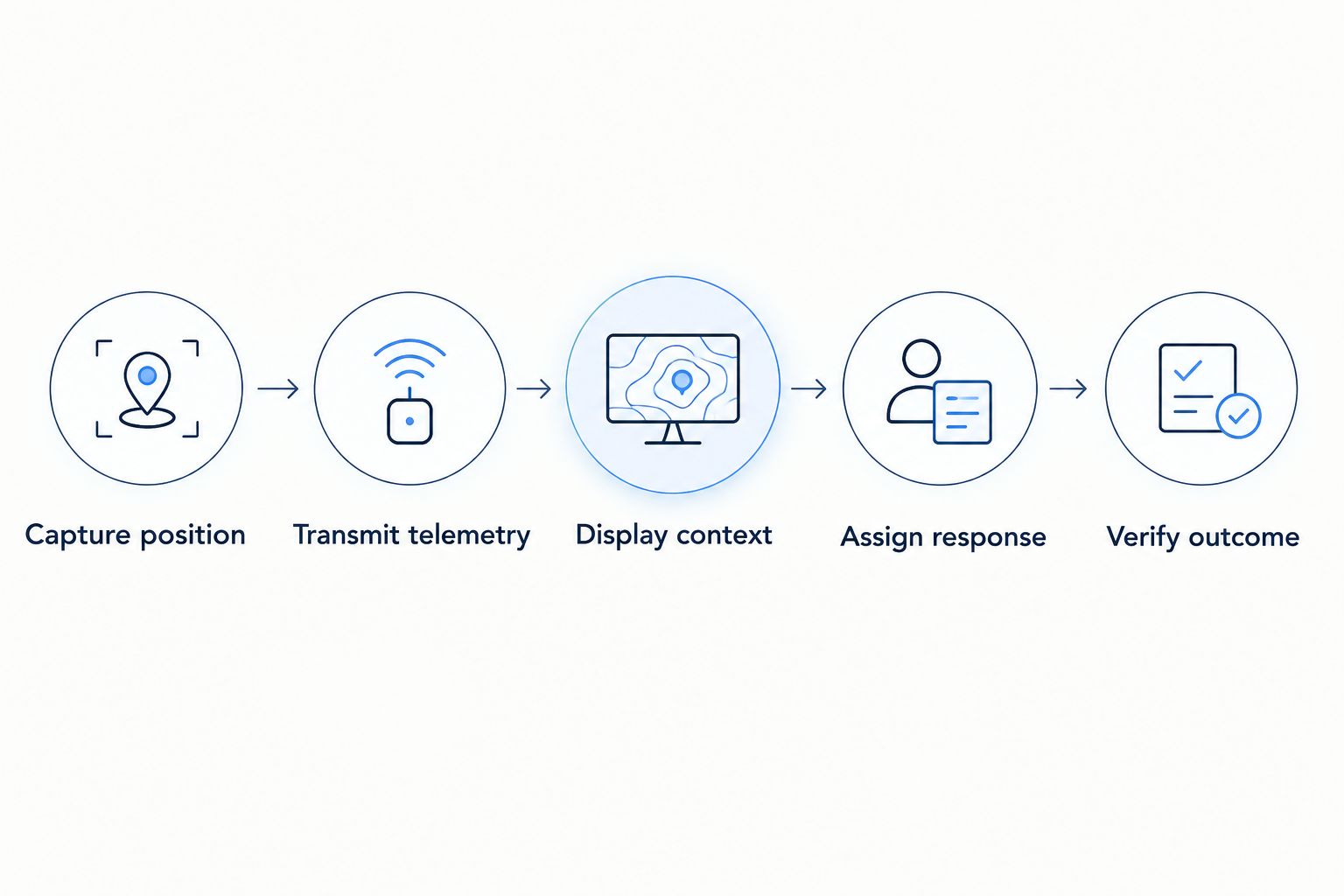
Repeat the test with a delayed update and a missing update. These conditions expose whether the interface helps your team distinguish a stopped vehicle from a tracker that has stopped reporting. Define the expected behavior before evaluating the result.
Separate tracking hardware from dashboard software
GPS determines position; a communication path carries that position to the application. Those are separate functions. A tracker receiving satellite signals does not, by itself, give a cloud dashboard a way to receive its records.
Start with the existing hardware inventory. Record the device model, connection method, payload format, available power and reporting configuration, then match those details to the proposed software integration. For new hardware, source compatible devices from Kilo Electronics, a separate online authorised dealer serving individual and business buyers; hardware sourcing is distinct from platform software selection.
Ask who handles loss of connectivity, device replacement and configuration changes. Keep hardware, connectivity, platform subscriptions and integration work separate in your evaluation so responsibility remains visible.
How the shortlist is organized
The order follows distinct operational requirements: connected vehicle and video workflows, telematics integrations, dispatch visibility, self-hosted tracking, and broader IoT integration. It is not a measured ranking of accuracy, reliability or implementation speed.
The criteria remain the same across all options: freshness, context, exception handling, integration fit, permissions and deployment responsibility. Reject a product when it fails a required workflow, even if another part of its demonstration is impressive.
Which fleet tracking dashboard should you choose?
If you're undecided, start with a dedicated fleet platform and demonstrate one complete dispatch workflow. Compare Samsara, Geotab and Verizon Connect Reveal against the same acceptance test rather than comparing unrelated feature lists.
Choose Traccar when operating the tracking service yourself is an intentional engineering decision. Choose the broader IoT approach when fleet telemetry must participate in equipment and site-monitoring workflows, and validate the location-specific requirements before committing.
FAQ
What's the best GPS tracking dashboard for fleet operations?
The right choice depends on the operational workflow: evaluate Samsara for connected vehicle and video workflows, Geotab for telematics integrations, and Verizon Connect Reveal for dispatch visibility. Demonstrate the same task in each shortlisted product before choosing.
Is a GPS tracking dashboard the same as fleet-management software?
No. A GPS tracking dashboard presents location information, while fleet-management software can include additional operational workflows. Specify which workflows you need rather than treating the terms as interchangeable.
Can I keep my existing GPS trackers when changing dashboards?
You can keep existing trackers when the new system supports their actual connection path and payload. Test a representative device, including timestamps and status fields, before planning the migration.
Does a live vehicle marker prove the vehicle is moving now?
No. The marker represents the position associated with an observation, and that observation can be old. Check the measurement timestamp and the dashboard's treatment of stale data.
Is Traccar suitable for a self-hosted fleet tracking dashboard?
Yes, Traccar is an open-source GPS tracking system with a self-hosting option. Your team still needs to maintain hosting, security, backups and the required integrations.
Do I need AI for fleet location alerts?
No. A defined condition and a configured notification workflow do not require AI. Evaluate AI assistance separately when it serves a specific task rather than adding it to a basic threshold rule.
One last test: disconnect the tracker
Before signing off, deliberately interrupt a test tracker's connection under controlled conditions. Ask the dispatcher to explain what the dashboard now proves about the vehicle.
The right answer is not that the vehicle stopped; it is that the system has no newer observation. A dashboard that makes that distinction clear supports better decisions than a map that simply keeps an old marker looking current.
Related guides
Written by Tim Kravchunovsky


