
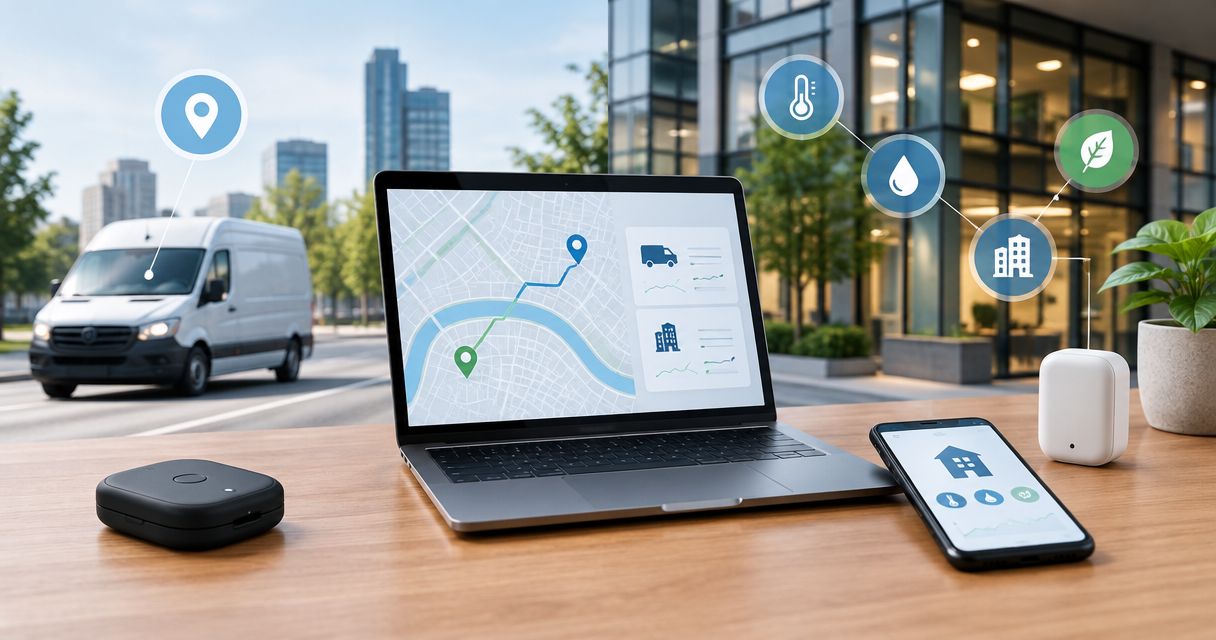
Yes—vehicle trackers and building sensors can share one platform when their data reaches supported integrations and is mapped to identifiable devices, measurements and timestamps. The Kilo IoT Platform brings connected-device data, dashboards, alarms and automation into a shared operating layer, but compatibility still depends on the tracker, sensor and integration path. Sharing the platform does not mean sharing a radio network or replacing specialist fleet and building controls.
- Vehicle trackers and building sensors: one platform works when integrations preserve device identity, timestamps and measurement meaning.
- Kilo supports shared IoT monitoring and automation; individual tracker and sensor compatibility still needs verification.
- Keep mobile assets and fixed locations distinct, then connect them through useful operational context.
- Prove data freshness, alarm ownership and access boundaries before adding device commands.
Can vehicle trackers and building sensors share one platform?
Yes. The common layer is the software handling device data, not necessarily the network carrying it. A vehicle tracker can send information through its supported upstream service while fixed sensors report through a building's sensor network. Both paths can feed the same platform if the required interfaces and data formats are supported.
The important question is what survives that connection. You need to know which asset produced a reading, what it means, when it was measured and whether it is still relevant. A dashboard that merely displays both feeds does not establish those relationships.
| Requirement | Vehicle trackers | Building sensors | Shared-platform requirement |
|---|---|---|---|
| Identity | Device associated with a moving vehicle or asset | Device associated with a room, zone or piece of equipment | Stable identifiers and explicit asset assignments |
| Location | Reported position changes over time | Installation location usually remains fixed | Distinguish reported position from assigned location |
| Measurements | Position and other telemetry the tracker actually exposes | Temperature, humidity, contact state or other supported readings | Preserve units, field meanings and timestamps |
| Freshness | Reporting depends on device configuration and connectivity | Reporting depends on sensor configuration and connectivity | Evaluate freshness for each device class |
| Response | Fleet or asset owner investigates | Facilities or equipment owner investigates | Assign an accountable responder |
| Control | Depends on supported tracker commands | Depends on compatible equipment and command paths | Keep monitoring permission separate from command permission |
This architecture suits organizations whose vehicles and buildings participate in the same workflow. It is less useful when the only objective is putting unrelated charts on one screen.
What must connect before a shared dashboard is useful?
Start with the actual data route rather than a protocol logo. LoRaWAN, mioty and MQTT describe different parts of a connected deployment; their names alone do not prove that a particular device will work with a particular platform.
For example, a tracker sold with its own application needs an accessible integration path. If its data cannot leave that application through an interface you can use, owning the tracker does not give you a usable feed.
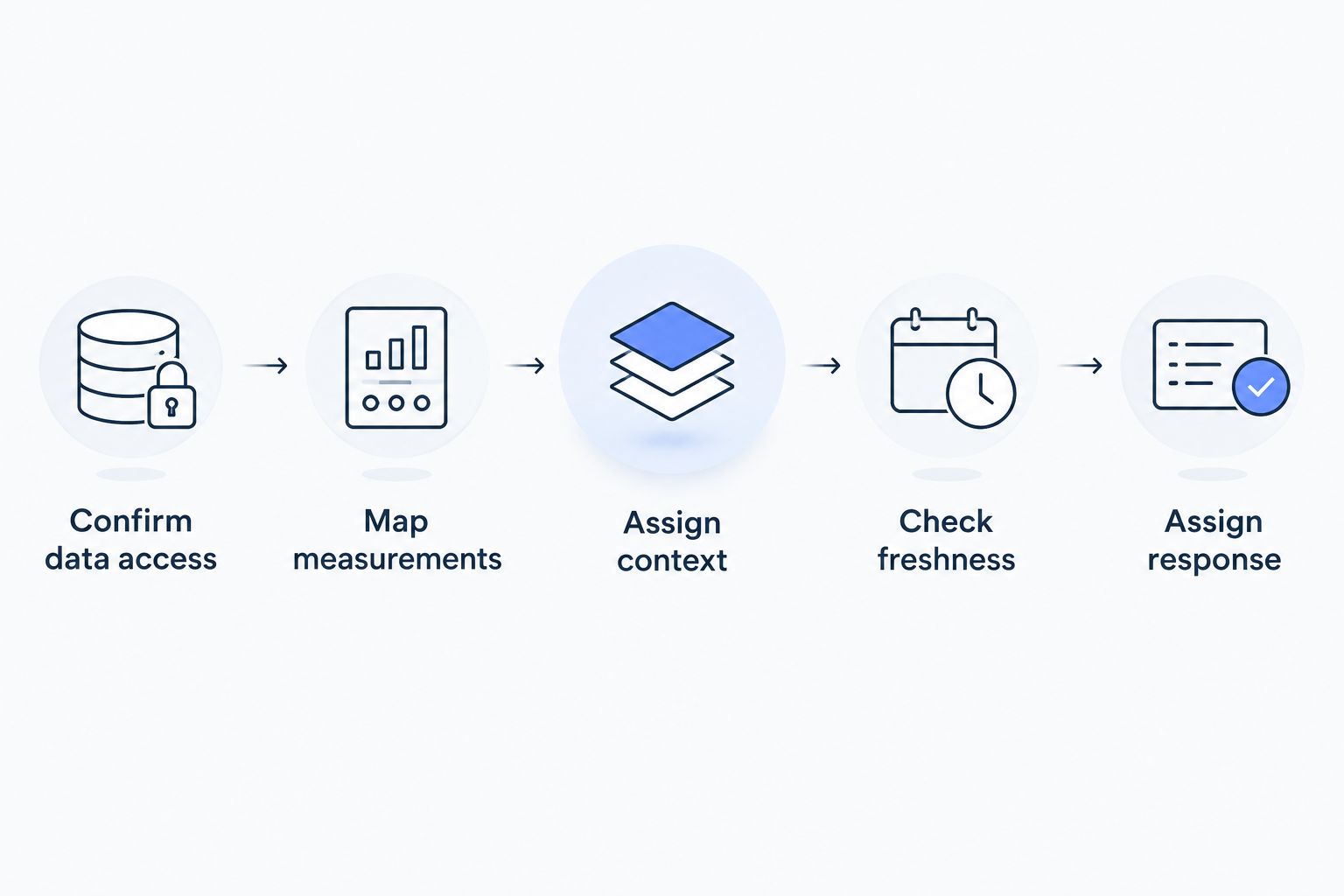
Follow this sequence for each device family:
- Confirm data access. Identify how the tracker service or sensor network exposes readings and who controls the credentials.
- Map measurements. Translate incoming fields into understandable values without losing units, device identity or measurement time.
- Assign context. Associate the device with the correct vehicle, building, room or equipment record.
- Check freshness. Distinguish a recent measurement from an old reading that arrived late or remains on screen.
- Assign response. Decide who investigates an alarm and what evidence closes the issue.
A successful connection is not the finish line. Test whether the resulting record tells a person enough to make the intended decision without opening another application to interpret every field.
How should moving assets and fixed sensors be organized?
Keep the device, the asset and the location conceptually separate. A tracker is a device attached to a vehicle; the vehicle is the asset you care about; its latest reported position is an observation. A room sensor has a device identity too, but its installation location is generally an assignment rather than a live position.
That distinction matters when equipment moves. Replacing a tracker should not silently turn the vehicle into a different business asset, and relocating a sensor should not make its old readings appear to describe its new room.
Your integration design should answer these questions explicitly:
- Which vehicle or piece of equipment does this device represent?
- Which site or team is responsible for it?
- Is this location assigned, measured or inferred?
- When did an assignment change?
- Does the viewer have permission to see this asset and its history?
A digital twin provides device or asset context, but the label does not guarantee every relationship you need. Define the required records and relationships before choosing how to represent them.
For integrators serving several customers, organizational boundaries deserve the same attention as device boundaries. A shared technical deployment is not a reason to expose one customer's vehicle movements or building measurements to another.
When is a shared platform better than separate applications?
Combine the operating view when the decision crosses the vehicle–building boundary. Keep specialist applications where their deeper functions remain necessary.
Consider an illustrative distribution workflow, not a customer deployment. A vehicle tracker supplies a recent position, a loading-area contact sensor reports door state, and a storage sensor reports temperature. The intended user wants to investigate a loading delay alongside conditions at the receiving site.
Those observations become useful together only after you establish which vehicle belongs to which delivery, which loading area is relevant and whether the readings describe the same period. Physical proximity alone does not establish that a vehicle used a particular door.
| Architecture | Best for | Main advantage | Main limitation |
|---|---|---|---|
| Shared IoT operating layer | Teams making decisions across assets and sites | Common monitoring context, alarms and permissions where supported | Requires integration and consistent data definitions |
| Separate specialist applications | Teams relying on distinct fleet and building workflows | Preserves each application's specialized functions | Cross-system investigations require coordination |
| Specialist systems plus shared monitoring | Teams needing specialist functions and cross-site visibility | Adds a common view without replacing every existing system | Responsibilities remain split across systems |
Kilo is an IoT platform for teams bringing connected-device monitoring and automation into a shared operating layer. Its fit depends on the required integrations and workflows, not simply on the number of device types you want to display.
A shared platform does not establish route optimization, driver management or building-control compatibility. Treat those as separate requirements and request evidence for each one that matters.
Why does integration effort vary between deployments?
The work varies because device data arrives with different technical and operational assumptions. A tracker feed that already exposes clear records is a different project from extracting undocumented payloads from a closed service.
The main factors are:
- Interface access. You need an authorized, usable route out of the existing tracker service or sensor network.
- Payload interpretation. Fields, units, status codes and missing values need consistent meanings.
- Reporting behavior. Device sleep, movement-dependent reporting and connectivity interruptions affect freshness.
- Asset relationships. Vehicle assignments and fixed installation locations need different handling.
- Access boundaries. Fleet staff, facilities staff, contractors and customers need appropriate visibility and authority.
- Action requirements. Monitoring a measurement is different from sending a command and verifying its physical result.
Resolve these factors before committing to a fleet-wide or multi-building rollout. A successful test with a convenient device proves that path, not every model in the purchasing list.
Hardware selection belongs in this process rather than after it. Kilo Electronics is a separate online authorised dealer for compatible hardware, serving individual and business buyers; hardware sourcing is distinct from the platform software and does not remove the need to confirm a device's integration path.
How do you prevent stale data from creating misleading alarms?
Give data freshness its own meaning. The last value displayed is not necessarily the current condition, and the time a platform receives a message is not necessarily the time the device measured it.
For moving assets, an old position can place a vehicle somewhere it has already left. For fixed sensors, an old temperature can look reassuring even after reporting has stopped. Neither case should be interpreted as a fresh observation.
Define the expected reporting behavior for each device class, then decide how your implementation distinguishes:
- A fresh measurement outside the intended operating condition.
- A measurement that arrived after a connectivity interruption.
- A device that has stopped reporting.
- A field that is missing, invalid or unavailable.
Keep alarm ownership equally explicit. The person responsible for a vehicle issue is not automatically responsible for a loading-area sensor, even when both appear in the same dashboard.
Closing an alarm should reflect an investigation or relevant evidence, not just the arrival of another message. A position update does not explain a building-temperature excursion, and a normal room reading does not prove the vehicle's cargo remained within its required conditions.
Can the same platform automate vehicles and buildings?
A shared platform can coordinate supported automation, but a data connection is not a command connection. Reading a tracker position does not imply permission or technical ability to operate vehicle equipment. Reading a building sensor does not establish control over its associated machinery.
Kilo brings rules, alarms, permissions and supported commands into the platform. Any proposed action still needs a compatible device interface, a configured command path and the appropriate permissions.
Begin with a monitoring workflow before introducing physical actions. In the illustrative loading-area example, a useful first response is notifying the responsible person with the relevant device context and recent measurements. Automatically changing equipment state introduces a different engineering decision.
Command status also needs careful interpretation. Accepted, queued or delivered status does not prove that a door moved, a relay changed state or equipment reached the intended condition. Verification depends on supported device feedback or subsequent measurements.
AI assistance does not remove these boundaries. An assistant's ability to explain a reading is separate from its authority and tool support to change a resource or send a device command.
Do vehicle trackers and building sensors need the same network?
No. Vehicle trackers and building sensors can use different networks while sharing a supported application layer. Choose connectivity around movement, installation conditions, reporting needs and the available integration route—not around making every device use the same radio.
This is especially important when a vehicle leaves a site. A building's local sensor network and a mobile asset's connectivity have different coverage requirements, even if their data ultimately appears together.
Should you replace existing fleet and building software?
No—not solely to create a common monitoring view. First identify the cross-system decisions you need, then determine whether supported data integration can provide that view while specialist systems retain their existing responsibilities.
For the mobile side of the architecture, the guide to cellular IoT connectivity for mobile asset tracking addresses a separate question: how a moving asset gets its data back to an application. That connection is an input to platform consolidation, not a substitute for it.
FAQ
Can I keep my existing vehicle trackers?
You can keep existing vehicle trackers when their data is accessible through a supported integration. Confirm the exact model, upstream service, exposed fields and access rights before committing to migration.
Does GPS connect a tracker to an IoT platform?
GPS provides positioning information; it does not by itself provide the data connection to an IoT platform. The tracker still needs a supported communications and integration path.
Can different sensor brands appear in the same dashboard?
Different sensor brands can share a dashboard when supported integrations translate their readings into usable measurements. Matching protocol names alone does not establish payload or device compatibility.
Can building staff see sensors without seeing vehicle movements?
Separate visibility should be an explicit access-control requirement. Test the intended roles against both device records and the views or integrations that expose their data.
Does a shared dashboard replace a building management system?
A shared dashboard does not automatically replace a building management system. Monitoring, equipment control and specialist building functions require separate evaluation.
What should I ask a vendor to demonstrate first?
Ask the vendor to demonstrate a real tracker feed and a real building-sensor feed with clear identities, timestamps and measurements. Then test missing data, restricted access and the intended alarm response.
Test a broken connection before expanding the rollout
The most revealing demonstration is not a screen full of healthy devices. Interrupt a permitted test feed and examine what the user sees: an explicitly stale reading, a reporting problem, or an apparently current value with no warning.
Approve the shared workflow only when a user can distinguish a normal measurement from missing evidence. That distinction makes vehicle and building data useful together without pretending the two systems behave identically.
Written by Tim Kravchunovsky


