
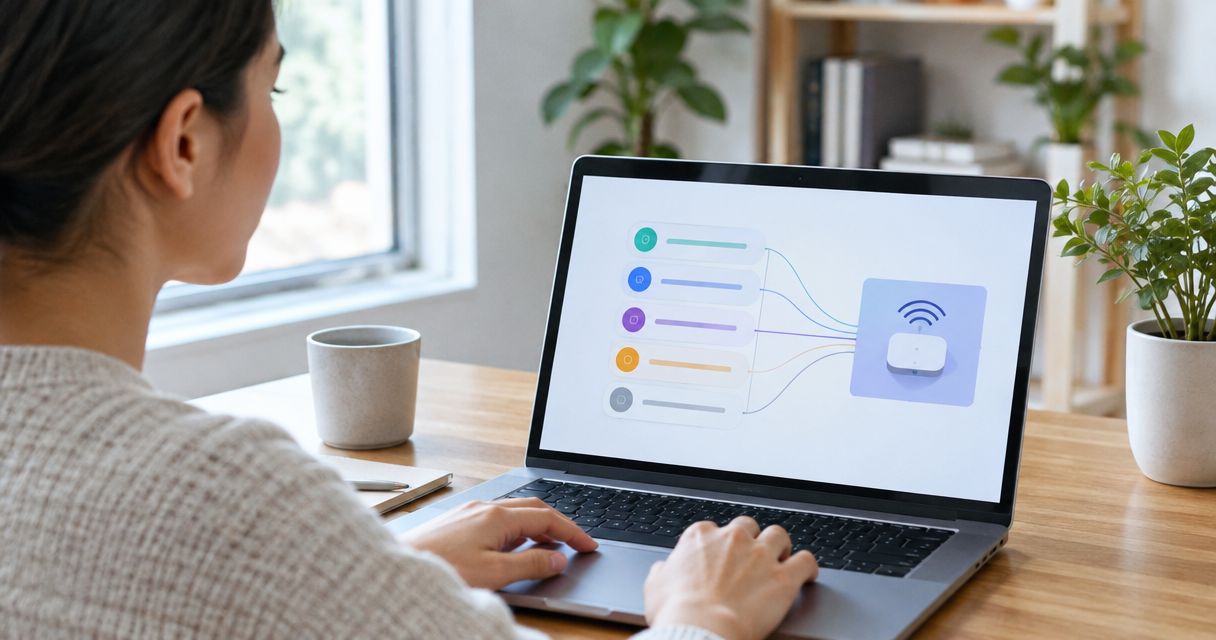
Yes—when a command record explicitly references its originating rule execution, you can identify which rule sent it; matching timestamps alone is not proof. In an IoT platform, trace the command back to the execution and deployed rule version, then check device feedback separately: identifying the sender does not establish that the equipment acted.
- To establish which rule triggered a device command, look for an explicit link between command and execution records.
- A nearby timestamp identifies a candidate rule, not a confirmed source.
- Kilo connects configured automation with device context; verify the documented scope of command-source records.
- Command delivery and the physical outcome require different evidence.
Can you see which rule sent a specific device command?
You can establish the source when the available records connect a specific command to a specific rule execution. The strongest evidence identifies the command, the execution that issued it, the action within that execution, and the rule version running at the time. Treat those as evidence requirements, not a promise that every platform exposes those fields.
Start with the command rather than opening every rule that mentions the device. That keeps the investigation focused on what was actually requested instead of what the current configuration is capable of doing.
- Identify the command. Record the target device, requested action, parameters, timestamp, and command identifier where available.
- Find its recorded source. Look for an explicit reference to a rule execution. Do not assume every command came from automation.
- Inspect the execution. Establish which branch reached the command action and what inputs it used.
- Check the deployed version. Compare the command with the rule definition active during that execution, not an unpublished edit.
- Verify the outcome separately. Use supported device feedback or subsequent measurements to establish what happened physically.
If an explicit source reference is absent, document the result as a correlation rather than confirmed attribution. A plausible rule is not yet a proven sender.
What evidence proves which rule triggered a device command?
Different records answer different questions. A command history tells you about a request; an execution record helps explain the automation path; device feedback addresses the equipment's response. None automatically replaces the others.
| Evidence | What it helps establish | What it does not establish alone |
|---|---|---|
| Command identifier | Which individual request you are investigating | Which rule generated it |
| Explicit execution reference | The recorded connection between request and execution | Whether the physical action succeeded |
| Rule version reference | Which recorded configuration produced the action | Whether that configuration was appropriate |
| Execution inputs | The values available when the rule ran | Whether the sensor accurately represented conditions |
| Device feedback | The reported response or later measured state | Which automation path originally issued the request |
| Timestamp match | Which events deserve further investigation | A causal connection between those events |
Best for source attribution: an explicit command-to-execution reference. Its limit is equally important: it establishes recorded provenance, not physical success or the correctness of the decision.
Timestamp correlation is useful for narrowing a search when stronger evidence is unavailable. Its weakness is ambiguity, especially when several rules or users can issue the same action to the same device. Keep that distinction in the incident report rather than presenting both methods as equally conclusive.
How do you trace a command back through an automation workflow?
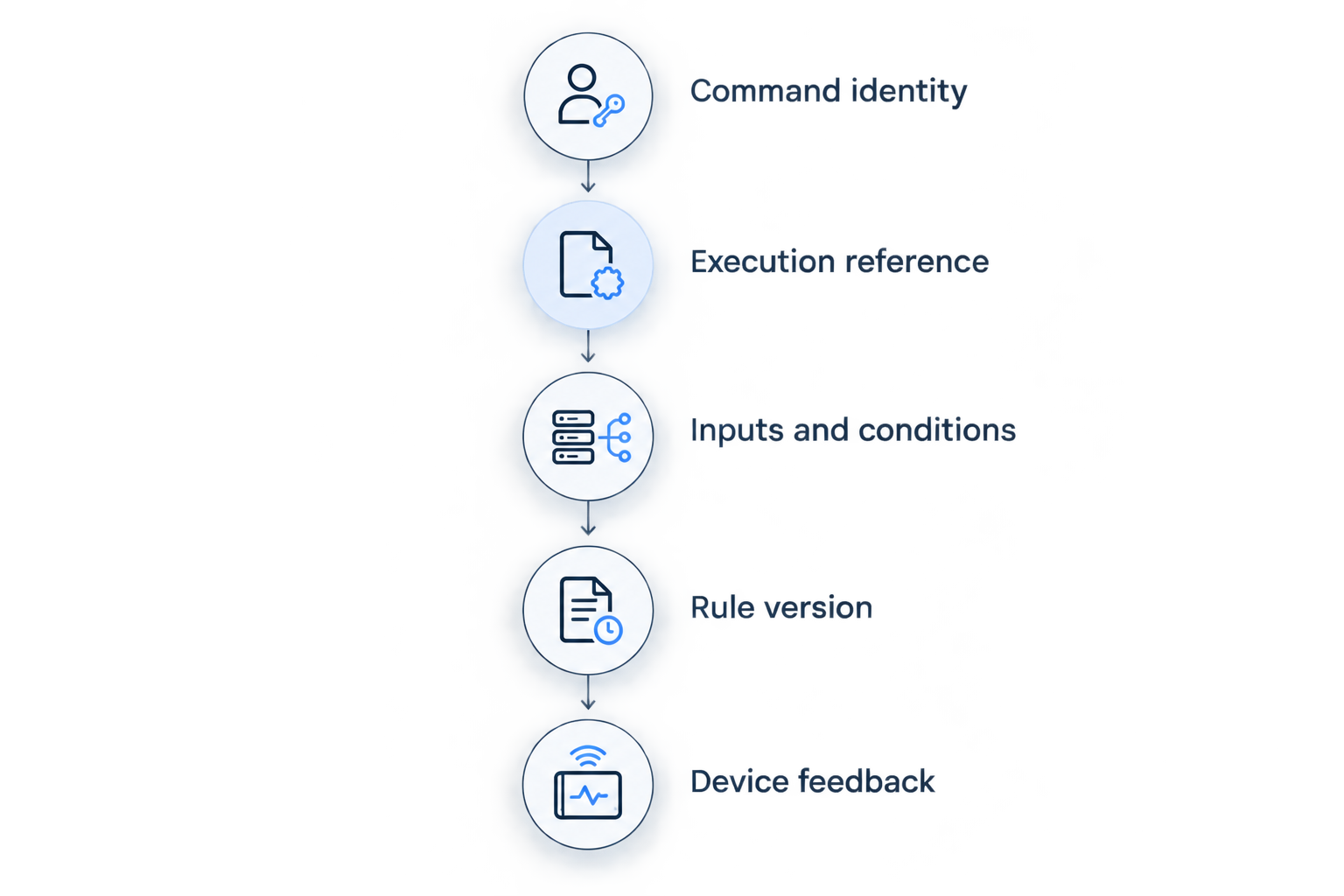
Work backward from the request, then forward through the explanation. The backward pass finds the recorded source; the forward pass checks whether the inputs, conditions, and action form a consistent account.
Establish the command identity
Use the stable device identifier rather than relying only on a display name. Preserve the requested action and its parameters, because commands with the same label can request different behavior.
Also preserve the original timestamp and its time zone. Convert times consistently for comparison, but keep the original values in your investigation notes so another person can reproduce the search.
Follow the execution reference
Where a source reference exists, use it to find the relevant execution. Check the action that issued the request rather than stopping at the rule name; a rule can contain branches that lead to different outcomes.
Where no reference exists, compare candidate executions against the target device, action, parameters, and event timing. Record every unresolved mismatch. A candidate that matches only the time is weaker evidence than one that also matches the request contents.
Read the inputs and conditions
Inspect the input values available to the execution. The latest dashboard reading is not a substitute for the value the rule evaluated earlier.
Then follow the condition and branch that led to the command. This separates an unexpected but correctly executed configuration from a request that does not match the intended logic.
Check the version and feedback
Identify the deployed rule definition associated with the event wherever version evidence is available. Reading today's draft can explain the wrong configuration.
Finally, inspect the available response from the device or a relevant later measurement. Close the source question and the outcome question independently. One can be resolved while the other remains unknown.
Why command-source visibility varies
The answer depends on what the system records and what your account can inspect. Before treating an empty search as evidence that a rule did not run, establish the scope of the records you are searching.
- Source coverage. A deployment can have configured automation, direct user actions, and supported integrations. Search the relevant command paths rather than assuming a rule was responsible.
- Recorded references. Attribution depends on whether the records preserve a connection between a command and its originating execution.
- Permissions. Establish that your account can inspect the relevant device and automation resources before drawing conclusions from absent results.
- Version evidence. The current rule definition does not establish what an earlier deployed version contained.
- Available feedback. The device interface determines which responses or subsequent measurements can support outcome verification.
These are different gaps with different remedies. Broader access does not create a reference that was never recorded, and a detailed execution record does not create physical feedback that the device cannot provide.
Could a debugger or an assistant have sent the command?
Yes. An investigation should test the assumption that the request came from a live automated rule, particularly when people were testing or configuring the deployment around the same time.
For supported side-effect nodes in Kilo, debugger Execute performs the real operation and is selected initially. Skip or Mock must be chosen deliberately. A debugging session is therefore not automatically an isolated simulation, and a test can matter to a command investigation.
The built-in assistant has a confirmation flow for direct device commands. External clients, such as Claude through a compatible Model Context Protocol connection, have their own approval behavior; do not treat that as identical to the built-in assistant's workflow.
Deliberately configured rules can execute supported commands autonomously. The absence of an interactive confirmation does not by itself indicate a fault, just as the existence of a confirmation does not prove that the device completed the action.
For the testing side of this question, see whether an IoT platform can simulate a rule before it goes live. Before reproducing an incident, establish whether the selected test behavior will execute, skip, or mock the physical operation.
What would a command investigation look like in practice?
Illustrative scenario: a compatible relay receives an off command during an equipment-monitoring test. The deployment has an automation rule and a person testing a supported command path. This is an investigation example, not a reported customer deployment.
Begin by identifying the relay's command request and preserving its parameters. If its record explicitly points to a rule execution, inspect that execution's inputs and command action. If it does not, keep both automation and testing activity in scope.
Suppose the execution evidence supports the configured rule as the sender. That resolves attribution, but you still need to determine whether the rule evaluated the intended input and whether the deployed condition matched the intended behavior.
Next, check the available feedback. A delivered command is not enough to conclude that the relay changed state, and a changed relay state does not necessarily establish the state of the equipment connected downstream.
Assign the unresolved question to the person able to answer it. The integrator can examine configuration and command mapping; the person responsible for the equipment can verify its condition using the appropriate supported feedback or site procedure.
Hardware selection affects that final step. Kilo Electronics is a separate online authorized dealer for compatible hardware, serving individual and business buyers; sourcing hardware there is not a requirement for platform use. Select the device and integration around the feedback your investigation needs, not merely the ability to accept a command.
What can the Kilo IoT Platform contribute to this workflow?
The Kilo IoT Platform brings device context, configured automation, supported commands, and permissions into the same operating layer. Kilo suits integrators connecting device monitoring with configured automation. That is the relevant fit here, rather than a claim that every command has complete historical attribution.
Evaluate traceability with a concrete demonstration: choose a supported command, establish its originating path, inspect the available execution evidence, and identify the feedback that verifies the outcome. Require the demonstration to distinguish recorded facts from inferences.
Do not treat an execution record as proof of an immutable audit trail or assume that every user interaction is recorded. The useful question is narrower: does the documented record scope answer the incident you need to investigate?
Does restoring a rule undo the command it sent?
Restoring a rule does not reverse a past physical action. In Kilo, restoration creates a new draft version that must be built and deployed separately.
Keep the software correction separate from equipment recovery. First preserve the incident evidence, then correct the automation through the appropriate release process. Any physical recovery requires its own supported action or site procedure and separate verification.
FAQ
What if several rules can send the same command to my device?
Use an explicit execution reference to distinguish the sender where that reference is recorded. Matching the device and action alone does not distinguish rules that can issue identical requests.
Can I identify the sender just by matching timestamps?
No—matching timestamps establishes correlation, not confirmed attribution. Use timing to find candidates, then compare source references, request parameters, and execution evidence.
Should I use the current sensor reading to explain an earlier command?
Use the input recorded for the relevant execution where it is available. A current reading describes a different moment and does not establish what the rule evaluated earlier.
Does a delivered command prove the device changed state?
No—a delivered command does not prove a physical state change. Verification depends on supported device feedback or subsequent measurements relevant to the requested action.
Can a test send a real device command?
Yes—a test can perform a real operation when its selected behavior executes supported side effects. Establish the debugger's behavior before testing against connected equipment.
Does an execution record prove who last edited the rule?
No—an execution record does not automatically establish edit history. Treat execution provenance and configuration-change history as separate evidence requirements.
What should I record if I cannot prove which rule sent the command?
Record the source as unresolved and preserve the candidate evidence. State which references are absent and avoid converting a likely explanation into a confirmed finding.
Preserve the evidence before changing the automation
The most useful first action is not always editing the suspicious rule. Preserve the command identity, available execution references, deployed configuration evidence, and device feedback before making changes that complicate the investigation.
Write the final finding as separate statements: what issued the request, why the recorded logic issued it, and what the equipment is known to have done. Mark unresolved parts explicitly. A clear partial finding is more useful than a complete story the records cannot support.
Written by Tim Kravchunovsky


