
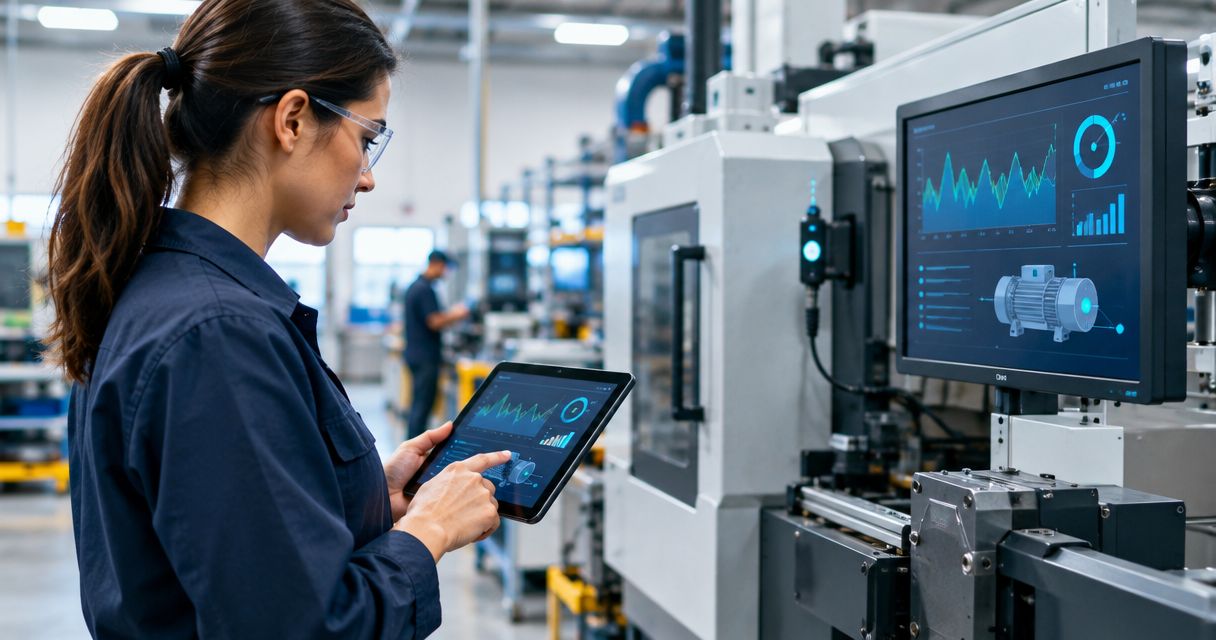
Contract manufacturers’ IoT condition monitoring is the collection and interpretation of equipment measurements to guide maintenance decisions and protect production commitments. This guide explains how to plan the workflow, where an IoT platform fits, and how to separate a meaningful equipment warning from a normal change in product, tooling or load.
- IoT condition monitoring for contract manufacturers needs equipment measurements tied to job, tooling and operating state.
- Kilo fits teams connecting supported device data, dashboards and alarms; specialist diagnosis remains a separate requirement.
- Start with a maintenance decision, then choose sensors and reporting intervals that support it.
- An equipment alarm is evidence to investigate, not proof of a fault or a prediction of failure.
Why condition monitoring matters for contract manufacturers
A contract manufacturer must interpret equipment behavior in the context of someone else’s production requirements. A machine running a different material, tool or recipe needs a different comparison—not an automatic fault label because its readings changed.
The practical question is simple: does this measurement justify an inspection, a scheduling change or no action? A dashboard becomes useful when it helps maintenance, production and process engineering answer that question together.
Condition monitoring provides observations about equipment health. Predictive maintenance goes further by estimating future deterioration or failure using an appropriate analytical method. Adding sensors, trend charts and threshold alarms does not establish that predictive capability.
For a 2026 deployment, define the decision before selecting the software. A useful starting point is a shared utility or production constraint whose condition your team already understands and whose inspection findings you can record.
Contract manufacturing also introduces a visibility boundary. Internal maintenance staff need equipment history, while a customer receiving a production update does not automatically need access to other customers’ jobs, process settings or commercially sensitive information.
Build a condition-monitoring workflow around production context
1. Choose an asset and a maintenance decision
Start manually. Review maintenance notes, operator observations and production interruptions, then walk the equipment with the people who inspect it. A spreadsheet is enough to record the asset, suspected deterioration mechanism, available evidence and intended response.
Choose an asset because an earlier observation would change a decision, not because attaching a sensor looks easy. A compressor feeding several work centers presents a different consequence from a machine with an immediately available substitute.
Define the pilot’s boundaries before installation. Monitoring should support existing inspection and maintenance practices until your evidence justifies changing them; it should not silently replace a required check.
- Identify the equipment and the production activities it supports.
- Write down the condition you want to detect or investigate.
- Name the person authorized to decide the response.
- Record existing inspections that remain in place.
- Define what evidence would justify expanding the pilot.
2. Match measurements to the suspected problem
Use existing readings and portable instruments first where they answer the question. Ask what physical change accompanies the problem, whether the proposed sensor can observe it, and whether the installation location produces a useful measurement.
Temperature, vibration, electrical current and pressure answer different questions. A temperature trend does not identify a bearing defect by itself, and a change in current can reflect a change in workload rather than deterioration.
Distinguish sensor sampling from transmission to the platform. A device that calculates a vibration indicator locally and sends a summary is not providing the same evidence as an instrument that makes a waveform available for diagnosis.
For hardware sourcing, Kilo Electronics is a separate online authorised dealer serving individual and business buyers. Hardware selection still needs to match the measurement, mounting, environment and integration requirements; buying hardware is not the same as configuring the monitoring workflow.
- Specify the measurement and its engineering unit.
- Document the mounting position and attachment method.
- Separate local sampling from platform reporting intervals.
- Identify whether summaries or raw measurements are required.
- Confirm installation and electrical work with qualified personnel.
3. Connect readings to machines, jobs and operating states
Create a manual asset register before connecting live data. Give each measurement a stable equipment identity, then record which job, material, tool and operating state affect its interpretation. Where these details are not automatically available, a controlled manual record is preferable to guessing.
The Kilo IoT Platform brings device data, digital twins, dashboards, automation, alarms and permissions into one platform. That provides a shared software layer for supported measurements, but it does not automatically supply production context or prove compatibility with every industrial device.
LoRaWAN, mioty and MQTT are relevant connectivity options in the supplied platform description. The protocol name alone does not establish payload interpretation, measurement detail or access to machine controls. Have the integrator demonstrate the complete path from a real reading to its displayed value.
- Assign stable asset and sensor identifiers.
- Confirm payload mapping, units and timestamps.
- Record running, idle, setup and maintenance states.
- Associate job or recipe context through a defined process.
- Treat missing or stale data separately from normal readings.
4. Establish comparable baselines before setting alarms
Begin with a maintenance-approved reference condition. Compare observations taken under equivalent operating conditions rather than combining setup, warm-up, idle and loaded production into an undifferentiated history.
A baseline is not a universal pass mark. A contract manufacturer changing tooling or material needs to decide whether the existing reference still applies, and that decision belongs with someone who understands the process and equipment.
Illustrative workflow: a shared pump shows a rising vibration indicator while serving the same process state. Maintenance reviews the trend, inspects the installation and records the finding. After any corrective work, the team compares subsequent measurements under the same conditions; the alert alone never establishes the cause.
Use equipment guidance and engineering judgment to define alarm behavior. Avoid copying a threshold from an unrelated machine simply because both measurements use the same unit.
- Record the equipment condition when collecting reference data.
- Separate materially different operating states.
- Mark tooling, mounting and maintenance changes.
- Define persistence and reset behavior for each alarm.
- Require technical review before changing a reference condition.
5. Assign a response and test the complete workflow
Write a response instruction that works without the person who configured the dashboard standing beside it. The recipient needs the asset, measurement, operating context and next action—not just a notification that something is abnormal.
Start with a manually recorded test case. Confirm who receives the warning, who checks the machine, who decides whether production continues, and where the inspection result is recorded. Then implement the supported platform workflow and repeat the test.
Kilo provides rules and alarms, but a configured notification is not automatically a maintenance work order. Any connection to a computerized maintenance management system requires its own verified integration and ownership process.
Keep equipment control separate from monitoring unless the project explicitly requires it. An accepted or delivered command does not prove a physical outcome; confirmation depends on supported device feedback or subsequent measurements. Existing machine protection must not depend on an unproven cloud workflow.
- Give each alarm a named owner and backup.
- Include equipment identity and an inspection instruction.
- Define how unresolved issues reach the next responsible person.
- Test stale-data and connection-loss cases.
- Record the inspection finding and closure decision.
6. Review evidence before expanding the deployment
Review the pilot manually with maintenance, production and the integrator. Count events consistently, inspect the underlying records and distinguish a useful warning from an alarm that merely coincided with planned maintenance.
For your 2026 review, compare the monitoring workflow against the baseline process you documented at the start. Do not turn an unverified avoided-breakdown assumption into a measured saving. Record actual findings, actual work and actual production effects separately.
Kilo is a fit for contract manufacturers connecting supported equipment data to dashboards, rules and alarms. Its limitation is equally important: those capabilities do not, by themselves, establish specialist vibration diagnosis, machine-learning failure prediction or automatic maintenance scheduling.
A successful pilot leaves you with a repeatable installation and response method. Expand when another asset shares that method—not merely because additional sensors can connect.
- Track alarms that led to a confirmed actionable finding.
- Separate nuisance alarms from connectivity problems.
- Record response ownership gaps and missed handovers.
- Document maintenance findings alongside subsequent readings.
- Expand only after installation and response instructions are repeatable.
Compare condition-monitoring approaches by the decision they support
Choose an approach around the evidence your maintenance decision requires. Manual inspection, connected trend monitoring and specialist diagnostics can complement each other; they are not interchangeable levels of the same product.
The comparison below focuses on workflow fit rather than a vendor ranking. Evaluate software subscriptions, hardware, installation, connectivity and engineering effort separately when preparing a budget.
| Option | Best for | Main advantage | Key limitation |
|---|---|---|---|
| Manual inspection and portable measurements | Initial investigation and infrequently checked assets | Lets a qualified person combine measurements with direct inspection | Observations are limited to inspection times and consistent recordkeeping |
| Connected sensors with an IoT platform | Shared visibility and recurring condition warnings | Brings supported readings, trends and response rules into a common workflow | Needs valid measurements, operating context and an owned response process |
| Dedicated condition-analysis tools | Equipment needing specialist diagnostic evidence | Supports investigation matched to a specific measurement method | Requires suitable data and competent interpretation |
| Machine-control or historian integration | Equipment with useful existing controller measurements | Uses available machine signals and operating-state context | Depends on accessible interfaces, permissions and engineering work |
Do not select an IoT platform as a substitute for a diagnostic instrument when the investigation requires measurement detail that never reaches the platform. Conversely, a sophisticated diagnostic tool does not automatically solve shared visibility, alarm ownership or customer-access boundaries.
Common condition-monitoring mistakes in contract manufacturing
Comparing different jobs as though the machine never changed
A reading taken during a different production recipe is not automatically evidence of deterioration. Preserve the measurement, but qualify its interpretation with the job and operating state. Otherwise, alarm tuning becomes an attempt to hide changes that the data model should explain.
Monitoring individual machines but ignoring shared utilities
A machine-focused pilot can overlook the utilities supporting an entire production area. Include dependencies such as compressed air, cooling or extraction in the asset review where they affect the maintenance decision. Choose scope from production consequences, not asset labels.
Giving customers an unrestricted plant view
Customer reporting and internal maintenance diagnosis serve different purposes. Decide what a customer actually needs to see, then verify the permissions and reporting arrangement before sharing access. A customer’s production question does not justify exposing unrelated jobs or machine history.
Treating changeovers as automatic baseline resets
A new job changes context, but it does not erase equipment history. Keep the previous reference and document why a new comparison is appropriate. Repeatedly resetting the baseline without review can conceal gradual deterioration.
Calling every threshold warning predictive maintenance
A threshold warning identifies a configured condition. It does not establish remaining useful life, predict a failure date or identify the defective component. Label the workflow accurately so production planners understand what the evidence supports.
FAQ
Can we monitor older machines without replacing their controls?
External sensors can provide a separate monitoring path where the installation and measurement suit the equipment. Access to controller data is a different integration question, and monitoring does not require granting remote control.
Does condition monitoring replace scheduled maintenance?
Condition monitoring does not automatically replace scheduled maintenance. Change a maintenance interval only through an approved technical process supported by equipment guidance and sufficient evidence.
What happens when a sensor stops reporting?
Missing data must be treated as a monitoring fault, not a normal equipment reading. Define how the team detects stale measurements, investigates the connection and continues necessary inspections.
Do wireless vibration sensors provide enough detail for fault diagnosis?
The answer depends on what the device measures, processes and makes available. Confirm whether the diagnostic method needs raw waveforms, frequency information or summary indicators before choosing the sensor and data path.
Can customers see only information about their own production?
Customer visibility requires a deliberately designed access and reporting arrangement. Verify the platform permissions and the way job data is separated before exposing shared-machine information.
Do we need AI to begin condition monitoring?
No, condition monitoring can start with valid measurements, trend review and configured alarms. Add AI assistance only for a defined task whose inputs, permissions and outputs you can evaluate.
How should we budget for a condition-monitoring pilot?
Budget separately for measurement hardware, installation, connectivity, platform software and engineering effort. Include sensor upkeep, alarm review and the work needed to connect findings to your maintenance process.
Check the machine after the maintenance—not just before it
The post-maintenance comparison deserves a place in your rollout plan. If the reported condition does not change after corrective work, investigate whether the diagnosis, repair, operating context or measurement was wrong.
That check closes the learning cycle. Start with an asset whose inspection findings you can verify, and make the return-to-service measurement part of the job. More connected equipment is not a substitute for a trustworthy comparison.
Related guides
Written by Tim Kravchunovsky


