
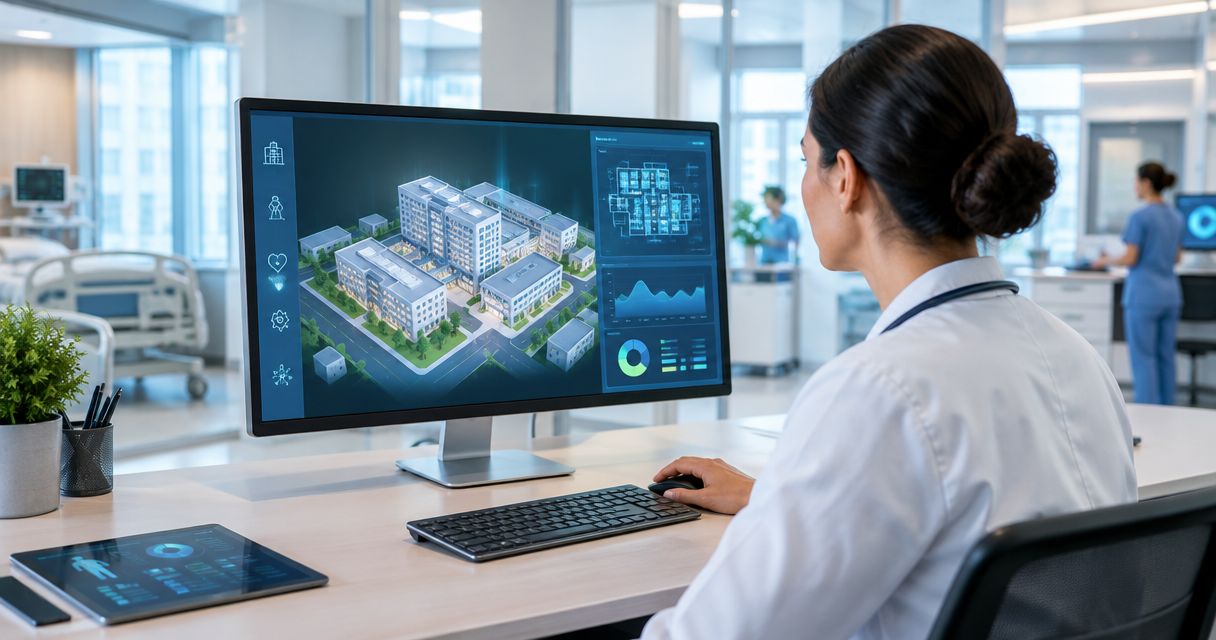
Hospital digital twin software is a digital representation of hospital spaces, equipment and their changing condition, used to help teams locate problems and make informed operational decisions. This guide explains how to scope a hospital deployment and evaluate an operating layer such as the Kilo IoT Platform without confusing building monitoring with clinical simulation or medical-device control.
- Choose digital twin software for hospitals around a defined facilities workflow, not the visual detail of its model.
- Kilo supports connected-device context, digital twins, dashboards and alarms; hospital integrations still need project-specific assessment.
- Separate building monitoring, equipment location and clinical simulation when comparing software.
- Require trustworthy timestamps, clear response ownership and evidence that an issue actually resolved.
Why digital twins matter for hospital facilities
A hospital room number is useful context, but it isn't the whole picture. A facilities engineer also needs to know which equipment serves that room, where a measurement came from, whether it is current and who owns the response.
A digital twin connects those relationships to changing information. Instead of treating a temperature reading as an isolated value, you associate it with a sensor, a storage unit, a room and a responsible team. The practical value comes from that connection, not from making a building look realistic on screen.
Hospital projects also need clear boundaries between facilities information and clinical information. Monitoring a refrigerator's environment is different from deciding whether its contents remain usable; the latter requires the responsible department's approved procedures and judgment.
For a 2026 hospital project, choose the operational question before choosing the model. A focused twin should help someone find, understand and respond to a specific condition. Broader facility monitoring for hospitals and healthcare facilities addresses the wider monitoring scope; this guide focuses on the relationships and selection criteria that make a twin useful.
How to plan a hospital digital twin deployment
1. Define the decision your twin must support
Start with a room list, existing drawings and a spreadsheet of equipment responsibilities. Walk through the current response process with the people who use it, including facilities engineers, departmental staff and the integrator responsible for connecting data.
Choose a bounded question. For example: when an environmental reading crosses an approved limit, can the responder identify the correct storage unit and find the relevant reading history? That is a clearer requirement than asking for a digital copy of the entire hospital.
Keep clinical decisions outside a facilities pilot unless the project explicitly includes the necessary clinical systems, governance and validation. A shared building model does not make unrelated workflows interchangeable.
- Name the condition or event you want to understand.
- Identify the person responsible for acting on it.
- List the information that person needs before responding.
- Define what evidence will demonstrate resolution.
2. Map rooms, equipment and data ownership
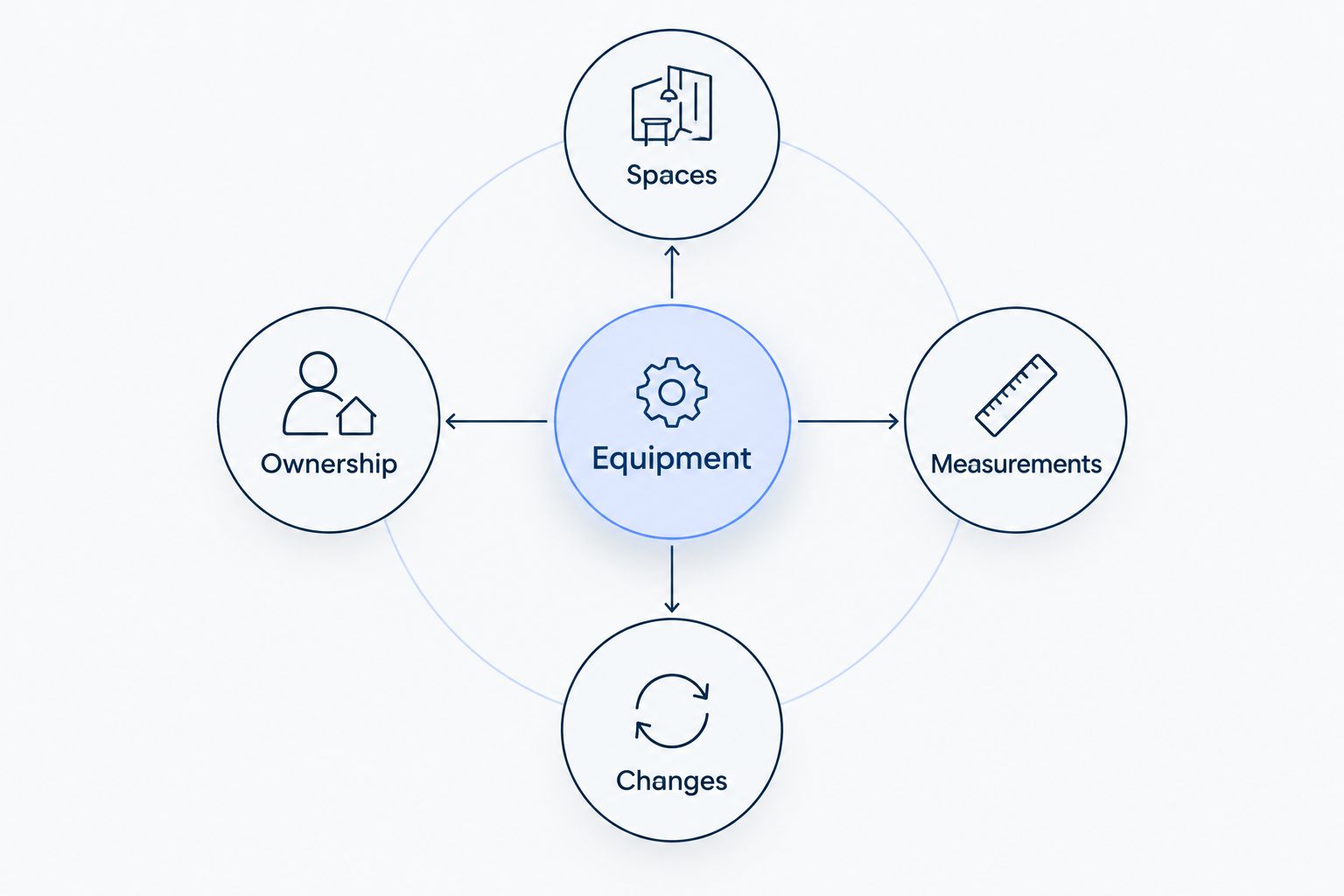
Build a simple relationship register before importing an elaborate building model. Give each monitored space and asset a stable identifier, then record how devices and measurements relate to them.
A sensor's installation location and its measurement target are not always the same thing. A probe inside a refrigerator, for example, needs a clear relationship to that refrigerator rather than merely to the surrounding room. Preserve that distinction when a device is replaced or equipment moves.
Your relationship register should also identify who maintains each record. Otherwise, the twin gradually describes the building as it used to be, even while fresh measurements continue to arrive.
- Spaces: record building, floor, room and local naming conventions.
- Equipment: identify the asset and the area it serves.
- Measurements: record the sensor, units and measurement target.
- Ownership: assign responsibility for correcting each relationship.
- Changes: define how moves and replacements update the register.
3. Connect a limited, trustworthy data set
First, inspect existing readings and compare them with the source system or instrument. Confirm units, timestamps, device identity and the meaning of missing data before adding another software layer.
Kilo brings device data, digital twins, dashboards, automation and alarms into one platform. That provides a connected operating layer, but each hospital project still needs to establish which device interfaces, payloads and integrations support its intended workflow.
Kilo fits hospital project teams seeking an IoT operating layer for connected-device monitoring and digital context. It is not evidence of a turnkey hospital integration, a clinical simulation model or support for every installed building controller.
A protocol name alone is insufficient. Even where both sides use MQTT, for example, you still need agreement on authentication, message structure, units and device identity. Existing building systems also need an explicitly assessed integration path rather than an assumed direct connection.
- Select a small set of measurements tied to the pilot question.
- Verify payload interpretation against the source reading.
- Preserve timestamps and distinguish missing data from normal conditions.
- Confirm the exact connector and device-interface requirements.
- Document who investigates communication failures.
4. Design the responder's view before adding visual detail
Sketch the responder's screen on paper first. Start with the questions someone asks during an incident: where is the issue, what changed, how recent is the reading and what should happen next?
A spatial model helps when location and relationships affect the response. A trend chart is more useful when the central question concerns change over time. Use both where they answer different questions, rather than expecting a detailed model to replace every other view.
Treat a sensor-linked building twin as an operational view, not an automatic simulation. Predicting airflow, energy consumption or patient movement requires suitable models, inputs and validation beyond displaying measurements on a building representation.
- Show the asset identifier and recognizable location together.
- Make the latest measurement time easy to find.
- Keep current condition separate from historical trends.
- Distinguish equipment position from the area it serves.
- Include a clear route to the responsible department's procedure.
5. Test alarms, permissions and response ownership
Write the response procedure manually before automating it. Specify the triggering condition, recipient, backup responsibility and closure evidence, using limits approved for the particular application rather than copying a generic threshold.
Illustrative workflow: a storage sensor reports a condition outside a department-approved range. The configured alarm identifies the storage unit and room; the assigned staff member investigates, follows the applicable procedure and checks subsequent readings. A return to range is useful evidence, but it does not independently determine whether stored material remains suitable for use.
Kilo includes alarms, permissions and automation. Assess those capabilities against the workflow you have written, keeping monitoring and device control separate. Accepted, queued or delivered command status is not proof that equipment physically changed state; that requires supported feedback or subsequent measurements.
- Test normal, out-of-range and missing-data conditions.
- Check access using the intended user roles.
- Confirm the recipient can identify the correct asset.
- Define what happens when the primary responder is unavailable.
- Verify resolution using evidence, not acknowledgment alone.
6. Evaluate the pilot before extending the model
Use a written acceptance checklist and an issue log before introducing a larger rollout. Review the complete workflow with the hospital team and integrator, including an equipment move, a sensor replacement and a communication interruption.
Ask vendors to demonstrate the same tasks against the same sample information. That makes comparisons more useful than unrelated product demonstrations. Request separate explanations of software functionality, integration work, hardware responsibilities and ongoing maintenance.
Hardware sourcing is a separate decision from platform selection. Kilo Electronics is a separate online authorised dealer for compatible hardware, serving individual and business buyers; purchasing hardware there is not a prerequisite for a platform project. Assess the actual device, installation and integration requirements regardless of sourcing channel.
- Record whether responders found the correct room and equipment.
- Check whether missing data remained visibly distinguishable.
- Review incorrect asset relationships and unresolved ownership questions.
- Confirm how configuration and device changes are maintained.
- Expand only after the pilot's acceptance criteria are met.
Compare hospital digital twin software by workflow
The useful comparison is between approaches that solve different problems, not a ranking that assumes every hospital needs the same product. Ask each supplier what its software represents, what changes automatically and what remains a manual responsibility.
| Option | Best for | Main advantage | Key limitation |
|---|---|---|---|
| Drawings and a relationship spreadsheet | Defining a pilot and checking asset records | Makes identifiers and responsibilities explicit before integration | Requires manual updates and does not provide continuous monitoring |
| Building information modeling viewer | Reviewing building geometry and asset documentation | Gives teams spatial and document context | A model viewer alone does not establish live telemetry or response workflows |
| Existing building management system | Supervising already integrated building services | Uses established building-system context and controls | Additional devices and cross-system relationships need assessment |
| Sensor-linked IoT digital twin | Connecting equipment context with changing measurements | Brings location, device information and monitoring together | Depends on correct mappings, integration and maintained data quality |
| Specialist hospital simulation software | Testing defined operational scenarios | Models interactions relevant to the chosen simulation question | Requires suitable inputs and validation; it is not a substitute for live monitoring |
The Kilo IoT Platform belongs in an assessment of connected-device monitoring and digital context. Its relevance comes from those capabilities, not from an assumption that general IoT software replaces a hospital's building controls, clinical systems or specialist simulation tools.
If an existing system already answers the operational question, improve that workflow before commissioning another model. Add a twin when spatial relationships or cross-device context solve a demonstrated problem.
Common mistakes in hospital digital twin projects
Buying a campus model before defining a response
A detailed model does not tell a facilities engineer what to do with an abnormal reading. Define a useful response workflow first, then choose the geometry and information needed to support it.
Treating facilities monitoring as clinical decision support
An environmental alarm provides information about a monitored condition. It does not establish a diagnosis, determine the suitability of stored products or replace approved departmental procedures.
Assuming room-level visibility means equipment location tracking
Displaying a fixed sensor in a room is different from locating a mobile pump. Equipment tracking needs an appropriate location technology, integration and demonstrated performance in the intended spaces.
Leaving ownership unclear between facilities and IT
The facilities team understands equipment relationships; IT and security teams assess access, network connections and data handling. Assign responsibilities together, including who updates the twin after a physical change.
Closing incidents when someone acknowledges an alarm
Acknowledgment confirms that someone saw an event, not that the underlying condition changed. Define closure evidence separately, such as an inspection outcome and subsequent measurements, according to the workflow.
FAQ
Do hospitals need a 3D model to start a digital twin project?
No, a hospital can begin by defining spaces, equipment, measurements and their relationships without commissioning a detailed 3D model. Add spatial detail where it helps staff locate assets or understand the systems serving a space.
Can digital twin software replace our hospital building management system?
A digital twin should not be assumed to replace a hospital building management system. Assess which system owns supervision and control, then define any integration and responsibility boundaries explicitly.
Should a hospital facilities twin contain patient information?
Keep patient information out of a facilities twin unless the defined workflow requires it and the hospital has approved the associated governance and technical controls. Equipment identifiers, room references and environmental measurements often answer the facilities question without patient records.
What should we ask vendors to demonstrate with our sample data?
Ask vendors to demonstrate asset mapping, measurement interpretation, missing-data behavior, user access and the complete alarm-response workflow. Include a sensor replacement or equipment move to test how the model stays accurate after installation.
Can AI automatically control equipment through a hospital digital twin?
AI-assisted control requires a supported device interface, configured command path, permissions and appropriate approval behavior. Start by separating read-only assistance from control, and require physical feedback where the workflow needs confirmation of an outcome.
How should we judge whether a hospital digital twin pilot succeeded?
Judge the pilot against written acceptance criteria for the chosen operational question. Review whether staff identified the right equipment, understood data freshness, followed the response procedure and found reliable evidence of resolution.
Test a moved asset before approving the rollout
A useful final acceptance test is deliberately unglamorous: change an asset's location in the pilot and check everything connected to it. Confirm that the displayed room, sensor relationship, responsible team and response instructions remain correct.
A digital twin needs to stay accurate after the building changes, not just on demonstration day. Make that maintenance workflow part of the purchase decision.
Written by Tim Kravchunovsky


