
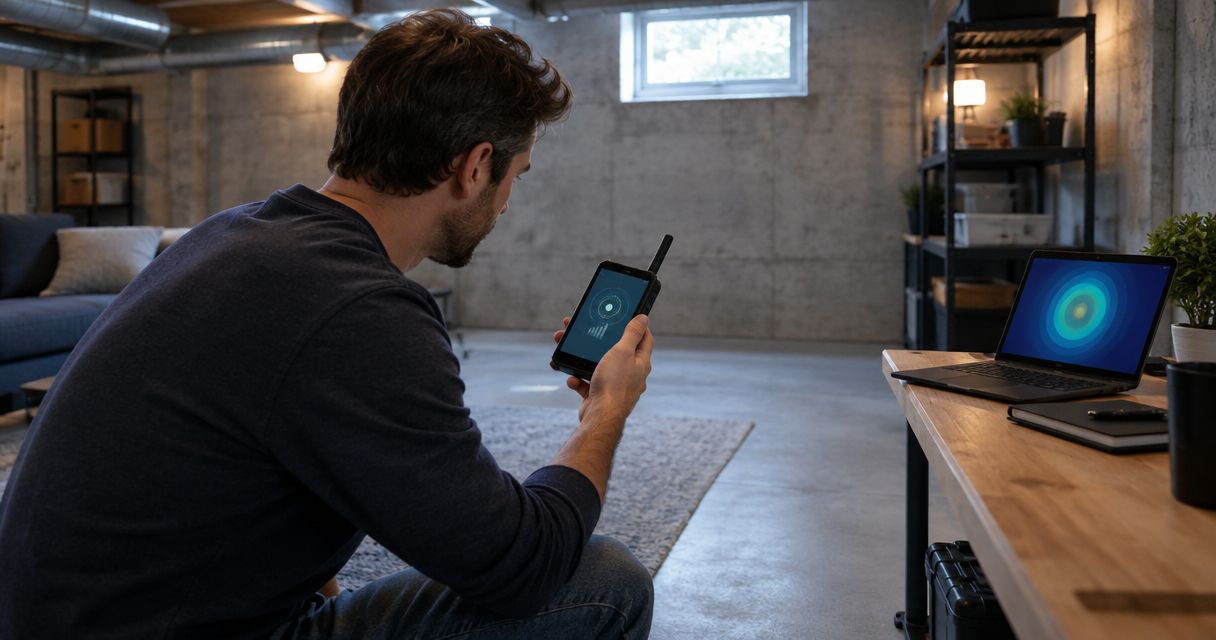
Check mioty coverage inside a basement or shielded room by testing the intended sensor at its final mounting position, with doors closed and equipment operating, then comparing transmitted reports with received messages. Follow those messages through the network into your IoT platform, because a working radio link and a current dashboard reading are separate checks.
- For mioty coverage basement shielded room testing, verify message delivery at the final sensor position, not just the doorway.
- Closed doors, metal enclosures and antenna placement belong in the test conditions.
- Compare transmitted reports, network reception and application timestamps to locate missing data.
- Kilo supports mioty monitoring workflows; radio coverage still depends on the installed devices and reception path.
A basement survey answers a practical question: will the measurement you need reach the person or application using it? An outdoor range claim doesn't answer that, and neither does a successful transmission while you're holding a sensor near an open door.
Approve the installed configuration, not the best reading you can obtain during a walk-through. That means documenting the sensor position, receiver antenna position, operating conditions and evidence of delivery together.
How do you check mioty coverage inside a basement or shielded room?
Use a controlled survey that separates radio reception from application delivery. Keep the same sensor configuration while testing different positions, and establish a known-working baseline before investigating difficult locations.
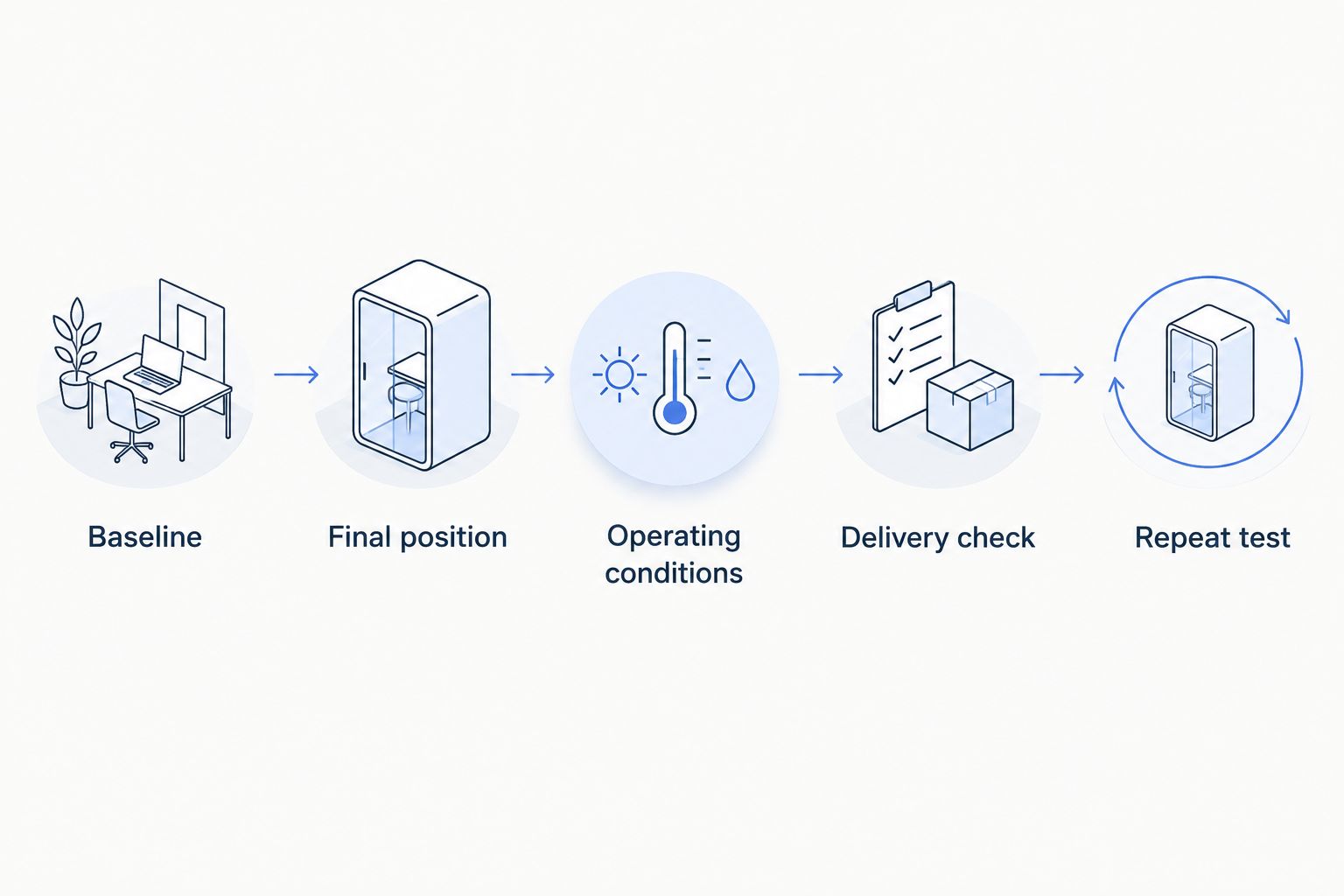
1. Define what a successful measurement looks like
Write down the measurement location, the normal reporting behavior and how quickly the application needs fresh information. A periodic temperature report and an event-triggered leak report require different test procedures; silence doesn't mean failure if the device wasn't configured to transmit.
Set acceptance criteria before collecting results. Include acceptable missing reports, the longest tolerable gap and the conditions under which the system must work, using requirements from the application owner rather than an arbitrary coverage percentage.
For an event-reporting device, use its documented test function or an approved stimulus. Don't create a real hazardous condition to generate a message.
2. Prove the equipment works outside the difficult area
Place the intended sensor in a known-working position and confirm that its messages reach the receiving system. Check the device identity, provisioning, regional radio configuration, antenna connection and power condition using the equipment documentation.
Then follow the same message into the application. If it reaches the network but doesn't appear as a decoded measurement, resolve that integration problem before moving into the basement; otherwise, a software issue will look like a coverage failure.
Keep this baseline as a reference. A test device that never worked reliably outside the room cannot establish what the room does to the link.
3. Test the final mounting position
Put the sensor where the measurement actually needs to happen, using the intended enclosure, mounting method and antenna orientation. Holding it in your hand beside the proposed mounting point isn't the same installation.
Record nearby metalwork, cabinets, pipes and other obstructions. If the sensor uses a remote probe, distinguish the probe location from the radio location; an approved probe arrangement can keep the measurement inside an enclosure while placing the transmitter elsewhere.
Don't change the measurement location merely to obtain reception. A temperature sensor beside a doorway doesn't necessarily represent the conditions deeper inside the room.
4. Reproduce normal operating conditions
Close the doors and access panels that will normally be closed. Include machinery operation, routine storage arrangements and other changing conditions that affect the proposed radio path.
Record each state separately rather than combining everything into a single average. A link that works with an open door but stops when the door closes has a specific dependency, not general room coverage.
For a deliberately shielded room, involve the facility owner before changing anything. Never route an antenna cable through a door seal or modify a shielded penetration without approval.
5. Count delivery and inspect the gaps
Compare the number of unique reports transmitted with the number received during the same observation window. Use device counters or transmission records where available, and establish whether their meaning is transmitted messages, measurement samples or another event before calculating delivery.
Calculate delivery percentage as unique received reports divided by transmitted reports, multiplied by one hundred. Exclude duplicates, and account for any documented counter rollover, device restart or buffered reporting behavior.
Inspect the longest gap as well as the overall delivery percentage. A good average can conceal a continuous outage during the condition that matters most, such as a closed service door or a particular machine cycle.
6. Change one installation variable and repeat
If the location fails, change the receiver antenna position, sensor orientation or another approved installation variable individually. Repeat the same operating conditions so the results remain comparable.
Confirm the result with the installation secured, then continue observing across the operating states the application needs to cover. A short walk test helps find candidate positions; it doesn't replace observation during representative site activity.
Keep the rejected configurations too. They explain why the final location was chosen and prevent a later installer from moving the antenna back to a convenient but unreliable position.
What should you record during a mioty coverage survey?
Use a survey sheet that another installer can reproduce. Attach a floor-plan reference or an approved installation photograph, but keep equipment identifiers and sensitive site details within your project records.
Record these fields for each test:
- Installation: sensor identity, firmware reference, mounting point, enclosure and antenna orientation.
- Reception path: receiving station identity, antenna location and any approved cable arrangement.
- Test conditions: door state, equipment state, storage arrangement and start and finish timestamps.
- Message evidence: transmitted reports, unique received reports, duplicates and unexplained gaps.
- Application evidence: decoded measurement, units, measurement timestamp and application arrival timestamp.
- Decision: accepted, requires another test or requires a different installation design.
Include received signal strength and signal-to-noise information when the receiving equipment exposes them. Compare those readings with that equipment's documented interpretation; don't treat a generic signal threshold as a universal mioty pass mark.
A signal reading describes reception of a message that arrived. It doesn't account for messages that never arrived, so it cannot replace delivery records.
Which receiver placement should you test first?
Start with the proposed permanent installation, then compare alternatives that the facility can actually support. The following options describe survey approaches, not guaranteed solutions.
| Survey approach | Best for | Useful advantage | Limitation to test |
|---|---|---|---|
| Receiver antenna outside the room | Checking whether the existing installation can serve the location | Avoids introducing equipment into the room | Walls, doors or shielding can block the path |
| Receiver antenna closer to the basement area | Investigating an obstructed route through the building | Changes the reception geometry | Requires a suitable permanent mounting location |
| Receiving equipment inside the shielded boundary | Investigating locations with no usable outside path | Keeps the sensor-to-receiver path inside the boundary | Requires approved power, backhaul and installation arrangements |
| Approved remote probe with radio outside | Measurements supported by a separate probe | Separates the measurement point from transmitter placement | Depends on device support and approved penetrations |
Choose the arrangement that passes with its permanent mounting, power and backhaul—not the arrangement that works only with temporary access. Moving reception equipment inside a shielded room doesn't solve how its data leaves the room.
A properly designed shielded enclosure can prevent an outside receiver from hearing an internal transmitter. mioty's radio design doesn't remove that physical boundary; the installation needs an approved communication path.
Why does mioty coverage vary inside basements and shielded rooms?
These factors explain why results differ between locations, even within the same building:
- Construction and depth: concrete, reinforcement and below-ground positioning change the path between transmitter and receiver.
- Shielding continuity: metal walls, closed doors and conductive seals affect whether radio energy escapes the room.
- Antenna placement: orientation, mounting and nearby conductive surfaces affect antenna behavior.
- Receiver position: a stairwell, corridor or service area presents a different path from a receiver several structural barriers away.
- Operating conditions: moving equipment, stored materials and local radio interference change the environment during use.
Record these factors instead of attributing every failure to distance. A nearby receiver behind a shielding boundary isn't automatically a better choice than a more distant receiver with a usable path.
How do you tell a coverage problem from a dashboard problem?
Trace a missing reading through the system in order: device transmission, receiving equipment, network processing, application ingestion and displayed measurement. Stop at the first stage where the evidence disappears.
If the receiving system records the message but the dashboard doesn't update, investigate forwarding, authentication, payload decoding, device mapping and timestamps. Adding receiving equipment won't repair those faults.
If no message reaches the receiver, return to the working baseline. Confirm that the device still transmits before blaming the room, then repeat the same position and operating-state test.
The Kilo IoT Platform brings mioty connectivity, device data, dashboards and alarms into a monitoring workflow. Kilo fits integrators who need mioty measurements connected to dashboards and alarms. Its role is application monitoring; it doesn't remove shielding or establish radio coverage merely because a device has been added.
For hardware sourcing, Kilo Electronics is a separate online authorised dealer serving individual and business buyers. Hardware selection and platform selection remain separate decisions, and the exact sensor, receiver and integration path still need checking together.
Can mioty work through a closed metal door?
mioty reception through a closed metal door depends on the complete installation, including the surrounding structure and available radio paths. Test with the door fully closed and latched in its normal operating state.
If opening the door restores reception, record that dependency and redesign the reception path. Leaving the door open isn't an acceptable fix when the room's normal function requires it closed.
How long should you test a basement installation?
Test long enough to observe the reporting behavior and operating states named in your acceptance criteria. There isn't a universal duration that proves coverage for every sensor, reporting interval and building.
Choose an observation window that includes relevant door use, equipment cycles and routine activity. If those conditions haven't occurred, describe the result as limited to the conditions actually observed.
FAQ
Can I check mioty coverage with my phone?
A phone's cellular or Wi-Fi signal indicator doesn't measure mioty coverage. Use a compatible mioty device and receiving equipment that provide message-reception evidence.
Does a strong received signal mean the installation passes?
A strong received signal alone doesn't establish acceptable delivery. Check missing messages, the longest reporting gap and performance under the required operating conditions.
Should I increase the sensor reporting rate for the survey?
Change the reporting rate only within the device documentation and applicable radio requirements. A temporary survey rate also needs a follow-up check using the intended operating configuration.
Can a basement sensor work without cellular reception?
A mioty sensor doesn't need cellular reception to communicate with a compatible receiver. The receiving installation still needs an appropriate path to the application, which is a separate connectivity decision.
Does adding another receiver guarantee coverage?
Another receiver doesn't guarantee coverage. Test its proposed antenna position and verify that the network supports the intended receiving arrangement before treating it as a solution.
Can I put an antenna cable through a shielded room door?
Don't improvise a cable route through a shielded door or seal. Have the facility's responsible specialist approve any penetration or communication arrangement so it preserves the room's required function.
Can Kilo prove that a missing reading was caused by radio loss?
Kilo application data alone doesn't prove radio loss. Compare device and receiving-system evidence with application timestamps to distinguish reception failures from forwarding or decoding problems.
Retest after the temporary installation is removed
The final coverage check belongs after cables are secured, enclosures are closed and the sensor is mounted—not while someone is holding equipment in a convenient position. Save that configuration with the acceptance record.
Assign responsibility for repeating the check when the antenna moves, nearby storage changes or the room is modified. The useful deliverable is a reproducible installation and its delivery evidence, not a photograph of a signal indicator.
Related guides
Written by Tim Kravchunovsky


