
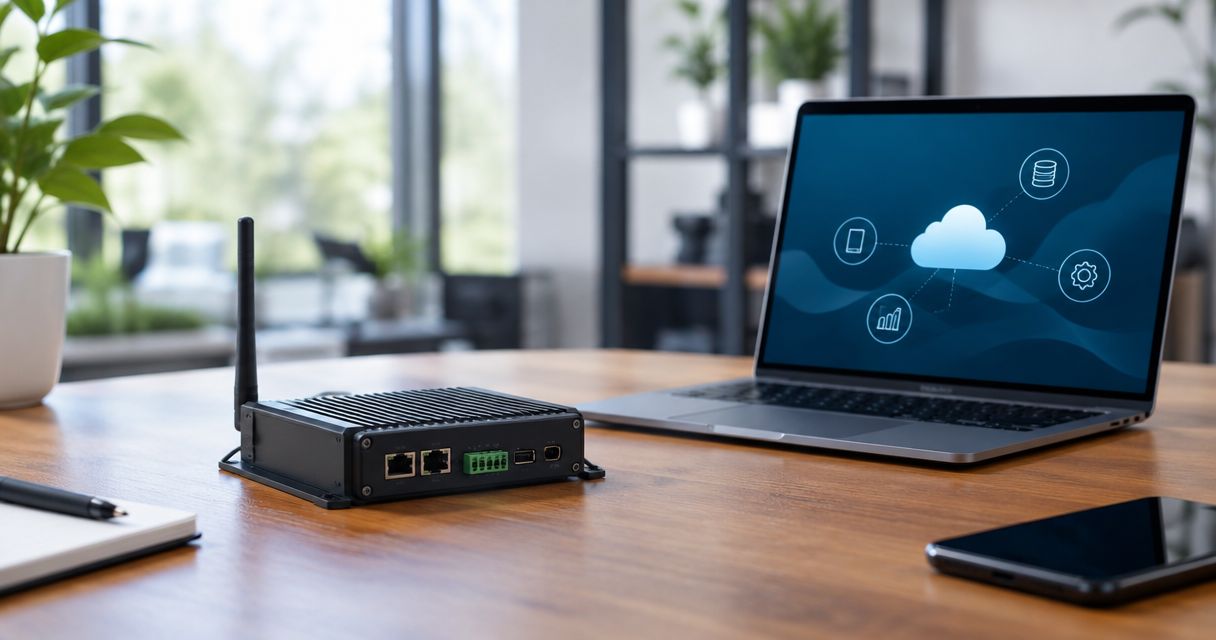
Instead of copying gateway readings into separate reports, connect your MQTT edge gateway to the Kilo IoT Platform through its supported MQTT integration, map the incoming data to the right devices, and verify the measurements in the cloud. The workflow below separates broker connectivity, payload interpretation, and dashboard validation so you can find problems without changing everything at once.
- Kilo supports MQTT edge gateway integration for teams bringing connected-device data into dashboards, rules, and alarms.
- Confirm broker ownership, connection direction, credentials, and payload requirements before changing gateway settings.
- A successful MQTT connection proves connectivity, not correct device mapping or usable measurements.
- Validate fresh readings and reconnection behavior before enabling alarms or physical actions.
MQTT connectivity is only the first part of the integration
An MQTT edge gateway collects or processes data locally and exchanges messages through an MQTT broker. The broker routes messages by topic; the cloud platform then needs enough information to associate those messages with devices and interpret their contents.
That distinction matters. A gateway can establish a connection successfully while its measurements never reach the intended device record. Authentication, topic permissions, device identity, and payload interpretation are separate parts of the setup.
Kilo is a practical fit for integrators who need MQTT telemetry alongside device context, dashboards, rules, and alarms. Its software does not remove the need to match the gateway's output to the supported integration contract, and MQTT support alone does not establish compatibility with every gateway payload.
Keep the first test narrow: a known source device, a recognizable measurement, and a clear destination. Expand only after that path works.
Before you start
- Access and connection details: Have permission to configure the platform integration, administer the gateway, and manage the relevant broker credentials or topic permissions. Obtain the documented endpoint, transport, authentication method, topic requirements, and supported payload format for your deployment.
- A representative message: Capture a real gateway payload with its topic, source-device identifier, measurement units, and timestamp meaning. Record whether the gateway publishes individual sensor messages or aggregates several sensors into one message.
- The connection-direction gotcha: Establish which component connects to which broker. An MQTT publisher does not send messages directly to another publisher, and pointing two clients at different brokers does not connect them. Decide whether your supported path uses the gateway's MQTT client, an existing broker connection, or an explicitly configured forwarding component.
A shared protocol is not a complete integration specification. Do not proceed until you can draw the actual path from the gateway's outgoing message to the platform's receiving integration.
Establish the broker connection
Identify the supported message path
- Trace the gateway's existing data route. Determine whether it already publishes to a local broker or can establish an outbound MQTT connection itself.
- Obtain the MQTT integration instructions for your platform deployment. Identify the receiving endpoint or required broker connection without assuming that the cloud service exposes a general-purpose public broker.
- Match the gateway's supported connection mode to that documented path. Include a forwarding component only when the architecture requires one.
- Record who manages credentials, certificates, topic permissions, and connection logs at each boundary.
Expected result: You can identify the publisher, broker, receiving integration, and administrator responsible for each connection.
These common architecture patterns solve different problems. They are general MQTT options, not a claim that every gateway or platform connector supports both.
| Architecture | Best for | Advantage | Limitation |
|---|---|---|---|
| Gateway MQTT client | Gateways able to connect to the documented receiving broker | Fewer forwarding components to maintain | Gateway authentication, payloads, and topics must match the integration requirements |
| Existing broker with forwarding | Sites retaining an established local MQTT system | Keeps local consumers attached to their existing broker | Adds forwarding configuration, credentials, and another place to diagnose delivery problems |
For the architectural distinction between a broker connection and usable cloud data, see MQTT broker-to-dashboard integration.
Configure transport and authentication
- Enter the documented broker hostname and listener port in the connecting component. Use the supplied values rather than a guessed address.
- Configure the required transport security. Keep server-certificate and hostname verification enabled for TLS connections.
- Supply the documented authentication material. Keep credentials out of telemetry payloads, screenshots, and shared troubleshooting files.
- Assign a client identifier that does not conflict with another active client on the same broker. Start the connection and inspect the connection result.
MQTT commonly uses TCP port 1883 without TLS and TCP port 8883 with TLS. Those are conventions, not instructions to use either port for this deployment; the configured listener determines the correct destination.
Expected result: The connecting client establishes an authenticated session without repeated disconnects. This verifies the connection, not yet the telemetry pipeline.
Define topics and device identity
Separate routing from identity
- Inspect the exact topic used by the gateway. MQTT topic matching is case-sensitive, so preserve capitalization and separators.
- Configure the receiving subscription or gateway publishing topic according to the supported integration contract. Do not invent a platform topic hierarchy from a generic tutorial.
- Identify where the source-device identifier comes from: the topic, the payload, or an explicit mapping supported by the integration.
- Associate each source identifier with the intended device record. Keep the gateway's identity separate from the identities of downstream sensors when those sensors need individual histories.
Expected result: A message from a known source resolves to the intended device rather than an unidentified stream or a shared gateway record.
Do not treat every message behind a gateway as a measurement from the gateway itself. That shortcut makes separate machines or rooms indistinguishable unless aggregation is the intended design.
Limit topic access
Grant the connecting client only the publishing and subscription access required by the selected architecture. Broker permissions and platform permissions solve different problems: one governs message exchange, while the other governs access to platform resources.
Broad wildcard subscriptions are useful during controlled diagnosis, but they can mix unrelated sources. Narrow the production scope to the intended deployment and confirm that command topics are not included accidentally in telemetry forwarding.
Map payloads and validate measurements
Translate the message into useful data
- Capture a fresh message from the source device, including its topic and payload. Preserve the original while investigating transformations.
- Match the payload to the supported input format. Where translation is required, perform it in the gateway or another documented integration component rather than assuming arbitrary JSON will be interpreted automatically.
- Map device identity, measurement names, data types, and units. Decide explicitly whether time represents sampling, gateway processing, or cloud receipt.
- Compare the source measurement with the platform's resulting device data. Check the value, unit, timestamp, and device association together.
Expected result: A fresh source measurement appears against the correct device with the intended meaning, not merely as an incoming message.
For an illustrative example, consider a gateway forwarding a temperature sensor's reading. The input includes the sensor's stable identifier, the temperature, its unit, and the sample time; the integration associates that identifier with the sensor record and interprets the temperature as numeric data.
The evidence is a matching source sample and cloud measurement. A chart appearing on screen is not enough if the value belongs to another sensor or uses the wrong unit.
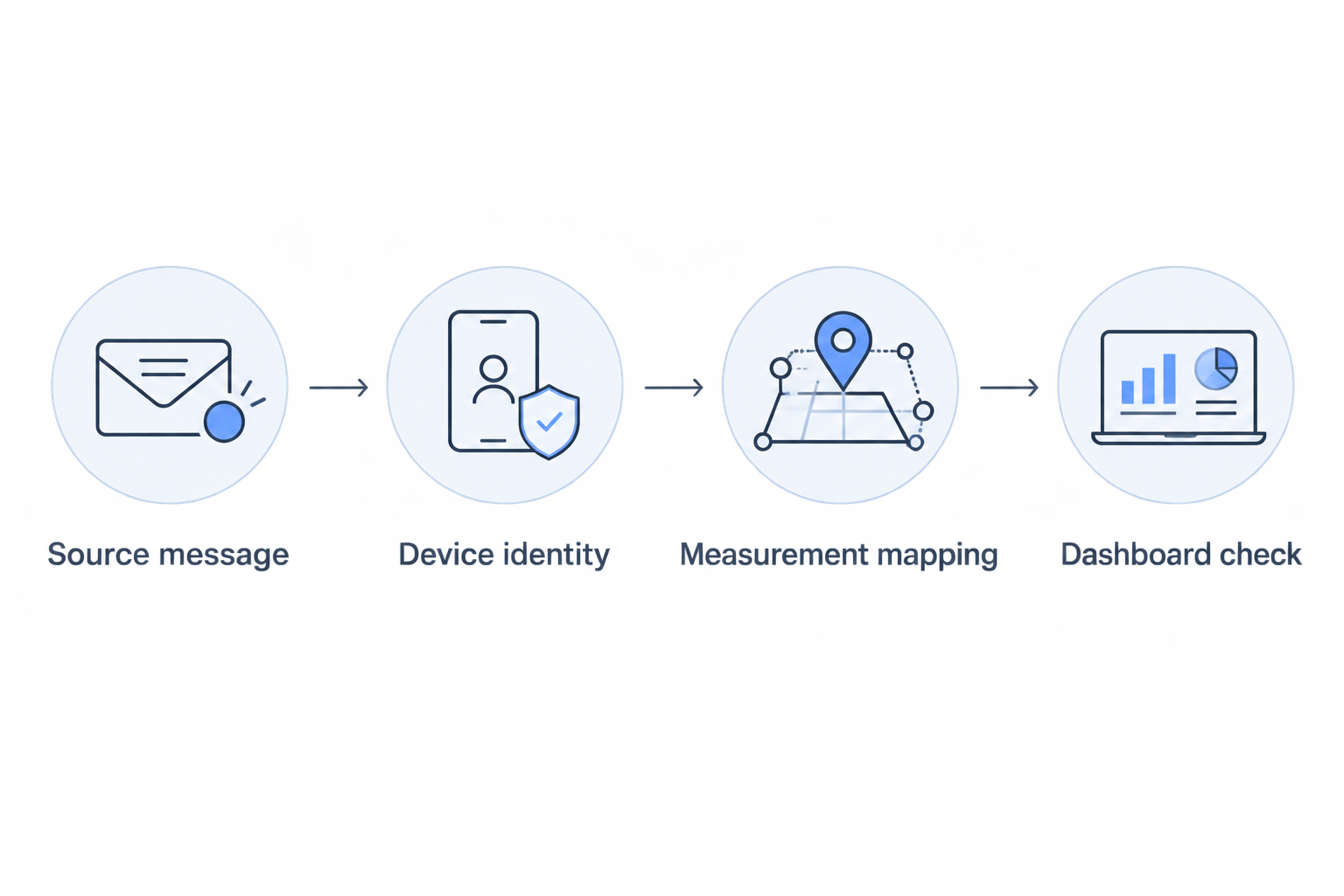
The validation sequence is Source message, Device identity, Measurement mapping, then Dashboard check. Follow that order so a display problem does not send you back into working broker settings.
Test freshness and delivery behavior
- Trigger another ordinary measurement and confirm that its timestamp advances. Check that you are not viewing a retained historical value as a fresh sample.
- Select the MQTT quality-of-service level supported by both ends and appropriate to the message's purpose.
- Interrupt and restore the connection in a controlled test. Observe reconnection and any queued-message behavior supported by your actual components.
- Check the resulting history for gaps, repeated samples, and misleading timestamps before connecting alarms.
MQTT QoS 0 provides at-most-once delivery, QoS 1 provides at-least-once delivery, and QoS 2 provides exactly-once delivery at the MQTT protocol exchange level. None proves that a reading was mapped correctly or that equipment performed a physical action.
Expected result: You understand how fresh messages, repeated delivery, and reconnects appear in the destination. Do not infer offline buffering from MQTT support alone; buffering depends on the gateway, broker, session settings, and implementation.
Publish on change instead of on a fixed schedule
A second workflow uses gateway-side change detection to publish when a measurement changes rather than at every polling interval. Use it when the gateway supports that behavior and the receiving workflow does not require every sampled value.
- Keep the working connection, topic contract, device identity, and payload mapping unchanged.
- Configure the gateway's supported change-detection behavior using a documented measurement resolution or application requirement.
- Add a periodic heartbeat or scheduled report if the gateway supports it and the application needs evidence of continued communication.
- Verify both a changed measurement and an unchanged device that continues reporting its status as designed.
Expected result: Changed values reach the same device record without making silence indistinguishable from a failed connection.
The benefit is fewer unchanged messages. The trade-off is less detail about stable periods, so distinguish a historical chart built from periodic samples from one built from change events. Do not enable missing-data alarms until that distinction is reflected in the monitoring design.
Troubleshoot the failing boundary
The connection is refused or TLS negotiation fails
Check DNS resolution, outbound network access, the documented listener, and the authentication method. For TLS failures, inspect the gateway clock, certificate trust, and hostname match; do not disable certificate verification to make the error disappear.
The gateway connects, but no measurements arrive
Inspect the outgoing topic and broker permissions first, then confirm that the receiving component subscribes to the matching topic. A successful connection does not prove permission to publish, permission to subscribe, or successful payload interpretation.
Messages arrive against the wrong device
Compare the source identifier with the mapping configuration. Check whether several downstream sensors are being identified only by their shared gateway, and preserve a stable sensor identifier across restarts and configuration changes.
Readings are repeated, stale, or in the wrong unit
Inspect retained messages, reconnection replay, source timestamps, and unit conversion separately. MQTT QoS 1 permits repeated delivery; a receiving workflow must handle repetition appropriately rather than treating every arrival as a new physical event.
Clients repeatedly disconnect each other
Check for duplicate client identifiers on the broker. MQTT brokers replace an existing connection when another client connects with the same client identifier, so cloned gateway configurations need distinct identifiers.
Extend the validated telemetry workflow
Once the device history is correct, use Kilo dashboards to present the measurements people need and configure rules or alarms around the application's actual conditions. Identify who responds, what they check, and what evidence closes the incident before enabling notifications.
Keep remote commands separate from telemetry onboarding. A supported command needs a compatible device, a configured command path, and appropriate permissions; an accepted or delivered message is not proof of a physical outcome.
If hardware is part of the project, Kilo Electronics is a separate online authorised dealer for compatible hardware, serving individual and business buyers. Hardware sourcing is separate from platform integration, and the gateway still needs to match the required connection and payload behavior.
FAQ
Can any MQTT edge gateway connect to Kilo?
MQTT support alone does not establish compatibility with Kilo. The gateway's connection mode, authentication, topics, device identifiers, and payload format must match the supported integration path.
Do I need a local MQTT broker?
You need a local broker only when your selected architecture requires one. A gateway acting as an MQTT client still connects to a broker, but that broker does not have to run at the site.
Can I forward an existing MQTT topic unchanged?
You can preserve an existing topic only when it matches the receiving integration's requirements or a supported mapping handles it. Confirm both topic routing and payload interpretation before assuming transparent forwarding.
Should each sensor behind the gateway have its own identity?
Use separate sensor identities when you need separate histories, dashboards, or alarms. A shared gateway identity is insufficient to distinguish downstream measurements unless the supported payload mapping preserves their source identities.
Does a retained MQTT message mean the sensor is online?
No, a retained MQTT message does not prove that the sensor is currently online. Evaluate the sample timestamp and your configured freshness or heartbeat behavior.
Will the gateway upload readings collected during an internet outage?
Offline upload depends on the gateway's buffering and replay behavior, broker configuration, and receiving integration. Test an interruption and recovery rather than assuming MQTT provides end-to-end historical recovery.
Does MQTT integration automatically enable equipment control?
No, telemetry integration does not automatically establish a command path. Equipment control requires supported commands, compatible devices, permissions, and feedback appropriate to the action.
Prove recovery before expanding to more gateways
The most useful final test is not another successful connection. Restart the gateway and confirm that device identity, timestamps, topic permissions, and fresh measurements remain correct without manual repair.
Save the validated configuration and its expected results together. That gives the next integrator a reproducible acceptance test rather than a collection of settings that happened to work once.
Written by Tim Kravchunovsky


