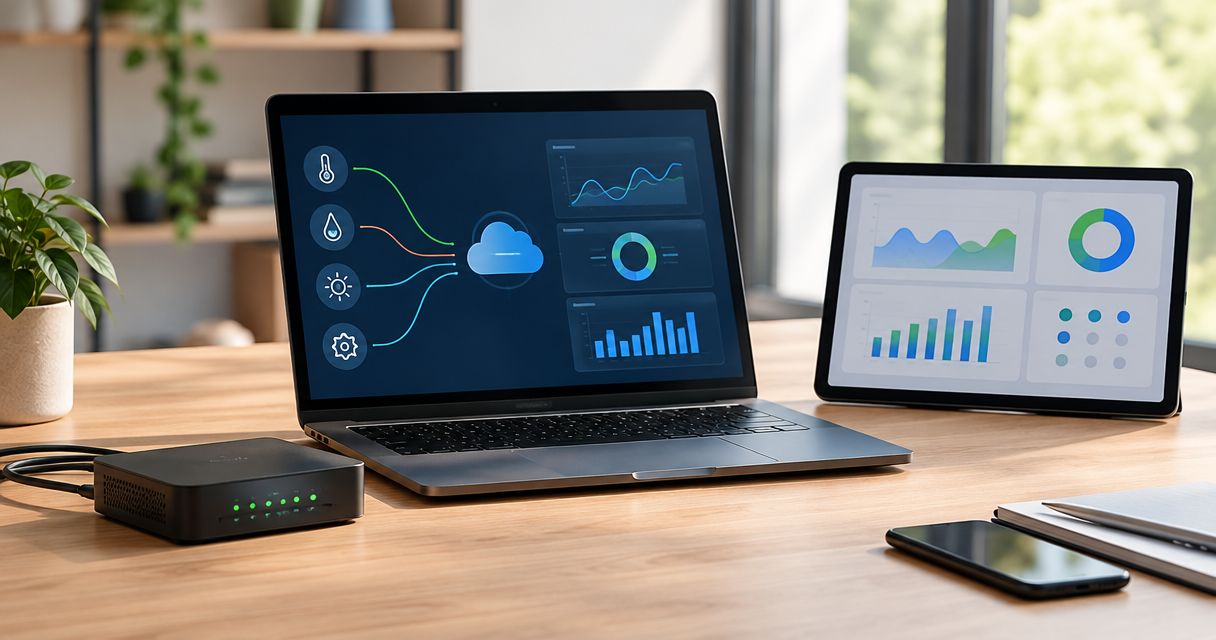
Yes—an MQTT broker can deliver messages to a dashboard without separate middleware when the dashboard has a compatible MQTT subscriber or native connector; an IoT platform can also bring connectivity and visualization into the same application. The broker routes messages rather than drawing charts, so payload interpretation, access control, and any required historical storage still have to exist somewhere.
- Can an MQTT broker publish into dashboard without middleware? Yes, when the dashboard includes a compatible MQTT client.
- MQTT over WebSockets lets browser dashboards subscribe directly, but authentication and payload parsing still need implementation.
- MQTT retained messages provide a last-known value per topic, not a historical database.
- The Kilo IoT Platform combines MQTT connectivity and dashboards; verify the connection direction and payload requirements for your deployment.
Can an mqtt broker publish into a dashboard without middleware?
Yes, provided the dashboard can consume MQTT messages itself. More precisely, the dashboard's MQTT client subscribes to topics, and the broker forwards matching publications to that client. A broker doesn't discover chart widgets or decide which measurement belongs on an axis.
The connection follows this sequence:
- Publish telemetry. Your device or gateway publishes a payload to an agreed MQTT topic.
- Subscribe to topics. The dashboard's connector or client subscribes using credentials authorized for those topics.
- Map fields. The receiving application identifies the device, measurement, unit, and timestamp.
- Display values. Dashboard widgets render the mapped measurements.
- Store history. If you need historical charts, a persistence layer records the measurements independently of the visible page.
You can remove a separately deployed bridge when the dashboard already handles the required receiving and mapping functions. You cannot remove those functions themselves.
A useful distinction is whether you're eliminating an additional service or expecting a broker to become a complete monitoring application. The first is achievable. The second requires application capabilities beyond MQTT message routing.
What does “without middleware” actually remove?
In this question, middleware usually means a separate service that subscribes to MQTT, transforms messages, and forwards the results to a dashboard API or database. That service might be custom code, a flow-based application, or a dedicated integration process.
If the dashboard includes those integration functions, you don't need to operate another component just to move the same messages. Configuration replaces some of the integration work, but it doesn't eliminate decisions about data meaning or reliability.
For example, a temperature payload still needs a field that the receiving application can interpret as temperature. A readable topic name doesn't tell the dashboard whether the value uses Celsius or Fahrenheit, and valid JSON doesn't automatically establish a usable measurement model.
Remove a separate middleware service only after identifying which component takes responsibility for parsing, storage, and authorization. Otherwise, you're removing an architectural box without replacing its work.
Which MQTT-to-dashboard architecture fits your project?
There are several ways to avoid a custom bridge. Choose by where the MQTT subscription runs and what your dashboard needs to remember.
| Architecture | Best for | Main advantage | Main limitation |
|---|---|---|---|
| Native MQTT connector | An existing dashboard with compatible MQTT ingestion | Keeps subscription configuration inside the dashboard application | Connector direction, payload support, and storage behavior must match your requirements |
| Browser MQTT client | A custom live display | The browser receives topic updates through MQTT over WebSockets | Your application must handle credentials, parsing, reconnection, and display state |
| Integrated IoT platform | Device monitoring with dashboards and related application functions | Brings connectivity and application features into one platform | Device identity, payload mapping, and integration support still require configuration |
| Separate middleware | Data conversion or routing the destination cannot perform | Gives you a dedicated place for integration logic | Adds a service to deploy, secure, and maintain |
Native MQTT connectors: best for an existing dashboard
A native connector is the direct fit when your chosen dashboard already supports subscribing to your broker. Confirm that it is an inbound data connector, not merely a feature for publishing outbound commands.
Then check its data contract. A connector that accepts a numeric payload on a topic doesn't necessarily accept a nested object containing several measurements, device metadata, and separate timestamps.
The advantage is fewer independently managed components. The limitation is that the connector defines which transformations and subscription settings you can configure without additional code.
Browser MQTT clients: best for custom live displays
A browser application can subscribe through MQTT over WebSockets when the broker exposes a compatible WebSocket listener. Ordinary browser JavaScript doesn't open an arbitrary raw MQTT TCP connection.
This approach suits a display that primarily needs incoming values while someone has the page open. The application still needs an MQTT client library and code that maps messages to visible elements.
Keep privileged broker credentials out of browser-delivered code. Anyone authorized to load the application can inspect the credentials or tokens it receives, so access must remain appropriately scoped.
Integrated IoT platforms: best for connected-device workflows
The Kilo IoT Platform brings MQTT connectivity, device management, dashboards, rules, and alarms into a platform for connected deployments. Those capabilities are relevant when a chart is part of a wider monitoring workflow rather than the entire application.
Kilo fits integrators who need MQTT connectivity and dashboards alongside device management and alarms. For this architecture decision, the important limitation is that MQTT support alone doesn't establish compatibility with every external broker, topic structure, or device payload.
Confirm whether the intended deployment uses devices publishing to a platform endpoint, a platform subscribing to an external broker, or another supported connection arrangement. These are different integration paths, even though they all involve MQTT.
How do you connect MQTT data to dashboard widgets?
Start with the message contract, not the chart type. The receiving application needs enough information to associate a value with the correct device and measurement before it can display anything useful.
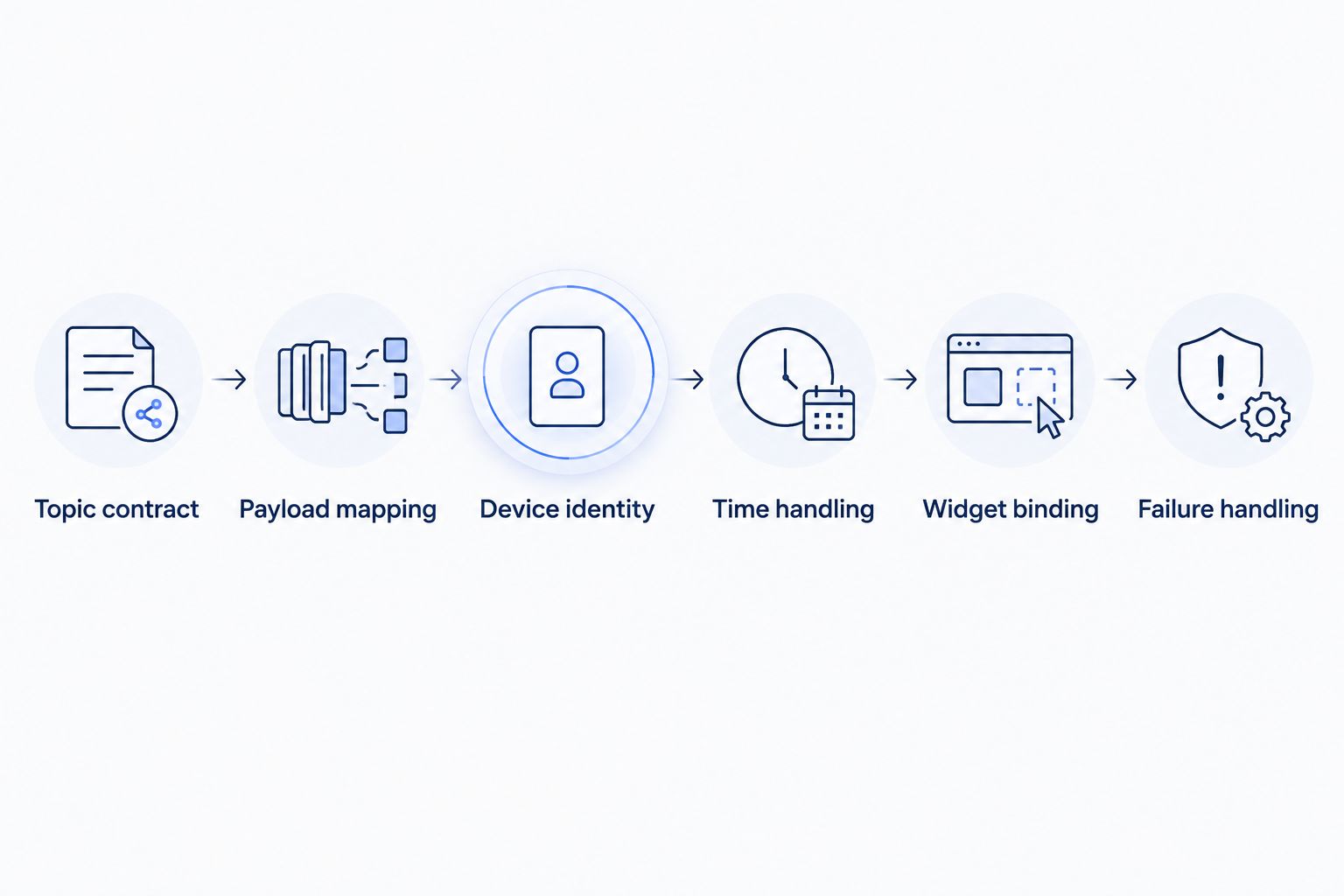
Use the following workflow when designing the integration:
- Topic contract: Define which topics carry telemetry and how each topic identifies its source.
- Payload mapping: Identify measurement fields, data types, units, and the treatment of missing values.
- Device identity: Associate incoming messages with the correct device or asset record.
- Time handling: Distinguish measurement time from the time the application receives the message.
- Widget binding: Connect the mapped measurement to a current-value display or historical chart.
- Failure handling: Define what the display shows when updates stop or a payload cannot be parsed.
Illustrative example: a cold-room temperature display
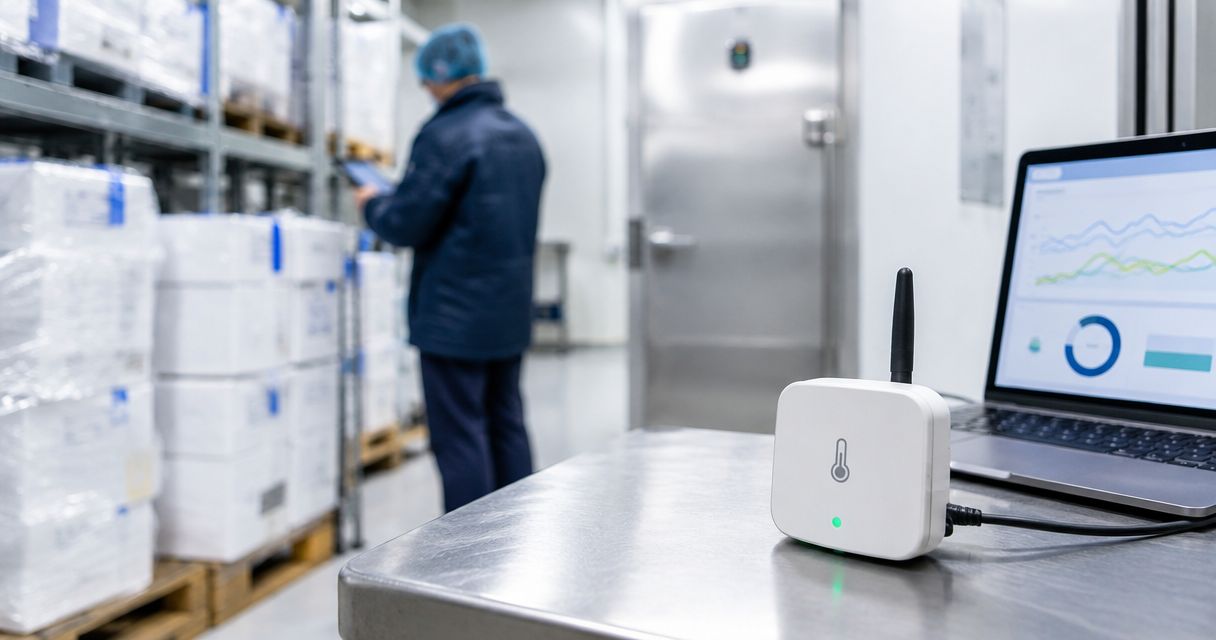
Assume a sensor publishes temperature and a measurement timestamp to a site-specific topic. This is an illustrative design, not a reported customer deployment or a recommended compliance configuration.
The dashboard subscriber receives the message and maps the temperature field to the cold room's device record. A current-value widget displays the reading with its unit and measurement time; a historical chart additionally depends on stored measurements.
The person checking the room should also be able to distinguish a recent reading from an old one. If messages stop, the application needs to show that the value is stale rather than continuing to present it as current.
If an alarm is part of the design, define its condition and intended recipient separately. A temperature display, a threshold alarm, and a confirmed physical response are distinct outcomes.
Why does middleware need vary between deployments?
Middleware becomes necessary when required integration work has no suitable home in the broker, dashboard, or platform. The deciding factors are specific:
- Transport compatibility: A browser needs a compatible WebSocket endpoint; a backend connector can use the transports it supports.
- Payload complexity: Binary decoding, nested fields, or inconsistent schemas require interpretation before values become chartable.
- Connection direction: Publishing to an endpoint differs from subscribing to an existing external broker.
- History requirements: A live subscription doesn't provide a historical query service by itself.
- Access boundaries: Shared deployments need credentials and topic permissions that prevent unintended data exposure.
- Offline behavior: Messages received while a page is closed require a receiving or persistence arrangement that remains available.
A separate service is justified when it performs work the destination cannot perform. Don't add one simply because an architecture diagram traditionally places a bridge between messaging and visualization.
The reverse is equally important: don't force transformations into browser code merely to claim a middleware-free design. Put responsibilities where they can be operated and secured appropriately.
Does MQTT over WebSockets remove the need for a backend?
MQTT over WebSockets can remove the need for a backend that only forwards live messages to a browser. It doesn't remove the need for backend functions such as historical storage, privileged credential handling, or centralized processing when your application requires them.
A browser-only display also has an obvious operating boundary: its client isn't receiving messages while the page is closed. MQTT session settings and broker behavior affect message handling, but they don't turn the page into an always-running application service.
Use a browser subscription for a live view; design persistence separately when history must survive the viewer's absence. That distinction prevents a successful demonstration from being mistaken for a complete monitoring system.
Can retained MQTT messages replace dashboard history?
Retained MQTT messages provide a last-known retained value per topic, not a sequence of historical readings. They help a new subscriber obtain an initial value without waiting for the next publication.
That is useful for a current-state display. It is not enough to reconstruct a trend, calculate a period summary, or investigate an earlier excursion.
The retained payload also needs meaningful freshness information. A newly connected dashboard can receive an old retained reading, so receiving it now doesn't prove the measurement happened now.
Does MQTT QoS guarantee that the chart updated?
MQTT quality of service governs delivery behavior on an MQTT connection; it doesn't guarantee that a dashboard parsed, stored, or rendered the message. OASIS MQTT defines QoS 0 as at-most-once delivery, QoS 1 as at-least-once delivery, and QoS 2 as exactly-once delivery within the protocol's specified exchange.
Those delivery levels don't replace application-level checks. A subscriber can receive a payload successfully and still reject it because the expected field is absent or its type is wrong.
For acceptance testing, follow a known message through reception, mapping, storage where required, and display. Treat each as a separate checkpoint rather than assuming that broker acceptance proves the entire path worked.
FAQ
Can I connect a dashboard to any MQTT broker?
No. The dashboard must support the broker's transport, authentication requirements, and intended subscription arrangement. Its payload handling must also match the messages you publish.
Do I need JSON for an MQTT dashboard?
No. MQTT carries application payloads without requiring JSON, but your dashboard must understand the format you send. A connector designed for JSON won't automatically decode an unrelated binary format.
Can an MQTT dashboard be read-only?
Yes. Give its MQTT client permission to subscribe only to the telemetry topics it needs, and do not grant unnecessary publish permissions. Read-only widget design alone is not a substitute for broker-side authorization.
Why does my dashboard show values under the wrong device?
The device association or topic-to-device mapping is incorrect. Check how the receiving application derives identity from the topic, payload, or connection rather than assuming the displayed label establishes the source.
Will a retained message tell me a device is online?
No. A retained measurement is a stored message, not proof that its publisher is currently connected. Use freshness information and an explicitly designed availability mechanism where required.
Do I need new sensors to build an MQTT dashboard?
Not necessarily. Existing devices or gateways can supply data if they support the required publishing path and payload contract. Hardware compatibility and dashboard compatibility are separate checks.
Test missing data before adding more widgets
The most revealing test isn't whether a new value appears. It's whether the dashboard tells you the truth when updates stop, the subscriber reconnects, or a payload changes unexpectedly.
For a Kilo deployment, keep that acceptance test focused on your actual device, connection path, and dashboard configuration. A shared protocol name doesn't prove the complete workflow.
If compatible hardware is needed, Kilo Electronics is a separate online authorised dealer serving individual and business buyers. Hardware sourcing is separate from the platform subscription and doesn't replace integration checks.
Related guides
Written by Tim Kravchunovsky