
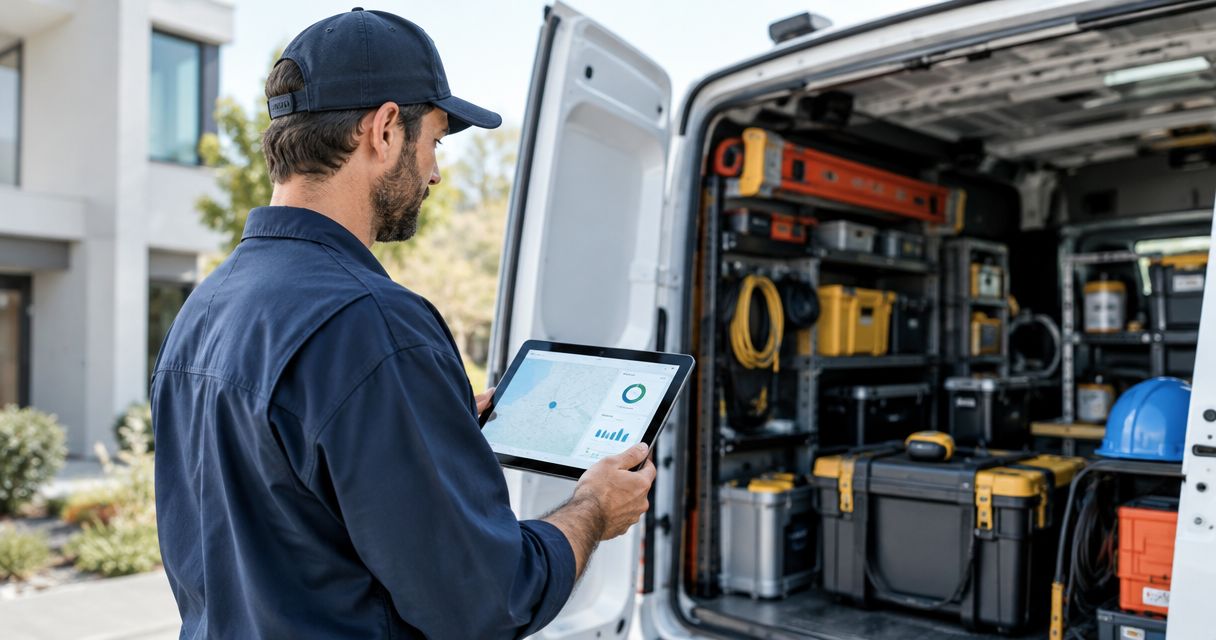
Field service IoT asset tracking is the use of connected devices and asset records to locate tools, vehicles and equipment with the aim of getting the right equipment to each job. This guide explains how to design the workflow, choose tracking methods and evaluate an operating layer such as the Kilo IoT Platform without confusing a location report with equipment readiness.
- IoT asset tracking for field service companies must connect location, custody and job readiness—not just show vehicle positions.
- Kilo fits teams that need asset telemetry, dashboards and alarms in one IoT platform.
- Use outdoor positioning for traveling equipment, proximity detection for local presence, and scans for explicit handovers.
- Pilot the complete depot-to-job workflow before expanding; test missing reports and unrecorded transfers as deliberately as normal journeys.
Why asset tracking matters for field service companies
Field service equipment moves through several kinds of custody: a depot, a technician’s vehicle, a customer site and sometimes another crew. A vehicle tracker answers where the van reported its position. It doesn’t establish which tools remain inside or whether a shared diagnostic instrument is available for dispatch.
That distinction determines your design. A dispatcher needs equipment availability before assigning work, a technician needs to find the actual item, and a service manager needs to resolve missing returns without reconstructing every transfer by phone.
Track the decision you need to make, not just the object you can attach a sensor to. Location, custody, operating condition and booking status answer different questions. Combining them requires explicit records and workflows; a position message alone doesn’t supply the missing context.
For your 2026 rollout, start with the equipment whose uncertain whereabouts interrupt scheduling. Keep inexpensive consumables in an inventory workflow unless knowing their movement changes a practical decision.
How to build a field service asset-tracking workflow
Define the dispatch decision before choosing trackers
Start with a shared spreadsheet and a written checkout process. Record the equipment identifier, assigned technician, expected location, return expectation and serviceability status. This gives you a manual baseline and exposes ambiguous responsibilities before software reproduces them.
Choose a narrow operational question. For example: can dispatch confirm that a specialist test kit is available before assigning the next job? That question needs a reliable asset identity, a current custody record and a readiness check—not necessarily continuous outdoor positioning.
Separate the commercial asset from its tracking device. Replacing a tracker must not create a new identity for the equipment or erase the meaning of its previous records.
- Give each tracked item a permanent asset identifier.
- Name the person responsible for keeping custody current.
- Define what makes equipment available, assigned or unavailable.
- Record why dispatch needs each data field.
- Establish a manual fallback for missing device reports.
Match the tracking method to each movement
Walk the route yourself before selecting hardware. Inspect how equipment leaves storage, enters vehicles, reaches customer premises and returns. Note where a technician can scan a label and where automatic detection would remove a burdensome step.
GNSS, including GPS, determines position using satellite signals; a separate connection carries that position to your application. Bluetooth proximity detection indicates that a compatible receiver observed a tag. Neither mechanism automatically proves who has custody.
LoRaWAN and mioty are communication technologies, not interchangeable promises of precise positioning. MQTT carries messages; it doesn’t determine location. Evaluate the complete device, positioning method, network and integration rather than choosing by protocol name alone.
- Use outdoor positioning when geographic movement drives the decision.
- Use proximity detection when presence near a receiver is enough.
- Use barcode or QR scans for deliberate custody transfers.
- Test reception with equipment in its normal case and vehicle.
- Check behavior inside customer buildings and underground parking.
Build an asset record that separates evidence from assumptions
Create the record manually first, using separate fields for last observation, assigned custodian and readiness. A technician’s checkout entry and a tracker’s position message are different sources of evidence. Preserve that difference instead of allowing either to silently overwrite the other.
The faster platform path is to bring supported device data, dashboards, rules and alarms into a shared operating view. Kilo provides these platform capabilities, but the asset-specific workflow still needs compatible devices, mapped payloads and an agreed source for assignments and serviceability.
Keep your field-service scheduling system’s role explicit. An IoT platform connection does not establish that bookings, work orders or technician assignments synchronize automatically. Define the integration and ownership of each field before expecting a combined view.
- Store the asset identifier separately from the tracker identifier.
- Show the observation time beside location or presence.
- Label the source of custody and readiness information.
- Keep maintenance holds distinct from missing telemetry.
- Define how device replacements preserve the asset record.
Turn exceptions into assigned work
Begin with a daily exception list that someone reviews manually. Include overdue returns, stale device reports and conflicting custody records. Once the team agrees on what deserves attention, configure supported platform rules and alarms around those conditions.
An illustrative workflow is a shared test instrument expected back at the depot before another crew collects it. The inputs are the return expectation, the latest supported presence report and the current assignment. A designated equipment coordinator checks an exception, contacts the custodian and records the resolution.
That workflow requires the return expectation and assignment data to reach the relevant system. It is a configuration example, not a claim that every tracker or platform includes a ready-made booking integration. No report means uncertain status—not confirmed loss.
- Assign an owner to each exception type.
- Separate overdue equipment from silent tracking devices.
- Suppress expected movement during an approved transfer.
- Define how an unresolved exception reaches another responsible person.
- Close the exception using observed evidence or a documented check.
Pilot the complete journey and the failure cases
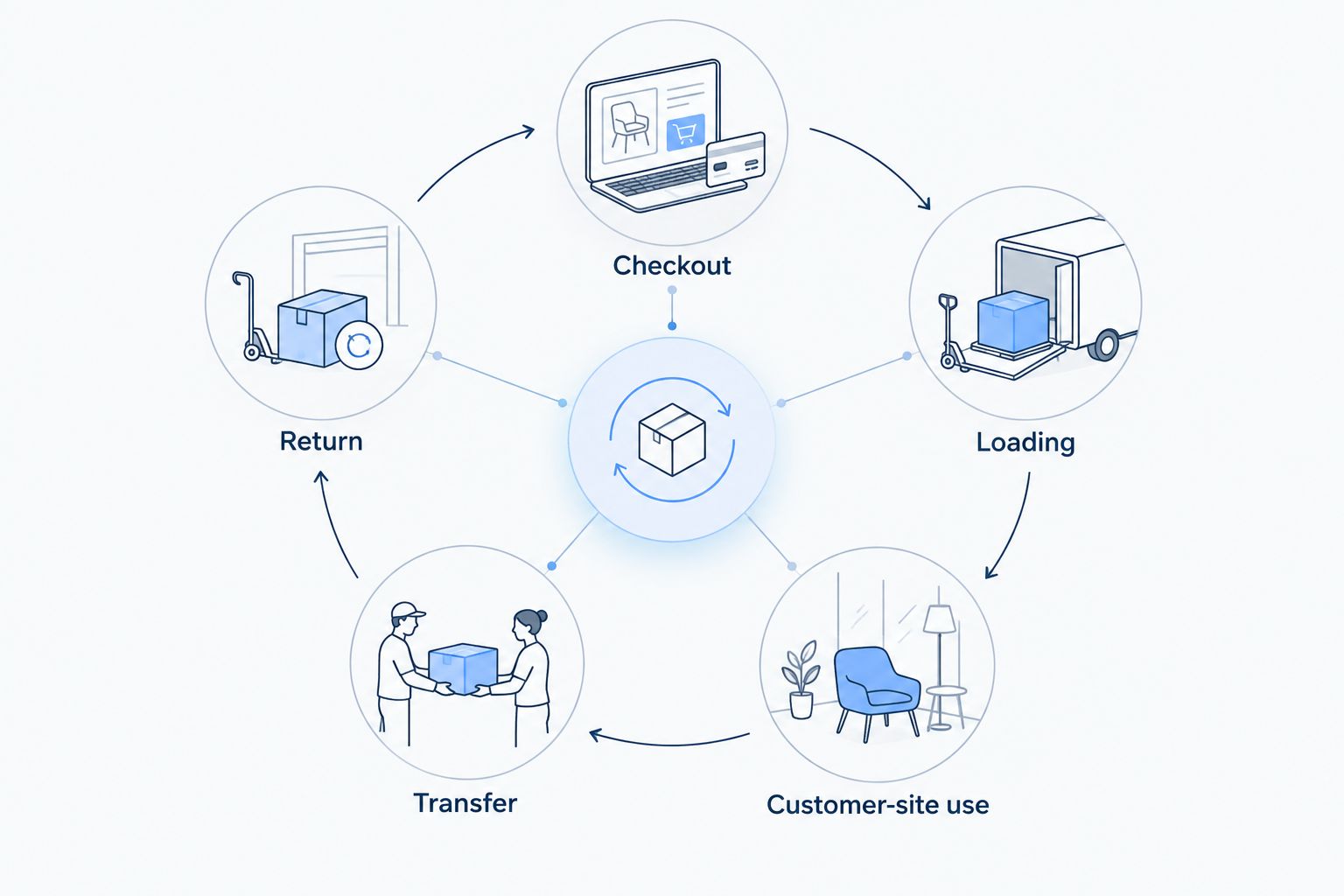
Use a paper checklist before building automated acceptance reports. Follow an item through checkout, loading, customer-site use, transfer and return. Ask a dispatcher who did not configure the system to interpret the records; unclear status labels become obvious quickly.
As a proposed pilot scope, include 1 depot, 1 service van and 1 customer site. These are planning assumptions, not coverage claims or a minimum deployment requirement. Choose a route that exposes the indoor, outdoor and handover conditions your teams actually encounter.
Test failures deliberately. Disconnect a receiver, delay a handover entry and remove a tracker from its assigned equipment. The acceptance question is whether the workflow exposes uncertainty and directs someone to resolve it, rather than displaying a reassuring but incorrect status.
- Verify normal checkout and return records.
- Test a transfer between technicians.
- Check what happens when a report arrives late.
- Confirm that stale information remains visibly stale.
- Record who resolves each failed acceptance case.
Measure operational usefulness before expanding
Keep a manual issue log during the pilot. Record each search, disputed assignment, missing return and device-maintenance task. Compare those records with what the tracking workflow showed at the time; this reveals whether the system helped someone make a better dispatch decision.
Expand only after your team understands both the useful signals and the blind spots. More tracked items create more batteries, mounting checks, device records and exceptions to maintain. Assign that work before extending the rollout to another branch.
For Kilo, evaluate the IoT platform against the same acceptance cases you use for any alternative: supported data ingestion, understandable dashboards, relevant alarms and appropriate permissions. Don’t let an attractive demonstration replace testing with your devices and actual handovers.
- Track time spent finding equipment using your own records.
- Count dispatch decisions blocked by uncertain asset status.
- Review incorrect or unhelpful exceptions.
- Record tracker upkeep separately from equipment servicing.
- Confirm ownership of onboarding and ongoing support.
Compare tracking options by the question they answer
These options solve different parts of the workflow. Combine them when the evidence requirements differ: a geographic position can support transport visibility while a scan records a deliberate handover. Neither replaces a separate inspection when equipment condition matters.
| Option | Best for | Main advantage | Key limitation |
|---|---|---|---|
| Shared register with barcode or QR scans | Explicit checkout and technician handovers | Records an intentional asset transaction | Depends on people completing scans and keeping records current |
| GNSS tracker with suitable backhaul | Equipment traveling between outdoor locations | Reports geographic position independently of a checkout entry | Positioning, communications, power and indoor behavior need separate testing |
| Bluetooth tags with compatible receivers | Detecting equipment near a van, depot or local receiver | Supports local presence detection | A receiver sighting does not establish exact position or custody |
| LoRaWAN-connected tracking devices | Sites or routes with a suitable network and compatible positioning approach | Carries supported device observations into an application | Network access alone does not supply positioning or route-wide coverage |
| Kilo with compatible tracking devices and integrations | Teams combining asset telemetry with dashboards, rules and alarms | Brings supported observations and response workflows into an IoT platform | Requires device integration and explicit custody, readiness and scheduling workflows |
Hardware selection remains a separate task from platform selection. Kilo Electronics is a separate online authorised dealer for compatible hardware serving individual and business buyers; sourcing hardware there is not a platform requirement. Confirm the specific device interface, payload and intended environment before buying.
Common asset-tracking mistakes field service companies make
Treating the van’s position as a tool inventory
A vehicle’s location says nothing definitive about a removable instrument that another technician borrowed. Track critical equipment individually or require an explicit transfer record. Label inferred van association as an inference, not a confirmed item location.
Letting old observations look current
A last-known location is useful only when the reader can see its age. Separate the observation timestamp from the time the application received the message, where that distinction is available. Test how delayed reports affect the displayed status before relying on it for dispatch.
Assuming location means ready for work
A returned tool can still need inspection, calibration or repair. Maintain a separate readiness status with a responsible owner. Automatic presence detection should not remove a maintenance hold unless your approved workflow explicitly supports that decision.
Buying connectivity before testing the route
A working depot demonstration does not establish coverage inside a parked metal van or a customer’s basement. Test the actual mounting position and travel conditions. Define what users see during communications gaps instead of describing the whole workflow as real time.
Turning equipment tracking into unrestricted employee visibility
Tracking assigned equipment can expose technician movements. Explain the operational purpose, restrict access by role and define appropriate handling of location records. Have the responsible legal or privacy adviser assess the deployment rather than treating platform permissions as a complete employment-policy solution.
FAQ
What’s the best way to track tools that move between service vans?
Use a persistent asset identity with an explicit handover record, adding automatic location or presence detection where it answers a useful question. Van location alone does not establish which removable tools are aboard.
Can GPS track field service equipment indoors?
GPS should not be your sole basis for reliable indoor equipment tracking. Test the intended environment and consider compatible local presence detection or scanning for indoor handovers.
Does every tool need its own cellular tracker?
No. Choose the method according to the asset’s movement and the decision you need to make; scans or local tags can serve workflows that do not need independent geographic reporting.
Can IoT asset tracking automatically update field service work orders?
Automatic work-order updates require an explicitly supported and configured integration. Define which system owns assignments, how asset identifiers match and how failed updates are handled.
How do I know whether an asset is missing or its tracker is offline?
You need separate evidence for asset custody and device reporting status. Treat a silent tracker as an information gap, then use handover records, receiver observations or a physical check to resolve it.
Does field service asset tracking need AI?
No. Device observations, clear records and deterministic exception rules can support an asset-tracking workflow without AI. Add assistance only where its documented capabilities help users interpret or operate that workflow.
Test the return before celebrating the location
Make the return journey your final acceptance test. Equipment that appears at the depot but remains assigned to yesterday’s technician is still difficult to dispatch correctly. Ask someone outside the project to identify an available item, confirm its readiness and explain the evidence without calling the implementation team.
That exercise tests the real deliverable: a usable equipment decision, not a moving marker. Fix the handover and status rules before adding more trackers.
Related guides
Written by Tim Kravchunovsky


