
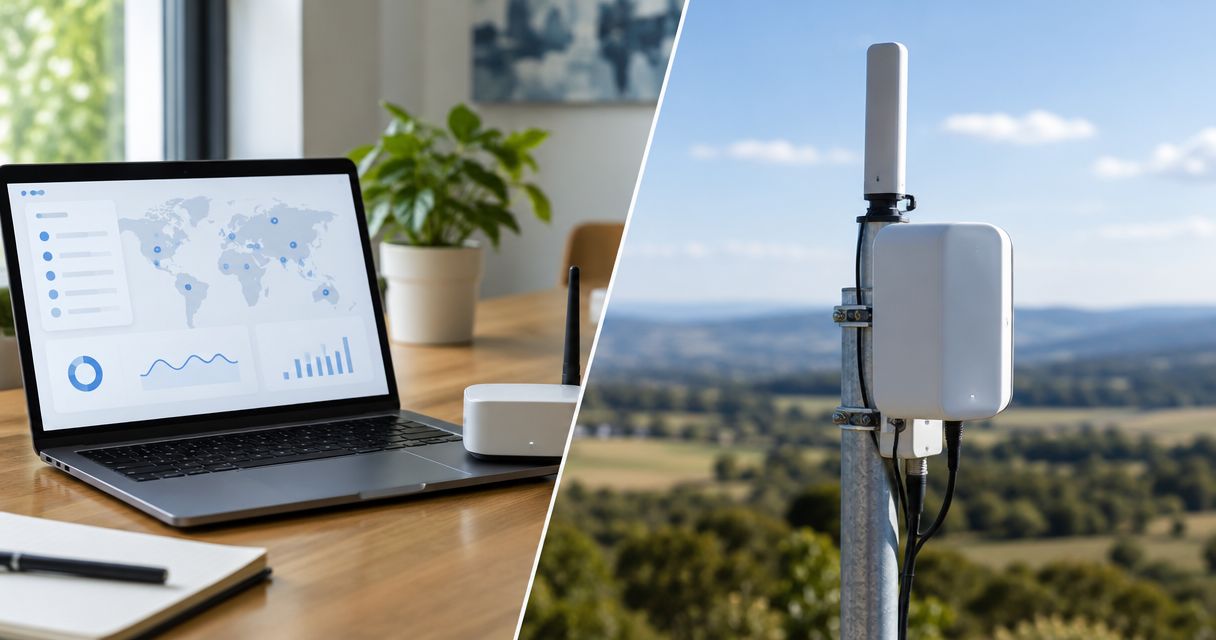
Choose the Kilo IoT Platform if you need dashboards, alarms and automation around connected equipment; choose The Things Network if you need a community LoRaWAN network for a prototype or an application you’re building yourself. The distinction is application software versus network infrastructure, not two interchangeable ways to finish the same project.
- Kilo vs The Things Network compares an IoT application platform with a community LoRaWAN network.
- Choose Kilo for connected-device dashboards, alarms, automation and supported AI-assisted workflows.
- Choose The Things Network for learning LoRaWAN or connecting a prototype to your own application.
- Neither software choice guarantees radio coverage, device compatibility or a verified physical outcome.
Compare the application layer with the network layer
A sensor sending a message and a person receiving a useful alarm are different milestones. Between them sit payload decoding, device context, data presentation, application logic and responsibility for responding. That’s where this comparison becomes useful.
The Things Network provides a community LoRaWAN network built on The Things Stack. LoRaWAN is a wireless networking protocol designed for connected devices that exchange relatively small messages. The network connects compatible devices through gateways and makes their messages available to applications.
An IoT application platform handles a different job: turning connected-device information into something people can monitor and operate. Kilo is an IoT platform for builders who need device data, dashboards, alarms and automation in one application layer. Its Physical AI positioning extends that role to supported AI-assisted interaction with devices, within configured permissions and command boundaries.
For your 2026 selection, decide which layer you’re missing before comparing feature lists. A network console is useful, but it isn’t the same deliverable as a working monitoring application.
At a glance
| Dimension | Kilo | The Things Network |
|---|---|---|
| Best for | Builders and integrators needing an operational IoT application | Developers learning LoRaWAN or connecting devices to a custom application |
| Standout feature | Device context, dashboards, alarms and automation together | Community LoRaWAN networking and gateway participation |
| LoRaWAN network setup | Evaluate the supported network connection for your deployment | Better fit when registering gateways and end devices is the main task |
| Dashboards and alarms | Application capabilities are part of the platform | Plan the downstream application that presents data and manages responses |
| Mixed connectivity | Supports LoRaWAN, mioty and MQTT connectivity | LoRaWAN-focused network service |
| Custom application development | Provides platform capabilities to configure and integrate | Suits developers supplying their own application layer |
| Physical commands | Requires compatible devices, configured commands and feedback | Downlinks still require compatible devices and application logic |
| Radio coverage | Depends on the actual device and network deployment | Depends on reachable gateways and the actual radio environment |
| Pricing model and project cost | Platform software costs plus separate deployment costs | Community network model plus your application and deployment costs |
An application platform wins when monitoring is the deliverable
Choose the application-platform approach when your deliverable is a usable service rather than a stream of device messages. You need people to find the right equipment, understand a reading and know what happens when something needs attention.
Consider an illustrative cold-storage project. A temperature sensor supplies readings, the application associates those readings with a particular room, and a configured alarm identifies a condition requiring attention. A designated person investigates; subsequent measurements help establish whether the condition has cleared.
The Kilo IoT Platform brings the relevant software areas together: device records, dashboards, rules and alarms. That gives your project an application foundation, although you still need to configure the device mapping, conditions, permissions and response process.
The Things Network is the better starting point when the deliverable is narrower: connect a LoRaWAN device and feed its messages into software your team already owns. Adding another application platform in that situation introduces another system to configure and maintain.
Best for: integrators delivering monitoring workflows should evaluate the application layer; developers proving a radio connection should start with the network layer.
The Things Network wins when LoRaWAN networking is the task
The Things Network fits a developer who wants to register a compatible gateway, provision an end device and inspect its messages. Its community-network focus makes those networking activities central to the experience.
That’s a genuine advantage when you’re learning device activation, checking payloads or developing a LoRaWAN product. You can concentrate on whether the device communicates correctly before designing the eventual dashboard or alarm workflow.
Don’t confuse The Things Network with every deployment of The Things Stack. The community network and separately operated commercial or private deployments are distinct choices. Assess the service you’ll actually use rather than transferring assumptions between them.
An application platform doesn’t remove the underlying network work. For a LoRaWAN deployment, someone still needs to establish gateway connectivity, correct device credentials, an appropriate regional frequency plan and a working data path. Choose The Things Network when that network-development work is your immediate requirement, not because you expect the console alone to become your finished monitoring service.
Kilo wins when dashboards and alarms belong in the same workflow
A network message answers whether information arrived. An application dashboard answers what that information means for a particular device, location or user.
That difference matters in a building with equipment spread across rooms. A person responding to an alarm needs recognizable device context and relevant readings, not just a payload and a network identifier. The platform’s dashboards, device records and alarms address that application-level requirement.
The benefit is having those capabilities within the same platform. The limitation is configuration: a reading still needs the correct unit, device association and alarm condition. Software cannot determine the right operational response merely because a sensor reports a value.
With The Things Network, plan the downstream service that stores, presents and acts on the messages your application receives. That’s not inherently a disadvantage. If your organization already has a suitable application, sending data there avoids introducing a second monitoring interface.
Choose the integrated application approach when you need to build the user workflow; keep your existing application when it already does the job.
Mixed-protocol projects favor Kilo’s broader application scope
A LoRaWAN network and a multi-protocol application solve different coordination problems. The former handles a particular wireless networking environment; the latter brings supported device information into an application people can use.
Kilo supports LoRaWAN, mioty and MQTT connectivity. That makes it relevant when a project includes devices using more than one supported connection method and you want their information available within the same platform.
The Things Network remains the more focused choice for LoRaWAN networking. Don’t interpret an MQTT integration as a claim that the network service becomes a general-purpose application platform for every MQTT device. MQTT can carry messages between services without changing the underlying role of those services.
Compatibility still requires more than matching protocol names. Confirm the connection method, payload format, units and device identity for each device type. For commands, check the reverse path separately; receiving readings doesn’t establish that an actuator can accept a supported action.
The broader platform is useful when you need that application breadth. A LoRaWAN-only experiment doesn’t need extra protocol support simply to look more complete.
The Things Network wins when you want to own the application
A developer building a specialized application has a different priority from an integrator configuring a monitoring service. The developer wants network data delivered into an architecture they control.
The Things Network supports that approach through application integrations, including MQTT and webhooks. Your team supplies the application behavior: storage, presentation, notifications, user access and any business-specific processing.
The advantage is architectural ownership. You can design the user experience around your product rather than around another platform’s application model. The cost is responsibility for the software you choose to build and operate.
An application platform provides existing capabilities instead. That reduces the scope you need to implement yourself, but it also means assessing whether its device model, interfaces and configuration options fit your requirements.
Neither approach removes engineering. Choose the network-plus-custom-application route when owning the application is a requirement, not merely because receiving a payload looks easy. For an integrator whose customer needs working alarms and dashboards, rebuilding those capabilities is a separate project decision.
Both require a complete path from command to feedback
Neither option turns an arbitrary connected device into controllable equipment. A physical action requires a compatible actuator, a supported command, an authorized request and a working delivery path.
LoRaWAN downlinks also have device- and network-dependent constraints. They aren’t a substitute for an onboard controller or a guarantee of immediate physical response. Design the application around the device’s actual communication behavior.
For Kilo, the built-in assistant has a confirmation flow for direct device commands. Compatible external clients such as Claude through MCP have their own approval behavior, and their available tools must match the intended task. Deliberately configured rules can execute commands autonomously; don’t assume every automated action waits for a person.
Use this sequence when assessing either architecture:
- Device observation: receive a measurement or reported state.
- Application decision: evaluate the configured condition or authorized request.
- Supported command: issue an action the connected device supports.
- Device feedback: inspect a reported state or subsequent measurement.
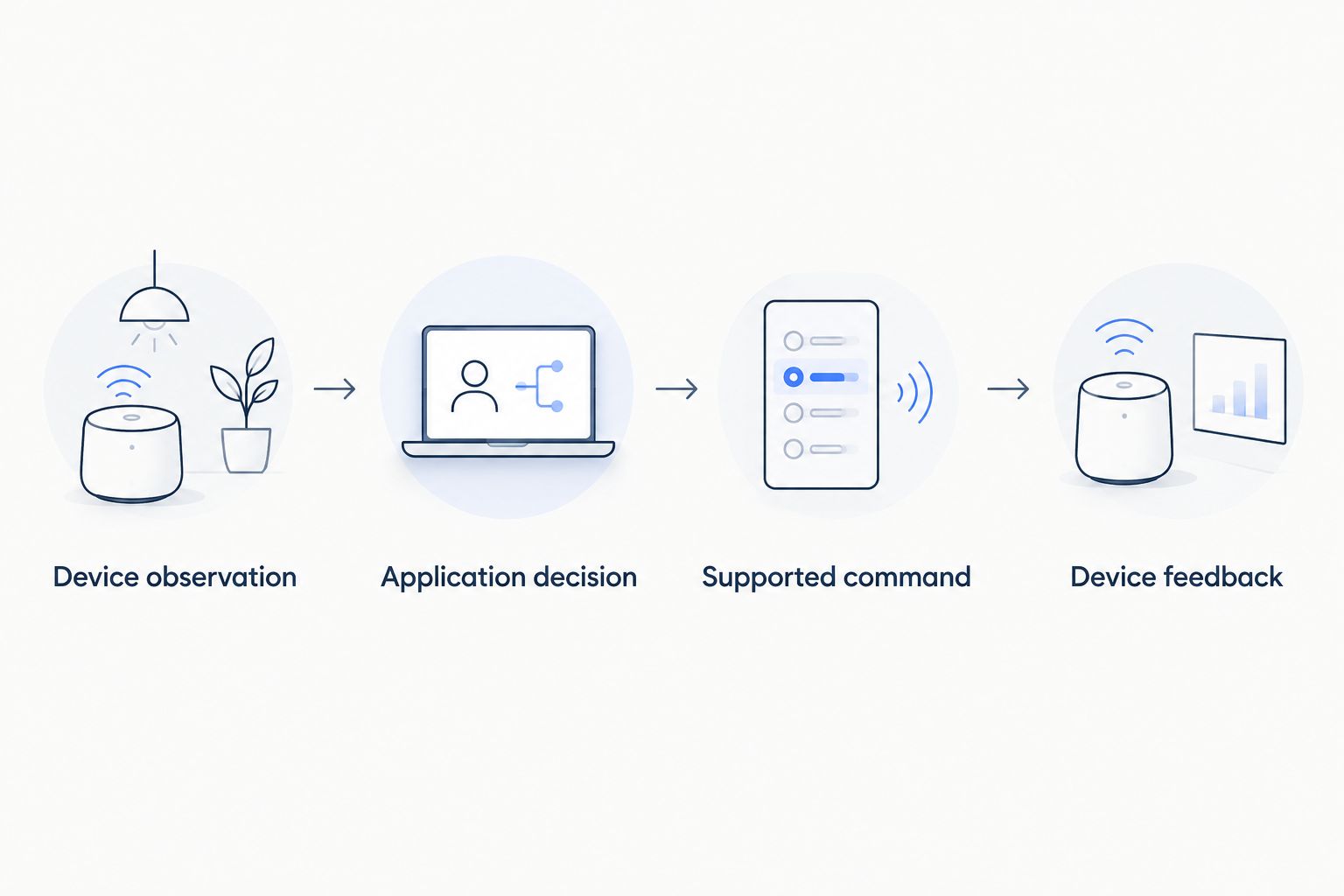
An accepted, queued or delivered command is not proof that equipment changed state. That boundary is a tie: both architectures need suitable feedback before the application can establish the physical result.
Neither wins radio coverage from a software feature list
Radio coverage belongs to the deployment, not the comparison table. Gateway placement, building materials, antenna installation, regional settings and the device’s radio environment affect whether a LoRaWAN message reaches the network.
A community coverage map is useful for planning, but it doesn’t establish reliable reception inside your particular plant room or storage area. Test the actual device in its intended location and inspect the messages it produces.
Likewise, an application platform’s dashboard cannot recover a measurement that never reached its data path. Distinguish a radio problem from an integration problem before changing software.
Hardware sourcing is a separate decision. Kilo Electronics is a separate online authorised dealer for compatible hardware, serving individual and business buyers; it isn’t the platform itself or a required purchasing channel. Select equipment against the deployment requirements rather than assuming that a shared protocol name proves compatibility.
Coverage is a tie because both choices depend on the physical network you actually deploy.
Compare pricing models across the complete project
Treat platform software, network access and application development as separate cost categories. A comparison confined to the network service leaves out much of a working monitoring deployment.
Kilo’s platform plans concern the application software. Hardware, connectivity and any applicable external model-provider usage are separate considerations. Match the intended workflow to the current plan terms rather than assuming every capability has the same billing basis.
The Things Network uses a community network model. Your project still needs an application, whether you build it, connect an existing one or use another service. Development, hosting, maintenance and response workflows remain part of that architecture.
The tradeoff is packaged application capability versus responsibility for assembling your own application stack. Neither model establishes the lower total cost without your project inputs.
For a purchasing decision, request the same scope from each proposed architecture: device connection, data presentation, alarms, user access, maintenance and support responsibilities. A useful commercial comparison ends with a working service, not merely a successful uplink.
Choose the winner for the layer you need
Choose Kilo if you’re delivering an operational IoT application
Named profile: the integrator building a monitoring service. You need device context, dashboards, alarms and automation, with supported AI assistance where it serves the workflow. Evaluate the platform against a complete application task, including the person who responds and the evidence that resolves the issue.
Choose The Things Network if you’re building on LoRaWAN network access
Named profile: the developer building a custom LoRaWAN application. You need to connect compatible devices, inspect their messages and deliver data into software you control. You accept responsibility for the application layer rather than expecting the network console to supply it.
| Dimension | Winner |
|---|---|
| Delivering an operational monitoring application | Kilo |
| Community LoRaWAN networking | The Things Network |
| Integrated dashboards and alarms | Kilo |
| Mixed-protocol application scope | Kilo |
| Network access for a custom application | The Things Network |
| Proving a physical command outcome | Tie: device feedback required |
| Radio coverage | Tie: deployment-dependent |
| Total project cost | Project-specific; compare complete scope |
FAQ
Is Kilo better than The Things Network?
Kilo is the better fit when you need an IoT application with dashboards, alarms and automation. The Things Network is the better fit when you need community LoRaWAN networking for a prototype or a custom application.
Is The Things Network the same as The Things Stack?
No. The Things Network is a community LoRaWAN network built on The Things Stack; other deployments of The Things Stack have their own operating and commercial arrangements.
Do I need an application platform after connecting a LoRaWAN sensor?
You need an application layer if users require stored readings, dashboards, alarms or business-specific workflows. That layer can be a platform or software your team builds; receiving a network message alone does not provide the finished service.
Can a platform guarantee coverage for my LoRaWAN sensors?
No platform choice guarantees coverage at your installation. Test the actual devices, gateways and antenna arrangement in the locations where the equipment will operate.
Can an AI assistant control any connected device?
No. AI-assisted control requires a compatible device, a supported command path and appropriate permissions; external client tool coverage must also support the intended task.
Does a delivered downlink prove an actuator changed state?
No. A delivered command describes communication status, not the physical outcome; use supported device feedback or subsequent measurements to establish what happened.
Test the missing layer before changing platforms
Before replacing anything, trace a reading from the device to the person who uses it. Mark where the useful workflow stops: radio reception, decoded data, application display, alarm handling or verified action.
Then evaluate the system responsible for that gap. If the architecture boundary is still unclear, the related guide on running an IoT platform without hosting its own network server explains the distinction. You don’t need to replace a functioning network merely because your project needs a better application layer.
Written by Tim Kravchunovsky


