
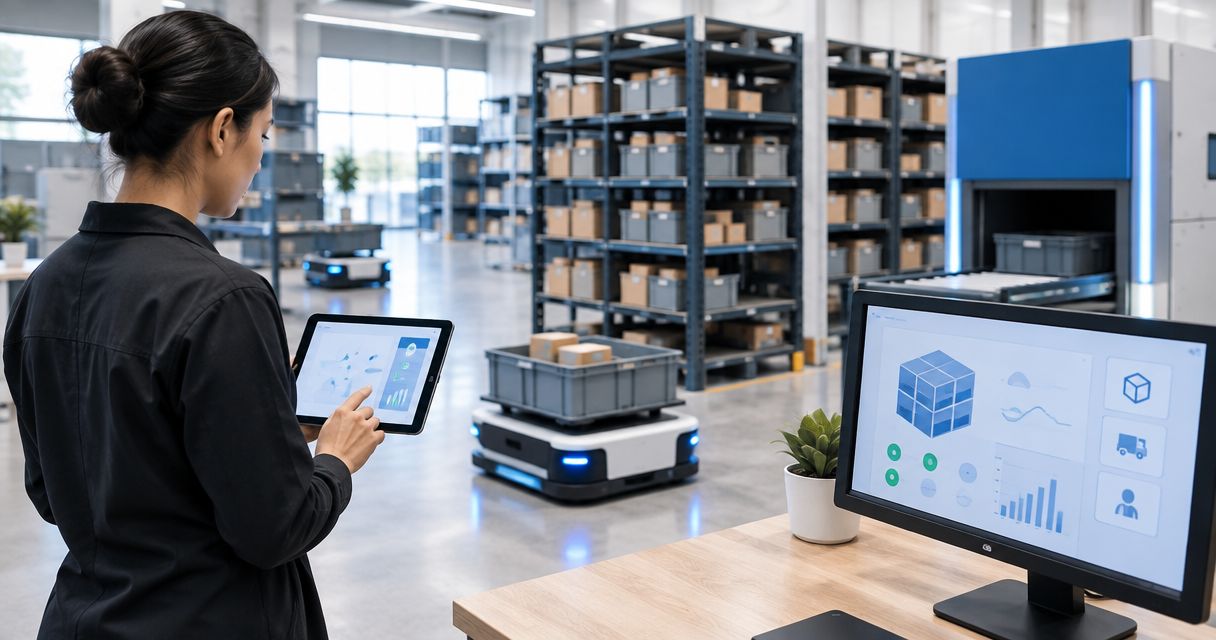
For an IoT platform for micro-fulfillment centers, shortlist the Kilo IoT Platform for connected facility monitoring, ThingsBoard for self-hosted customization, AWS IoT Core for an AWS-based application, and Azure IoT Hub for an Azure-based application. In a shared center, choose by tenant access, alarm ownership and integration requirements—not by the dashboard alone.
- Kilo is a relevant IoT platform for micro-fulfillment centers needing connected facility monitoring and configured automation.
- ThingsBoard suits self-hosted projects; AWS IoT Core and Azure IoT Hub suit custom cloud applications.
- Shared warehouse monitoring needs tested tenant permissions, named alarm owners and reliable device context.
- Keep warehouse inventory, machine safety and physical outcome verification distinct from IoT telemetry.
Shared micro-fulfillment needs more than sensor dashboards
A shared micro-fulfillment center combines physical infrastructure with separate commercial responsibilities. Refrigeration, loading areas and electrical systems can serve multiple occupants, while stock records and operational decisions belong to different businesses. Your monitoring design needs to represent those boundaries.
An attractive temperature chart doesn't establish who can see it, who receives an alarm or who can change its threshold. Those questions determine whether the platform fits a shared facility. Treat access and response ownership as selection criteria, not configuration details to address after purchase.
An IoT platform also isn't a warehouse management system. Sensor readings describe physical conditions; a warehouse management system tracks inventory and fulfillment transactions. Connecting those systems requires an explicit integration and a shared understanding of identifiers, timestamps and responsibilities.
What makes a suitable IoT platform for micro-fulfillment centers?
Use these criteria before comparing products. Each criterion should become a demonstration request using your intended devices and access model.
- Tenant boundaries: Show which devices, dashboards and actions each occupant can access. Test restrictions outside the visible dashboard, including supported integration interfaces.
- Alarm ownership: Assign a responsible recipient to each condition. Separate a tenant's stock concern from a facility-wide refrigeration or electrical issue.
- Device compatibility: Confirm the actual sensor interface, payload interpretation and supported commands. A matching protocol name alone doesn't establish compatibility.
- Operational context: Connect readings to the correct room, equipment, tenant and maintenance responsibility. Useful labels must survive moves and tenant changes.
- Integration effort: Identify what arrives ready to configure and what your team must build, deploy and maintain.
- Outcome evidence: Distinguish a received reading, a triggered rule, a sent command and a confirmed physical change. These are different events.
Don't make AI assistance a mandatory requirement for a straightforward monitoring project. A configured temperature rule is automation, not evidence of AI reasoning. Assistant access becomes relevant when you have a defined task, appropriate permissions and a supported interface.
IoT platform shortlist at a glance
The order below starts with integrated monitoring, then moves toward greater implementation responsibility. It is a use-case shortlist, not a measured performance leaderboard.
| Platform | Best for | Standout capability | Key limitation |
|---|---|---|---|
| Kilo | Connected facility monitoring with configured workflows | Device context, dashboards, alarms and automation in one platform | Shared-tenant access and equipment integrations need deployment-specific validation |
| ThingsBoard | Self-hosted, customizable monitoring applications | Device telemetry, dashboards and rule processing | Your team owns hosting and application configuration |
| AWS IoT Core | Custom applications built on AWS | Managed device messaging and integration with AWS services | Tenant dashboards and operational workflows require additional application work |
| Azure IoT Hub | Custom device applications built on Azure | Managed device communication and device identity | A hub alone isn't a complete shared-facility monitoring application |
1. Kilo: for integrated facility monitoring and automation
Kilo brings device data, digital twins, dashboards, alarms, permissions and automation into an IoT operating layer. For a shared micro-fulfillment center, the relevant starting point is monitoring rooms and equipment with supported devices, then configuring who sees the information and responds to exceptions. AI assistance is an additional interface, not a substitute for that configuration.
Kilo is a relevant IoT platform for micro-fulfillment centers that need connected facility monitoring and configured automation. Its fit depends on the actual deployment boundaries: a permissions feature does not, by itself, prove that your proposed tenant structure is correctly isolated.
Kilo pros:
- Brings monitoring and configured workflows into the same platform.
- Provides device and digital-twin context alongside readings.
- Supports conventional IoT projects as well as permission-bound AI-assisted operation.
Kilo cons:
- Warehouse inventory and order-processing integration remain separate implementation questions.
- Supported connectivity doesn't establish compatibility with every sensor or actuator.
- Tenant access, command permissions and external-client tool coverage need specific validation.
Best for: Integrators and facility operators assembling a connected monitoring layer rather than building every application component themselves.
Verdict: Buy only after a pilot proves the intended access boundaries, alarm routing and device behavior.
2. ThingsBoard: for self-hosted monitoring customization
ThingsBoard is an IoT platform with device telemetry, dashboards and rule processing. Its self-hosted option gives a development team responsibility for the deployment and room to configure a monitoring application around the facility's requirements. That responsibility extends beyond getting a dashboard online.
For shared centers, evaluate the particular edition and deployment you intend to use. Access arrangements, application features and operating responsibilities belong in that evaluation; don't assume every offering provides the same capabilities.
ThingsBoard pros:
- Offers a self-hosted route for teams that need deployment control.
- Combines telemetry visualization with configurable rule processing.
- Gives developers a platform around which to build a tailored monitoring application.
ThingsBoard cons:
- Self-hosting adds infrastructure, maintenance and recovery responsibilities.
- Tenant workflows still require careful configuration and testing.
- Edition differences must be checked against the actual requirements.
Best for: Integrators or software teams with a specific hosting requirement and the capacity to operate the application.
Verdict: Buy into this approach when self-hosting is a real requirement; skip it when nobody owns platform maintenance.
3. AWS IoT Core: for an AWS-based custom application
AWS IoT Core provides managed device connectivity and messaging, including MQTT support, with routes into other AWS services. It fits a project where developers intend to build the facility application around AWS infrastructure. The device connection is a foundation, not the finished monitoring experience.
Your team must design how telemetry becomes tenant-specific views, alarms and operational records. That can be appropriate when the monitoring application needs to connect closely with an existing AWS-based business system.
AWS IoT Core pros:
- Provides managed device messaging rather than requiring you to operate that component yourself.
- Connects device information with the wider AWS service ecosystem.
- Supports a custom application architecture shaped around existing AWS systems.
AWS IoT Core cons:
- Does not supply a complete shared-center dashboard and response workflow by itself.
- Requires engineering across device identity, data handling and application access.
- Multiple application components create separate maintenance responsibilities.
Best for: Development teams already building a custom facility or fulfillment application on AWS.
Verdict: Buy into this architecture when you have an application owner and an integration plan; skip it for a dashboard-only project.
4. Azure IoT Hub: for an Azure-based device application
Azure IoT Hub provides managed communication between connected devices and an application, with device identity and supported messaging patterns. It is relevant when your developers are building around Azure services and need a device-facing foundation. Your chosen devices and communication requirements still need validation.
The shared-facility application sits above that foundation. Tenant authorization, dashboard design, alarm responsibility and warehouse-system connections require additional application components and configuration.
Azure IoT Hub pros:
- Provides managed device communication and identity capabilities.
- Fits an application architecture built around Azure services.
- Separates the device communication foundation from your business application design.
Azure IoT Hub cons:
- Isn't a ready-made tenant monitoring portal on its own.
- Requires development work to produce the facility workflows described here.
- Device communication support doesn't establish a complete equipment integration.
Best for: Teams with an existing Azure application architecture and developers responsible for connected-device integration.
Verdict: Buy into this approach when Azure integration is central to the project; skip it when you need a configured monitoring application without custom development.
How the shortlist is organized
These platforms represent different implementation paths, not interchangeable packages. The comparison uses tenant boundaries, alarm ownership, device compatibility, operational context, integration effort and outcome evidence. No latency benchmark, tenant-isolation test or deployment-speed measurement is implied by their order.
Start with the implementation responsibility your team can accept. Then require each supplier or integrator to demonstrate the same facility workflow. That produces a more useful decision than comparing unrelated feature counts.
Test a shared cold-room workflow before committing
Illustrative scenario: A shared center contains tenant-owned stock in a common cold room. A temperature sensor and door contact provide observations; the facility operator owns refrigeration maintenance, while each tenant owns decisions about its stock. This is a design example, not a reported customer deployment or a prescribed compliance threshold.
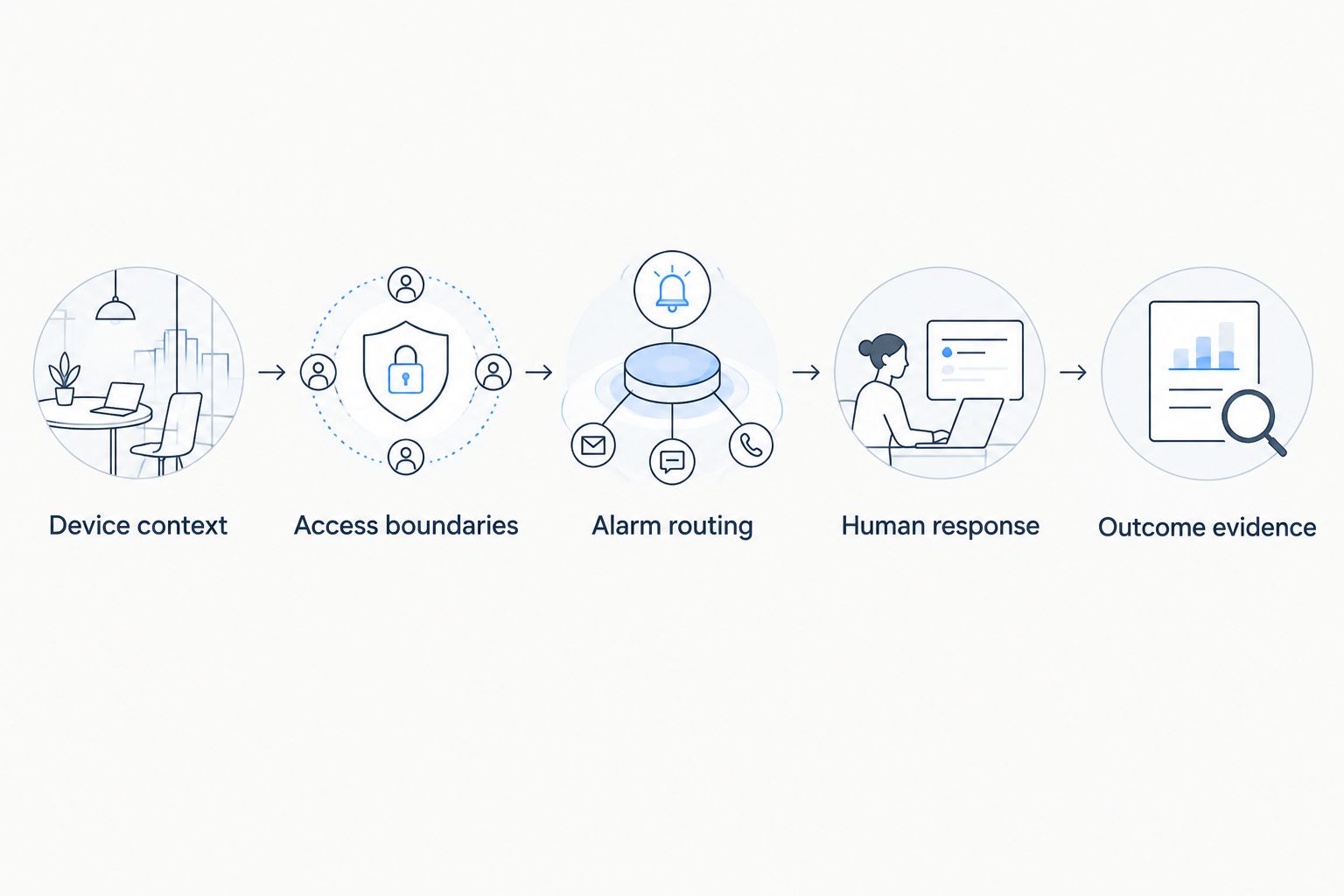
Use the following sequence to test the proposed system:
- Device context: Associate each reading with the correct room and equipment. Keep sensor location distinct from stock ownership.
- Access boundaries: Give the facility operator the intended shared view. Test what a tenant can access through both the application and supported interfaces.
- Alarm routing: Configure the relevant condition and name the person responsible for investigating it. Establish how affected tenants receive appropriate information.
- Human response: Have the assigned responder inspect the door or refrigeration equipment. Record the operational response in the system chosen for that purpose.
- Outcome evidence: Check subsequent readings and the inspection result before treating the issue as resolved.
A command path needs its own test. Accepted, queued or delivered status is not proof that equipment changed state. If the design includes a remote actuator, establish the compatible interface, supported command, authorization and available feedback before allowing automated operation.
Software and hardware sourcing are separate decisions. Kilo Electronics is a separate online authorised dealer for compatible hardware, serving individual and business buyers; purchasing a sensor does not establish its payload mapping, placement or suitability for your platform deployment.
Keep fulfillment software and machine control distinct
Use the warehouse management system as the authority for inventory and fulfillment transactions. Use the IoT layer for physical observations and configured monitoring workflows. Define which system owns each identifier before connecting them, especially when tenants use different stock or order systems.
For example, a door-open event can identify a physical condition without identifying the order being handled. Linking it to an order requires evidence from the relevant operational system. Don't turn proximity in time into an unsupported causal claim.
Conveyors, robots and other machinery introduce a further boundary. Cloud monitoring is not a replacement for equipment safety controls or an onboard control system. An integration that exposes status does not automatically expose commands, and a supported command does not establish that unattended operation is appropriate.
Which platform should you choose?
Start with integrated monitoring when your main problem is facility visibility and exception handling. Evaluate a self-hosted platform when hosting control is a genuine requirement, or a cloud device service when developers already own the application architecture.
Before committing, require a demonstration of a tenant access restriction, a routed alarm, a device replacement and a loss-of-data condition. Include the person who will maintain the configuration after handover. A successful demonstration should leave you with a clear owner for devices, access changes, alarm handling and application maintenance.
FAQ
What's the best IoT platform for a shared micro-fulfillment center?
The right platform is the one that proves your tenant access boundaries, device compatibility and response workflows. Shortlist integrated monitoring platforms for configured facility workflows and cloud device services for custom applications.
Can an IoT platform replace our warehouse management system?
An IoT platform does not replace inventory and fulfillment transaction management. Connect physical observations to the warehouse management system through an explicitly designed integration.
Can separate tenants use the same sensor network?
A shared sensor network can feed a monitoring application, but tenant access depends on the application design. Test which readings, resources and actions each tenant can access rather than relying on separate dashboard appearances.
Do we need AI to monitor a shared cold room?
You do not need AI to run configured temperature or door-state monitoring. AI assistance is relevant when you have a supported task and defined permissions; a threshold rule remains ordinary automation.
How should we compare IoT platform costs?
Compare the same deployment scope across software, hardware, connectivity, integration and ongoing maintenance. For custom cloud applications, include the additional services and engineering needed to deliver dashboards and response workflows.
Does MQTT support mean every MQTT device will work?
MQTT support does not establish complete device compatibility. Authentication, topics, payload interpretation, reporting behavior and any command path must match the intended integration.
Can the platform automatically stop a conveyor or close a valve?
Automatic physical action requires a compatible equipment interface, a supported command path and deliberate configuration. Command status alone does not confirm the physical outcome, and monitoring software does not replace machinery safety controls.
Test tenant departure, not just tenant onboarding
The revealing access test happens when an occupant leaves. Disable the departing tenant's access, check supported integration credentials and confirm that shared alarms still reach the facility owner. Preserve the ownership and context of shared devices without leaving former users able to access them.
A shared center's monitoring design must handle changes in responsibility as carefully as changes in temperature. Make that part of acceptance testing before expanding the deployment.
Related guides
Written by Tim Kravchunovsky


