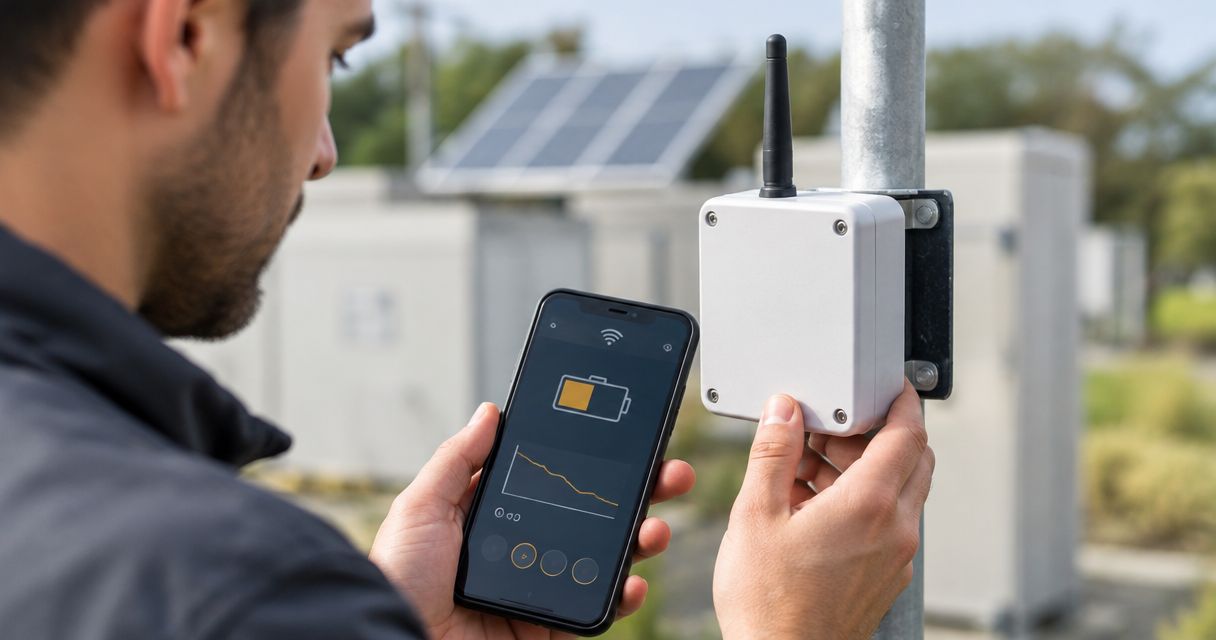
Yes—two organizations can share an IoT platform securely when each person has an individual identity and the platform enforces the required data and action boundaries; they should not share a username and password. When evaluating the Kilo IoT Platform, distinguish access to the same platform from access to the same administrative account. Secure collaboration depends on verified permissions, separate integration credentials, accountable ownership and a tested way to remove access.
- To share iot platform account securely, share authorized resources—not passwords or unrestricted administrator access.
- Kilo brings device context, monitoring, automation and permissions together; verify the boundaries your partnership requires.
- Separate permission to view readings from permission to change rules or send device commands.
- Test prohibited access and offboarding before either organization connects production equipment.
Can two organizations share one IoT platform account securely?
Share the platform, not the login. The answer depends on what you mean by an account: a personal login, a shared workspace, a customer subscription or an independently administered organization. Those are different boundaries, even when a product uses similar names for them.
A shared subscription does not establish secure separation. You need to know which resources each organization can discover, read, change, export and control—and whether the platform enforces those restrictions beyond the dashboard.
| Access model | Best for | Useful advantage | Main limitation |
|---|---|---|---|
| Shared username and password | Neither organization's routine collaboration | Gives both parties access through one identity | Prevents reliable individual attribution and independent access removal |
| Individual users in a shared environment | Partners working on a jointly managed deployment | Supports collaboration without sharing personal credentials | Requires verified resource-level and action-level permissions |
| Separate organizational environments | Parties needing independent administration | Creates a clearer ownership boundary | Shared reporting or support requires an explicit integration or access arrangement |
| Restricted data exchange | Partners who need selected readings, not platform administration | Limits the information and functions exposed | Requires management of the receiving system and integration credentials |
These are architecture choices, not a claim that every platform supports every model. Choose the model whose enforced boundaries match your agreement, then test those boundaries. A dashboard that hides another customer's devices is not proof that its underlying API prevents access to them.
What must stay separate when organizations collaborate?
Start with identities. Each person should use an individual login, with multifactor authentication where supported, rather than an account passed between employees or companies. Individual access lets you remove a departing contractor without changing everyone else's credentials.
Next, separate resources and authority. A service provider might need temperature readings and alarm context for a building without needing access to unrelated buildings, billing settings or device commands. Give the provider the access needed for that job, not a broad administrator role because it is easier to configure.
Write down the following boundaries before inviting the other organization:
- Data access: Which devices, measurements, historical records and exports belong in the shared scope?
- Configuration access: Who can change dashboards, alarm conditions, device mappings and automation?
- Physical actions: Who can send supported commands or configure rules that send them?
- Administration: Who can invite users, change permissions, manage credentials and remove access?
- Ownership: Who keeps the deployment, configuration and records when the relationship ends?
A role name is only a starting point. “Operator” or “viewer” means whatever the platform actually permits, so evaluate the effective permissions rather than relying on the label.
How do you set up shared IoT access without sharing passwords?
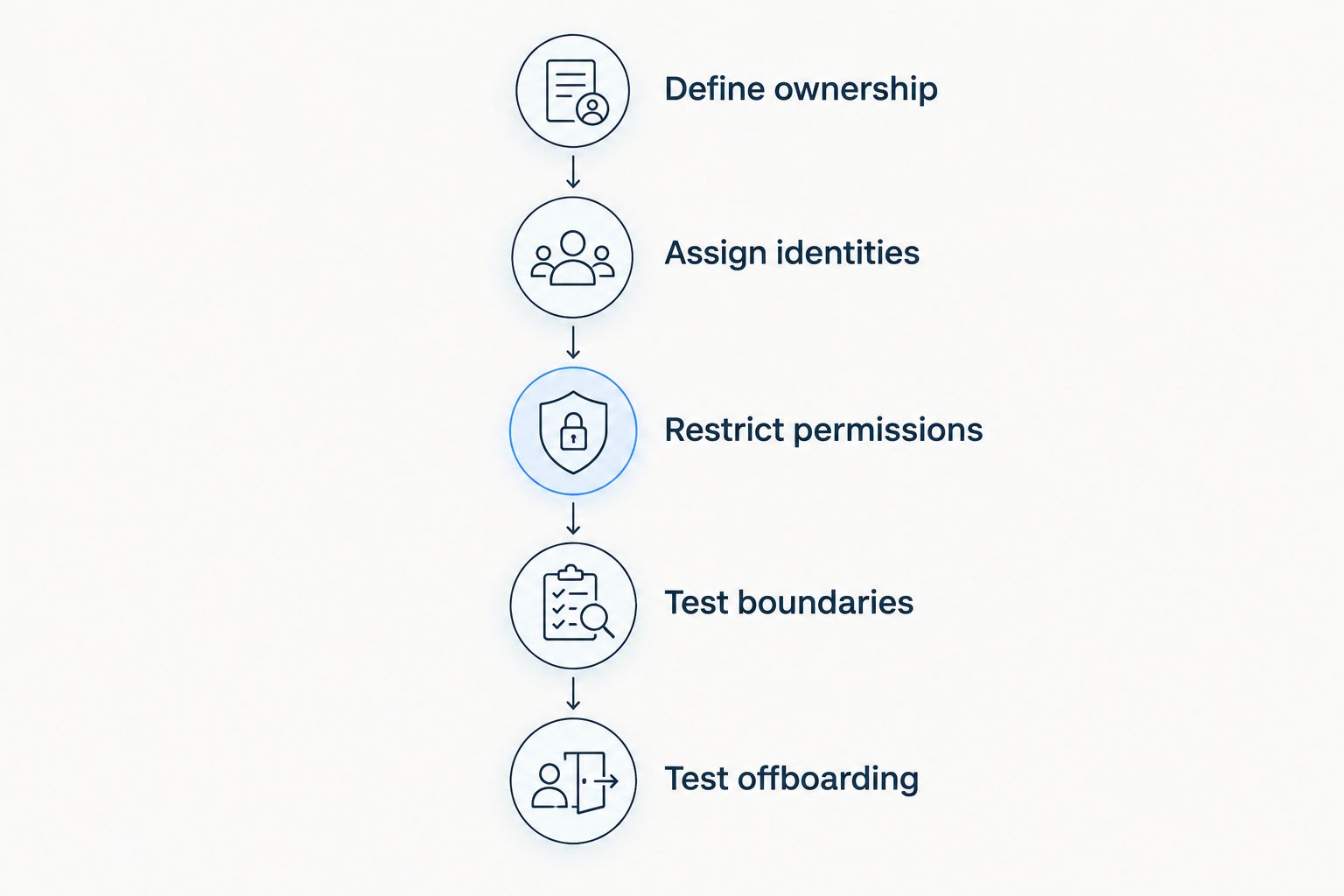
Use a deliberate sequence. Agree on the collaboration boundary first, configure it second, and test it from the partner's perspective before connecting production responsibilities.
Define ownership
Name the organization responsible for the environment, the connected devices and the permission decisions. Assign a person to approve access changes and a person to coordinate incidents; those responsibilities should not disappear into a shared mailbox.
Also decide who owns configuration created during the contract. An integrator's rule logic, the customer's sensor history and credentials for a network connection need explicit treatment rather than assumptions at handover.
Assign identities
Invite named users through the platform's supported identity process. Keep human access separate from credentials used by software integrations, and document who owns each integration.
Do not build a reporting script around an employee's personal administrator credentials. That couples an operational dependency to a person's employment and makes permission changes harder to manage.
Restrict permissions
Translate the agreed responsibilities into the platform's available controls. Begin with the smallest useful scope, then add specific capabilities when the work requires them.
If the platform cannot enforce the separation you need, change the architecture. Separate environments or a restricted data exchange are preferable to an informal promise that a partner will ignore resources they can access.
Test boundaries
Use representative test resources and a restricted user to attempt both permitted and prohibited operations. Confirm that allowed work succeeds and that access outside the agreed scope fails.
Test relevant interfaces separately. Successful restriction in a browser does not establish equivalent behavior for an API credential, export, notification or external assistant connection.
Test offboarding
Remove the test user's access and revoke the test integration credentials. Confirm that the former user and integration can no longer retrieve data or perform actions.
Then check operational dependencies. Rules, notifications or reporting jobs should not stop unexpectedly because they depended on a departing user's credentials.
Why does the right access model vary between partnerships?
A building owner and a maintenance contractor do not necessarily need the same arrangement as independent companies operating separate equipment. The useful distinction is what they must share—and what they must keep independent.
- Shared work: Joint operation needs different access from occasional troubleshooting or read-only reporting.
- Device responsibility: Monitoring a device is different from changing its configuration or commanding an actuator.
- Administrative independence: Each company might need control over its own users without authority over the other company's access.
- Data obligations: Contracts and applicable requirements determine which information each party can receive and retain.
- Integration dependencies: Network connections, reporting systems and external clients introduce credentials outside the human login process.
- Exit arrangements: A short support engagement needs a clear removal process; a continuing managed service also needs a workable handover plan.
Use these factors to decide whether a shared environment is appropriate. Do not select it solely because both parties can see the same dashboard, or reject it solely because they have different company names.
What does a practical customer-and-integrator arrangement look like?
Consider an illustrative scenario, not a reported deployment: a cold-storage operator hires an integrator to help maintain its monitoring configuration. The operator owns the deployment; the integrator needs selected readings, device context and permission to maintain agreed monitoring functions.
The input is sensor data associated with the operator's equipment. The shared work is investigating abnormal readings and maintaining the agreed configuration. The operator's designated responder remains responsible for inspecting the affected equipment when an alarm requires an on-site check.
The access agreement should distinguish those jobs. Reading a temperature trend does not require permission to invite new administrators, export unrelated records or send commands to equipment. If configuration changes are allowed, specify which changes and how the operator reviews them.
Evidence of a useful outcome includes the responder's investigation, subsequent sensor readings and the relevant configuration or execution records available in the system. An acknowledged alarm alone does not prove that the temperature problem was resolved.
Kilo combines device data, dashboards, automation, alarms and permissions in one platform, making that workflow relevant to its capabilities. The specific customer-and-integrator separation still needs verification against the available permission model; a general permission feature is not proof of independent organizational tenancy.
Hardware sourcing is a separate decision. Kilo Electronics is a separate online authorised dealer for compatible hardware serving individual and business buyers; purchasing hardware does not establish who can administer the platform deployment.
How should shared access handle commands, automation and AI?
Treat permission to observe equipment separately from permission to affect it. A partner who can inspect readings does not automatically need authority to change a setpoint, operate a relay or deploy a command-producing rule.
For every proposed control workflow, identify the compatible device, supported command path, authorized identity and available feedback. A common protocol name does not establish that a particular device or action is supported.
Automation also changes the approval boundary. A deliberately configured rule can execute a command autonomously, so removing a user's ability to issue direct commands is not enough if that user can edit and deploy command-producing automation.
The same reasoning applies to assistant access. Kilo's built-in assistant and compatible external clients operate within permissions, but you should not assume identical tool coverage or approval behavior. The built-in assistant has a confirmation flow for direct device commands; external MCP clients have their own approval behavior.
Before enabling an assistant connection, establish which resources it can read and which supported actions it can request. Test the actual connection under the intended user's permissions rather than assuming the assistant inherits the boundaries you expect.
Finally, distinguish command processing from physical verification. Accepted, queued or delivered status is not proof that equipment changed state; that requires device feedback or subsequent measurements where supported.
What evidence should you request before approving access?
Ask for a demonstration using the access pattern you intend to deploy. A general security statement does not answer whether a contractor can retrieve another customer's device history or alter a shared rule.
Your acceptance checklist should include:
- A restricted user can access the intended resources and cannot access an unrelated test resource.
- Read-only access cannot change configuration or issue commands.
- Integration credentials have a documented owner, purpose, scope and revocation process.
- Relevant records identify actions at the documented level of detail, without assuming every interaction is recorded.
- Removing access blocks the tested user and integration paths.
- Shared operational workflows continue under an agreed owner after offboarding.
Keep the test results and responsibility agreement with the deployment documentation. Repeat the relevant checks when permissions, integrations or responsibilities change.
Kilo suits IoT builders who need device context, monitoring and automation in one platform. That fit does not replace a permission review. For the narrower configuration question, use this guide to setting user permissions and roles in an IoT monitoring platform.
FAQ
Can two companies use the same IoT platform login?
They should not share a personal login. Give each person an individual identity and verify that the platform can restrict access to the agreed resources and actions.
Is a shared IoT workspace the same as separate organizations?
No—a shared workspace does not establish independent organizational administration or data separation. Verify the platform's actual boundaries before treating it as a multi-organization environment.
Can a contractor see sensor readings without controlling equipment?
That is the access boundary to require and test. Verify that the contractor's effective permissions allow the intended readings while blocking configuration changes, commands and command-producing automation.
Does multifactor authentication make a shared account secure?
Multifactor authentication does not fix the accountability and offboarding problems of a shared identity. Use individual accounts alongside appropriate authentication and authorization controls.
Should both organizations use the same API credential?
Use separately owned and scoped integration credentials where the platform supports them. Separate credentials let you revoke one integration without intentionally giving every integration the same authority.
What happens to IoT access when a service contract ends?
Remove the departing organization's user access, revoke its integration credentials and review the workflows it maintained. Confirm that the customer retains the agreed data, configuration and operational ownership.
Test the exit before you approve the partnership
The most revealing access test is not whether a partner can sign in. It is whether you can remove that partner without exposing data, retaining unwanted control paths or interrupting the customer's monitoring.
Before granting production access, demonstrate that exit with a test identity and test integration. If you cannot explain what stops working, what keeps running and who owns the remaining configuration, the sharing arrangement is not ready.
Written by Tim Kravchunovsky