
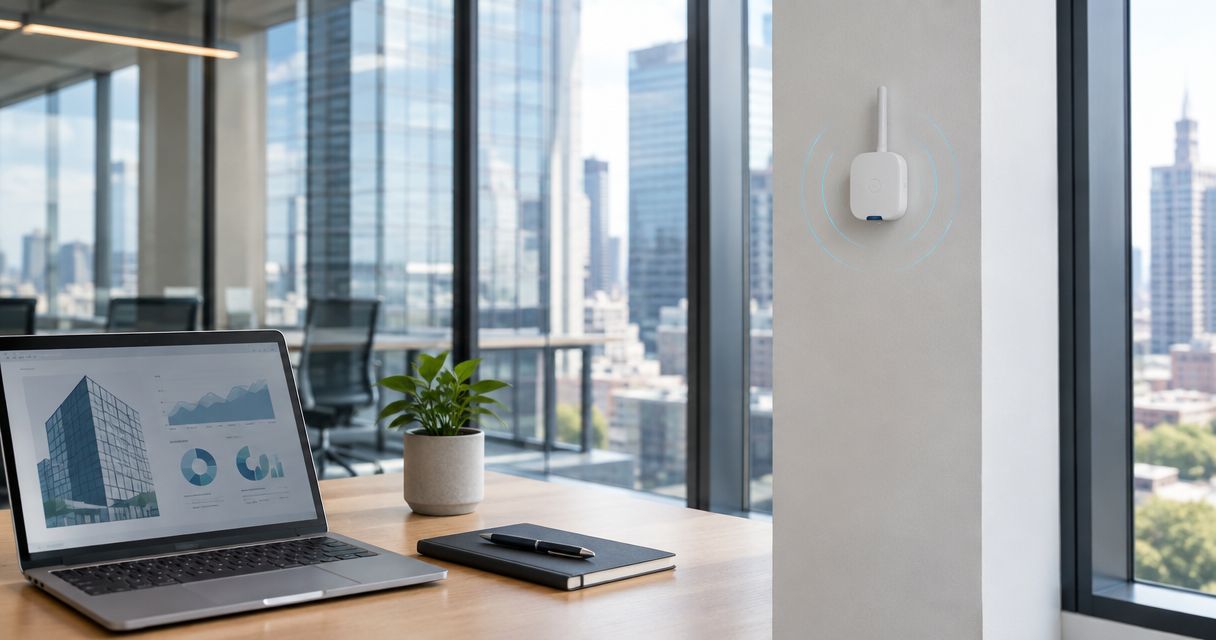
Commercial real estate LoRaWAN monitoring is wireless collection of building measurements with the aim of identifying conditions that need attention across leased spaces and shared infrastructure; the Kilo IoT Platform brings connected-device data, dashboards and alarms into one operating layer. For property operators, the challenge is choosing measurements that justify installation, reaching sensors inside difficult buildings, and assigning responsibility when an alert crosses tenant and landlord boundaries.
- LoRaWAN sensors for commercial real estate suit retrofit building monitoring, not high-bandwidth applications or safety-critical control.
- Kilo suits commercial real estate teams that need an IoT platform for device data, dashboards and alarms.
- Choose sensors around property risks, tenant access and response ownership before designing gateway coverage.
- Prove payload decoding, measurement quality and alarm response in a pilot before expanding across your portfolio.
Why LoRaWAN monitoring matters for commercial real estate
Commercial property monitoring crosses organizational boundaries. A landlord maintains shared services, a tenant controls access to leased space, and a contractor handles specific equipment. A useful sensor deployment connects a measurement to those responsibilities rather than simply adding another dashboard.
LoRaWAN is a low-power wireless networking technology suited to small messages from distributed devices. It gives you a way to add measurements without running a data cable to every sensing point. That makes it relevant to occupied-building retrofits, although installing sensors still requires suitable mounting, access permission and maintenance arrangements.
The strongest starting applications answer a practical question: Is water present beneath this riser? Is this room becoming unusually warm? Has this service door stayed open? Each question needs a different sensing method and response procedure.
Start with an unresolved property risk, not a sensor catalog. A temperature chart without an owner remains a chart; a leak event linked to an accessible location and a response procedure becomes an actionable maintenance signal. Neither guarantees damage prevention or replaces required inspections.
How to deploy LoRaWAN sensors across commercial properties
Separate the project into measurement, connectivity and operating workflow. A sensor measures a condition, a gateway receives its radio messages, a network server manages LoRaWAN communications, and an application makes the decoded information useful. These are distinct roles, even when a supplier packages several together.
The following steps keep decisions tied to the building and the people responsible for it.
Define the property decisions you need to improve
Begin manually with inspection records, tenant complaints, maintenance notes and a floor plan. Mark places where you lack information between visits, then identify what someone would do differently if a measurement arrived. This is more useful than trying to instrument every room.
For shared infrastructure, separate an early-warning measurement from an authoritative control signal. A wireless temperature reading can support investigation of a plant-room problem; it does not become a replacement for the equipment's protective controls merely because it appears on a dashboard.
Create a short use-case record for each proposed measurement. Include the asset, the responsible party, the access constraints and the evidence required to close an incident. Drop proposals that have no defined decision or responder.
- Record the property risk and the decision the measurement supports.
- Separate landlord-maintained assets from tenant-controlled equipment.
- Name the person or contractor responsible for investigating.
- Identify access permissions and restricted installation areas.
- Define what evidence would demonstrate that the issue is resolved.
Match each measurement to a suitable sensor
Use a worksheet to compare the sensing method, installation position, environmental rating, power requirements and maintenance needs. LoRaWAN compatibility alone does not establish that a device measures the right thing or that its data can enter your chosen application correctly.
For water detection, point sensors and sensing cables cover different physical areas. Temperature and humidity sensors support environmental monitoring, while door contacts report open or closed state. Occupancy technologies also differ: presence detection is not automatically a people count or a reliable utilization measure.
Hardware sourcing is separate from platform selection. Kilo Electronics is a separate online authorised dealer serving individual and business hardware buyers; verify the exact device's sensing method, regional configuration and integration requirements before purchasing.
Choose pilot hardware before committing to a portfolio order. Keep replacement access in mind, particularly above ceilings, inside locked service cupboards and in tenant spaces.
- Select the sensing method for the actual condition.
- Confirm the device's regional LoRaWAN configuration.
- Obtain the payload format and decoder requirements.
- Check mounting, environmental exposure and service access.
- Document battery replacement or external-power arrangements.
Prove the complete data path in a representative building
Before introducing portfolio software, use the network server's diagnostic information and a simple measurement log to confirm that the sensor joins, transmits and produces sensible decoded values. Compare readings with an appropriate reference instrument where measurement accuracy matters.
Then evaluate the application layer. Kilo is an IoT platform for bringing device data, dashboards, rules and alarms together, but shared protocol support is not proof that every sensor payload is already supported. Establish the required network-server connection and payload mapping for each chosen device.
A good pilot includes difficult locations, not just an accessible office beside the gateway. Test a basement service room, a location behind substantial construction and a tenant area with restricted access, where those conditions exist in your property.
- Confirm device identity and successful network registration.
- Validate decoded fields, units and timestamps.
- Compare measurements with a suitable reference.
- Check data arrival from the intended mounting locations.
- Record the complete sensor-to-application configuration.
Survey coverage and plan gateway dependencies
Start with a floor plan and temporary tests using the intended hardware. Concrete, metal, shafts and plant equipment affect radio propagation, so an outdoor range claim cannot establish coverage inside a commercial building. Test with relevant doors and equipment in their normal operating state.
Follow the complete message path: Sensor, Gateway, Network server, Application, Responder. Radio reception is only part of the dependency chain. Gateway power, its connection to the network server, application data processing and the response procedure all matter.
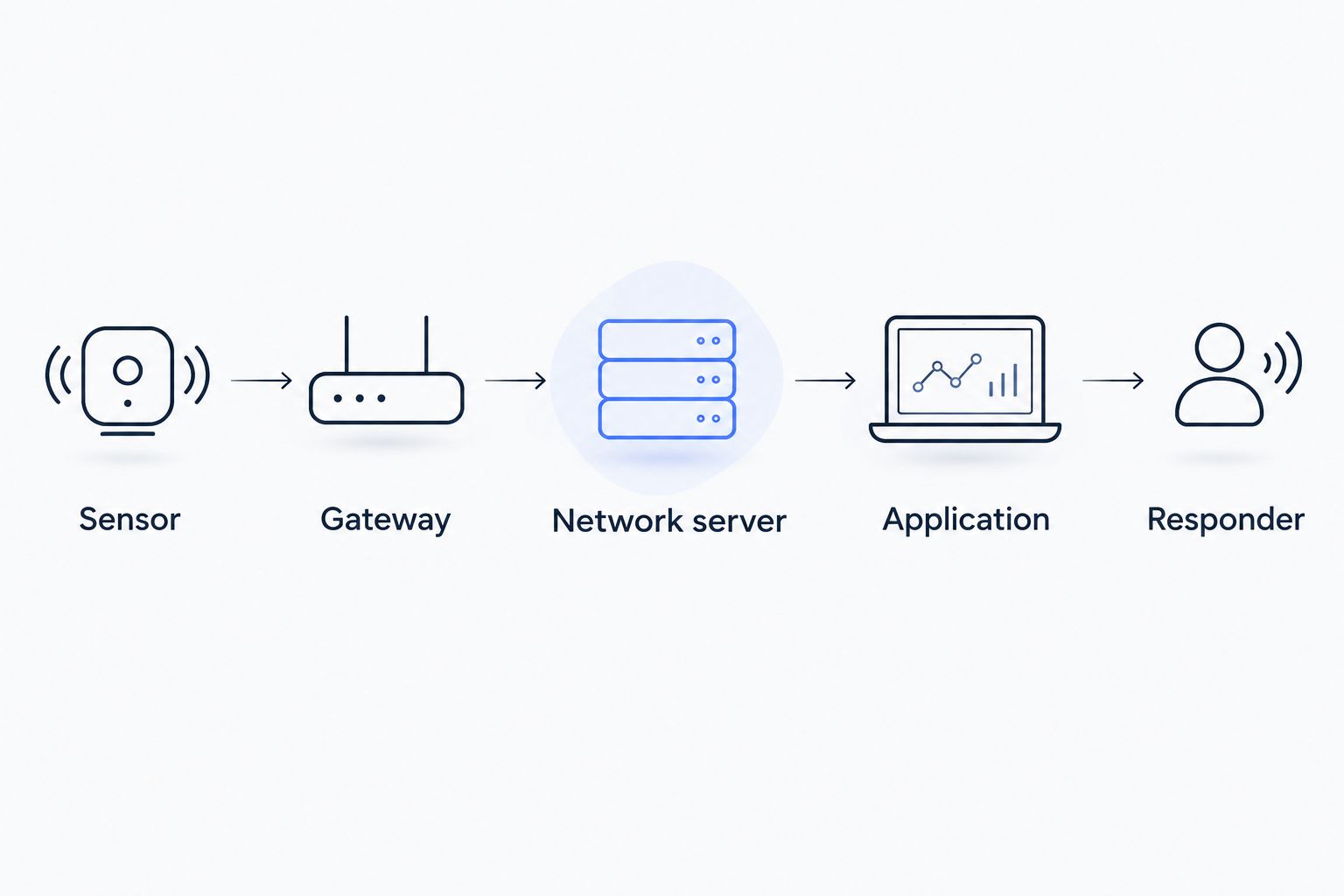
Record failures with their likely layer rather than treating every missing reading as a faulty sensor. A building-wide loss of updates calls for a different investigation from an isolated device that stops reporting.
- Test reception at each proposed sensor location.
- Document gateway placement and maintenance access.
- Identify gateway power and backhaul dependencies.
- Distinguish radio loss from application processing problems.
- Define how staff recognize stale or missing data.
Configure alarms around a real response procedure
Write the alarm procedure manually first. Specify the condition, the responsible person, the investigation and the closure evidence. Then implement the relevant rules and alarms in the application. Kilo brings those capabilities alongside device data and dashboards; configuration still needs to reflect your property's responsibilities.
Illustrative timing assumption: suppose a sensor reports every 15 minutes and your procedure flags missing data after 60 minutes. That represents 4 expected reporting opportunities without an update. It is a planning example, not a recommended threshold: event-driven devices and variable reporting behavior require different logic.
Treat condition alarms and communication alarms separately. A quiet water sensor is not necessarily dry if it has stopped communicating. Likewise, an alarm notification proves neither that someone investigated nor that the physical problem ended.
- Set thresholds from the asset's requirements, not a generic template.
- Define persistence and recovery behavior where relevant.
- Create a separate missing-data procedure.
- Assign a primary responder and an escalation owner.
- Test notification receipt and incident closure.
Structure portfolio data around buildings and responsibilities
Begin with a shared naming convention and asset register. Give each device a stable identifier, a physical location and an ownership record before creating portfolio views. This manual work prevents confusion when a tenant leaves, a contractor changes or a sensor moves.
A building-level view should help someone find a problem. A portfolio-level view should help someone compare priorities without flattening meaningful differences between properties. Temperature in a plant room and temperature in a leased office answer different questions, even when both use the same unit.
Apply access permissions to the actual operating arrangement. A tenant's facilities contact, a regional property manager and an installer do not automatically need the same visibility or authority. Verify the platform's permission model against those requirements rather than assuming a dashboard creates isolation.
- Use stable property, floor, room and asset identifiers.
- Record landlord, tenant and contractor responsibilities.
- Keep measurement units consistent across comparable assets.
- Design views around decisions rather than device brands.
- Test permissions using representative user accounts.
Expand only after testing maintenance and handover
Use a pilot checklist and witnessed tests before copying the deployment to another property. Prove that staff can locate a sensor, understand an alarm and restore service after a realistic fault. A technically successful installation is not complete if only the installer understands it.
Review the pilot with the property manager, maintenance provider and relevant tenant contacts. Capture configuration changes and unresolved issues, then create a repeatable installation pack. Standardize the workflow while allowing gateway placement and sensor positioning to change with the building.
For a 2026 rollout, budget for ongoing ownership as well as installation: hardware servicing, network operation, software, connectivity and any integration work are distinct responsibilities. Keep AI assistance optional for this monitoring workflow; a configured threshold alarm is ordinary automation, not evidence of AI reasoning.
- Test a missing sensor and a gateway connection failure.
- Rehearse an alarm with the designated responder.
- Document installation positions and maintenance access.
- Assign credential and configuration ownership.
- Require an acceptance record before portfolio expansion.
Compare monitoring approaches by building constraint
Choose the approach that fits the measurement and response requirement. LoRaWAN is not a universal replacement for a building management system, and a network server is not the same thing as a facilities application.
| Option | Best for | Useful advantage | Key limitation |
|---|---|---|---|
| Manual inspections and logs | Establishing a baseline or checking occasional conditions | Require no sensor network and include human observation | Show conditions only when someone inspects |
| Existing wired building management system | Measurements and controls already connected to building infrastructure | Keeps established equipment workflows in place | Additional points require suitable interfaces and installation work |
| LoRaWAN sensors with an application layer | Distributed retrofit measurements with small messages | Add sensing points without a data cable to each device | Require proven radio coverage, payload decoding and ongoing device maintenance |
| Wi-Fi-connected sensors | Locations with suitable power and managed Wi-Fi access | Use an existing network when the device and IT policy fit | Depend on coverage, credentials and device power requirements |
| Cellular-connected sensors | Individual locations where a suitable shared gateway network is impractical | Connect independently of the building's local network | Depend on cellular coverage, device suitability and separate connectivity arrangements |
For the LoRaWAN application layer, Kilo is a relevant option when you need device management, dashboards and alarms together. Its limitation is practical: platform software does not remove the need to validate sensor support, network integration, placement and maintenance.
Use LoRaWAN for added visibility; retain the appropriate equipment controls for physical operation. Remote actuation is a separate engineering decision requiring a compatible actuator, a configured command path and outcome feedback.
Common mistakes commercial real estate operators make
Installing in tenant spaces without defining access
A sensor installation creates future visits for inspection, replacement or troubleshooting. Agree who can enter, when visits happen and what changes require notice before deployment. Otherwise, an accessible pilot can become an unserviceable portfolio installation.
Treating one building's coverage as a portfolio standard
Repeated floor plans do not prove repeated radio conditions. Construction, gateway position and plant layouts change the result. Standardize the survey and acceptance process, not an untested gateway count or placement rule.
Confusing occupancy observations with leasing evidence
An occupancy sensor reports what its sensing method supports. Do not turn presence events into precise headcounts, tenant attendance claims or space-efficiency conclusions without validating the method and defining how the data will be used.
Assuming monitoring replaces billing or protective systems
Energy observations can support investigation, but tenant billing requires suitable meters and an appropriate contractual and regulatory basis. Similarly, environmental alarms do not replace fire protection, equipment interlocks or other required safety systems.
Buying a dashboard without funding the response
A portfolio view cannot arrange access or repair equipment. Assign response ownership, contractor responsibilities and maintenance funding alongside the deployment. Judge the pilot by whether it supports a completed investigation, not whether the charts look finished.
FAQ
Are LoRaWAN sensors a good fit for commercial real estate?
LoRaWAN sensors fit commercial real estate applications that need small wireless measurements from distributed locations. They are useful for retrofit monitoring when coverage, installation access and response ownership are established; they are not a substitute for high-bandwidth networking or protective equipment controls.
Do I need a gateway in every commercial building?
You need gateway coverage for every deployed sensor, not an assumed gateway count per building. Establish placement through tests at the intended mounting locations and assess gateway power and network connectivity separately.
Can LoRaWAN sensors replace my building management system?
LoRaWAN sensors can add measurements, but they do not automatically replace a building management system. Existing controls, equipment interfaces and protective functions require their own assessment; combine monitoring approaches where they serve different purposes.
Which measurements should a property operator start with?
Start with measurements tied to a defined property risk and a named responder. Water presence, environmental conditions and door state are examples, but the first deployment should address a specific information gap in your buildings.
How do I know whether a sensor works with Kilo?
Compatibility requires checking the sensor, its LoRaWAN network connection and its payload mapping into Kilo. A shared protocol name alone does not establish that the device's fields, units or commands are supported.
Can a leak sensor automatically shut off the water?
A leak sensor alone cannot shut off the water. Automatic shut-off requires a compatible actuator and a configured command path, while confirmation of the physical result depends on available device feedback or subsequent measurements.
How should I budget for a commercial property deployment?
Separate sensor hardware, installation, gateway and network operation, application software, connectivity and maintenance. Define who owns each responsibility, including tenant access and contractor response, rather than treating the project as a single sensor purchase.
Make missing data part of property handover
The most useful acceptance test is not always a dramatic alarm. Disconnect a pilot device deliberately and ask the incoming facilities contact to identify what happened, locate the device and follow the recovery procedure.
That test exposes gaps in naming, access, monitoring and ownership without requiring an actual building incident. Do not accept a portfolio deployment until someone other than the installer can explain a missing reading and act on it. Keep the resulting procedure with the building's handover records so the monitoring system remains understandable when personnel change.
Related guides
Written by Tim Kravchunovsky


