
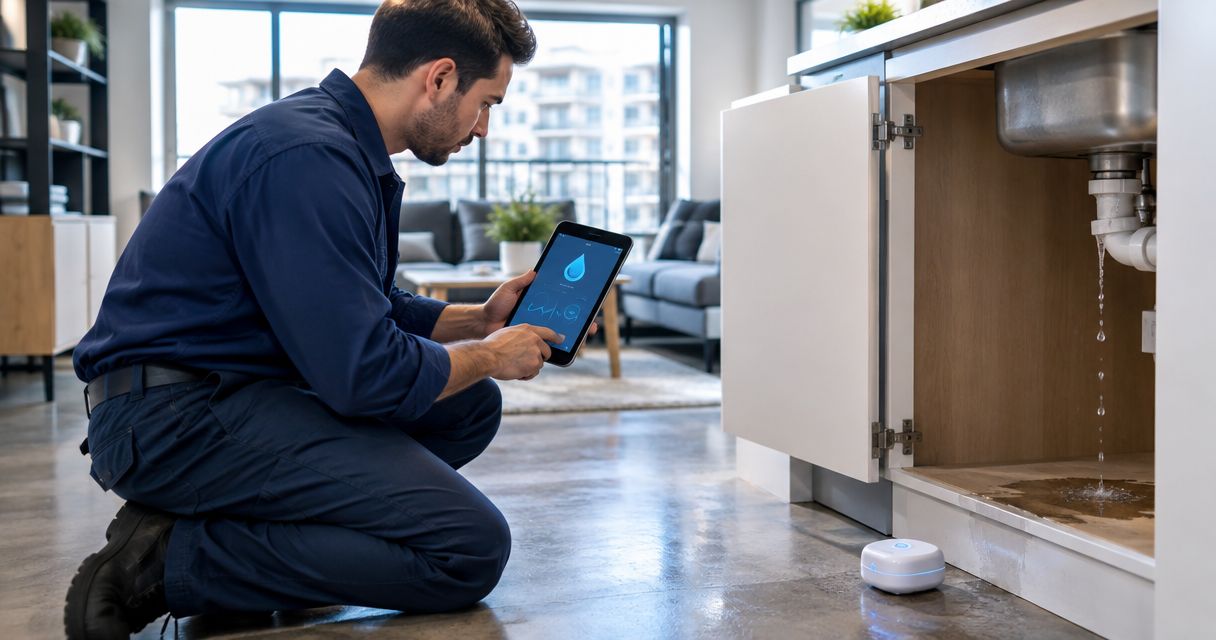
Multifamily housing water leak detection is the combination of sensors, monitoring and response procedures that identifies unwanted water so your team can investigate and limit damage; the Kilo IoT Platform provides the software layer for connected-device monitoring. Apartment buildings need more than a wet-floor alert: you need the correct unit location, an access procedure, an available responder and a clear distinction between detecting water and stopping its source.
- A water leak detection system for multifamily housing needs sensor coverage, reliable communications and an assigned response owner.
- Kilo fits operators connecting leak sensors with device management, dashboards, rules and alarms.
- Point sensors detect water at their location; flow monitoring addresses a different question.
- Automatic shutoff requires compatible hardware, a configured command path and evidence that the valve actually closed.
Why leak detection matters for multifamily housing operators
Water detection in an apartment building is also a coordination problem. A sensor identifies water in a particular place, but your team still needs to determine its source, arrange entry and decide which supply can be isolated without unnecessarily interrupting other residents.
The distinction matters when choosing coverage. A sensor beneath a kitchen sink answers whether water has reached that position. It does not establish whether a concealed pipe is leaking elsewhere, whether the apartment above is the source or whether a building-wide supply should be closed.
Choose the response workflow before choosing the sensor package. Your starting point is the building's plumbing layout, maintenance history and access arrangements—not an assumed number of sensors per apartment.
For your 2026 deployment plan, define success in operational terms: the alert identifies a serviceable location, reaches the responsible person and leads to a documented investigation. Avoid treating device enrollment or a populated dashboard as proof that the building is protected.
How to implement apartment-building leak monitoring
Map leak risks and access constraints
Start with a walkthrough and a spreadsheet. Record water-bearing equipment, previous incident locations, apartment layouts, shared service spaces and the isolation points a qualified responder can use. This gives you an initial placement plan without buying software or installing devices.
Prioritize locations where a sensor can encounter escaping water and where the resulting alert supports a useful decision. Under-sink cabinets, appliance connections, water-heater areas and shared mechanical spaces are candidates, not a universal installation prescription. Installation instructions and the actual path water takes determine the final position.
Separate apartment coverage from shared-building coverage. A mechanical-room sensor has different access arrangements from a device inside an occupied unit, and your response plan must reflect that difference. Coordinate resident communication and entry procedures with the property manager before installation.
Record the equipment and spaces that remain outside the proposed scope. An explicit coverage gap is more useful than a drawing that implies every pipe is monitored.
- Mark proposed sensing locations on an existing floor plan.
- Record the appliance or plumbing connection associated with each location.
- Identify relevant isolation valves and the people authorized to operate them.
- Document apartment-entry arrangements and installation access.
- List concealed or inaccessible areas outside the initial coverage.
Match sensing methods to the question
Use your risk map to decide what each device must detect. A point-contact sensor detects water reaching its sensing area. A sensing cable covers its installed path. Flow monitoring measures water movement through the monitored pipe; interpreting that measurement requires operating context.
These methods are complementary. A flow change does not identify a wet cabinet, and a dry contact sensor does not prove that the entire apartment is leak-free. Choose the method that answers the question your responder needs answered.
Evaluate communications at the installed position rather than assuming that a signal received in the hallway proves coverage inside a cabinet. Include the gateway or other communication path, its power supply and the connection carrying data to the monitoring software.
For procurement, Kilo Electronics is a separate online authorised dealer for compatible hardware, serving individual and business buyers. Hardware sourcing is separate from selecting the platform, and a shared protocol name alone does not establish device compatibility.
- Define whether each location needs contact detection, cable coverage or flow measurement.
- Check installation, cleaning and environmental requirements for the selected hardware.
- Test communications with doors closed and devices in their final positions.
- Confirm how device payloads represent wet, dry and diagnostic states.
- Establish responsibility for batteries, gateway power and connection faults.
Connect observations to building context
You can begin with a shared device register and a written lookup procedure. Give every installed device an identifier that resolves to a building, floor, apartment or shared space and a precise placement description. A responder should not need the installer to interpret an alert.
Kilo brings device management, digital twins, dashboards, rules and alarms into one platform. For multifamily monitoring, the useful application is connecting a sensor observation to the location and operating context your team needs—not displaying an unexplained device identifier.
Kilo fits multifamily operators who need an IoT platform connecting device data, dashboards, automation and alarms. The boundary is equally important: platform software does not establish sensor placement, plumbing compatibility or an apartment-entry procedure for you.
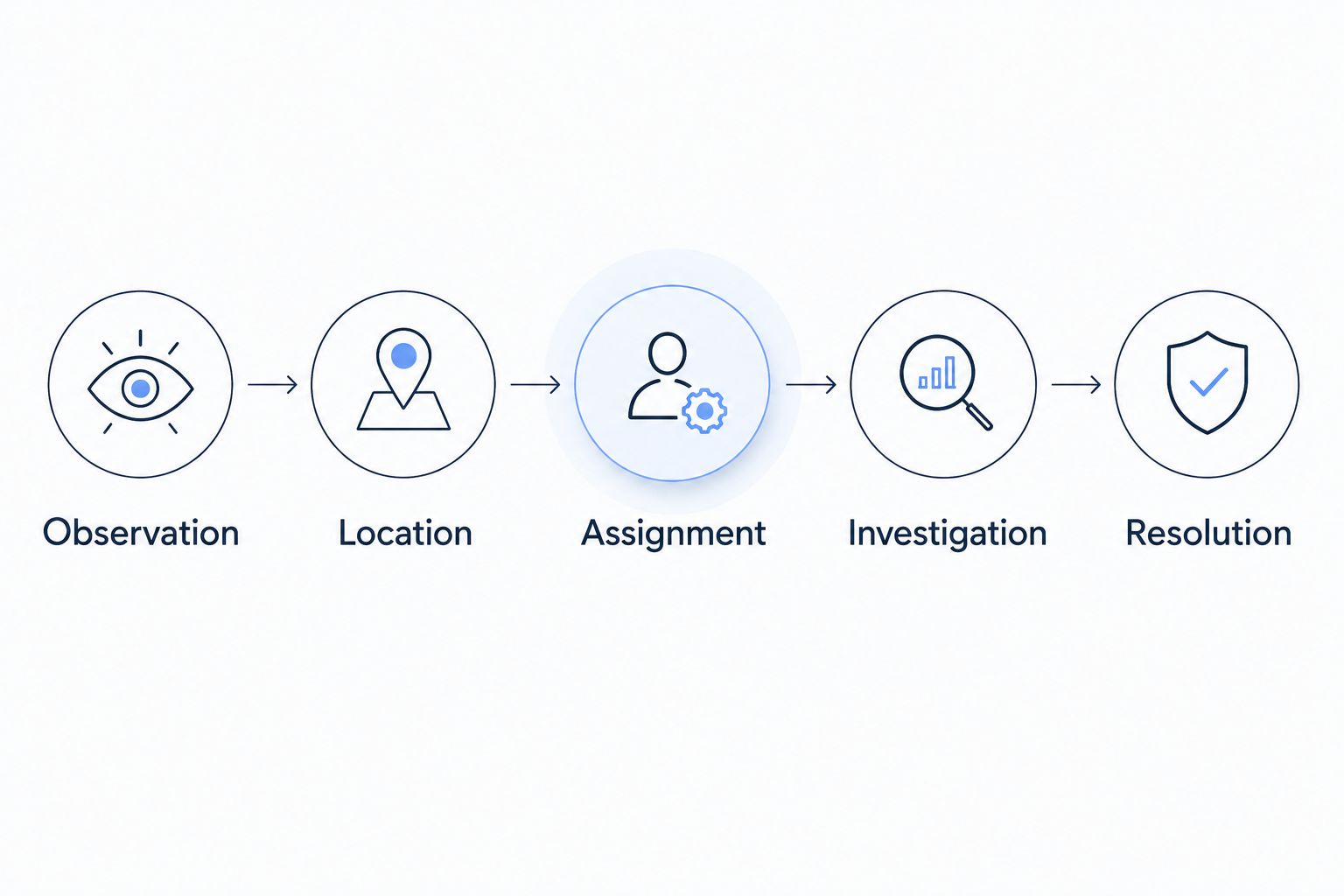
Build your workflow around five distinct stages: Observation, Location, Assignment, Investigation and Resolution. Keep the evidence associated with each stage separate. Receiving data establishes an observation; a maintenance inspection establishes what your responder found.
- Observation: retain the sensor state and its timestamp.
- Location: identify the exact apartment or shared space.
- Assignment: identify the responsible responder and backup.
- Investigation: record access, findings and any isolation action.
- Resolution: record repairs, remaining issues and monitoring restoration.
Assign responders and escalation procedures
Start with a written duty roster and a manual response drill. Determine who receives the initial alert, who handles an unanswered notification and who can authorize entry or water isolation. Include evenings, staff absences and contractor handoffs.
Then configure the supported alarm and notification workflow around those responsibilities. Kilo's alarms and automation provide the platform components; your configuration and staffing determine what happens after a sensor reports water. Verify the notification methods required by your property rather than assuming a particular channel is included.
Separate water events from device-health problems. A sensor that stops reporting needs attention, but its condition is not evidence of a wet floor. Likewise, acknowledging a notification means someone has seen it, not that the source has been repaired.
Make response intervals explicit in your own service procedure. Select them according to staffing, building access and incident priority, then test whether your team can actually meet them. Do not borrow an arbitrary interval and present it as a safety standard.
- Assign a primary responder and an available backup.
- Define the response outside normal office hours.
- Include location and access information in the response procedure.
- Distinguish acknowledgment, investigation and closure.
- Test recipient changes when employees or contractors change roles.
Evaluate shutoff separately from detection
Begin with a qualified review of the plumbing and the manual isolation procedure. Determine which valve serves the affected area, what else loses water when it closes and how service is restored. Detection alone does not answer those questions.
Automatic shutoff adds an actuator and a supported command path. For any Kilo-based implementation, confirm the particular device interface, command definition, integration and permissions before treating closure as an available action. The platform alone cannot close a valve.
Decide deliberately whether an action needs a person or is part of an autonomous rule. Configured rules can execute commands autonomously; that is different from the built-in assistant's confirmation flow for direct device commands. External clients have their own approval behavior, so approval must be assessed for the actual control path.
A delivered command is not proof of a closed valve. Use supported position feedback, relevant subsequent measurements or a physical inspection to establish the outcome. Do not interfere with fire-protection supplies or other critical services through an unreviewed automation design.
- Map each actuator to the supply and spaces it affects.
- Verify supported commands and authorized users.
- Document manual operation and service restoration.
- Define what happens when communications or power fail.
- Specify the feedback or inspection that confirms physical closure.
Commission the workflow and maintain coverage
Use a checklist and direct observation to commission the installation. Follow the sensor manufacturer's test procedure, confirm the received state, verify its location and have the assigned responder complete the access workflow. Test the chain rather than only the device.
Include recovery. Your team needs to know what happens when water clears, when a device returns after a connection fault and when an incident remains open despite a dry reading. A dry sensor is evidence about its sensing area, not proof that surrounding materials are dry or repairs are complete.
Exercise care when testing actions. For supported side-effect nodes in the Kilo Rules Engine debugger, Execute performs the real operation and is selected initially; choose Skip or Mock deliberately when you do not intend that operation. Debugging is not automatically an isolated sandbox.
Keep commissioning evidence alongside your maintenance records. Retest after device movement, plumbing work, gateway changes or updates to the response configuration.
- Test detection and clearing according to the device instructions.
- Confirm the alert points to the correct installed location.
- Exercise the responder handoff and access procedure.
- Test fault handling without confusing faults with water events.
- Recheck affected locations after changes to equipment or configuration.
Compare leak-detection options by operating fit
Choose options according to coverage and response requirements, not a single feature label. The following comparison separates sensing hardware from monitoring software because they perform different jobs.
| Option | Best for | Practical benefit | Key limitation |
|---|---|---|---|
| Standalone audible point sensors | Locations with someone nearby to investigate | Local indication without a centralized monitoring workflow | Remote staff need another way to learn about and manage the event |
| Connected point sensors | Specific apartment and shared-space leak risks | A detected event can enter a remote response workflow | Detection depends on water reaching the sensing area and on the communication path |
| Water-sensing cable | Coverage along a defined installed route | Extends contact sensing beyond a single point | Placement and the supported reporting method determine useful coverage |
| Flow monitoring | Investigating usage patterns on a monitored supply | Adds evidence about water moving through a pipe | Requires interpretation and does not by itself identify the wet location |
| Compatible actuated valve | A reviewed isolation workflow | Enables a configured closure action | Needs suitable plumbing, supported control and physical-outcome verification |
| Kilo IoT platform | Coordinating connected devices and building monitoring | Brings device data, dashboards, rules and alarms together | Requires compatible hardware, integration and a staffed response procedure |
Use this table to specify a system, not to select a predetermined winner. Connected sensors and a platform address remote visibility; cable sensing and flow measurement address different coverage questions. Actuated valves add control rather than replacing detection.
Ask prospective suppliers to demonstrate your actual workflow with the proposed hardware. Evaluate installation, connectivity, software, maintenance and any external service usage as separate purchasing requirements. A feature demonstration should include faults and responder handoffs, not just a successful wet-state notification.
Common multifamily leak-monitoring mistakes
Treating apartment coverage as building-wide coverage
Installing beneath selected sinks leaves other water paths outside that sensing footprint. Document shared mechanical spaces, accessible risers and unmonitored areas separately. Describe coverage by location and detection method, not simply by the number of enrolled apartments.
Sending alerts without an entry plan
An accurate notification does not give a technician access to an occupied apartment. Define resident communication, authorized entry and after-hours arrangements before commissioning. Include a backup responder who can use that procedure when the primary person is unavailable.
Connecting an apartment alarm to an unreviewed main valve
The affected sensor and the proposed isolation point are not automatically a suitable pair. Review the plumbing served by the valve, the interruption it creates and the evidence supporting the action. Keep building-wide shutoff out of scope until the isolation design has been assessed.
Closing incidents when the sensor reports dry
A dry state means water is no longer detected at that sensing area. It does not establish the cause, repair status or condition of nearby materials. Require investigation findings and a restoration check before closing the maintenance incident.
Treating turnover as an administrative detail
Resident turnover, cabinet cleaning, appliance replacement and contractor visits belong in the monitoring maintenance process. Check placement after work that affects the monitored area, update responder assignments and preserve device-to-location records. Otherwise, an unchanged dashboard can conceal a changed installation.
FAQ
What's the best water leak detection system for multifamily housing?
The right system matches the building's leak risks, communications and response arrangements. Compare sensing coverage, exact location reporting, access procedures and verified isolation rather than choosing by sensor count alone.
How many leak sensors does each apartment need?
Sensor quantity depends on the apartment layout and the water-bearing locations you choose to monitor. Build a placement plan from plumbing connections, appliances and likely water paths rather than assuming a universal count.
Are point sensors better than flow monitoring for apartments?
Point sensors and flow monitoring answer different questions. Point sensors identify water at their sensing position, while flow monitoring supplies evidence about water moving through the monitored pipe.
Does Kilo include the physical leak sensors?
Kilo is the platform software layer; hardware sourcing is a separate decision. Confirm that the selected sensor, communication path and payload mapping work with the proposed deployment.
Can a leak alert automatically shut off the water?
Automatic shutoff requires a compatible actuator and a configured, supported command path. Review the affected supply and verify physical closure through supported feedback, measurements or inspection.
Do I need AI for apartment leak detection?
No, a sensor event and a configured threshold or state rule do not require AI. Use conventional monitoring first, and add assistance only where it serves a defined configuration or operating task.
How should property staff handle a sensor that stops reporting?
Treat a non-reporting sensor as a monitoring fault, not evidence of a leak or a dry apartment. Investigate device power and the communication path, then restore and test reporting according to the device and integration requirements.
Test the handoff before expanding the installation
The most revealing commissioning exercise is an alert that the usual installer does not handle. Ask an authorized backup responder to locate the device, arrange access, identify the appropriate isolation point and document the investigation using only the operating procedure.
If that handoff fails, fix the location record or response process before expanding coverage. More sensors will not repair an unclear assignment. A useful multifamily system makes the next action understandable to the person who actually receives the alarm.
For the broader building-level implementation, read how to monitor water leaks in commercial buildings before damage.
Written by Tim Kravchunovsky


