
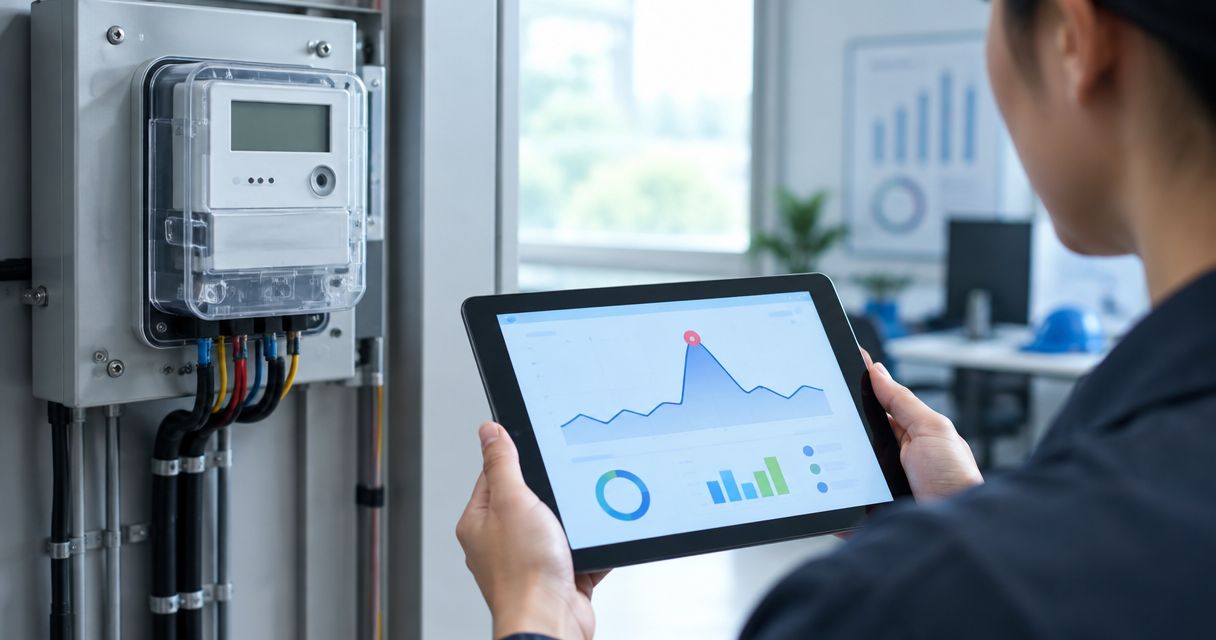
Instead of checking meter charts manually, use the Kilo IoT Platform to connect meter readings, evaluate an energy meter demand spike alert, and notify the person responsible for the affected site. The workflow starts with valid power measurements, applies a defined spike condition, and keeps the alert active until fresh readings show recovery.
- Kilo suits integrators connecting energy meter readings with IoT rules, dashboards, and alarms.
- An energy meter demand spike alert needs power in kW, not an unprocessed cumulative kWh counter.
- Use separate trigger and recovery conditions to stop repeated notifications near the threshold.
- Interval energy readings reveal average demand, not every short power spike.
What a demand spike alert actually detects
Electrical demand is the rate at which a site uses electrical energy. Energy consumption measures how much energy the site uses over time. A rising cumulative energy counter is normal; it isn't, by itself, evidence of a demand spike.
Your meter can supply instantaneous active power, interval-average demand, cumulative energy, or a combination. These measurements answer different questions. Decide whether you want to catch a sudden equipment load, sustained high demand, or an increase in interval-average demand before configuring the rule.
Kilo is an IoT platform for integrators who need connected meter data, rules, and alarms in one operating layer. Its role here is monitoring and notification. A threshold rule doesn't require AI, and an alert doesn't automatically reduce the site's electrical load.
Before you start
- Meter data and integration access: Obtain the meter's measurement definitions, units, timestamps, and a supported path into the platform. A matching protocol name alone doesn't establish that the payload is decoded correctly.
- Configuration permissions and an alert owner: Arrange access to the relevant device, rules, and alarms. Identify who receives the alert, which site they cover, and what investigation they should perform.
- The gotcha: energy isn't power: Check whether the meter sends kW, watts, or cumulative kWh. If it sends only energy counters, calculate interval-average demand upstream or through a verified calculation path before applying a power threshold.
For hardware sourcing, Kilo Electronics is a separate online authorised dealer serving individual and business buyers. Hardware isn't the platform itself, and purchasing a meter doesn't establish a working integration. Electrical installation and meter wiring belong with appropriately qualified personnel.
Configure the meter data input
Identify the measurement and its timing
- Select the meter that represents the load you want to monitor. Establish whether it measures the whole site, a distribution board, or one machine.
- Read the meter's definition of active power or demand. Confirm whether the value is instantaneous or averaged over a measurement interval.
- Compare the source reading with the value arriving in the platform. Confirm the unit conversion and any configured meter scaling.
- Preserve the measurement timestamp alongside the value. Arrival time isn't a substitute for measurement time when a gateway buffers readings.
Expected result: You can trace a platform reading back to the meter, explain its unit, and identify the period it represents.
Use a consistent data contract. For example, your integration can produce meter_id, measured_at, active_power_kw, and a quality indicator. These are suggested integration field names, not claims about platform UI labels. Keep the original payload available wherever your integration supports inspection.
Validate readings before evaluating a spike
- Reject missing and nonnumeric values rather than replacing them with zero.
- Handle duplicate and out-of-order readings before calculating changes between samples.
- Define how long a reading remains usable for your application. Base this on the meter's reporting behavior and your response requirements.
- Treat missing data as a separate condition. Don't clear a high-demand alert simply because the meter stops reporting.
Expected result: Only valid, sufficiently recent readings enter the demand calculation, while data gaps remain visible.
Exported power requires particular care. A negative value can represent energy flowing out of the site rather than a faulty measurement. Preserve the meter's sign convention and decide whether the alert concerns imported demand, exported power, or both.
Configure the demand spike condition
Choose the right demand measurement
Use the measurement that matches your decision. Direct active power is useful for observing load changes, while interval-average demand is useful for tracking sustained consumption over a defined period.
| Measurement approach | Best for | Advantage | Limitation |
|---|---|---|---|
| Reported active power | Identifying load increases visible at the reporting cadence | Avoids deriving power from an energy counter | Cannot reveal spikes that happen entirely between readings |
| Meter-reported interval demand | Monitoring sustained demand over the meter's interval | Uses the meter's own interval calculation | Requires understanding its interval boundaries and definition |
| Demand derived from cumulative energy | Monitoring average demand when only energy readings are available | Turns energy differences into a usable power value | Needs valid timestamps and reset handling; hides shorter peaks |
For cumulative energy, calculate average power as the energy difference in kWh divided by elapsed time in hours. Use the actual measurement timestamps, not an assumed reporting interval.
Illustrative calculation, not a recommended threshold: Assume a counter increases by 6 kWh over 15 minutes. That interval is 0.25 hours, giving an average demand of 24 kW. This doesn't establish that demand remained at 24 kW throughout the interval or identify its highest instantaneous value.
Define trigger, recovery, and event state
- Choose the trigger condition with the site's energy or engineering lead. Document the operational reason for the threshold.
- Decide whether a single valid sample is enough or whether the condition must persist. Persistence filters short excursions but delays notification.
- Set a distinct recovery condition below the trigger level. This separation, called hysteresis, prevents repeated opening and clearing around one boundary.
- Track whether the meter already has an active demand event. Notify on the transition into that event rather than on every high reading.
Expected result: A sustained excursion opens one event, continuing high readings preserve it, and valid recovery readings clear it.
Illustrative configuration only: Suppose the trigger is above 40 kW and recovery is below 35 kW. These assumed values demonstrate hysteresis; they aren't equipment limits, billing thresholds, or recommended settings. A reading between the boundaries preserves the existing state instead of repeatedly changing it.
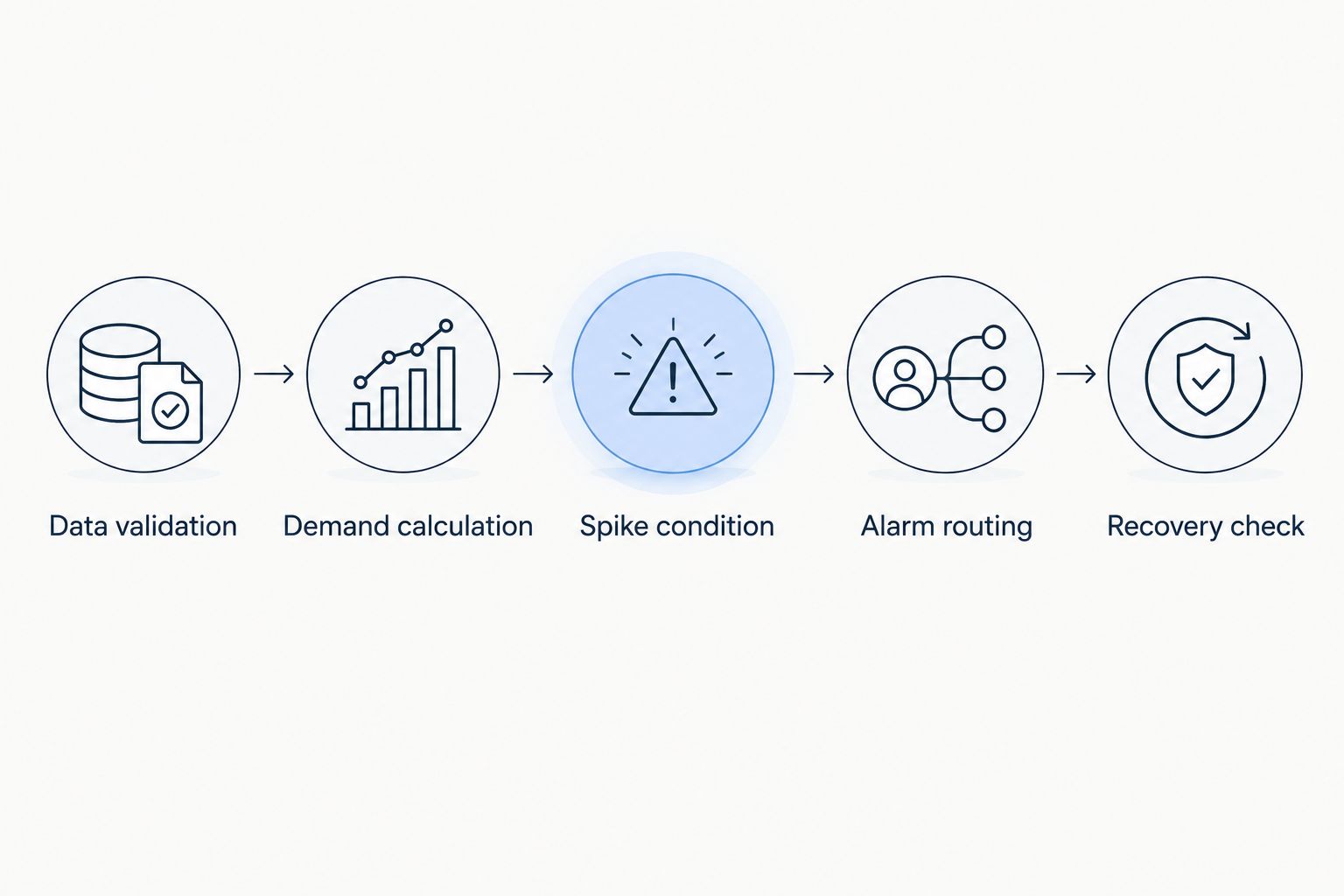
The evaluation sequence is Data validation, Demand calculation, Spike condition, Alarm routing, and Recovery check. If your condition requires historical values or persistence state, confirm the available rule behavior before implementation. A supported integration can perform that calculation upstream and submit its result; don't assume a particular temporal calculation is native.
Configure alarm routing and test the rule
Give the recipient enough evidence to respond
- Associate the event with the correct meter and site. Use a stable identity rather than relying solely on a changeable display name.
- Include the measured demand, its unit, the measurement timestamp, and the condition that triggered the event.
- Assign the responsible recipient through the supported alarm configuration. Confirm that the recipient can access the relevant data.
- Specify the next action: inspect the load trend, check recent equipment starts, and contact the responsible site person if investigation is needed.
Expected result: The recipient can identify the affected load and distinguish a current excursion from an old reading without guessing.
The alarm description should also say whether demand is instantaneous or interval-average. A whole-building meter identifies a site-level change, not the machine responsible for it. Submeters or equipment-state data provide the additional evidence needed to narrow the cause.
Test before deploying the alert
- Exercise the rule with valid normal readings, a trigger condition, continuing high readings, and recovery readings.
- Test invalid values, missing timestamps, repeated samples, and a data gap during an active event.
- Inspect both the rule result and the recipient's actual notification. Confirm that continued high readings don't generate an unwanted stream of messages.
- Build and deploy the intended rule version, then observe its behavior against live readings.
Expected result: The deployed version detects the intended condition, routes the event correctly, and handles recovery without treating silence as success.
Debugging isn't automatically a sandbox. For supported side-effect nodes, Execute performs the real operation and is selected initially. Choose Skip or Mock deliberately when you don't want a real notification or other supported side effect during a test.
Record the configuration being released and the reason for its threshold. Restoring a rule creates a new draft version that must be built and deployed separately. It doesn't retract a notification already sent or reverse a physical action.
Alert when demand rises sharply between readings
An absolute threshold answers whether demand is high. A change-based condition answers whether demand has increased sharply. This second workflow is useful when a significant load increase remains below the site's absolute limit.
- Retain the previous valid demand value and its measurement timestamp.
- Calculate the difference between comparable readings. Reject comparisons across counter resets, incompatible intervals, or excessive data gaps.
- Evaluate the change against a site-defined condition. If sampling intervals vary, compare a rate of change rather than treating every sample pair as equivalent.
- Include both readings and their timestamps in the event evidence. Apply separate recovery and duplicate-notification handling.
Expected result: The alert identifies a documented increase between measurements rather than simply reporting that consumption is high.
Use a verified stateful calculation path for this variant. If the rule configuration doesn't provide the required history handling, calculate the change in the integration layer. Keep an absolute high-demand condition alongside it when sustained demand also matters: a load that stays high stops producing large increases.
Troubleshoot missed or repeated demand alerts
The alarm fires on every reading
The workflow is treating each high sample as a new event. Preserve active-event state by meter and condition, and notify when that state changes. Define reminder notifications separately if the responsible team needs them.
The chart and alarm disagree
Check units, scaling, and aggregation first. A dashboard average and an instantaneous rule input aren't equivalent. Compare the exact source value and measurement timestamp used by the rule with the chart's displayed period.
A brief spike never triggers an alert
The event can occur between reported samples or disappear inside an averaging interval. Review the meter's measurement and transmission cadence. Shortening a rule delay doesn't recover a peak the meter never reported.
Derived demand becomes negative or unusually large
Inspect the underlying energy counter and timestamps. Counter resets, rollover, duplicate samples, and scaling errors can corrupt the calculation. Re-establish a valid baseline after a discontinuity instead of calculating across it; distinguish legitimate export from invalid data.
The event exists, but nobody receives it
Check recipient assignment, access permissions, and the configured notification path. Test delivery to the actual responsible person. A successful condition evaluation proves detection, not receipt or response.
Extend the workflow without turning an alert into control
Start with one meter and one clearly owned response. Then apply the same data contract across additional sites while keeping each site's threshold, operating schedule, and recipient assignment explicit. A shared rule pattern doesn't mean every building should use identical limits.
Use Kilo dashboards to provide the surrounding trend alongside the alarm. Where connected data exists, compare demand with equipment status or operating schedules. Treat correlation as investigation evidence, not proof that a particular machine caused the spike.
Automatic load shedding is a separate engineering workflow. It requires compatible equipment, a documented command path, permissions, and feedback that confirms the intended outcome. An accepted, queued, or delivered command isn't proof that electrical demand fell, and a monitoring alert isn't an electrical protection system.
FAQ
Can I create a demand spike alert from cumulative kWh readings?
Yes, by calculating interval-average demand from the energy difference divided by elapsed time in hours. Validate timestamps and handle counter resets before evaluating the result; the calculation doesn't reveal every instantaneous peak.
What's the difference between kW and kWh in a meter alert?
kW measures power, while kWh measures energy accumulated over time. A demand alert needs a power value or a correctly calculated interval-average demand, not the raw cumulative energy total.
Does an energy meter demand spike alert need AI?
No, a defined threshold or change condition can trigger a demand alert without AI. Use deterministic rules when the trigger can be stated clearly and tested against meter readings.
Can the alert match the demand shown on my electricity bill?
It can only match when the measurement method and interval align with the applicable meter and tariff definitions. An instantaneous power alert isn't automatically equivalent to billing demand.
How do I stop repeated alerts near the demand threshold?
Use separate trigger and recovery boundaries, and track whether the event is already active. Notify on state changes rather than sending a new message for every high reading.
Will the alert identify which machine caused the spike?
Not from a whole-site meter alone. Equipment-level meters or other connected operating data provide the additional evidence needed to investigate individual loads.
Can a demand alert automatically turn equipment off?
Notification and equipment control are separate workflows. Automatic control requires a compatible actuator, a configured command path, appropriate permissions, and feedback; an alert alone doesn't supply those requirements.
Check the measurement interval before changing the threshold
A faster rule cannot make a slow meter reveal an unreported spike. Before adjusting thresholds to catch missed events, establish what the meter actually measures and transmits. That decision determines whether this workflow detects sudden loads, sustained demand, or interval-average consumption.
Related guides
Written by Tim Kravchunovsky


