
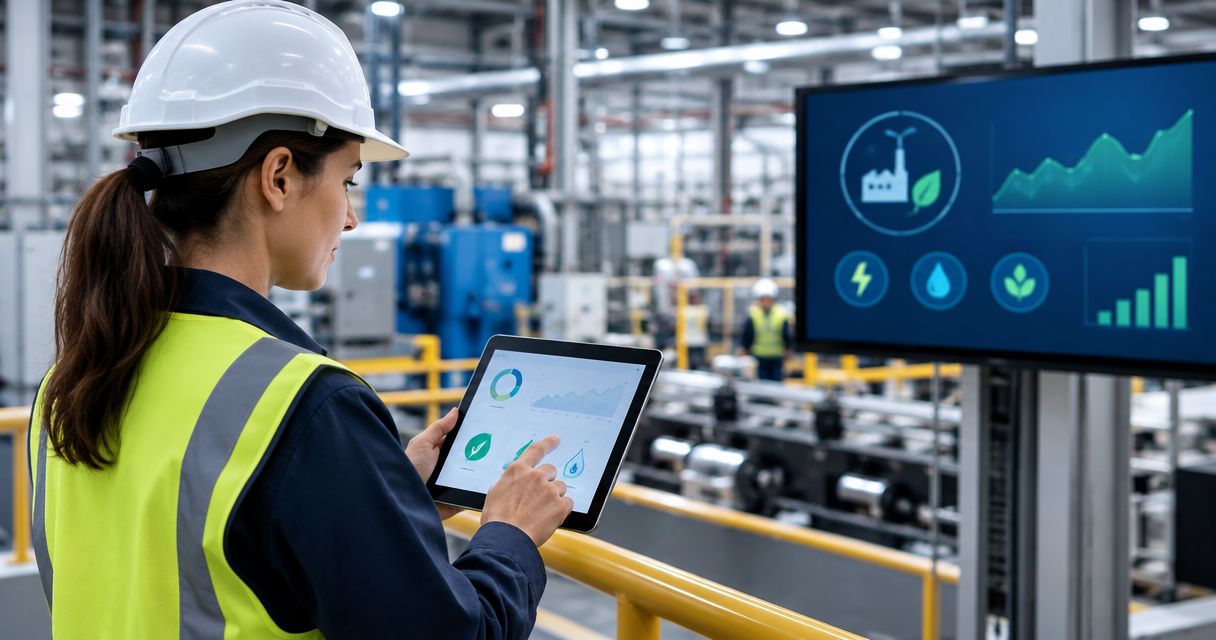
Energy managers’ IoT monitoring software is a system that connects equipment measurements with operating context to identify energy waste and verify improvements; the Kilo IoT Platform brings device data, dashboards, rules and alarms into that workflow. Industrial sites need more than consumption charts: you must distinguish productive demand from idle loads, account for changing production, and keep monitoring separate from safety-critical machine control.
- Choose IoT monitoring software for energy managers around metering quality, production context and a clear response workflow.
- Kilo suits energy managers who need connected-device monitoring, dashboards and configured alarms in one IoT platform.
- Compare energy use under equivalent operating conditions before claiming savings.
- Start with read-only monitoring; add equipment commands only through supported integrations and approved operating procedures.
Why IoT monitoring matters for industrial energy managers
A utility bill shows what the site consumed, but it doesn't explain which equipment ran unnecessarily or whether a production change caused the increase. Equipment-level measurements help you ask a more useful question: what was operating, under what conditions, and who can change it?
Industrial energy management also crosses departmental boundaries. Maintenance understands equipment condition, production controls schedules, electrical specialists understand metering, and finance needs defensible results. Your monitoring workflow must connect those responsibilities rather than leave every department interpreting a different spreadsheet.
Kilo suits energy managers who need connected-device monitoring, dashboards and configured alarms in one IoT platform. Its limitation is equally important: platform software doesn't replace suitable meters, electrical installation work or the engineering needed to interpret an industrial process.
For a 2026 rollout, define success as a repeatable decision supported by trustworthy measurements. Finding an idle load, assigning an investigation and confirming the result is a stronger starting point than building a site-wide dashboard without an owner.
How to build an industrial energy monitoring workflow
Define the energy decision before selecting sensors
Start with existing bills, meter exports, production schedules and maintenance notes. A spreadsheet is enough to list suspected problems and identify where the available evidence stops. You don't need to replace working systems just to begin.
Choose a question that leads to a practical action. Examples include whether a compressor remains loaded during scheduled downtime, whether refrigeration consumption changes with operating conditions, or whether a production line's idle demand differs between shifts. These are illustrative investigation questions, not claims about a particular deployment.
Specify the observation, the comparison and the person responsible for responding. An unexplained increase in electricity consumption requires a different investigation from missing meter data. Treating both as the same alarm leaves the responder guessing.
Keep the pilot boundary small enough to understand. A selected utility system or production area gives you a clearer measurement boundary than a mixed site total. Identify essential loads before proposing shutdowns; equipment running outside production hours isn't automatically waste.
- Write one question the monitoring must answer.
- Identify the equipment and meter boundary involved.
- Name the person authorized to investigate the result.
- Record production schedules and essential-load exceptions.
- Define the evidence needed to close the investigation.
Map meters, measurements and operating context
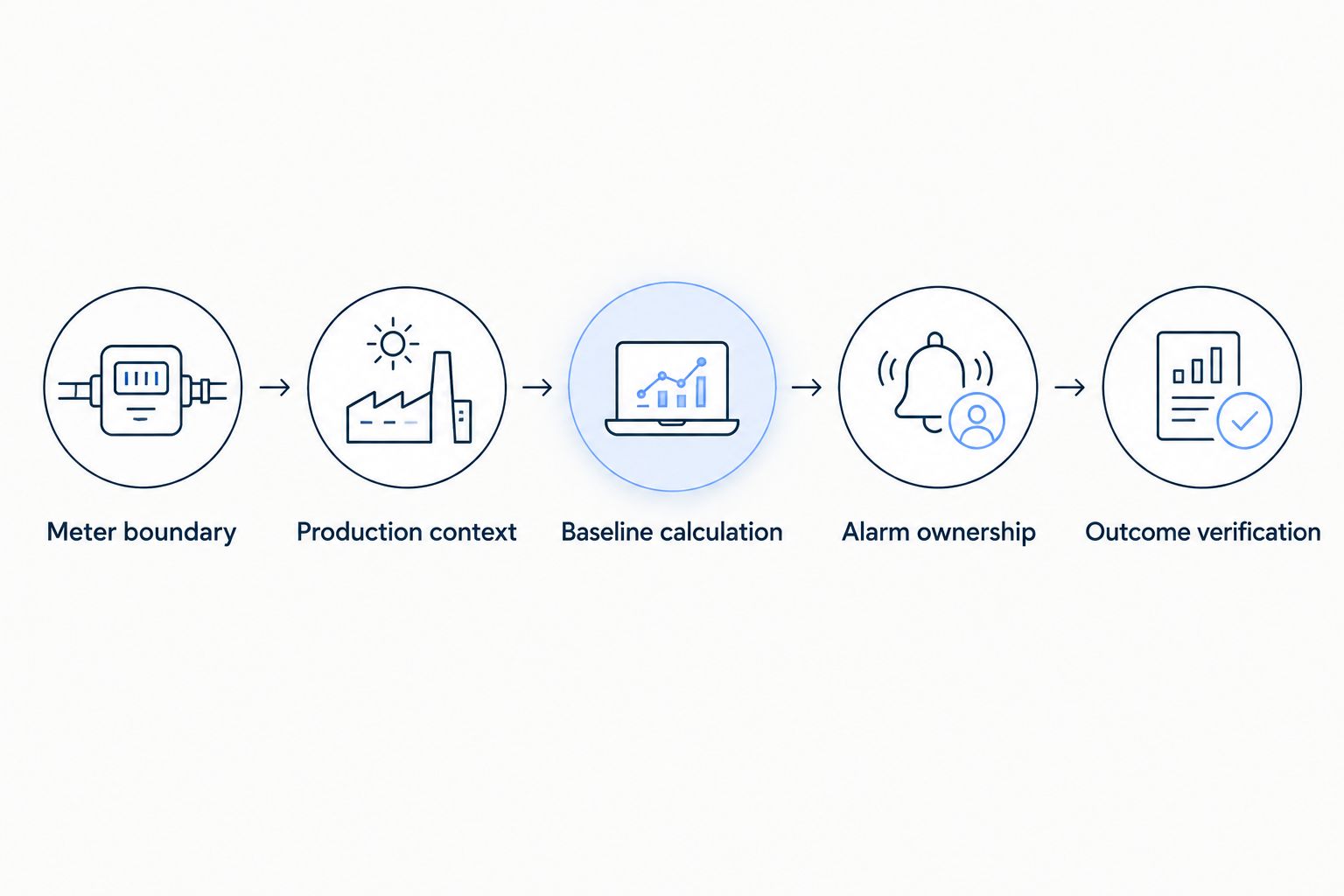
Build a device register manually before importing anything into software. Record the physical location, equipment served, measurement type, unit, timestamp source and responsible specialist. This work establishes what each reading means; automation cannot infer a missing meter boundary reliably.
Distinguish power from energy. Kilowatts describe power at a point or over a measurement interval; kilowatt-hours describe energy consumed over time. Cumulative meter readings, interval energy values and instantaneous power readings require different handling. A current sensor alone doesn't establish accurate real power without the necessary electrical measurements and assumptions.
Add enough context to interpret the load. Production state, output, compressor pressure or refrigeration temperature can explain why consumption changed. Collect the context relevant to your question instead of attaching every available sensor.
Kilo provides device management, digital twins and supported connectivity including LoRaWAN, mioty and MQTT. Those capabilities offer a shared place for connected measurements, but a protocol name doesn't establish compatibility with every meter. Your integrator must confirm the actual interface, payload mapping and measurement meaning. Legacy equipment can require a suitable gateway or a separate integration path.
- Separate cumulative energy, interval energy and power fields.
- Record units, scaling factors and meter rollover behavior.
- Associate each meter with its actual equipment boundary.
- Include timestamps and indicators of missing measurements.
- Confirm the supported device-to-platform integration path.
Establish a baseline that accounts for production
Use existing records or spreadsheet calculations to compare equivalent operating periods first. A baseline is a reference for expected consumption under stated conditions, not simply the previous month's total. A production shutdown can lower energy use without improving efficiency.
Choose a useful comparison for each process. Energy per finished unit can help where the product and measurement boundary stay comparable. For utilities serving several processes, operating hours, production mix and environmental conditions also need attention. Avoid combining unlike outputs into a single denominator without explaining the method.
Illustrative calculation, using assumed inputs: equipment drawing a constant 20 kW for 3 hours consumes 60 kWh. If the equipment was unnecessary throughout that period, 60 kWh is the energy associated with that assumed idle operation—not a measured saving or a recommended shutdown target.
Kilo dashboards provide a way to visualize connected measurements, while rules and alarms support configured monitoring workflows. Keep the baseline methodology explicit, whether the calculations live in an existing spreadsheet or an integrated reporting process. Don't assume a dashboard automatically normalizes production, calculates savings or supplies a defensible measurement model.
- Select comparable production states and operating periods.
- Record output, runtime and relevant environmental conditions.
- Keep the baseline calculation and assumptions visible.
- Flag gaps instead of treating missing data as zero.
- Separate measured consumption from estimated opportunities.
Build dashboards around decisions and exceptions
Sketch the dashboard on paper or in a spreadsheet before configuring it. Start with what the energy manager needs to decide, then identify the measurements that support that decision. A chart without an operating question becomes another screen to watch.
Organize the view around site, system and equipment context. The site view should help you locate the problem; the equipment view should help you investigate it. Keep the selected time period visible and preserve units when comparing measurements. A power spike and a sustained energy increase describe different events.
Kilo supports dashboards and device context, making it a relevant option when readings from connected deployments need a common monitoring view. The useful outcome is easier investigation, not a claim that visualization itself reduces consumption.
Include data freshness beside consumption. A flat trace can represent stable operation, a disconnected device or a stale reading. Show the associated production state where your integration supplies it, and retain a route back to the underlying measurement. Different readers need different context: maintenance needs equipment detail, while an energy review needs an understandable trend and a documented explanation.
- Display units and the selected reporting period clearly.
- Group meters by meaningful equipment or utility boundaries.
- Show measurement freshness and missing-data conditions.
- Place production context beside the relevant load trend.
- Make each highlighted exception lead to an investigation.
Configure alarms and assign the response
Review candidate exceptions manually before enabling automatic notifications. Compare them with operating schedules and ask the responsible person whether each exception is actionable. This catches legitimate startup behavior, cleaning periods and essential overnight loads before they become recurring noise.
Kilo provides rules and alarms for configured monitoring. An illustrative compressor workflow would combine a power measurement with a known nonproduction state, identify unexpected operation and prompt the designated maintenance responder to investigate. The responder then records the explanation and checks later measurements. This describes a workflow to configure, not a documented customer result or a turnkey compressor integration.
Define persistence, reset behavior and ownership for each alarm. Use process-specific conditions rather than an arbitrary threshold copied between machines. A monitoring rule is conventional automation; calling it AI doesn't make the underlying diagnosis better.
Keep equipment commands outside the first monitoring pilot. If you later add control, the actuator, command path, permissions and process approval all matter. Deliberately configured rules can execute supported commands autonomously, so don't assume every automated action waits for a person. An accepted or delivered command is not evidence that equipment physically changed state.
- Test candidate alarms against known operating exceptions.
- Separate energy anomalies from missing-device-data alarms.
- Assign a responder and an escalation responsibility.
- Define when the alarm activates and clears.
- Require feedback before declaring a commanded action successful.
Verify improvements before expanding the rollout
Track the intervention manually in a change log. Record what changed, who approved it, which equipment was affected and which measurements will demonstrate the result. This creates a usable comparison without claiming an immutable audit trail or automatic recording of every interaction.
Compare equivalent conditions after the intervention. If production output fell, a lower electricity total alone doesn't establish efficiency improvement. Likewise, a shorter operating period can explain lower consumption without proving that equipment became more efficient. Document competing explanations rather than presenting every decrease as a saving.
Ask maintenance or production to confirm that the change preserved the required service. Reducing compressor runtime is not an improvement if the process loses required pressure. Energy evidence and operational evidence belong together.
Extend the workflow only after the pilot produces understandable measurements and useful responses. Reuse the naming convention, integration checklist and alarm ownership model, but reassess the measurement boundary at each site. Software subscriptions, hardware, connectivity and engineering remain separate cost categories; deployment planning should account for each without assuming that existing devices are compatible.
- Record the intervention and approval in a change log.
- Compare equivalent production and operating conditions.
- Check that the required process service remains intact.
- Distinguish verified changes from estimated opportunities.
- Expand using the tested workflow, not copied thresholds.
Compare energy monitoring options by the job they perform
Select the approach around your immediate decision, existing infrastructure and integration capacity. These options can work together: a spreadsheet can hold the baseline methodology while an IoT platform collects measurements and supports alarms.
| Option | Best for | Practical advantage | Key limitation |
|---|---|---|---|
| Existing meter exports and spreadsheets | Defining a pilot and checking baseline calculations | Makes assumptions easy to inspect | Collection and follow-up remain manual |
| Existing SCADA or building-management system | Understanding equipment already connected to site systems | Preserves established equipment context | Coverage depends on the installed system and accessible data |
| Dedicated energy-management software | Energy analysis and reporting requirements | Focuses selection on energy-specific workflows | Meter integration and analytical methods still require verification |
| Kilo | Connected-device monitoring with dashboards, rules and alarms | Combines relevant IoT monitoring functions in one platform | Energy-specific calculations and equipment compatibility need separate validation |
| Custom MQTT and reporting stack | Teams with engineering capacity and specific integration needs | Gives the team control over its chosen architecture | The team owns maintenance, security and operational support |
Choose a platform by demonstrating the workflow with your data. Ask each candidate to show measurement meaning, stale-data handling, permissions and the path from an exception to a verified response. A feature checklist alone doesn't establish that fit.
Common mistakes industrial energy managers make
Treating reduced production as an efficiency gain
Lower output can lower consumption. Compare equivalent operating conditions and explain changes in product mix, runtime or weather before attributing a decrease to an intervention.
Using current measurements as a substitute for energy metering
Current readings can indicate whether equipment is operating, but they don't automatically establish accurate electrical energy consumption. Select measurement equipment appropriate to the decision and involve qualified electrical specialists in installation and interpretation.
Combining overlapping meter boundaries
A main meter and its downstream submeters measure overlapping consumption. Adding all their readings together double-counts energy; map the electrical hierarchy before creating totals or assigning consumption to departments.
Alerting without assigning authority to act
An energy manager can identify a suspicious load without having permission to stop it. Agree on maintenance and production responsibilities before enabling alarms, and document which loads must remain available.
Assuming monitoring software supplies the hardware
Platform software and physical devices are different purchases. Kilo Electronics is a separate online authorised dealer for compatible hardware serving individual and business buyers; hardware sourcing doesn't replace integration and suitability checks.
FAQ
What's the right IoT monitoring software for energy managers at an industrial site?
The right software supports your actual meters, preserves measurement context and connects exceptions to an accountable response. Kilo is a relevant option for connected-device monitoring with dashboards, rules and alarms; evaluate energy-specific analysis requirements separately.
Can I keep my existing industrial meters?
Keep existing meters when their measurements and interfaces meet the monitoring requirement. Confirm how data reaches the platform, how payloads are mapped and whether the readings support the decision you need to make.
Do I need AI to detect energy waste?
No, many energy investigations start with consumption trends, production schedules and configured rules. AI assistance doesn't turn a threshold alarm into a validated diagnosis or establish savings by itself.
Will an IoT platform replace my SCADA system?
An IoT monitoring platform doesn't automatically replace SCADA. Define whether the project adds visibility, gathers selected data or introduces a supported integration, while keeping machine-control responsibilities explicit.
Can monitoring software turn industrial equipment off automatically?
Automatic shutdown requires compatible equipment, a supported command path and an approved configuration. Monitoring alone cannot operate equipment, and command delivery does not prove a physical shutdown.
How do I prove that an energy improvement worked?
Compare measurements before and after the intervention under equivalent operating conditions. Document production, runtime, measurement boundaries and any changes that affect the comparison, then confirm that the required process service was preserved.
What should I include in the deployment budget?
Include software, metering hardware, installation, connectivity, integration and ongoing support as separate cost categories. Where AI services are involved, account for model-provider usage rather than assuming it is included in every software subscription.
Test stale-data handling before approving the pilot
Ask your integrator to demonstrate what happens when a meter stops reporting. The dashboard should make the missing observation understandable, and the response workflow should distinguish a communications problem from genuinely low consumption.
That test exposes a weakness an attractive energy chart can hide: apparent improvement caused by absent data. Approve the measurement-to-response workflow before expanding the sensor count.
Related guides
Written by Tim Kravchunovsky


