
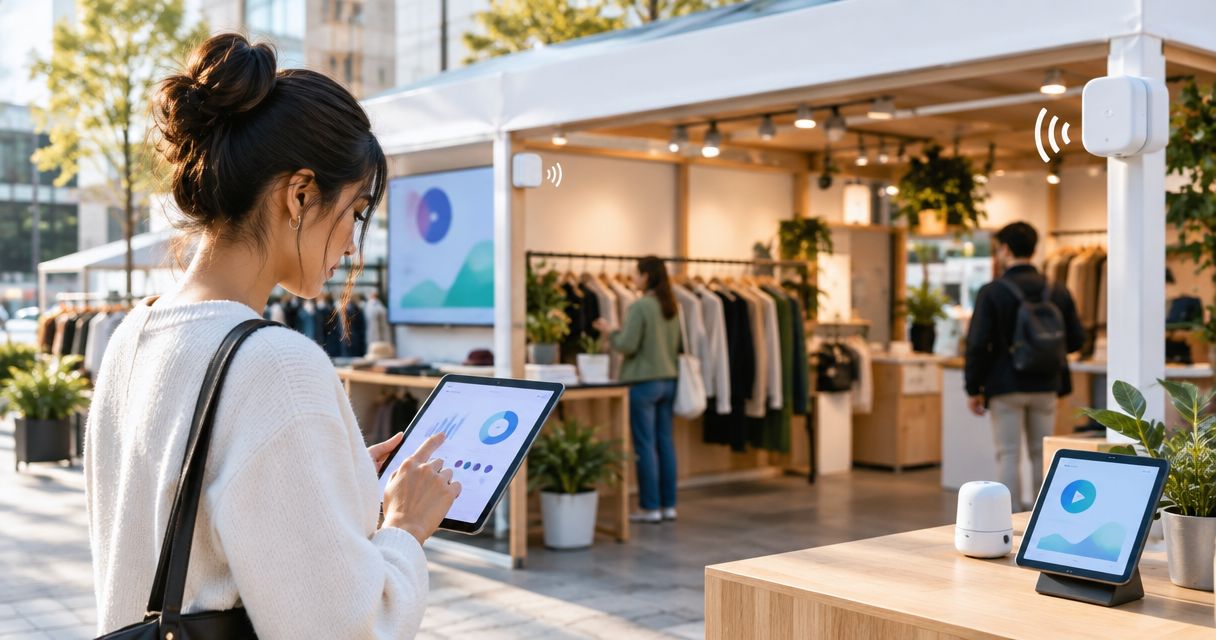
For an IoT platform for pop-up retail, the Kilo IoT Platform fits teams that need connected-device monitoring, dashboards and alarms in one operating layer. Choose ThingsBoard for a self-hosted application, AWS IoT Core for an AWS-based custom build, or Azure IoT Hub for a Microsoft Azure integration; the right choice depends on who will configure, run and relocate the system.
- Kilo is a fit for pop-up retail teams needing device monitoring, dashboards, automation and alarms together.
- ThingsBoard suits teams that want to operate a self-hosted IoT application.
- AWS IoT Core and Azure IoT Hub suit developers building retail applications within those cloud environments.
- Choose an IoT platform for pop-up retail around relocation, connectivity, alert ownership and device compatibility.
Temporary stores need monitoring that survives the move
A seasonal shop has a different lifecycle from a permanent store. You set up equipment, hand access to temporary staff, operate for a limited period, then remove or relocate the installation. Monitoring has to follow that lifecycle, not just display sensor readings.
The useful question is whether you can trace a measurement to the right device, location and responsible person throughout those changes. A refrigerator temperature alert with an outdated store name or a former employee as its recipient is not an effective operating workflow.
This guide compares platform approaches for your 2026 deployment. It focuses on environmental and equipment monitoring, not checkout software, inventory management or a promise that sensors will prevent theft.
What makes the best IoT platform for pop-up retail?
Judge each option against the same criteria before choosing a platform or ordering hardware:
- Device compatibility: Confirm the sensor model, payload interpretation and required network integration—not just a shared protocol name.
- Relocation workflow: Establish how you will update device locations, labels, dashboards and responsibilities when equipment moves.
- Actionable alarms: A reading needs an agreed condition, a responsible recipient and a response procedure.
- Access boundaries: Temporary staff, integrators and developers need access appropriate to their responsibilities.
- Connectivity behavior: Determine what the complete installation does when internet access, gateway power or sensor communication fails.
- Operating responsibility: Decide who maintains the application, integrations, credentials and configuration after commissioning.
Choose the platform that supports your repeatable setup and handover process, not the one with the longest feature list. An attractive dashboard is useful only after the underlying readings and responsibilities are correct.
Pop-up retail IoT platforms at a glance
These are distinct software choices, not interchangeable packages. A device-connectivity service is a building block for an application; an application platform brings more of the user-facing workflow together.
| Option | Best for | Standout characteristic | Key limitation |
|---|---|---|---|
| Kilo | Connected monitoring with dashboards and alarms together | Device context, monitoring and automation in one platform | Hardware and supported integrations still need selection and configuration |
| ThingsBoard | Self-hosted IoT applications | Open-source platform with dashboards and rule processing | Self-hosting transfers infrastructure responsibility to your team |
| AWS IoT Core | Custom retail applications built on AWS | Managed device connectivity within the AWS environment | Store dashboards and response workflows require application design |
| Azure IoT Hub | Custom integrations built on Microsoft Azure | Managed device messaging within the Azure environment | It is not a finished temporary-store monitoring application |
The order reflects the distance between the software and a user-facing monitoring workflow. It is not a deployment-speed benchmark or a claim that one platform performs better in every environment.
1. Kilo: best fit for connected monitoring workflows
The platform brings device data, digital twins, dashboards, automation, alarms and permissions into one operating layer. For temporary retail, that gives you the components for connecting a reading to equipment context and a response workflow rather than treating each sensor as a separate app.
A practical starting point is refrigerator temperature, a storage-area leak sensor or environmental monitoring for sensitive merchandise. Select the measurements that change a decision, then configure the dashboard and alarm behavior around the person responsible for that decision.
Kilo pros:
- Device data and digital records provide context for equipment monitoring.
- Dashboards give users a view of connected measurements.
- Rules and alarms support configured responses to operating conditions.
- Permissions help define who can access and operate connected deployments.
Kilo cons:
- Platform software does not remove the need to select compatible hardware and network connections.
- A supported protocol does not establish support for every sensor payload or equipment command.
- Relocation still requires checking configuration, responsibilities and communication at the new site.
Best for: Retailers, integrators and developers who want connected monitoring and operating workflows together without starting from a device-messaging service alone.
Verdict: Buy for the monitoring workflow after a compatibility demonstration using your intended devices. Do not make AI assistance the acceptance criterion for a basic temperature or leak-monitoring project.
2. ThingsBoard: best fit for a self-hosted IoT application
ThingsBoard is an open-source IoT platform with device management, dashboards and rule processing. Its self-hosted approach fits a team that wants to run the application infrastructure and take responsibility for its operation.
For seasonal retail, that responsibility extends beyond installing the software. Someone needs to maintain the deployment, protect credentials, manage backups and keep the monitoring service available while stores are trading.
ThingsBoard pros:
- Provides an application platform rather than device messaging alone.
- Includes dashboards for presenting telemetry.
- Includes rule processing for configured data workflows.
- Offers a self-hosted route for teams that want infrastructure control.
ThingsBoard cons:
- Self-hosting adds infrastructure maintenance to the retail monitoring project.
- Deployment, recovery and updates need an assigned technical owner.
- Sensors, site connectivity and operational handover still require separate work.
Best for: Integrators or technical retailers that deliberately want a self-hosted IoT application and can maintain it.
Verdict: Buy when self-hosting is a requirement; skip that deployment model when nobody owns the infrastructure. Open source describes the software model, not the total effort needed to operate a seasonal installation.
3. AWS IoT Core: best fit for a custom AWS retail application
AWS IoT Core provides managed connectivity and messaging for connected devices. It belongs on your shortlist when developers are building a retail application in AWS and need device data to enter that architecture.
The decision is about engineering fit. Your team must design the store-facing views, alarm handling, user access and connections to other business systems rather than assume the connectivity service supplies a finished monitoring application.
AWS IoT Core pros:
- Provides managed device-connectivity infrastructure.
- Fits applications built within AWS.
- Gives developers a device-data foundation for custom workflows.
AWS IoT Core cons:
- Requires application work to turn device messages into store operating workflows.
- Leaves dashboard design and staff-facing usability to the implementation.
- Needs an engineering owner for credentials, integrations and application changes.
Best for: Retail software teams extending an AWS-based application with connected-device data.
Verdict: Buy as an application building block; skip as a substitute for a finished monitoring dashboard. An existing AWS account is not, by itself, a reason to build a custom application for a temporary shop.
4. Azure IoT Hub: best fit for a custom Azure integration
Azure IoT Hub is a managed service for communication between IoT devices and cloud applications. It fits a project whose developers need connected-device messaging within a Microsoft Azure architecture.
The important distinction is between receiving data and delivering an operating process. A temporary-store project still needs a usable interface, defined alarm behavior, access configuration and a method for moving equipment between locations.
Azure IoT Hub pros:
- Provides managed device-messaging infrastructure.
- Fits applications developed within Azure.
- Supports a custom application architecture around device communication.
Azure IoT Hub cons:
- Does not replace the design of a store-facing monitoring application.
- Requires development and maintenance of the surrounding workflow.
- Hardware compatibility and site networking remain implementation responsibilities.
Best for: Developers integrating retail equipment monitoring into an Azure-based application.
Verdict: Buy for an Azure integration requirement; skip when your immediate need is a configured monitoring application. Choose the cloud architecture because the project needs it, not because it appears on a platform checklist.
How the platform choices were ranked
The ranking prioritizes a usable monitoring workflow, then distinguishes self-hosted applications from cloud building blocks. Device compatibility, relocation, alarm ownership, access and maintenance responsibility determine the fit.
No measured deployment times or comparative performance results underpin this list. Use the same acceptance demonstration for every shortlisted option so your decision rests on the workflow you will actually operate.
Test the complete workflow before opening
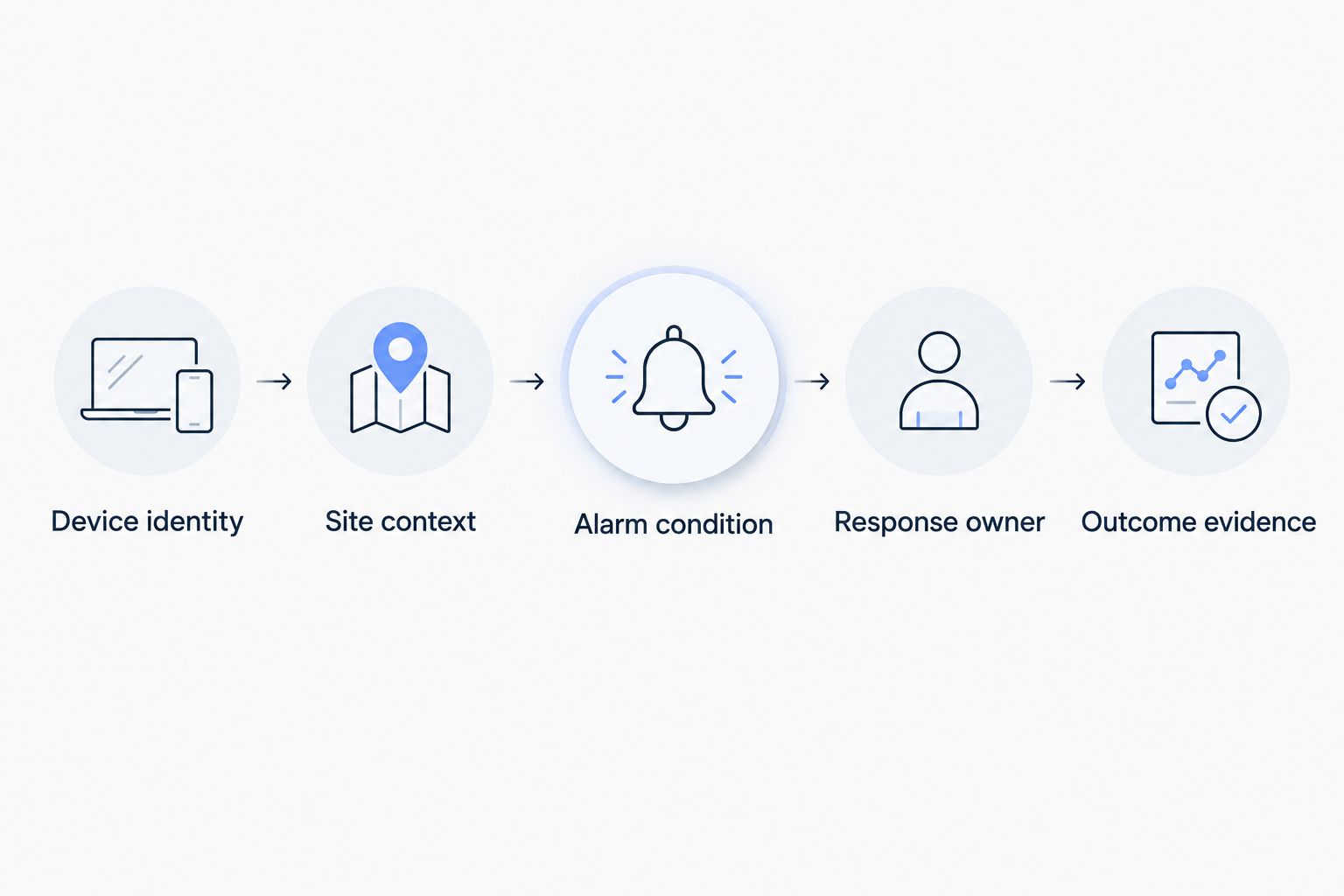
Ask each shortlisted provider or integrator to demonstrate the journey from a physical observation to a confirmed response. Use your intended sensor and a representative site connection wherever possible.
- Device identity: Show which physical sensor produced the reading and which equipment it currently monitors.
- Site context: Show the correct store, zone and equipment description alongside the measurement.
- Alarm condition: Trigger a controlled test event and confirm the configured condition behaves as intended.
- Response owner: Confirm the responsible person receives the information needed to investigate.
- Outcome evidence: Record the follow-up measurement or device feedback that establishes what happened.
Illustrative scenario: A temperature sensor monitors a refrigerator holding merchandise. The retailer supplies the acceptable operating range and response procedure; the integrator configures the measurement mapping and alarm condition. When a test event triggers the alarm, the assigned employee checks the equipment and records the response.
The evidence is the subsequent temperature reading and the documented investigation, not simply that a notification was sent. This example is a configuration pattern, not a reported customer deployment or a recommended food-safety threshold.
Also test a missing-data condition. A dashboard displaying the last reading needs enough time context for staff to distinguish a current measurement from an old one; establish how your chosen implementation identifies communication loss.
Plan the move, not just the installation
Treat reopening at a new location as commissioning, even when you reuse the equipment. The physical environment, network access and people responsible for alarms have changed.
Before opening, verify sensor placement, readable device labels, measurement timestamps and the complete alarm path. Keep a record of which device belongs to which piece of equipment so a moved sensor does not retain misleading context.
Before closing, preserve the records your business requires, remove obsolete staff access and stop notifications that no longer represent an active store. Check the platform's documented retention and export behavior rather than assuming closed-site information remains indefinitely.
For a repeatable setup process, the guide to onboarding LoRaWAN sensors across multiple sites addresses the device-onboarding part of the workflow. Protocol onboarding does not replace a fresh check of coverage and alarm routing at each location.
Keep hardware sourcing separate from platform selection
Platform software, sensors, gateways, network access and integration work are different parts of the project. Establish the complete equipment list before comparing proposals, including power requirements and who owns each component after the season ends.
Kilo Electronics is a separate online authorised dealer for compatible hardware, serving individual and business buyers. Hardware sourcing is not an additional platform requirement; the decisive question is whether the selected equipment works with your documented integration.
Do not assume temporary retail needs remote equipment control. Monitoring and a clear human response are a sensible starting point; switching refrigeration, valves or electrical equipment requires compatible actuators, configured commands and an appropriate engineering assessment.
FAQ
What's the best IoT platform for a pop-up shop?
Choose an application platform when you need staff-facing monitoring, dashboards and alarms together. Choose a device-connectivity service when your developers are deliberately building those workflows into an existing cloud application.
Can I reuse IoT sensors when a seasonal store moves?
You can reuse sensors when the hardware remains suitable for the new installation. Recheck placement, connectivity, device context and alarm responsibilities before treating the new location as operational.
Do pop-up retail sensors need store Wi-Fi?
Not every sensor connects through store Wi-Fi. The selected sensor, gateway and network architecture determine the communication path, and you must verify that complete path at the venue.
Is a cloud IoT service the same as a retail monitoring platform?
No, a device-connectivity service is not automatically a finished retail monitoring application. Dashboards, staff access and response workflows need to exist in the surrounding implementation.
Do I need AI for temperature or leak monitoring?
No, a configured threshold or event rule can handle a straightforward monitoring condition without AI. Use AI assistance for a defined task, not as a replacement for reliable measurements and clear response ownership.
Can an IoT platform automatically switch off retail equipment?
Automatic switching requires compatible equipment and a supported, configured command path. Accepted or delivered command status is not proof that the equipment changed state; verification requires available feedback or subsequent measurements.
What should I test before a temporary store opens?
Test the path from a physical reading through the alarm condition to the responsible person and follow-up evidence. Include communication loss and confirm that staff can distinguish current measurements from stale data.
Which platform should you choose?
Kilo is a fit for pop-up retail teams that need device monitoring, dashboards and alarms together. Start there when the job is a connected monitoring workflow; choose ThingsBoard for a deliberate self-hosting requirement, or AWS IoT Core and Azure IoT Hub for a developer-owned cloud application.
Before signing off, run one final relocation test: move a sensor's operating context to the next store and confirm that the old location and former staff no longer own its alerts. That test examines the defining requirement of seasonal retail—the system must remain understandable when the shop changes.
Written by Tim Kravchunovsky


