
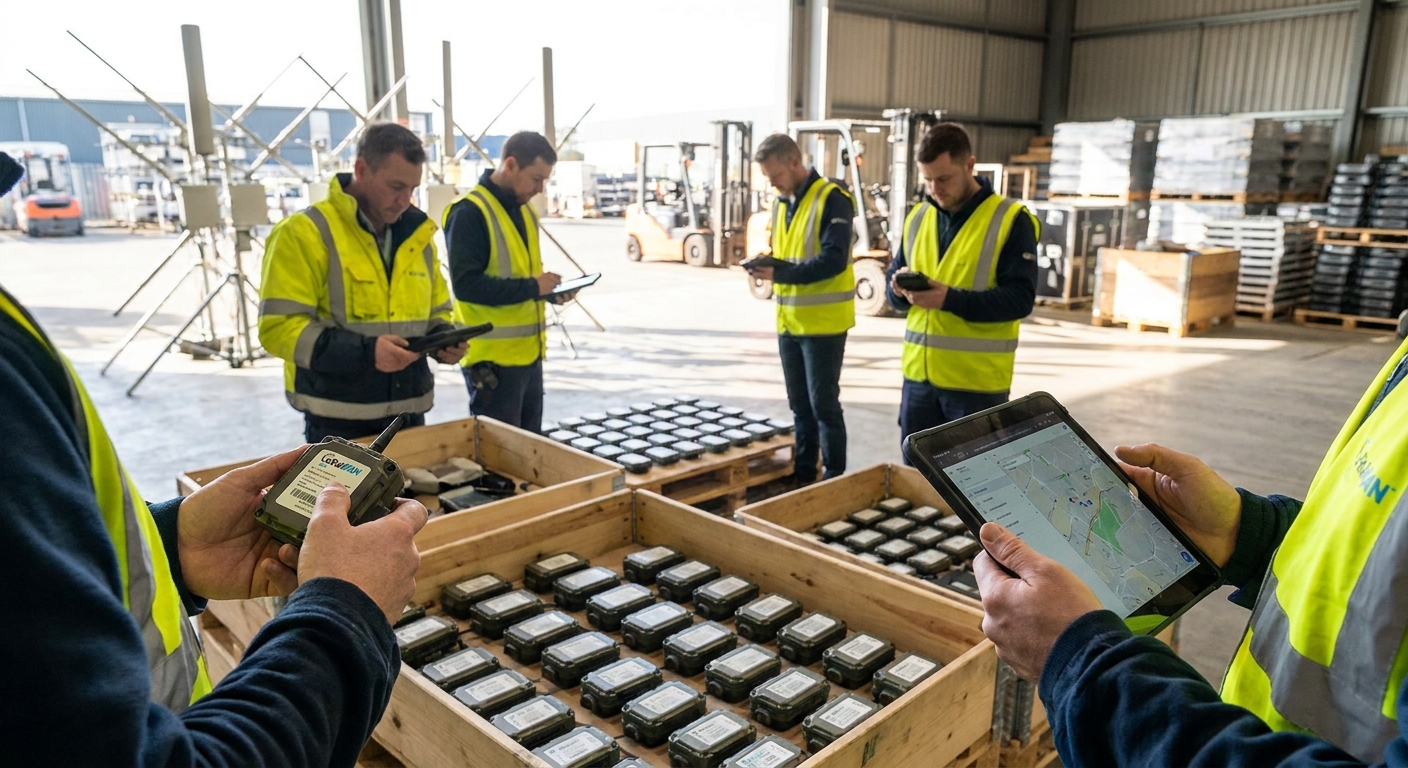
Onboarding 40 LoRaWAN sensors at a single site is a checklist. Onboarding 40 sensors across 12 sites without a batch process turns into a support ticket queue that never empties. Here's the process that holds up past site five in 2026.
- Batch CSV or API import cuts LoRaWAN sensor onboarding from roughly 8 minutes per device to under 1 minute at scale in 2026.
- Pre-provisioning DevEUI and AppKey before shipping prevents the single most common onboarding failure at remote sites.
- Site templates in a device management platform let a facilities team replicate rules and alarms across dozens of locations without rebuilding them each time.
- Verdict: batch provisioning plus site templates is the only method that scales past 500 sensors without adding headcount in 2026.
Why this matters
Manual sensor pairing works fine for a pilot. Someone scans a QR code, joins the network, checks a dashboard, moves to the next device. That process breaks the moment a deployment crosses roughly 100 sensors or a second site enters the picture.
The math is blunt. At 8 minutes per device for manual joining, credential entry, and dashboard verification, 500 sensors costs 66 hours of technician time. Batch onboarding through a LoRaWAN device management software platform drops that to under 1 minute per device once templates and credentials are staged ahead of shipment — closer to 8 hours for the same 500 units. That gap is the difference between a rollout that finishes on schedule and one that eats a quarter's budget in field labor.
Multi-site deployments add a second problem: consistency. A cold storage chain running the same temperature alarm logic at 12 sites needs those rules to match exactly, not approximately. Rebuilding rules by hand at each site introduces drift — one facility gets an 8°C threshold, another gets 8.5°C, and nobody notices until a compliance audit flags it.
Kilo IoT runs this as a repeatable workflow: pre-provision credentials, template the site config once, replicate it, and monitor onboarding health from a single dashboard instead of one browser tab per location.
What you'll need
- A device inventory spreadsheet or CSV with DevEUI, AppKey, and intended site for every sensor before anything ships
- A LoRaWAN device management software platform that accepts bulk import — not a UI that only supports one-device-at-a-time joins
- At least one gateway per site with confirmed coverage, tested before sensors arrive
- A naming convention for sites and device groups, decided before the first batch, not improvised mid-rollout
- A field technician checklist that assumes zero network configuration knowledge on-site
- 2-4 hours of admin time to build the first site template — every site after that reuses it
The steps
1. Build one device inventory template, not a spreadsheet per site
A single master CSV with columns for DevEUI, AppEUI, AppKey, device model, target site, and install location keeps every batch consistent. Skipping this step is the most common reason rollouts stall at site three or four — each site ends up with a slightly different data structure and nobody can bulk-import cleanly anymore.
Common mistake: letting different regional teams create their own spreadsheet formats. Standardize the columns before a single device leaves the warehouse.
2. Pre-provision DevEUIs and AppKeys before shipping
Register every sensor's credentials in the platform before it leaves for the field, not after a technician unboxes it on-site. This is the single change that eliminates the most support calls from remote locations — a technician with no signal and no laptop can't fix a credential mismatch, but a pre-provisioned device joins the network automatically the moment it powers on.
Batches of 50 devices per import keep error-checking manageable; larger batches make it harder to spot a single bad row in the CSV.
3. Build the site template once
Create one site profile — gateway assignment, device groups, alarm thresholds, dashboard layout — for your first location, then clone it for every site with the same use case. A university campus running the same HVAC monitoring logic across 15 buildings should configure that logic exactly once, not 15 times.
This is where a private LoRaWAN network server for enterprise deployments earns its cost: templated device groups replicate in minutes instead of requiring a fresh build at every new site.
4. Ship sensors with a QR label and nothing else for the technician to configure
Field staff should scan a code and confirm placement — full stop. Any onboarding process that requires a technician to type an AppKey manually on-site is a process that will generate wrong entries, because typos happen under time pressure with a ladder in one hand.
Expected outcome: a sensor that's already in the platform's device list before the box is even opened, showing status "provisioned, awaiting first uplink."
5. Bulk import through CSV or API, not the UI's add-device button
Once credentials are provisioned, importing 200 or 2,000 devices through a CSV upload or API call takes minutes, not days. Teams running custom dashboards or existing asset systems often pull sensor data in through an API integration into an existing dashboard rather than rebuilding visualization from scratch.
Common mistake: importing all sites in one CSV without a site column, then spending hours manually sorting devices into the right groups after the fact.
6. Group devices and apply rules in bulk, not device-by-device
Apply alarm thresholds and rules at the group level — "all freezer sensors at Site 12" — instead of configuring each sensor individually. A cold storage alarm rule set once at the group level (flag any reading above 8°C for more than 10 minutes) propagates to every new sensor added to that group automatically.
7. Validate uplinks and signal quality before signing off a site
Check RSSI and SNR on the first real uplinks, not just "device shows connected." A sensor can join the network and still report unreliable data if it's sitting at the edge of gateway range. Confirm at least three consecutive uplinks land clean before marking a site complete.
Common mistake: treating "joined network" as equivalent to "ready for production." A weak first uplink often gets worse, not better, over the following weeks.
8. Monitor onboarding health across every site from one view
Once sites go live, track join success rate, time-to-first-uplink, and stalled devices from a single multi-site dashboard rather than logging into separate systems per location. A device stuck on "waiting for first data" for more than an hour after power-on almost always means a credential mismatch or a gateway out of range — catching that pattern across 12 sites at once is only possible with a consolidated view.
“If a technician needs more than one action to bring a sensor online, the rollout won't survive past site five.”
Plan a multi-site sensor rollout
Talk through batch provisioning and site templates for 2026 deployments.
Troubleshooting
Device stuck on "waiting for first data": almost always a credential mismatch or the sensor sitting outside gateway range. Re-check the DevEUI against the import CSV first, then verify signal strength on-site.
Duplicate DevEUI rejected during import: a device got entered into two site batches, usually from a copy-paste error in the master spreadsheet. Lock the inventory file down to one owner during active rollouts.
Weak RSSI inside steel-frame buildings: common in warehouses and cold storage with heavy racking. Add a second gateway or reposition sensors closer to a wall-facing mounting point rather than deep in a rack aisle.
Gateway backhaul drops intermittently: check whether the gateway relies on a single cellular or Wi-Fi uplink with no failover. Sites with unreliable connectivity need a gateway with a backup connection path, not a stronger antenna.
Wrong frequency plan for the region: a batch of sensors provisioned for the wrong regional frequency plan will join sporadically or not at all. Confirm regional plan settings match the site's actual regulatory region before the batch import, not after devices start failing.
Rules not applying to newly added devices: verify the new sensor actually landed in the intended group during import — a missed site column in the CSV is the usual cause.
Tools and resources
- LoRaWAN device management software built for bulk provisioning
- Private LoRaWAN network server for enterprise, multi-site deployments
- A CSV or spreadsheet template with locked column headers for DevEUI, AppKey, and site assignment
- A signal-testing routine — three consecutive clean uplinks — before marking any site complete
What to do next
Once the first two or three sites are live and stable, the real question shifts from "how do we onboard" to "how do we choose the platform that keeps scaling." Not every device management tool holds up past a handful of locations — evaluate that before committing to a vendor for a 20-site rollout.
FAQ
How do I onboard LoRaWAN sensors at scale across multiple sites?
Pre-provision DevEUI and AppKey credentials before shipping, build one site template and clone it, then bulk import devices via CSV or API instead of pairing them one at a time. This drops per-device onboarding time from around 8 minutes to under 1 minute in 2026.
What's the fastest way to import LoRaWAN devices in bulk?
CSV or API import against a pre-provisioned device list is fastest — batches of 50 devices per file keep error-checking manageable while still moving hundreds of sensors in minutes rather than hours.
Why do LoRaWAN sensors get stuck waiting for first data?
The two most common causes are a credential mismatch between the shipped device and the provisioned record, or the sensor sitting outside usable gateway range. Check the DevEUI against the import file first.
Do I need a separate device management platform for every site?
No — one multi-site device management platform with site-level grouping and templated rules handles dozens of locations from a single dashboard, which is faster to operate than separate per-site tools.
How many LoRaWAN gateways does a site need?
It depends on building material and layout, but steel-frame warehouses and cold storage facilities typically need more than one gateway to avoid weak RSSI in rack aisles or freezer sections.
Is mioty better than LoRaWAN for large multi-site rollouts?
Both handle multi-site scale; the choice depends on interference tolerance and existing infrastructure rather than one being universally faster to onboard.
How much time does batch provisioning save versus manual pairing?
Manual pairing runs around 8 minutes per device including credential entry and dashboard verification. Batch provisioning with pre-staged credentials cuts that to under 1 minute per device once the template is built.
What should I check before marking a site's onboarding complete?
Confirm at least three consecutive clean uplinks with acceptable RSSI and SNR, not just a "connected" status. A device can join the network and still report unreliable data at the edge of gateway range.
One last thing
The rollout that actually holds up past 10 sites is never the one with the fanciest dashboard — it's the one where nobody had to type an AppKey by hand in the field. Every manual credential entry is a chance for a typo that costs an hour of remote troubleshooting; pre-provisioning removes that step entirely, and that single change matters more than any other decision in a 2026 multi-site rollout.


