
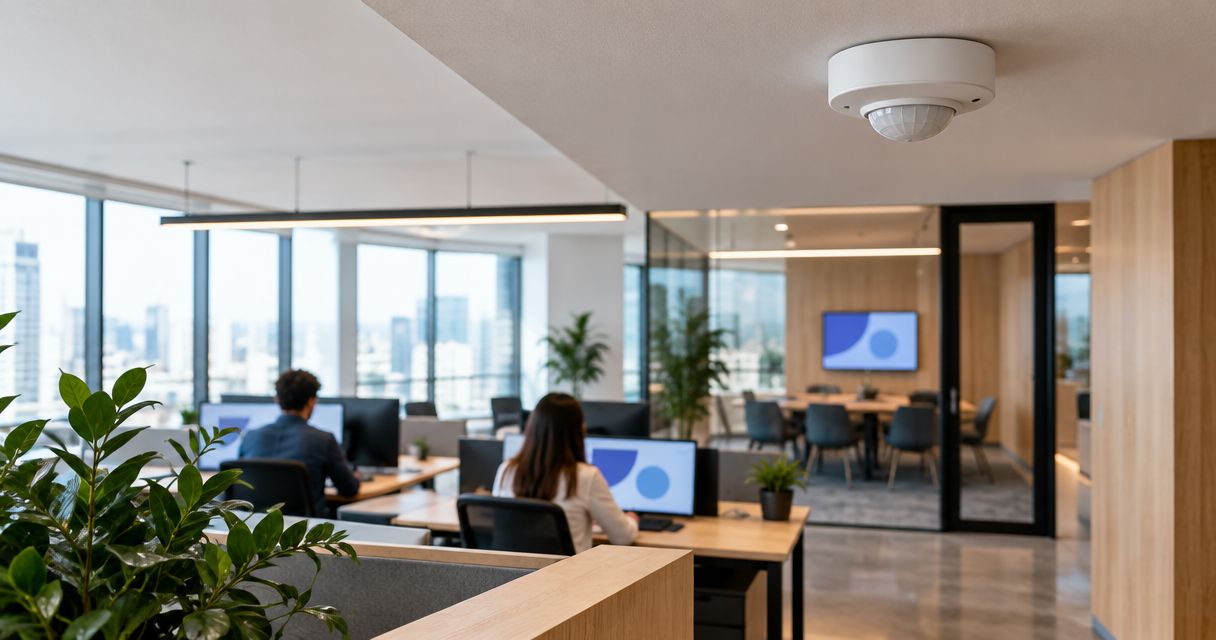
Choose mmWave presence sensors for room-use tracking, overhead depth sensors for headcounts, and PIR desk sensors for motion-based workstation sampling. The Kilo IoT Platform provides the software layer for connected-device data, dashboards and digital twins; this guide compares the sensor types that supply office space-planning evidence, not an unverified ranking of individual models.
- Choose occupancy sensors for office space planning by measurement: room presence, people count or desk use.
- mmWave presence sensors suit meeting rooms where seated occupants move little; validate coverage and zoning.
- Overhead depth sensors suit room headcounts; doorway counters suit entry and exit totals.
- Kilo connects supported device data to dashboards; sensor compatibility and measurement quality still need verification.
Written by Tim Kravchunovsky
Start with the office decision, not the sensor
Office space planning needs evidence about how people use space. A room that is occupied throughout the afternoon tells you something different from a room that regularly holds fewer people than its capacity. Neither observation tells you which individual desks are used.
That distinction matters before you buy hardware. Presence answers whether a space is occupied; counting answers how many people occupy it. Motion is another measurement again: a sensor can detect movement without establishing continuous occupancy.
For a 2026 office-planning project, write down the decision first. Are you reallocating meeting rooms, reducing desk provision, investigating overcrowded collaboration areas or comparing floor attendance? Each question requires a different measurement boundary.
The recommendations below rank sensing approaches by their usefulness for those distinct jobs. They do not assign accuracy, battery life or compatibility to unnamed products.
What makes the best occupancy sensors for office space planning?
Use these criteria before comparing devices:
- Measurement fit: Require a documented presence state, people count or desk-level signal that answers your planning question.
- Stationary detection: Test seated work and quiet meetings, not just people walking through the detection area.
- Spatial boundaries: Confirm that coverage matches the room, desk or entrance without including adjacent circulation space.
- Data access: Establish which readings, timestamps and health indicators reach your reporting system.
- Privacy design: Understand what the device captures, processes, transmits and retains. A count output alone does not describe the whole data path.
- Installation burden: Assess mounting position, power, network coverage, commissioning and the effect of future furniture changes.
A protocol label is not an integration specification. Two devices using the same transport can expose different payloads, reporting behavior and configuration options. Ask for an example decoded message before committing to a rollout.
Office occupancy sensor types at a glance
| Sensor approach | Best for | Standout capability | Key limitation |
|---|---|---|---|
| mmWave presence sensor | Meeting-room occupied/vacant tracking | Detecting small movements associated with seated occupants | Presence output does not automatically provide headcount |
| Overhead depth sensor | Comparing meeting-room attendance with capacity | Spatial depth information for people-counting applications | Counting depends on the model, mounting geometry and coverage |
| PIR desk sensor | Motion-based workstation-use sampling | Local motion detection at individual workstations | Still occupants can disappear from motion-based evidence |
| Thermal array sensor | Low-detail zone occupancy analysis | Detecting spatial patterns of infrared radiation | Separation depends on resolution, conditions and processing |
| Directional doorway counter | Tracking entry and exit at controlled access points | Measuring traffic crossing a defined boundary | Missed crossings accumulate into occupancy-estimate errors |
These are technology categories, not interchangeable product specifications. A device sold under one category still needs to demonstrate the output required by your project.
1. mmWave presence sensors: best for meeting-room use tracking
Millimeter-wave radar transmits radio signals and analyzes their reflections. Suitable presence sensors detect small movements that a basic motion sensor misses, making this approach relevant to seated meetings and focused work.
Choose mmWave when your question is whether a room is being used, rather than how many seats are occupied. Some devices offer richer spatial outputs, but the technology name alone does not establish counting capability.
mmWave presence sensor pros:
- Suitable devices detect small movements from seated occupants.
- Detection does not require visible-light images.
- Configurable zones, where supported, help align detection with the intended space.
mmWave presence sensor cons:
- Coverage and sensitivity need commissioning around partitions, entrances and neighboring movement.
- A binary occupied state cannot establish attendance or seat utilization.
- Power and mounting requirements vary by device.
Best for: Meeting rooms, quiet rooms and enclosed work areas where continuous presence matters more than headcount.
Test an empty room while people move outside it, then test a quiet seated occupant inside. Those cases expose opposite failures: detecting activity beyond the boundary and missing activity within it.
Verdict: Buy for room-presence measurement after the device passes an on-site boundary and stationary-occupant test.
2. Overhead depth sensors: best for meeting-room headcounts
Depth-sensing devices measure spatial distance information; time-of-flight is one common approach. In a people-counting product, processing turns that information into counts within a defined area.
This approach suits a different planning question from presence detection: whether a room's size matches the groups using it. An occupied room is not necessarily a well-sized room.
Overhead depth sensor pros:
- Suitable counting devices provide headcount rather than a simple occupied state.
- Defined spatial zones support room or collaboration-area analysis.
- Depth-based measurement does not inherently require identifying occupants.
Overhead depth sensor cons:
- Installation height, field of view and obstructions affect coverage.
- Closely grouped people and furniture require testing with the chosen model.
- Privacy review must cover all device outputs, not just the exported count.
Best for: Meeting-room right-sizing and collaboration spaces where attendance relative to capacity is the main decision.
Ask the supplier to demonstrate people seated around the actual table layout. A successful walking test does not establish performance when chairs, monitors and occupants obscure one another.
Verdict: Buy when headcount is necessary and the proposed mounting arrangement produces usable counts in the real room.
3. PIR desk sensors: best for motion-based workstation sampling
Passive infrared, or PIR, sensors detect changes in infrared radiation across their detection zones. Desk-oriented installations use those changes as evidence of activity near a workstation.
PIR is useful when you understand that motion is a proxy for use. It is not a direct measure of whether a person remains seated, and it cannot determine whether an unattended desk is reserved or available.
PIR desk sensor pros:
- Local detection supports workstation-level analysis.
- Motion events provide a straightforward signal for activity sampling.
- The measurement does not require visible-light images.
PIR desk sensor cons:
- Quiet seated work can produce no new motion events.
- Placement can capture aisle traffic or movement at neighboring desks.
- Occupancy estimates depend on the timeout used to interpret events.
Best for: Desk-use sampling where motion-derived evidence is sufficient and the limitations are explicit.
A long timeout preserves an occupied state after someone leaves. A short timeout risks marking a still occupant as absent. Keep the timeout consistent when comparing desks, and document it alongside the results.
Verdict: Buy for motion-based sampling; skip PIR alone when reliable stationary presence is essential.
4. Thermal array sensors: best for low-detail zone analysis
Thermal arrays measure infrared radiation across multiple sensing elements. Suitable occupancy products process that spatial pattern to detect presence or estimate people within a zone.
They offer an alternative to visible-light imaging, but thermal sensing is not a guarantee of accurate counting or anonymous data handling. Both depend on the product and its configuration.
Thermal array sensor pros:
- Detection does not depend on visible illumination.
- Spatial thermal information provides more context than a single motion event.
- Suitable products support presence or counting without conventional video imagery.
Thermal array sensor cons:
- Resolution and mounting geometry limit the separation of nearby occupants.
- Heat sources and environmental conditions require validation.
- Counting capability must be established for the specific device.
Best for: Defined zones where low-detail thermal sensing matches the privacy design and required occupancy output.
Test the intended space with its normal equipment running. An empty-room baseline should include the conditions the sensor will encounter during ordinary office use.
Verdict: Hold until an on-site demonstration establishes the required presence or counting output.
5. Directional doorway counters: best for controlled entrances
Directional counters detect people crossing an entrance and classify movement as entering or leaving. The underlying sensing technology varies, so the defining feature is the directional crossing output.
An occupancy estimate starts from a known count and changes as people enter and leave. This works only when the monitored entrances cover the relevant boundary and counting errors are managed.
Directional doorway counter pros:
- Measures entrance traffic without instrumenting every desk.
- Separates arrivals from departures when direction detection works correctly.
- Fits room or floor analysis with clearly controlled access points.
Directional doorway counter cons:
- Unmonitored doors break the occupancy calculation.
- Missed or misclassified crossings accumulate over time.
- Side-by-side movement and people lingering at entrances need testing.
Best for: Floor attendance or room-entry analysis where all relevant entrances can be covered.
Define how the estimate returns to a known baseline. An empty-space reset requires evidence that the space is empty; a scheduled reset is not proof that nobody remains inside.
Verdict: Buy for controlled boundaries with reconciliation; skip for open zones with unmonitored access.
Turn occupancy readings into defensible utilization metrics
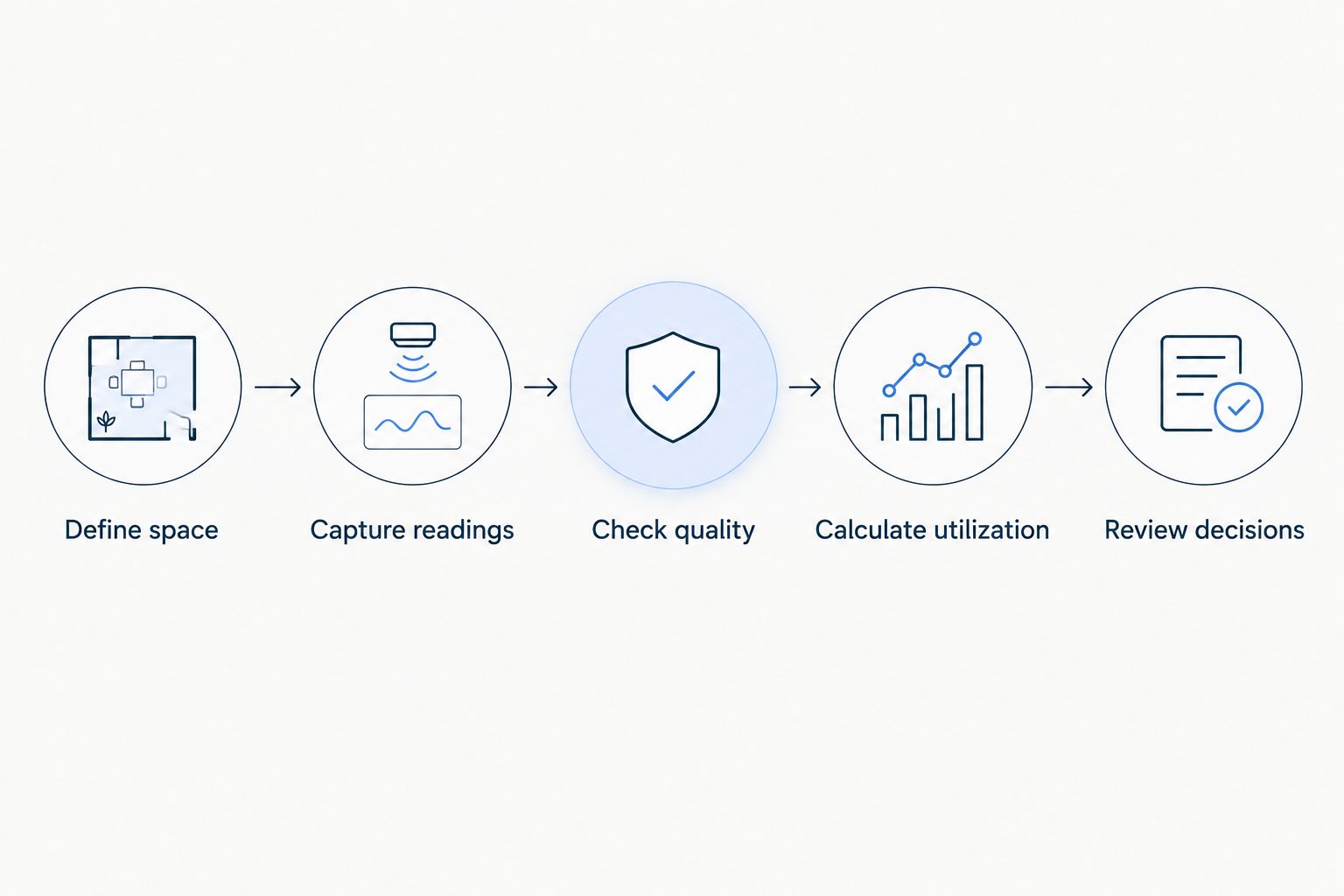
A useful deployment follows a clear measurement chain. The sensor observes activity, the integration supplies interpretable data, and the reporting method turns those readings into a planning metric.
Keep these steps separate:
- Define space: Assign each sensor to a room, desk, zone or entrance.
- Capture readings: Preserve the measurement type and event timestamp.
- Check quality: Identify missing data, stale readings and known coverage problems.
- Calculate utilization: Apply a documented denominator and interpretation rule.
- Review decisions: Compare results with the office question that justified collection.
Illustrative calculation, not a measured deployment: Assume a meeting room has an 8-hour reporting window and records 120 minutes of valid occupied time. Time utilization is 25%, because 120 occupied minutes divided by 480 available minutes equals 0.25.
That calculation says nothing about attendance. A single occupant and a full room contribute equally to occupied time, so you need a counting measurement to evaluate seat use.
Missing readings are not vacant readings. If the sensor stops reporting, mark the affected interval as unknown rather than treating it as evidence that nobody used the room. The reporting window also matters: including closed hours answers a different question from measuring available working hours.
For the narrower reporting question, see how to measure meeting-room utilization with occupancy sensors. Sensor selection establishes what you can observe; the calculation establishes what you can conclude.
How Kilo fits the occupancy-data workflow
Kilo is an IoT platform for teams that need supported occupancy data alongside other connected-building measurements. It is not an occupancy sensor, and software cannot correct an unsuitable detection boundary.
The relevant platform capabilities are device records, dashboards and digital twins. They give occupancy readings context: which device supplied the data and which physical space the reading represents. Integrators still need to establish payload mapping, timestamps and the meaning of each reported field.
Kilo platform strengths:
- Brings connected-device data and dashboards into one software layer.
- Provides digital-twin context for connected deployments.
- Supports permissions for configuring and operating the platform.
Kilo platform limitations:
- A shared protocol does not establish support for every sensor payload.
- Dashboards do not turn motion events into verified headcounts.
- Occupancy-specific calculations must be established rather than assumed to exist as a ready-made workflow.
Best for: Integrators and building teams combining supported sensor data in an IoT platform.
Before selecting hardware, request a sample payload and specify the required dashboard output. Prove that chain with the chosen device before treating a fleet rollout as routine installation.
How the sensor approaches were ranked
The ranking follows measurement fit, stationary detection, spatial boundaries, data access, privacy design and installation burden. Room presence comes first because it answers a basic space-use question without requiring headcount.
The remaining approaches serve distinct decisions rather than competing for the same position. Depth sensing addresses attendance, PIR addresses motion-based desk sampling, thermal arrays address suitable low-detail zones, and doorway counters address controlled-boundary traffic.
No independent product testing, model-level accuracy comparison or commercial superiority claim underpins this order. Choose the measurement that answers your decision, then validate the specific product.
Which occupancy sensor should you choose?
For meeting-room occupied/vacant tracking, start with a mmWave presence sensor and validate its detection boundary. Choose an overhead counting device instead when room capacity is the decision variable.
For desks, use PIR only if motion-based sampling is enough. For floor attendance, directional counting belongs at complete, controlled boundaries—not at a convenient subset of doors.
Do not instrument every space identically. A quiet room, an open workstation and a floor entrance require different evidence, even when their readings eventually appear on the same dashboard.
FAQ
What's the best occupancy sensor for office space planning?
The right occupancy sensor depends on the measurement: mmWave for suitable room-presence applications, overhead depth sensing for headcounts, and desk PIR for motion-based sampling. Validate the specific device in the intended layout before rolling it out.
Can occupancy sensors tell how many people are in a meeting room?
Only sensors with a documented people-counting output can provide a headcount. A binary occupied state establishes presence, not attendance or seat utilization.
Is mmWave better than PIR for seated office workers?
Suitable mmWave presence sensors detect smaller movements than basic PIR motion sensors, which makes them relevant to seated work. Coverage, sensitivity and stationary-occupant performance still depend on the selected device and installation.
Can I calculate office utilization from motion events?
You can calculate motion-derived utilization if you define the timeout and reporting window. It remains a proxy for occupancy, so label it accordingly and keep missing data separate from vacancy.
Are occupancy sensors anonymous?
Anonymity depends on what the device captures, processes, transmits and retains. Review the full data path, access controls and spatial granularity rather than relying on an anonymous-count label.
Can Kilo connect to any office occupancy sensor?
Compatibility must be established for the specific device and integration. A shared protocol name does not prove that the payload, reporting behavior or required configuration is supported.
Can doorway counters measure occupancy in an open office?
Doorway counters support occupancy estimates when every relevant entrance crosses the monitored boundary. Unmonitored access and accumulated counting errors prevent a dependable estimate without reconciliation.
One last thing: test vacancy as carefully as presence
A sensor that notices people is only half validated. Test what happens after they leave, when they sit still, and when someone passes just outside the intended zone.
Those observations determine whether your report measures actual room use or merely the sensor's coverage and timeout settings. Make them part of acceptance testing before using occupancy evidence to change office capacity.


