
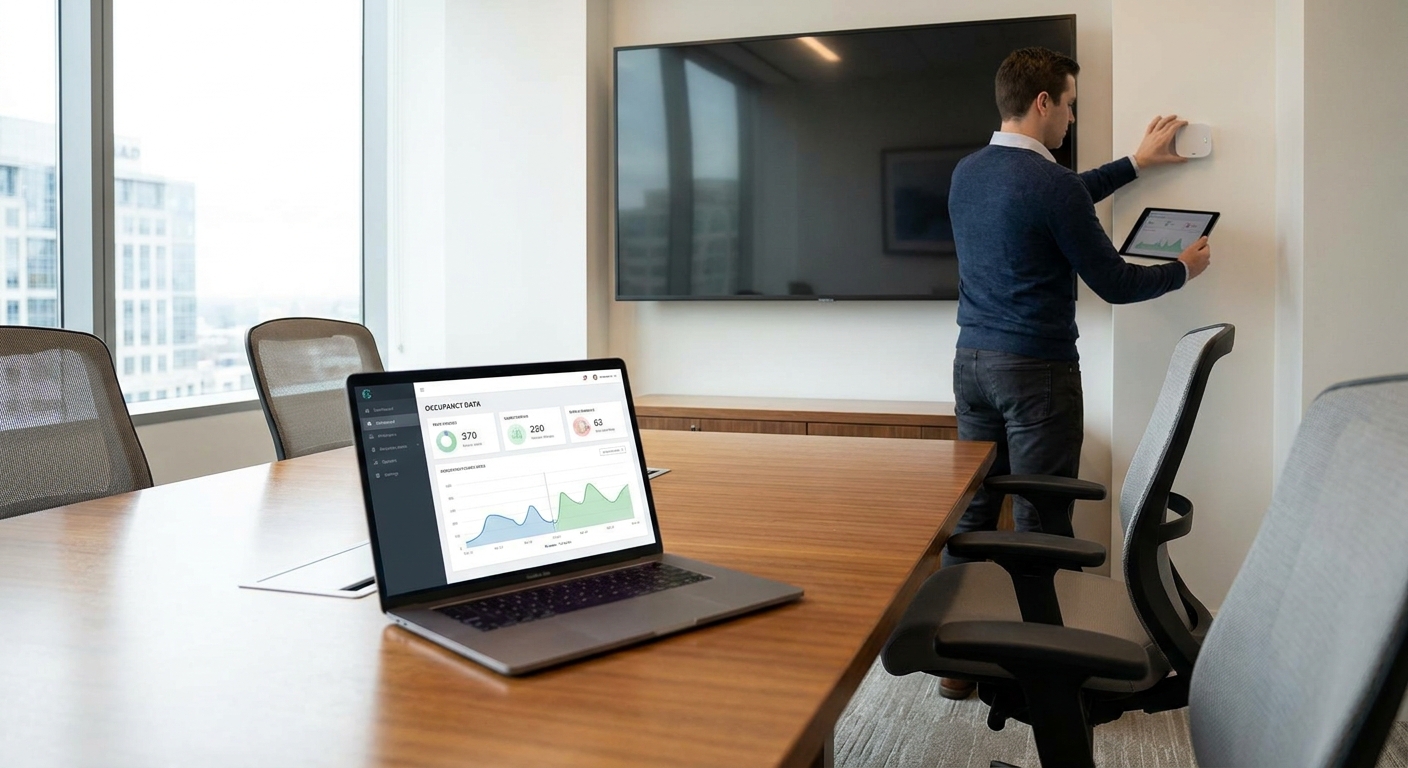
Meeting rooms get booked and never used, and nobody notices until someone tries to trace it back to a calendar audit that takes three afternoons. Occupancy sensors turn that guesswork into a number you can pull up in a dashboard the same day.
- PIR and mmWave sensors both work for how to set up occupancy sensors for meeting rooms, but mmWave catches people who stay still.
- ASHRAE 62.1 assumes 50 people per 1,000 sq ft in conference rooms — most rooms never get close to that.
- A rule comparing sensor minutes-occupied against calendar minutes-booked gives a real utilization percentage, not a guess.
- Kilo's free tier covers up to 5 devices, enough to pilot occupancy tracking across 3-5 meeting rooms before buying anything.
- Set an alarm for rooms marked booked but empty for 10+ minutes — that single rule catches most ghost meetings.
Why manual room audits undercount actual meeting room usage
A facilities team walking the floor twice a day sees two snapshots, not a pattern. A room can sit empty from 9:00 to 9:50 and get counted as "used" because someone glanced in during the one 10-minute meeting that happened. Occupancy sensors log presence continuously, which is the only way to get an honest utilization percentage rather than a hallway impression.
The stakes are real money. Commercial real estate teams size conference room capacity using ASHRAE Standard 62.1, which sets a default occupant density of 50 people per 1,000 square feet for conference rooms in Table 6.2.2.1 — a figure used to size ventilation, not to justify square footage nobody sits in. Sensor data is what tells you whether that square footage earns its keep in 2026, before a lease renewal or a floor consolidation forces the question.
The Kilo IoT Platform runs this without a separate network server: sensors report over LoRaWAN or mioty into a rules engine that calculates utilization and fires alarms when a room behaves oddly, no BMS integration required.
What you need to set up occupancy sensors for meeting rooms
- Occupancy sensors — PIR, mmWave, or a CO2-based proxy sensor, one per room
- A LoRaWAN or mioty gateway covering the floor (check indoor range before buying more than one)
- A cloud platform with a rules engine and dashboard — this is where raw presence data becomes a percentage
- Room-level metadata: square footage, seat count, and the calendar booking source if you want a booked-vs-used comparison
- 30-60 minutes per room for mounting and commissioning
- Admin access to create dashboard widgets and alarm rules
How to set up occupancy sensors for meeting rooms in 7 steps
1. Pick a sensor type that matches how the room gets used
PIR (passive infrared) sensors detect motion, which means they work well in rooms with active discussion but can time out and report "empty" during a quiet one-on-one where nobody moves for a few minutes. mmWave sensors detect breathing and micro-movement, so they catch stationary occupants that PIR misses — the tradeoff is a higher unit cost.
For a boardroom used for presentations, PIR is usually enough. For a small huddle room used for calls where people sit still, mmWave avoids false "vacant" readings. Getting this wrong is the single biggest source of bad utilization data — a PIR sensor in a quiet-focus room will undercount occupied time by design, not by malfunction.
Common mistake: deploying one sensor type across every room type to save on SKUs, then wondering why the quietest rooms show the lowest utilization.
2. Map every meeting room and count entry points
Walk the floor and note square footage, seat count, and how many doors or glass panels each room has. A room with two entrances needs sensor placement that covers both, or you'll get someone walking in from the side door that the sensor's field of view doesn't reach.
This is also when you decide which rooms actually need monitoring. A 4-seat phone booth rarely needs the same rigor as a 20-seat boardroom that drives real estate decisions.
Expected outcome: a room list with square footage, capacity, and sensor count that becomes your commissioning checklist.
3. Mount sensors where door swing and glass won't fool them
Mount ceiling-mounted PIR or mmWave sensors centered over the table, not over the door — a sensor aimed at the doorway will trigger on hallway traffic and inflate occupancy for rooms with high foot traffic outside. Most PIR units cover a 90-110 degree field of view at 5-8 meters, so a single sensor handles most standard meeting rooms; larger boardrooms may need two.
Glass-walled rooms are a known failure point: infrared can pass through some glass types and pick up motion from the corridor. If a room reports occupancy spikes that don't match the calendar, glass interference is the first thing to check.
Common mistake: mounting the sensor above the door instead of over the seating area, which counts everyone who walks past, not just people who sit down.
4. Connect sensors to a LoRaWAN or mioty network server
Kilo runs a built-in LoRaWAN and mioty network server, so there's no separate network server to stand up before sensor data reaches the platform — point the gateway at Kilo and onboard devices directly. If you're deploying more than a handful of rooms across a floor or campus, the process for onboarding LoRaWAN sensors at scale across multiple sites covers batch provisioning so you're not adding sensors one at a time.
Expected outcome: each sensor shows a live "last seen" timestamp in the device list within a few minutes of power-on.
5. Bind each sensor to a room in a digital twin
Kilo builds a digital twin per device, and a 3D digital building twin lets you pin each occupancy sensor to its physical room on a floor plan. This matters once you have more than five or six rooms — a flat device list gets hard to scan, but a floor-plan view with occupancy status per room reads at a glance.
Common mistake: skipping the twin step and relying on device names alone. "Sensor-014" tells nobody which conference room went dark.
6. Build a rule that turns raw occupancy into a utilization percentage
This is the step that actually answers "how to set up occupancy sensors for meeting rooms" as a measurement question, not just a connectivity one. Kilo's visual rules engine uses BPMN with CEL expressions, so you can write a rule that sums occupied minutes per room per day and divides by available booking hours (say, 9:00-18:00, a 9-hour window) to get a percentage.
Version the rule before deploying it — Kilo keeps rule versions with one-click rollback, so a bad threshold doesn't require rebuilding from scratch. Step through the rule against a test payload first to confirm the math before it runs live.
Expected outcome: a daily or weekly utilization percentage per room, visible on a dashboard chart widget.
7. Set an alarm for ghost meetings and no-show bookings
A "ghost meeting" is a room booked on the calendar and reported empty by the sensor. Set an alarm that fires when a room shows zero occupancy 10 minutes into a scheduled booking — that single rule surfaces most no-shows without anyone reviewing a report.
Kilo's alarms support five severity tiers and multi-step escalation, so a ghost-meeting alert can route to a low-priority inbox rather than paging anyone, and quiet hours keep it from firing at 2 a.m. when nobody's booking rooms anyway.
Common mistake: setting the threshold too tight (2-3 minutes), which flags people who are simply running a minute late and trains everyone to ignore the alarm.
“A room booked on the calendar and empty for ten minutes is still a room nobody else can book.”
Common occupancy sensor problems in meeting rooms and how to fix them
- Sensor reports occupied with nobody in the room — check for HVAC vents or blinds moving in the sensor's field of view; reposition away from airflow.
- Room shows vacant during a quiet meeting — swap PIR for an mmWave sensor in rooms used for calls or focused work where people don't move much.
- Occupancy count spikes at the top of every hour — hallway traffic through a glass wall or an open door; remount over the table, not the entrance.
- Sensor stuck showing the same status for hours — check the "last seen" timestamp in the device list; a stale timestamp usually means a gateway coverage gap, not a sensor fault.
- Utilization percentage looks impossibly high (over 90%) — the rule's "available hours" denominator is probably wrong; confirm it matches actual bookable hours, not 24 hours.
- Two adjacent small rooms show identical readings — a glass or drywall interference issue; verify each sensor is bound to the correct room in the digital twin, not swapped during mounting.
Tools and dashboards for tracking meeting room utilization
- A dashboard with chart widgets for daily/weekly utilization trends and a floor-plan widget for at-a-glance room status
- The rules engine for the occupied-minutes-to-utilization-percentage calculation
- Alarms with escalation for ghost-meeting detection
- An API connection if utilization data needs to feed a workplace or space-planning tool — see how to integrate IoT sensor data with your dashboard via API for the REST/gRPC path
- Kilo's built-in AI assistant can provision the sensors, write the utilization rule, and set the ghost-meeting alarm from a plain-language request, confirming each step before it deploys anything
Pilot occupancy tracking for free
Kilo's free tier covers 5 devices and 1 dashboard, no card required.
Where to take meeting room occupancy data next
Once a handful of rooms are reporting reliably, the same sensor and rules pattern extends past meeting rooms. Open-plan operators tracking desk and room usage across a whole floor often pair occupancy data with air quality readings, since both point to the same underlying question: is this space actually being used the way it's booked. If your monitoring plan needs to cover shared or flexible space beyond fixed meeting rooms, the guide on facility monitoring for coworking and flex office spaces covers that expanded scope.
FAQ
What's the best sensor for meeting room occupancy in 2026?
PIR sensors work for active rooms with movement; mmWave sensors work better for quiet rooms like phone booths or one-on-ones where PIR can falsely report vacancy. Match sensor type to room use rather than picking one SKU for every room.
Is mmWave better than PIR for occupancy sensing?
mmWave detects stationary occupants through breathing and micro-movement, which PIR-based motion sensors can miss. PIR is usually cheaper and sufficient for rooms with regular activity like presentations or group meetings.
How do you calculate meeting room utilization from sensor data?
Divide total occupied minutes logged by the sensor by total available booking hours for the same period, then express it as a percentage. A rules engine can automate this calculation daily instead of running it manually in a spreadsheet.
What counts as a ghost meeting in room booking data?
A ghost meeting is a room reserved on the calendar that the occupancy sensor reports as empty during the scheduled time. Setting an alarm for zero occupancy 10 minutes into a booking catches most of these automatically.
Do occupancy sensors need a separate network server?
Not with a platform that includes a built-in LoRaWAN or mioty network server — gateways connect directly without deploying and maintaining a separate server component. Check whether your platform bundles this before budgeting for one.
How many meeting room sensors can you monitor for free?
Kilo's free tier supports up to 5 devices and 1 dashboard with no card required, enough to pilot occupancy tracking across 3 to 5 meeting rooms before scaling further. It never expires and is the full platform rather than a time-limited trial.
Why does my occupancy sensor show a room as occupied when it's empty?
HVAC airflow, blinds moving, or motion visible through a glass wall are the most common causes of false occupied readings. Reposition the sensor away from vents and away from doors or windows facing hallway traffic.
What's a normal meeting room utilization percentage?
There's no universal benchmark, since it depends on room count, booking policy, and company size, which is exactly why sensor-based measurement matters more than assuming a target number. Track your own baseline for a few weeks in 2026 before setting a target.
The utilization number most facilities teams never calculate
Most teams stop at "how often is the room occupied" and never calculate "how often is it occupied at the size it was booked for." A 12-seat boardroom booked for a 3-person call and correctly marked occupied still isn't being used efficiently — the sensor says occupied, the calendar says used, and the actual space utilization is still poor. If your rooms come in different sizes, pair the occupancy rule with seat-count data so you can flag rooms that are technically "used" but consistently oversized for what's booked into them.


