
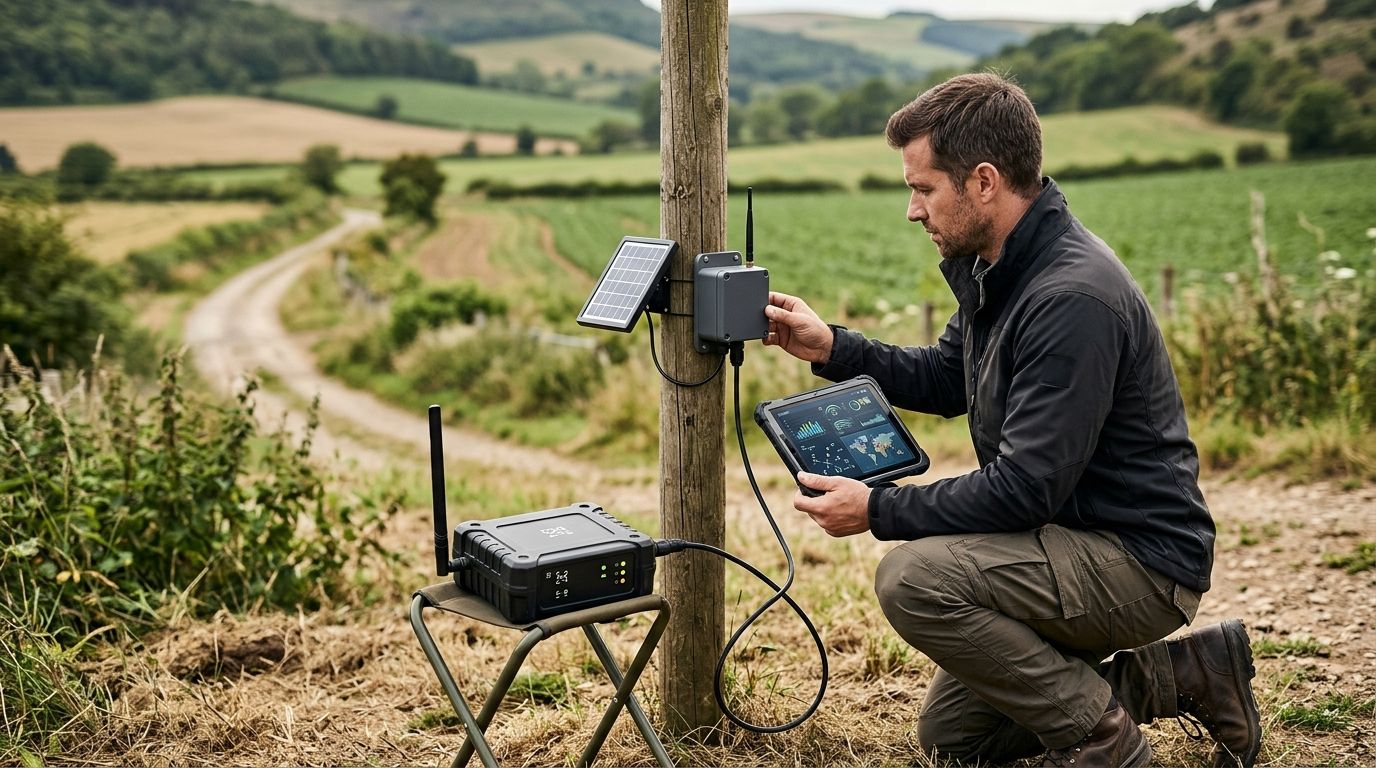
Yes, IoT sensors can report data without a WiFi connection through LoRaWAN, mioty, cellular networks, Bluetooth gateways, or wired connections. Sending those readings to a cloud IoT platform still requires a working internet route somewhere in the system; local recording during an outage is not the same as live remote monitoring.
- IoT sensors without WiFi connection can use LoRaWAN, mioty, cellular, Bluetooth gateways, or wired networks.
- LoRaWAN separates the sensor radio connection from the gateway’s internet connection.
- Cellular sensors need compatible network coverage, not a building’s WiFi password.
- Kilo supports connected-device monitoring; offline recording depends on the deployed hardware and integration.
Can IoT sensors report data without a WiFi connection?
WiFi is one way to move sensor data, not a requirement for IoT. A sensor needs a communication path that matches its hardware, and a remote application needs a route from that path to the application.
Separate the sensor connection from the internet connection. A temperature sensor can transmit over LoRaWAN to a gateway, while that gateway forwards traffic through Ethernet or cellular backhaul. Neither connection requires WiFi.
Here’s how the main alternatives compare. These are connection architectures, not interchangeable settings you can enable on any sensor.
| Connection option | Best for | How readings reach a remote application | Main advantage | Main limitation |
|---|---|---|---|---|
| LoRaWAN | Distributed sensors sending small telemetry messages | Sensor, gateway, network server, application integration | Sensors don’t need WiFi credentials | Requires radio coverage and a connected network path |
| mioty | Distributed telemetry with a compatible mioty network | Sensor, base station, service infrastructure, application integration | Provides a non-WiFi sensor radio path | Requires compatible devices and network infrastructure |
| Cellular | Dispersed or mobile equipment with operator coverage | Cellular device, operator network, application integration | Avoids dependence on the building’s internet connection | Requires suitable service, coverage, and power planning |
| Bluetooth | Nearby sensors with a suitable collector | Sensor, phone or gateway, internet connection | Useful for local collection | Remote reporting depends on the collector remaining available |
| Wired connections | Fixed equipment where cabling is practical | Sensor or controller, gateway where needed, network, application | Avoids a wireless sensor link | Installation requires cabling and compatible interfaces |
A sensor designed only for WiFi cannot simply switch to LoRaWAN. You need the appropriate radio hardware or a supported bridge that provides another communication path.
How sensor data reaches the cloud without WiFi
A useful design follows the complete journey of a reading. Choosing a radio protocol solves only part of that journey; you still need to receive, interpret, and deliver the data.
- Measure. The sensor measures temperature, water level, occupancy, or another physical condition. Its sampling schedule determines when it takes a reading.
- Transmit. The device sends a message through its supported radio or wired interface. Sampling and transmission do not necessarily happen at the same time.
- Forward. A gateway, base station, or operator network carries the message onward. Where a gateway is used, its backhaul is the connection toward the wider network.
- Interpret. The integration identifies the device and converts its payload into usable fields, including the correct units and timestamps where provided.
- Respond. The application displays the reading or evaluates configured conditions. A person receives an alarm when the configured delivery path works.
Test the full path, not just whether the sensor transmits. A gateway receiving a packet does not establish that the application decoded it correctly or that the intended person received an alarm.
That distinction also helps troubleshooting. A missing reading can originate at the sensor, radio link, gateway, internet connection, or application integration rather than at WiFi.
LoRaWAN and mioty: sensors report through network infrastructure
LoRaWAN and mioty provide alternatives to connecting each sensor to a WiFi access point. They suit telemetry applications where devices send measurements rather than continuous video or other large data streams.
With LoRaWAN, compatible gateways receive sensor transmissions and forward traffic toward a network server. The application integration then makes the readings useful. An Ethernet-connected gateway can therefore support reporting without any WiFi connection in that path.
A mioty deployment similarly needs compatible receiving and service infrastructure. The sensor’s radio protocol does not, by itself, establish how the application will receive or decode its readings.
For either approach, evaluate the actual installation. Metal enclosures, concrete structures, antenna placement, and receiver location affect radio coverage; a product’s headline range is not a site acceptance test.
Best for distributed measurements: assess these approaches when you want to connect sensors across a site without putting each device on the WiFi network. Their limitation is the infrastructure and integration you must provide, not a requirement for WiFi credentials.
For a facility using LoRaWAN, the next design question is how to set up a private LoRaWAN network for a single facility. That is a separate implementation task from deciding whether WiFi is necessary.
Cellular: reporting without the building’s internet connection
A cellular sensor communicates through an operator network rather than the facility’s WiFi. A cellular router can also provide backhaul for a separate sensor gateway.
These are different designs. In the first, the sensor contains cellular hardware; in the second, sensors use another local connection and share the router’s internet path.
Best for dispersed or mobile equipment: cellular is relevant when using a building’s network is impractical or the equipment moves between locations. The trade-off is dependence on compatible service, local coverage, and the device’s power requirements.
Check coverage at the installation position, not just outside the building. A modem inside a metal cabinet or underground room faces different conditions from a phone near the entrance.
Also separate connectivity procurement from platform selection. Buying monitoring software does not automatically provide a cellular subscription, and a cellular connection does not automatically provide the payload integration your application needs.
Bluetooth and wired sensors: other routes around WiFi
Bluetooth sensors can send readings to a nearby phone or dedicated gateway. If that collector uses cellular or Ethernet to forward the readings, the reporting path does not need WiFi.
Best for nearby collection: Bluetooth fits situations where a suitable collector stays within reach. A phone used for occasional downloads is not equivalent to an unattended gateway that continuously forwards readings.
Wired sensors provide another option. Depending on the device, data can travel through Ethernet, a controller, or an industrial gateway that translates the sensor interface into an application connection.
Best for fixed equipment: wired connections are useful where cable installation is practical and the interface matches the existing equipment. Their disadvantage is the physical installation work, especially when adding sensors across an occupied building.
Do not confuse MQTT with these connection methods. MQTT is an application messaging protocol that runs over an underlying network connection; it does not replace a sensor radio, Ethernet cable, or internet service.
Why the right non-WiFi connection varies
Choose the connection around the measurement and the response you need. The strongest radio signal is not useful if the device cannot deliver the required data or the application cannot interpret it.
- Installation environment. Walls, metalwork, below-ground locations, and antenna placement affect whether a wireless path works.
- Power source. Battery-powered and mains-powered devices have different operating constraints. Reporting frequency and radio behavior belong in the power assessment.
- Data type. Small environmental readings and continuous media place different demands on a connection. Match the transport to the actual payload.
- Mobility. A fixed sensor can depend on local infrastructure; moving equipment needs coverage along its operating route.
- Outage requirements. Decide whether you need immediate remote notification, local indication, historical recovery, or a combination.
- Integration responsibility. Establish who configures device identity, payload decoding, backhaul, and the application connection.
For hardware sourcing, Kilo Electronics is a separate online authorised dealer serving individual and business buyers. Hardware selection remains distinct from the platform subscription, and compatibility depends on the complete device-to-application path.
What happens when the internet connection fails?
A non-WiFi sensor can keep transmitting while cloud reporting stops. For example, the radio path between a sensor and gateway can remain available after the gateway loses internet access.
That does not prove readings are being saved. Local storage, buffering, retransmission, and recovery depend on the specific sensor, gateway, network software, and integration.
Ask where the data is stored during an outage and what happens when that storage fills. Then establish whether recovered messages retain their measurement timestamps, whether duplicates are handled, and whether historical readings are distinguishable from current readings.
Remote alarms need particular attention. If a cloud application cannot receive a new measurement, it cannot evaluate that measurement at that moment; a separate missing-data alarm or local warning requires its own supported configuration.
Offline logging preserves evidence when supported; it does not provide live remote visibility. If immediate intervention matters, design and test the notification path as deliberately as the sensor connection.
How would this work in a building without usable WiFi?
Consider an illustrative temperature-monitoring design, not a customer deployment. Compatible LoRaWAN sensors measure conditions in storage rooms and transmit to a gateway connected through Ethernet.
The integrator configures device identities, the network-server connection, and payload decoding. The monitoring application receives temperature values associated with the correct rooms, while a named site contact responds to configured alarms.
Acceptance testing should demonstrate the following:
- A reading from each installed location reaches the application with the correct identity and units.
- The configured alarm reaches the intended recipient under a controlled test condition.
- Disconnecting gateway backhaul produces the documented outage behavior.
- Restoring connectivity produces the expected recovery behavior without disguising old readings as current measurements.
The Kilo IoT Platform provides the software layer for connected-device data, dashboards, automation, and alarms through supported integrations. Kilo fits integrators who need an IoT platform to turn connected sensor readings into monitoring workflows.
The boundary matters: Kilo does not remove the need for compatible hardware, radio coverage, or a working upstream connection. Platform features cannot compensate for a measurement that never reaches the application.
How do you verify a sensor works without WiFi?
Start with the device’s actual interface, then trace the connection through every component. A listing that says wireless tells you too little.
Ask the supplier to identify the sensor protocol, required receiver, supported backhaul, and application integration. Request the payload documentation and confirm who owns decoding and troubleshooting.
Finally, test the proposed equipment at its intended location with WiFi unavailable. Verify live reporting, alarm delivery, disconnection behavior, and recovery separately; a successful demonstration of one does not establish the others.
FAQ
Can I use an IoT sensor with a phone hotspot?
Yes, a compatible WiFi sensor can use a phone hotspot, but that still uses WiFi between the sensor and phone. It is not a non-WiFi sensor connection.
Does every LoRaWAN sensor need its own SIM?
No, a LoRaWAN sensor uses its LoRaWAN radio rather than a cellular SIM to transmit. A gateway using cellular backhaul needs the appropriate cellular service.
Can a battery-powered sensor send readings without WiFi?
Yes, battery-powered sensors can use non-WiFi connections such as LoRaWAN, mioty, Bluetooth, or cellular. Battery life depends on the particular device, configuration, and operating conditions.
Can I change a WiFi-only sensor into a cellular sensor?
Not through a software setting alone if the device lacks cellular hardware. A compatible external bridge or a different sensor is needed to provide another connection path.
Do I need a gateway for every sensor?
No, multiple compatible sensors can share receiving infrastructure. The required infrastructure depends on the protocol, site coverage, traffic, and deployment design.
Will stored readings trigger an alarm when the connection returns?
That depends on how the application handles recovered messages and timestamps. Test whether historical data is evaluated, displayed only, or handled differently from live readings.
Is a sensor still secure if it does not use WiFi?
Avoiding WiFi does not establish that a sensor deployment is secure. Device credentials, network configuration, software updates, and application permissions still need attention.
Test the missing reading, not just the successful one
Before accepting a deployment, deliberately interrupt its communication path under controlled conditions. Confirm that the person responsible can distinguish a healthy measurement from an old value that has stopped updating.
A dashboard displaying the last received temperature can look reassuring after reporting has failed. Make data freshness part of your acceptance test, alongside measurement accuracy and alarm delivery. That is the practical difference between a sensor that works without WiFi and a monitoring workflow you can depend on.
Written by Tim Kravchunovsky


