
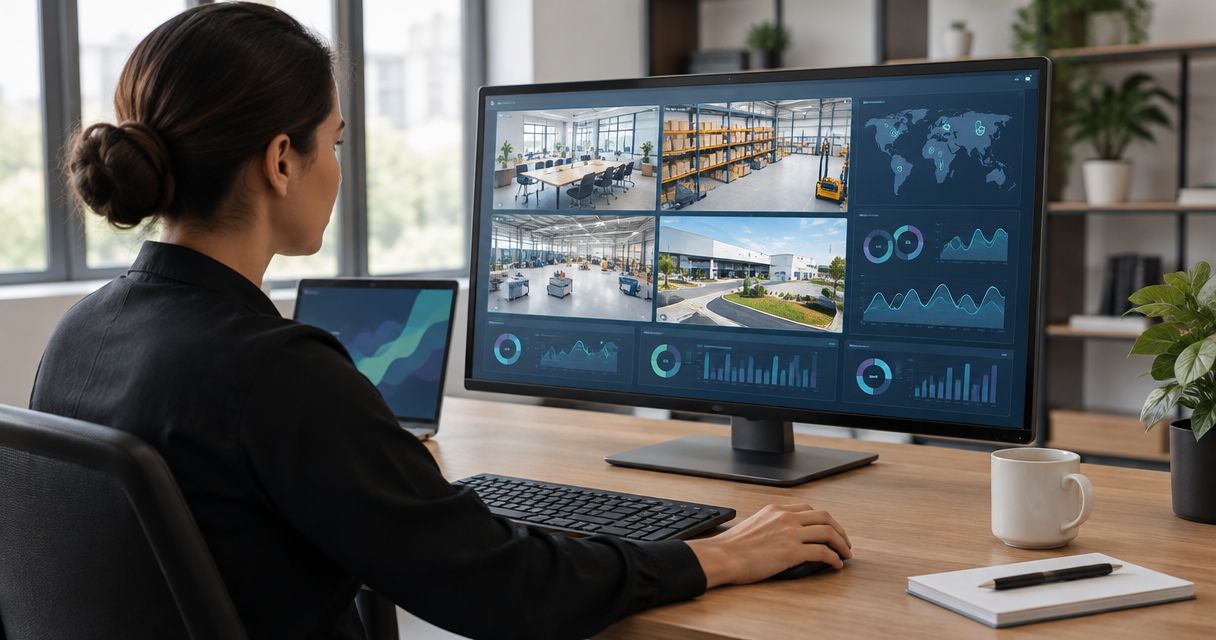
Yes—you can monitor multiple facilities through one dashboard login when the platform connects their device data and gives your account access to the relevant sites. The Kilo IoT Platform brings device data, dashboards, alarms and permissions into one platform; the important distinction is that a single login does not automatically mean a combined view of every facility or permission to control its equipment.
- To monitor multiple facilities with one dashboard login, verify combined visibility, site permissions and data freshness separately.
- Kilo brings device data, dashboards, alarms and permissions together; device compatibility still determines what you can connect.
- Use an overview to find exceptions, then inspect the affected facility and equipment.
- Give each person an individual account rather than sharing a dashboard password.
Can you monitor multiple facilities from one dashboard login?
Yes, provided the connected data and account permissions cover those facilities. Ask the supplier to demonstrate that exact workflow rather than accepting a screenshot of a dashboard containing several charts.
A useful demonstration starts with an individual user signing in, seeing the facilities they are responsible for, identifying an exception and opening the affected equipment's readings. It should also show what happens when that user tries to access a facility outside their responsibility.
Use this acceptance sequence:
- Connect representative devices. Include the actual sensor models and data paths you intend to use, not just demonstration data.
- Identify each facility. Every reading needs an unambiguous relationship to its site and equipment.
- Configure the overview. Surface exceptions and missing data rather than filling the screen with every measurement.
- Assign access. Test the intended view using an ordinary user's account, not only an administrator's account.
- Follow an exception. Open its source readings, identify the responsible person and check how resolution is established.
These checks distinguish a working multi-site monitoring arrangement from a collection of charts behind the same sign-in screen.
One login, one dashboard and single sign-on are different
“One login” describes how a person enters the system. It does not establish which data appears together, whether separate customer environments remain isolated or whether your organization's identity provider can handle authentication.
The following approaches answer different needs. None substitutes for the others.
| Approach | Best for | Benefit | Limitation to check |
|---|---|---|---|
| Combined facility overview | People responsible for several locations | Presents cross-site exceptions in a shared view | Summary values can hide missing readings or local detail |
| Separate facility dashboards under an account | Teams working mainly within individual sites | Keeps the working view focused | Comparing sites requires a consistent structure |
| Single sign-on through an identity provider | Organizations managing employee access centrally | Connects authentication to an organizational identity workflow | Does not itself combine device data or establish site permissions |
Choose the view around the decision, not around the number of charts it can display. A regional manager needs to know which location needs attention; a technician needs the affected device, its recent readings and the context required to investigate.
If single sign-on is a requirement, ask specifically about the identity provider, supported authentication method and account-removal process. “You only need one password” is not an answer to those questions.
What should a multi-site facility dashboard show?
The overview should tell you where attention is needed and whether the information is current. Detailed trends belong in the facility or equipment view, where they can be interpreted without overwhelming the portfolio overview.
Start with these information groups:
- Site identity: A clear facility name and enough location context to distinguish similarly named buildings.
- Current exceptions: Conditions that meet your configured alarm criteria, with their affected equipment identified.
- Data freshness: When the underlying device last reported, not merely when the browser refreshed.
- Equipment context: The room, asset or process associated with a measurement.
- Response ownership: The person or team expected to investigate, whether managed in the platform or your operating procedure.
A normal-looking temperature value without a timestamp is not sufficient evidence of current conditions. The same applies to a power reading or a tank level: an old measurement can remain plausible after communication stops.
Avoid a portfolio average when the decision concerns individual assets. Averaging readings across unrelated rooms can conceal a local exception, even when the arithmetic is correct. Compare like-for-like measurements and retain access to the underlying device data.
How does data move from each facility to the overview?
A multi-site dashboard depends on a working path from each measurement to a readable, correctly identified value. The dashboard is the visible end of that path, not a replacement for device integration.
For an integrator, the practical sequence is:
- Device data: Establish which measurements the sensor or existing system actually provides.
- Connection: Identify the supported route into the platform, including any required gateway or integration.
- Data mapping: Interpret the payload, units and equipment identity correctly.
- Site context: Associate the measurement with the appropriate facility and asset.
- Dashboard view: Present the information to users with the intended access.
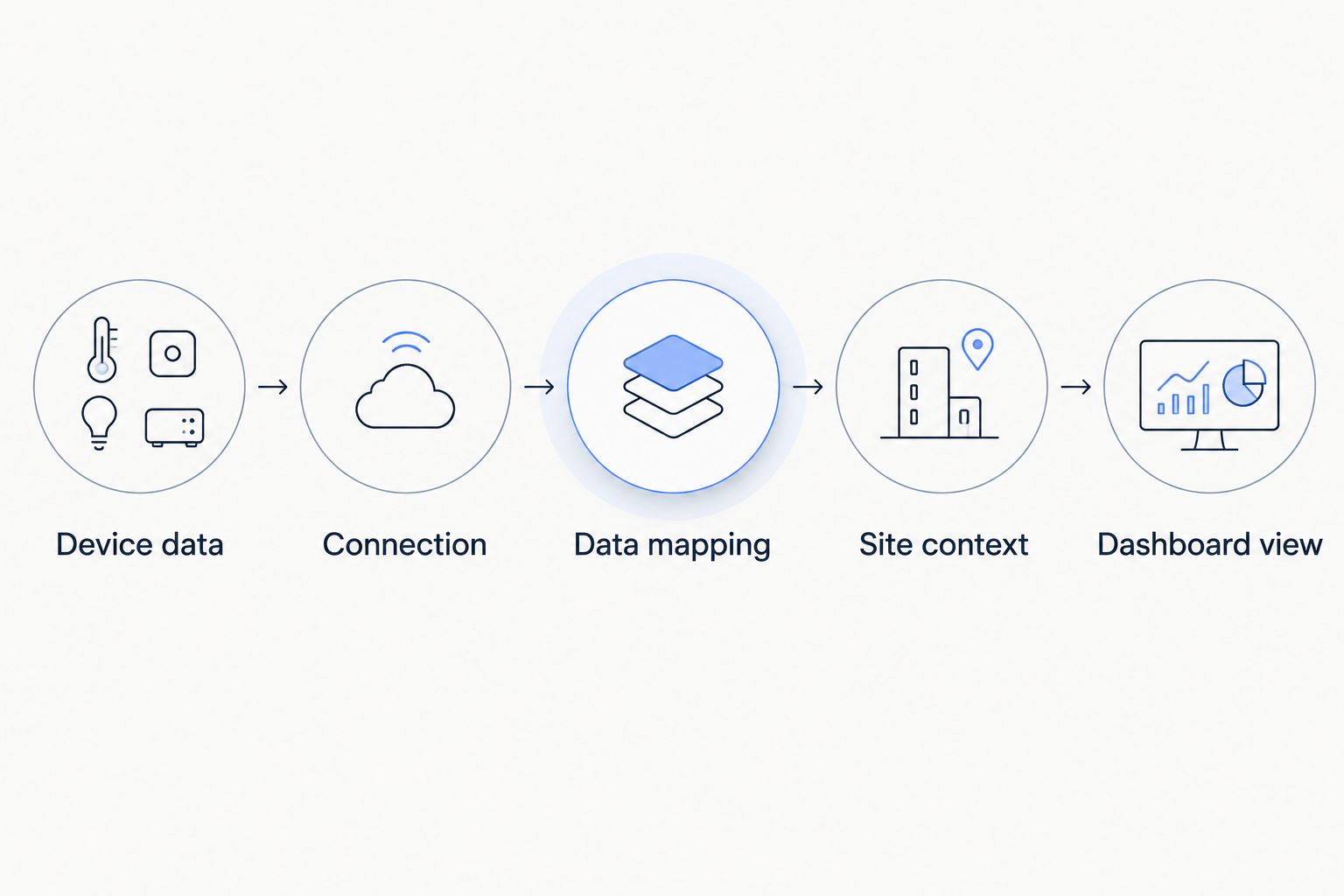
A shared protocol name does not establish compatibility. You still need to confirm the device interface, payload interpretation and measurements available through the integration. Receiving a message is not the same as interpreting it correctly.
For existing buildings, document the current source of each measurement before replacing anything. Some data will come from standalone sensors; other data will require an interface to installed equipment. Keep integration work separate from dashboard configuration when defining responsibilities.
Why multi-facility monitoring requirements vary
The work depends on how different the facilities are, not simply how many addresses appear in your portfolio. Repeating a tested configuration differs from bringing unrelated equipment and access requirements into a common view.
The main drivers are:
- Device diversity: Different models and payloads require device-specific interpretation, even when their measurements have similar names.
- Connection paths: A site with an existing integration presents different work from one that needs a new gateway or equipment interface.
- Measurement consistency: Units, timestamps and asset naming need to support meaningful comparisons.
- Access boundaries: A single organization and an integrator serving separate customers have different visibility requirements.
- Response procedures: Local operating hours and responsibilities affect who should receive an alarm and what happens next.
- Control requirements: Viewing readings differs from sending equipment commands, which requires supported actions and appropriate permissions.
Resolve these differences in the deployment design. A dashboard cannot correct an incorrectly mapped sensor or determine who owns an alarm without the relevant configuration and operating process.
Can each facility team see only its own location?
Yes, site-limited access is a valid requirement, but you need to establish that the selected platform's permission model enforces your intended boundaries. Hiding a dashboard panel is not equivalent to restricting access to its underlying data.
Write an access matrix before assigning users. For each role, specify which facilities the person can view and which changes they can make. Separate reading measurements from editing configuration or issuing device commands.
Test access using the actual restricted role. Check direct resource access as well as the normal dashboard route, and repeat the test after changing a person's responsibilities.
One login per person is the goal; one shared login for the team is not. Individual accounts let you remove one person's access without distributing a replacement password to everyone else. They also make it possible to apply different permissions to different responsibilities.
For integrators serving unrelated customers, include customer isolation explicitly in the acceptance criteria. A convenient portfolio view must not become a route into another customer's equipment or data.
What happens when a facility stops sending readings?
A communication failure should appear as missing or stale information, not as evidence that conditions remain normal. Define the expected reporting behavior for each device type and decide when an absent update requires investigation.
The correct freshness window depends on the configured reporting interval and the application. A slow-reporting battery sensor and a frequently reporting equipment feed should not automatically use the same missing-data criteria.
Test the failure path deliberately. During an agreed test, interrupt a representative data source and observe what the dashboard displays, whether an alarm is generated and who receives it. Restore the connection and check how new readings become visible.
Do not assume historical readings will fill every gap. Recovery depends on whether the device, gateway and integration support storing and forwarding data. A dashboard's history display alone does not prove that capability.
How should alarms work across several facilities?
An alarm needs a condition, an identified source and a responsible recipient. Start with the decision someone needs to make, then configure the measurement and operating context that support it.
Illustrative workflow: A temperature sensor reports from a cold room, and its readings meet a configured exception condition. The alarm identifies the facility and room; the assigned responder checks the trend and investigates locally. Subsequent readings help establish whether the measured condition has returned to its configured range.
This example does not establish a recommended temperature threshold or prove that the stored contents remain suitable for use. Those decisions depend on the application and its operating requirements.
Distinguish an acknowledged alarm from a resolved condition. Someone confirming receipt does not demonstrate that equipment has recovered. Likewise, a delivered command is not proof of a physical outcome; supported device feedback or subsequent measurements are needed to verify what happened.
Where does Kilo fit in this workflow?
Kilo is relevant to integrators and facility teams that need device data, dashboards, alarms and permissions in one IoT platform. The useful question is whether the proposed configuration presents your actual facilities and measurements to the right people.
Use a demonstration built around your acceptance sequence. Follow a representative device's reading into its dashboard, examine the associated alarm behavior and test the intended user permissions. Keep unsupported devices or required integration work visible in the project scope rather than assuming the platform removes them.
You don't need AI to make a multi-site temperature overview useful. Conventional monitoring, configured rules and clear response ownership can answer the immediate question. AI assistance is a separate workflow decision, not a prerequisite for putting measurements in front of the right person.
Hardware sourcing is also separate from platform selection. Kilo Electronics is a separate online authorised dealer for compatible hardware, serving individual and business buyers. Confirm the device's suitability and integration path before purchasing; a purchasing channel is not evidence of platform compatibility.
FAQ
Can I monitor facilities in different countries through one login?
Yes, a shared monitoring system can present connected facilities across countries when its deployment and account configuration support them. Check local connectivity, device suitability, time zones and data-handling requirements separately.
Do all facilities need the same sensors?
No, facilities do not need identical sensors, but each device needs a supported integration and correct data mapping. Comparable charts also require consistent units and measurement context.
Does one dashboard login mean single sign-on is included?
No, an account that opens several dashboards is not the same as single sign-on through your identity provider. Confirm the required authentication integration separately.
Can I keep existing building controls when adding a shared dashboard?
Yes, retaining existing controls is possible when the required data can reach the monitoring platform through a supported integration. Establish the interface and available measurements before promising a combined view.
Does Kilo require AI to display facility measurements?
No, Kilo includes dashboards, device data and alarms alongside AI assistance. A conventional monitoring workflow does not become AI simply because it uses an automated threshold rule.
Can a central dashboard automatically fix equipment problems?
A dashboard alone cannot fix equipment problems. Automated action requires compatible equipment, a supported command path, appropriate permissions and deliberately configured behavior; verification depends on available feedback.
Test missing data before expanding the rollout
The most revealing demonstration is not a screen full of healthy readings. It is a controlled loss of data from a facility and a clear explanation of what the user sees next.
Before expanding, confirm that your team can distinguish an actual equipment exception from a failed sensor or connection. A useful shared dashboard shows what you know, where you know it and when that evidence was last updated.
Related guides
Written by Tim Kravchunovsky


