
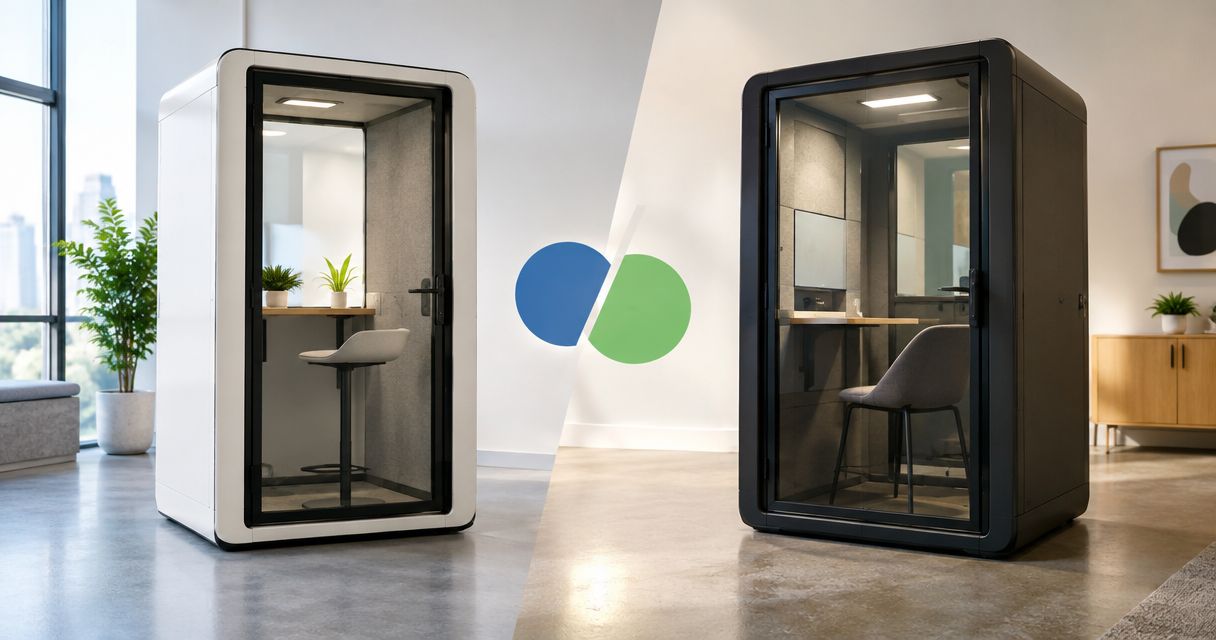
Choose the Kilo IoT Platform if you need software to manage connected devices, interpret their data and configure monitoring or automation; choose Lansitec if your immediate requirement is tracking hardware for an asset-location deployment. The useful distinction in this Kilo vs Lansitec comparison is IoT operating software versus tracking equipment, not two interchangeable platforms.
- Kilo vs Lansitec is primarily an IoT platform versus tracking-hardware decision, not a like-for-like software contest.
- Choose Kilo for connected-device context, dashboards, alarms, automation and permission-bound AI assistance.
- Choose Lansitec when your buying decision starts with asset-tracking devices and their deployment requirements.
- Combining hardware and software requires verified payload mapping, connectivity and feedback; a shared protocol is not enough.
Compare the missing layer, not the brand names
An IoT deployment needs equipment that observes the physical world and software that makes those observations useful. Buying one does not automatically provide the other. A tracker can report an observation without providing the monitoring workflow your team needs, while a software platform cannot produce measurements without connected equipment.
Lansitec is a manufacturer of IoT tracking equipment, including LoRaWAN and Bluetooth-based devices. Kilo is an IoT Platform for Physical AI: an operating layer that brings connected-device data, digital records, dashboards, automation, alarms, permissions and supported commands together.
Kilo is the relevant choice for teams building the software operating layer of an IoT deployment. Lansitec is the relevant starting point when your unresolved question is which tracking equipment to install. That distinction also explains why the two belong in different parts of a procurement brief.
Kilo vs Lansitec at a glance
Use this table to identify which purchasing question you are actually trying to answer. The entries compare scope and fit, not measured performance or an assumed feature gap in either company's wider offering.
| Dimension | Kilo | Lansitec |
|---|---|---|
| Best for | Integrators, developers and teams building connected-device workflows | Buyers selecting equipment for asset-location deployments |
| Hardware selection | Platform software; physical equipment is sourced separately | Tracking equipment is the relevant product category |
| Monitoring workflow | Device context, dashboards, rules and alarms in one platform | Tracking equipment supplies observations for a deployment |
| Connectivity | LoRaWAN, mioty and MQTT connectivity within supported integrations | LoRaWAN and Bluetooth-based tracking equipment; requirements vary by device |
| Standout feature | AI assistance connected to device context, permissions and supported actions | Purpose-built equipment for collecting tracking observations |
| Integration burden | Device interfaces, payload mapping and workflow configuration need validation | Device behavior, network architecture and receiving software need validation |
| Outcome verification | Available device feedback or subsequent measurements establish outcomes | Tracking observations need validation against the required location decision |
| Pricing model comparison | Evaluate platform-software terms separately from deployment costs | Evaluate hardware purchasing separately from network and software costs |
Lansitec is the better starting point for tracking hardware
Choose Lansitec first when the unresolved problem is the physical tracking device. Your selection starts with where the asset moves, what observation you need and how the deployment will collect it. Software selection follows those requirements rather than replacing them.
A useful hardware brief specifies the asset, the environment and the decision a location observation must support. Knowing that equipment is somewhere on a site is different from knowing which room contains it. Those requirements lead to different deployment questions; neither should be reduced to a generic request for an IoT platform.
Ask the hardware supplier to demonstrate the proposed device in the intended environment. Confirm what its output represents, how it reaches receiving software and what happens when an observation is unavailable. Evaluate the complete tracking arrangement, not a device name alone.
The tradeoff is scope. Selecting tracking equipment does not finish the application design. You still need to identify the software that presents useful information, assigns responsibilities and supports the response your users expect.
Kilo's corresponding limitation is equally clear: platform software is not a tracker. It does not replace the radio, antenna, installation or physical measurement capability required by your deployment.
Kilo is the better fit for a shared IoT monitoring workflow
Choose Kilo when your requirement is to turn connected-device observations into an application people can operate. Its stated platform scope includes device management, digital twins, dashboards, rules and alarms. That makes it relevant when your project needs more than a stream of tracking messages.
Consider an illustrative warehouse deployment that combines asset observations with temperature monitoring. The application needs to associate each observation with the right device and context, show the relevant readings and direct attention to conditions that require a response. A hardware purchase alone does not define that workflow.
For a temperature alarm, the useful output is not simply a highlighted value. You need a configured condition, an identified responder and a way to establish whether the condition has cleared. The threshold and response procedure belong to the application design; they are not evidence that the deployment meets a safety or compliance requirement.
The platform advantage is coordination. Its limitation is configuration: you still need usable device data, meaningful rules and people who understand their responsibilities. A dashboard does not correct a misplaced sensor or an incorrectly decoded payload.
This is a fit verdict rather than a claim that Lansitec lacks software. When comparing a specific Lansitec proposal, evaluate its included application against the same workflow requirements.
Connectivity is a tie until the complete integration is proven
Neither brand wins integration merely because a protocol appears in its description. Kilo's stated connectivity includes LoRaWAN, mioty and MQTT, while Lansitec offers LoRaWAN and Bluetooth-based tracking equipment. Those facts identify possible architectural choices, not automatic compatibility between particular products.
For a proposed connection, establish what the device sends and what the platform expects. A payload must become correctly identified, usable information before an alarm or dashboard can rely on it. Device identifiers, field meanings, units and timestamps matter as much as the transport name.
For Bluetooth-based tracking, identify the component that receives the observations and the path that passes them to application software. Do not assume a cloud platform directly receives every nearby Bluetooth transmission. The receiving architecture is part of the design.
Treat the deployment as distinct layers: Sensor hardware produces observations, Device data carries their meaning, the IoT platform applies context and workflows, and Action feedback establishes what happened after a response.
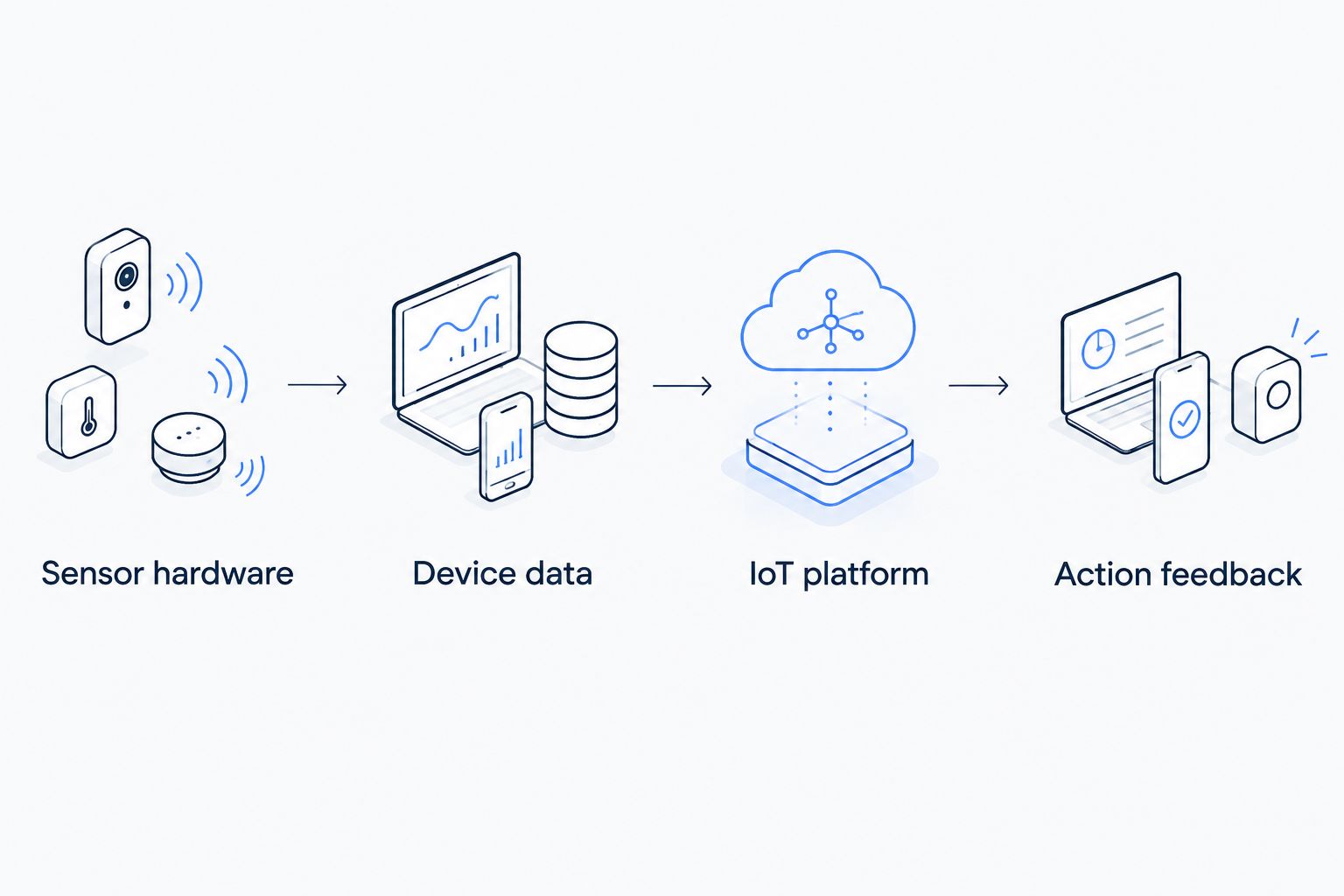
The acceptance test should follow that path with a real observation. Confirm the receiving software displays the intended meaning, then check the configured response. Until that works, the integration remains a proposal rather than an established deployment capability.
Kilo is the relevant option for permission-bound AI assistance
Choose Kilo when AI assistance needs access to connected-device context and supported platform operations. The platform includes a built-in assistant and supports compatible external clients, including Claude through MCP. MCP, or Model Context Protocol, provides a connection through which a compatible client can use exposed tools.
The important question is what the assistant can actually do in your configuration. Device context helps an assistant interpret a deployment; permissions and supported tools determine which operations it can perform. An assistant's ability to explain a reading does not establish its ability to control the equipment producing it.
Keep the control boundaries separate. The built-in assistant has a confirmation flow for direct device commands, external MCP clients have their own approval behavior, and deliberately configured rules can execute commands autonomously. These are different operating paths, not one universal approval mechanism.
Physical AI connects real-world observations, reasoning, supported actions and available feedback. It does not mean arbitrary equipment becomes controllable, and a simple threshold rule is not automatically AI.
For Lansitec, begin with whether the proposed equipment produces the observations your application needs. Do not infer an equivalent assistant workflow—or its absence—from the hardware category. Compare any additional software offering on its documented behavior.
Both choices need evidence of the real-world outcome
Neither a command status nor a received tracking message proves every physical outcome you care about. Define the evidence before choosing the system, because the evidence determines what hardware, integration and application behavior you require.
An illustrative asset-tracking workflow starts with an observation, associates it with an asset and presents its location context to a user. The responder then uses that information to find the equipment. An acceptance test compares the displayed observation with the asset's known position under the intended deployment conditions.
A control workflow has a different proof requirement. A command marked accepted, queued or delivered does not establish that a valve moved or a machine changed state. Verification depends on supported device feedback or a subsequent measurement that demonstrates the intended change.
Keep those distinctions in the procurement brief:
- Tracking evidence: what the observation means and whether it supports the required location decision.
- Monitoring evidence: whether the reading is correctly interpreted and the configured condition is detected.
- Control evidence: whether available feedback establishes the intended physical result.
This is an honest tie. Both equipment selection and platform configuration must serve the outcome, and neither should receive credit for evidence the deployment does not produce.
Compare software and hardware costs separately
The useful pricing comparison is platform-software cost versus hardware purchasing cost, followed by the cost of the complete deployment. They cover different responsibilities, so comparing an equipment quote with a software proposal as if they were substitutes produces a misleading budget.
Separate hardware, connectivity, platform software, integration work and any external model-provider usage. Ask each supplier which items its proposal includes and which remain your responsibility. Evaluate billing terms and ongoing obligations against the same deployment scope rather than assuming a particular charging unit.
Predictability comes from defining that scope. Flexibility comes from retaining choices across equipment, connectivity and application software, but those choices also require integration ownership. Neither purchasing approach eliminates the need to maintain the resulting system.
For hardware sourcing, Kilo Electronics is a separate online authorised dealer serving individual and business buyers. It is not the platform itself or a mandatory component of a Kilo deployment; confirm compatibility for the equipment you select.
Final verdict: choose by the responsibility you need to fill
Choose Kilo if you are building the IoT application
Winner: Kilo for the integrator or developer who needs a shared operating layer. Choose it when your work centers on device context, monitoring, alarms, automation and permission-bound AI assistance across a connected deployment.
Bring representative device data and a defined response workflow to the evaluation. Establish which integrations, commands and feedback your application requires before treating the platform as a complete solution.
Choose Lansitec if you are specifying tracking equipment
Winner: Lansitec for the project engineer or buyer whose immediate task is selecting tracking hardware. Start there when device behavior and the physical deployment architecture are the unresolved requirements.
Evaluate the equipment against the intended environment and identify the receiving application. A combined architecture remains an option, but compatibility must be established rather than assumed from brand names or protocols.
| Dimension | Winner |
|---|---|
| Best for | Kilo for application builders; Lansitec for tracking-equipment buyers |
| Hardware selection | Lansitec for the tracking-hardware requirement |
| Monitoring workflow | Kilo for the shared operating-layer requirement |
| Connectivity | Tie: validate the complete integration |
| Standout feature | Kilo for AI-assisted operations; Lansitec for tracking equipment |
| Integration burden | Tie: both require deployment-specific validation |
| Outcome verification | Tie: require evidence appropriate to the physical result |
| Pricing model comparison | No overall winner: compare a complete deployment budget |
FAQ
Is Kilo better than Lansitec?
Kilo is the better fit for an IoT software operating layer; Lansitec is the relevant starting point for tracking hardware. Choose according to the responsibility your deployment still needs to fill.
Are Kilo and Lansitec direct competitors?
They are not interchangeable choices in this comparison: Kilo provides platform software, while Lansitec supplies tracking equipment. Evaluate any proposed software-and-hardware package by its complete scope.
Can I connect a Lansitec tracker to Kilo?
A specific connection requires verification of the device interface, receiving architecture and payload mapping. A shared LoRaWAN reference alone does not establish compatibility.
Which should I choose for indoor asset tracking?
Start with Lansitec when your unresolved requirement is tracking equipment, and assess Kilo when you need the application operating layer. Define the location decision first, then validate the complete deployment in the intended environment.
Does Kilo replace sensors or trackers?
No, Kilo provides platform software rather than the physical measurement equipment. Your deployment still needs compatible devices and a working data path.
Can Claude control any device connected to Kilo?
No, device control depends on supported tools, configured commands, integration coverage and permissions. External MCP clients also have their own approval behavior, and command delivery is not proof of a physical outcome.
How should I compare Kilo and Lansitec costs?
Compare the total deployment scope rather than treating software and hardware quotes as substitutes. Separate equipment, connectivity, software, integration and any external model-provider usage.
Ask for the evidence before the demonstration
Before either evaluation, write down the observation you need, the decision it supports and the evidence that establishes success. Ask the supplier to demonstrate that complete path—not just a device transmitting or a dashboard updating. This exposes the integration work your project still needs without confusing a useful component with a finished system.
For a broader software-selection question, read the guide to consolidating multiple sensor brands into one dashboard.
Written by Tim Kravchunovsky


