
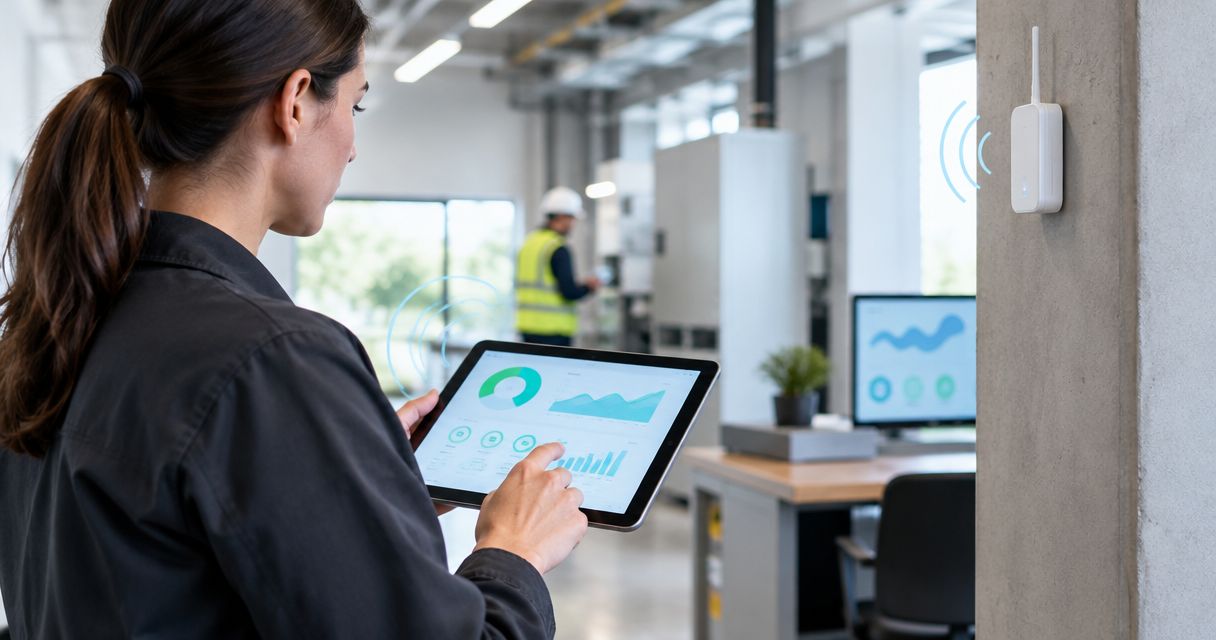
Facility managers’ LoRaWAN sensor monitoring is the use of low-power wireless devices to track building conditions so you can direct inspections and maintenance; the Kilo IoT Platform brings connected-device data, dashboards and alarms into that workflow. Facilities need more than readings: you need dependable coverage, clear room and equipment identifiers, and someone responsible for responding when conditions change.
- LoRaWAN sensors for facility managers suit periodic building monitoring, not continuous video or time-critical equipment control.
- Kilo suits facility managers who need LoRaWAN monitoring, dashboards and alarms in one IoT platform.
- Test installed sensor locations, payload decoding and missing-data detection before expanding across buildings.
- Choose temperature, leak, door or occupancy sensors according to the maintenance decision each measurement supports.
Why LoRaWAN monitoring matters for facility managers
A manual inspection tells you what was happening when someone visited. Wireless monitoring adds observations between visits, helping you decide which room, asset or condition needs attention next. It doesn't remove the need for physical checks.
LoRaWAN is a low-power, wide-area networking protocol suited to small sensor messages. A device transmits through a gateway; network-server and application components handle the messages before your monitoring software presents usable measurements. The radio connection is only part of the system.
For a facility manager, the useful questions are practical: Is the plant room wet? Has a storage area become too warm? Is a door still open? When did this sensor last report? Each question needs an appropriate sensor, a working data path and a defined response.
LoRaWAN is a strong fit for periodic building observations, not a replacement for a building’s time-critical controls. Keep fire protection, equipment interlocks and other safety-critical functions within their applicable engineered systems.
How to deploy LoRaWAN sensors in a working facility
Define the maintenance decision before choosing sensors
Start with your existing inspection sheets and incident records. Mark the conditions that staff repeatedly check, then write down what a changed reading would make them do. This manual exercise prevents you from buying devices that generate data without changing a decision.
For example, a leak indication near a cooling unit should identify the location and send someone to inspect it. A room-temperature trend supports a different task: investigating persistent discomfort or abnormal equipment-room conditions. Neither measurement establishes the cause by itself.
Choose a narrow pilot with a recognizable owner. A facilities technician should be able to explain why each sensor exists without referring to a product catalog.
- Match every measurement to an inspection or maintenance decision.
- Record the room, asset and responsible team.
- Separate advisory monitoring from required safety systems.
- Define what evidence closes an incident.
Match each sensor to its location and measurement
Build a requirements sheet before comparing device models. Include the measured quantity, required accuracy, operating environment, installation method and maintenance access. A sensor suitable for an office isn't automatically suitable for a freezer, washdown area or mechanical plant room.
Temperature sensors need placement that represents the condition you care about. Leak sensors need contact points or cables where water will actually collect. Door sensors need mounting arrangements that continue working when staff move goods or clean the frame.
For occupancy, distinguish presence detection from people counting. For energy monitoring, distinguish equipment current from measured energy consumption. Those differences determine whether the data can answer your question.
Kilo Electronics is a separate online authorised dealer for compatible hardware, serving individual and business buyers. Hardware sourcing remains separate from platform selection; confirm the specific device’s integration rather than assuming a shared protocol name proves compatibility.
- Specify the measurement and its required accuracy.
- Check enclosure suitability and operating conditions.
- Confirm mounting and service access.
- Identify the payload decoder and supported fields.
- Separate presence, counts, current and energy in specifications.
Prove the complete data path before scaling
First, inspect a device’s raw messages and compare decoded values with a local reference. Confirm units, timestamps and status fields manually. A message arriving successfully doesn't prove that the application interpreted it correctly.
The complete monitoring path includes Data capture, Radio reception, Payload decoding, Alarm routing and Physical inspection. Each stage needs a test. A gateway receiving packets is not evidence that the right technician receives a useful alarm.
Kilo is an IoT platform with LoRaWAN connectivity, dashboards, rules and alarms. It provides a place to organize the monitoring workflow, but you still need to establish the device integration and map the measurements correctly. It isn't a prerequisite for testing a sensor’s behavior.
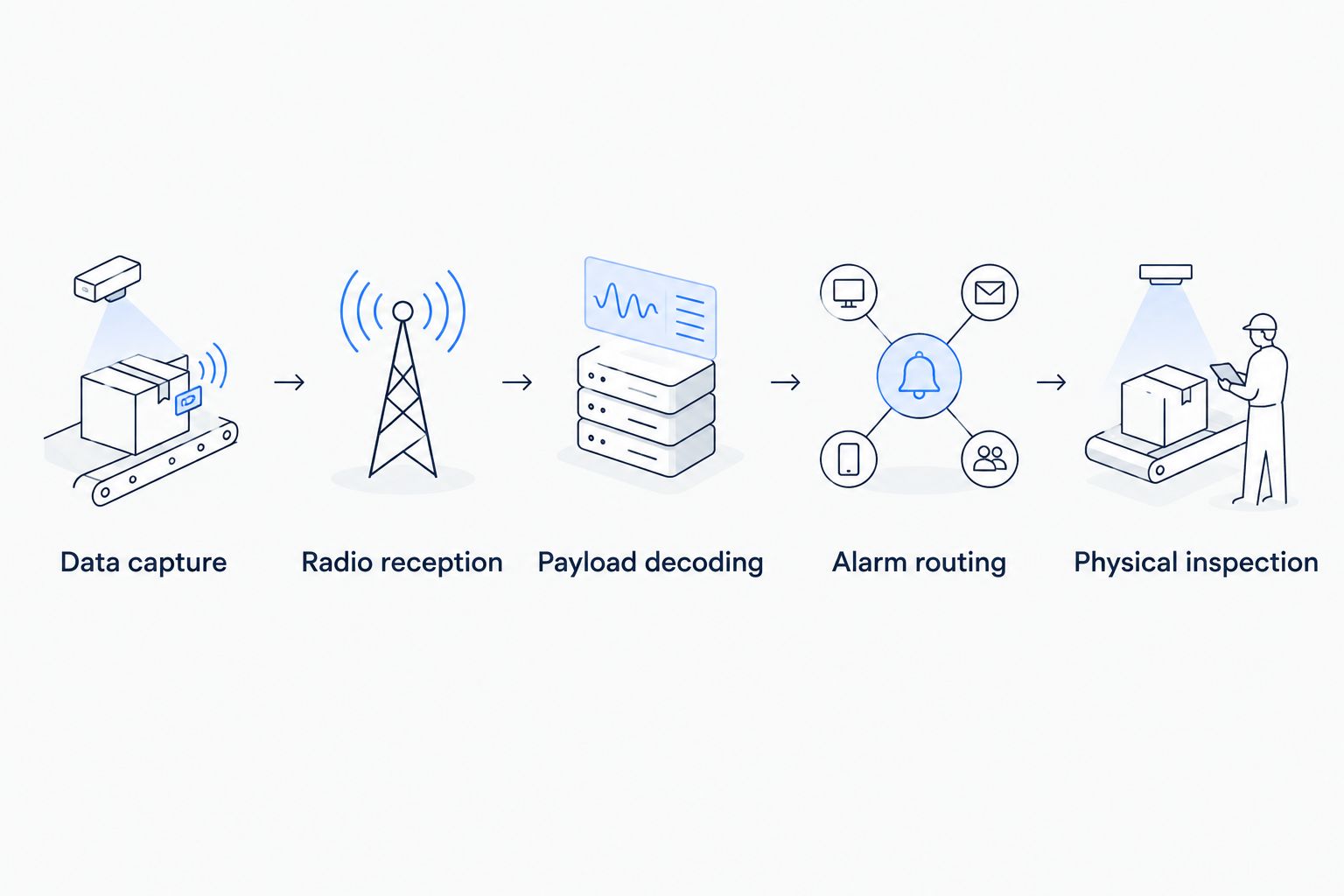
Use an illustrative leak-monitoring test: apply the manufacturer’s approved test method, inspect the decoded state, confirm the alarm destination and have the assigned responder locate the sensor. This is a commissioning scenario, not a reported customer deployment.
- Compare raw payloads with decoded measurements.
- Confirm units and measurement timestamps.
- Test each relevant sensor state.
- Verify the alarm reaches the intended responder.
- Record the physical inspection result separately.
Survey coverage where sensors will actually operate
Use a floor plan and temporary installations to test intended locations. Walk the difficult areas, including basements, plant rooms and metal-lined storage spaces. Test with doors closed and equipment operating under normal conditions.
LoRaWAN radio performance depends on the installation, not just the advertised range. Gateway position, antenna placement, building materials and interference all affect reception. Moving a sensor outside its final enclosure for a successful test can conceal the problem you need to solve.
Check the regional frequency plan as well. The LoRa Alliance’s Regional Parameters define a US902–928 plan for the 902–928 MHz band; confirm the sensor, gateway and network configuration match the region of deployment.
For the network-planning side of this work, the guide to planning LoRaWAN coverage across a large campus addresses the wider coverage question. This facility guide focuses on turning that connection into a maintainable monitoring workflow.
- Test at the final mounting position.
- Include closed doors and normal operating conditions.
- Check regional device and gateway configurations.
- Record reception problems by room and asset.
- Re-test after moving a gateway or antenna.
Configure actionable alarms and missing-data detection
Write the response procedure manually before configuring alerts. Specify what condition triggers attention, who responds, how they identify the location and what happens if nobody responds. An alarm without an owner is another unread item.
Monitor sensor silence as a separate condition from an abnormal reading. A temperature value within limits is not reassuring if it was recorded before a network outage. Dashboards should make measurement age understandable alongside the value.
Illustrative assumptions: a sensor is configured to report every 10 minutes, and your pilot procedure flags silence after 30 minutes. That rule represents three expected reporting intervals without a received update. It is an example for testing, not a recommended threshold; event-driven sensors need different expectations.
Kilo’s dashboards, rules and alarms support the application side of facility monitoring. Define the workflow around your actual reporting pattern and response requirements rather than treating every device alike.
- Set thresholds from the site’s approved operating requirements.
- Distinguish short disturbances from persistent conditions.
- Assign primary and backup responders.
- Define missing-data behavior for each device type.
- Show location, measurement and timestamp in the response workflow.
Separate monitoring from equipment control
Begin with notifications and human inspection. This gives you a chance to understand sensor behavior before connecting observations to actions that change the building.
A leak alarm does not close a valve. Remote shut-off requires a compatible actuator, a configured command path, appropriate permissions and feedback that helps verify the outcome. A command marked accepted, queued or delivered is not proof that water flow stopped.
The same boundary applies to AI assistance. Asking an assistant to explain measurements is different from authorizing equipment commands. Don't assume every external client exposes the same actions or uses the same approval behavior as a built-in assistant.
For conventional facility monitoring, threshold rules are often enough. Calling a threshold alarm AI doesn't improve the decision or establish predictive maintenance.
- Keep observation and actuation as separate requirements.
- Identify supported commands before considering control.
- Restrict action permissions to appropriate users.
- Define the measurement or feedback that verifies an outcome.
- Preserve equipment protection and local control functions.
Maintain the deployment as part of the facility
Start with a spreadsheet containing sensor identifiers, locations, installation dates and service responsibilities. Keep it accurate while the pilot is small. Then use device-management records to organize the deployment rather than relying on personal memory.
Battery maintenance depends on the device, reporting configuration, radio conditions and environment. Don't convert an advertised battery-life statement into a fixed site replacement schedule without checking its assumptions.
Include sensor testing in routine maintenance. A device can continue sending messages even after its mounting position stops representing the condition you intended to measure. Refurbishment, furniture changes and equipment replacement all deserve a monitoring review.
- Maintain a current sensor-to-location register.
- Record configuration changes and service work.
- Review battery information where the device provides it.
- Schedule functional checks and calibration where required.
- Recommission sensors after building or equipment changes.
Compare facility monitoring options by the job they perform
Choose the monitoring approach according to the decision, reporting pattern and maintenance burden. A mixed facility doesn't need every device to use the same connection method.
| Option | Best for | Practical advantage | Key limitation |
|---|---|---|---|
| Manual rounds and logbooks | Checks requiring human observation | Staff can inspect context and investigate immediately | No observations between visits; records depend on the process |
| LoRaWAN sensor monitoring | Periodic readings and discrete events across distributed building spaces | Adds wireless monitoring where new cabling is inconvenient | Requires coverage testing, gateway connectivity and correct decoding |
| Wired building-management integration | Existing plant and established control infrastructure | Uses available equipment interfaces and operating systems | Requires access to compatible interfaces and integration expertise |
| Wi-Fi sensor monitoring | Locations with suitable managed Wi-Fi and device power | Uses an existing wireless network where compatible | Requires IT coordination and device-specific power planning |
| Kilo as the application layer | Teams organizing connected-device monitoring and response | Combines device data, dashboards, rules and alarms | Still requires compatible hardware, connectivity and configuration |
Kilo is not a radio alternative to LoRaWAN or a substitute for a gateway. It sits at the application layer, where measurements become views and configured workflows. That distinction helps you compare like with like during procurement.
Common LoRaWAN mistakes in facility deployments
Buying sensors before assigning a response
A door-open event is useful only when someone knows which door it represents and what action to take. Agree the response with maintenance, security or the relevant tenant before adding the device.
Treating gateway reception as completed commissioning
Packets can arrive while values are decoded incorrectly or alarms reach the wrong person. Commission the full chain from physical stimulus to inspection, including location labels and timestamps.
Hiding stale measurements behind normal colors
A dashboard showing an old normal reading can conceal a failed sensor or broken connection. Display measurement age and define how staff handle missing updates.
Expecting continuous data or immediate control
LoRaWAN suits small messages, not streaming video or continuous vibration waveforms. Specify the device’s reporting behavior and control requirements before deciding that the radio technology fits.
Confusing monitoring records with compliance evidence
A stored measurement doesn't establish sensor accuracy, correct placement or regulatory compliance. Preserve the calibration, inspection and procedural evidence required by your application rather than assuming the dashboard replaces it.
FAQ
Are LoRaWAN sensors suitable for an older building?
LoRaWAN sensors suit periodic monitoring in older buildings when installed-location tests confirm coverage. Thick walls, metal enclosures and basements require practical testing rather than reliance on advertised range.
Do facility managers need a LoRaWAN gateway?
LoRaWAN sensors need access to a compatible gateway and network infrastructure. Whether you install your own gateway or use an available network depends on coverage, access and the deployment design.
Can LoRaWAN sensors replace a building management system?
LoRaWAN sensors do not replace a building management system’s complete control functions. They can add measurements and event monitoring, while equipment control requires suitable interfaces and engineered integration.
Can I connect any LoRaWAN sensor to Kilo?
Compatibility requires more than the LoRaWAN protocol name. Confirm the network integration, payload decoder and required measurement fields before committing to a device.
Will a water leak sensor automatically shut off the supply?
A water leak sensor alone cannot shut off the supply. Automatic shut-off requires a compatible actuator, a configured command path and an appropriate way to verify the physical result.
How do I know whether a sensor reading is still current?
Check the measurement timestamp against the device’s configured reporting behavior. Monitor missing updates separately from threshold breaches so an old normal value does not conceal a connection problem.
Does adding AI turn monitoring into predictive maintenance?
Adding AI does not establish predictive maintenance. Failure prediction requires an appropriate method and evidence; threshold alarms and explanations of trends are different functions.
Test sensor silence before approving the rollout
The most useful final acceptance test isn't another normal reading. Disconnect a pilot sensor using an approved method and check whether the monitoring workflow identifies the missing data, names the location and reaches the responsible person.
Approve the deployment only after both abnormal conditions and absent measurements produce a usable response. That test exposes a gap a healthy-looking dashboard can otherwise hide.
Written by Tim Kravchunovsky


