

Instead of manually rebuilding every tracker’s configuration, use a validated device profile with the Kilo IoT Platform and keep each asset’s identity separate from shared settings. This guide shows how to prepare reusable fleet-onboarding templates, prove that location data is correct, and repeat the setup without copying mistakes across your deployment.
- To onboard GPS tracker fleet templates correctly, validate the payload mapping before repeating the configuration.
- Kilo connects device data, dashboards, alarms, and permissions; tracker compatibility still depends on the integration.
- Separate shared device settings from asset assignments so replacement hardware does not confuse vehicle identity.
- Treat an afternoon as a rollout target, not a guaranteed deployment time.
What GPS tracker onboarding templates should standardize
A fleet template is useful when it captures decisions you would otherwise repeat: how telemetry arrives, what its fields mean, which asset owns the tracker, and who can see the result. It does not replace network provisioning, installation, or a working device integration.
Kilo is a useful IoT platform for integrators who need device data, dashboards, alarms, and permissions in one operating layer. For this workflow, those capabilities support fleet monitoring; artificial intelligence is not required to register trackers or display their measurements.
Here, “preset templates” means reusable configuration specifications that you prepare and validate. The workflow does not assume a particular ready-made GPS preset, bulk-import feature, or device-specific setup wizard.
An afternoon is a reasonable planning window only after hardware, connectivity, credentials, and payload documentation are ready. Start the session with an unresolved tracker protocol or an untested decoder, and the work becomes integration development rather than repeatable onboarding.
Before you start
- Access and connectivity: Have platform permissions to configure the deployment, access to the tracker’s configuration tools, and credentials for the supported data path. Confirm how messages reach the platform rather than assuming that a shared protocol name proves compatibility.
- Device evidence and inventory: Collect the manufacturer’s payload documentation, representative messages, device identifiers, firmware details, and an asset register. Have a tracker available for testing in a location where it can obtain a position.
- The easy-to-miss gotcha: Separate the time a position was measured from the time its message arrived. A tracker can upload an older position after reconnecting, so a newly received message does not necessarily describe the asset’s current location.
If you are sourcing hardware, Kilo Electronics is a separate online authorised dealer for compatible devices, serving individual and business buyers. Hardware sourcing is distinct from configuring platform software, and a purchase does not establish that a particular tracker’s payload or commands are supported.
Device profile: validate the shared configuration
The device profile describes a compatible tracker family and its message format. Keep it independent of vehicle names, customer assignments, and individual credentials so you can reuse the specification without accidentally reusing an identity.
Build and test the profile
- Identify the integration boundary. Record the tracker model, relevant firmware, upstream service or network, and the supported platform connection. Establish whether the platform receives raw payloads or already decoded measurements.
- Capture representative messages. Include a valid position and, where the device supports them, messages reporting no position fix, battery state, and stored observations. Preserve the original messages alongside their expected interpretation.
- Define the mapping. Specify the source fields for latitude, longitude, observation time, and device identity. Add speed, battery, or ignition only when those fields actually exist and their meaning is documented.
- Check a known location. Compare the decoded coordinates with the tracker’s physical test location. Check latitude and longitude order, coordinate representation, and any scaling described by the manufacturer.
- Record the validated profile. Give the reusable specification a revision identifier and note which hardware and message format passed. Apply that specification through the configuration method your supported integration provides.
Expected result: A representative message produces the intended measurements for the intended device, with a meaningful observation time. The evidence is the decoded result compared with the original message—not merely a successful connection indicator.
Do not make reporting cadence part of the shared profile unless the devices and operating requirements actually match. A powered vehicle tracker and a battery-powered asset tracker need separate decisions even when both report coordinates.
Asset register: separate trackers from the things they track
A tracker identifier answers which device sent the message. An asset identifier answers which vehicle, trailer, container, or piece of equipment the message describes. Preserve both because hardware can move between assets.
Prepare the assignment template
- Create an assignment record. Include the physical device identifier, the identifier used by the integration, the asset reference, and the responsible fleet or customer. Record any transformation between printed and transmitted identifiers.
- Select the validated profile. Match the device to the tested model and payload revision. Do not assign a profile solely because another tracker uses the same transport protocol.
- Separate credentials from ordinary records. Keep secrets in the approved credential-management process, not in a broadly shared fleet spreadsheet. Use the assignment record to identify the credential owner without exposing the secret.
- Apply access boundaries. Configure platform permissions for the people who need the deployment. Test access using an appropriately restricted account, not just the administrator account used for setup.
- Reconcile physical labels. Compare the mounted device, its inventory entry, and the asset assignment before releasing the asset. Resolve duplicates and unknown identifiers immediately.
Expected result: Every incoming device identifier resolves to the intended asset, and the intended users can access its information. An administrator seeing all devices does not prove that a customer or fleet user has the right view.
Keep installation status separate from registration status. A registered tracker can still be sitting on a workbench, assigned to the wrong vehicle, or awaiting its first usable position.
Fleet view and acceptance checks: prove the template works
Build the monitoring view around the decisions your users need to make. Location matters, but so do the age of the observation, whether the device has reported recently, and who investigates an exception.
Configure the monitoring workflow
- Choose the essential measurements. Present asset identity, the latest usable coordinates, observation time, and message-receipt time where your integration supplies them. Include additional telemetry only after validating its interpretation.
- Define freshness explicitly. State when a position becomes too old for the intended task. Keep that definition separate from the connectivity question of whether any message has arrived.
- Assign exception ownership. Decide who investigates missing telemetry, invalid positions, and incorrect asset assignments. Configure supported alarms around validated measurements and an agreed response process.
- Test both normal and exception cases. Confirm a current observation, an old observation, and a message without a valid position. Use controlled test inputs where available, without presenting simulated movement as a real journey.
- Record acceptance evidence. Preserve the tested profile revision, relevant message, decoded values, asset assignment, and access-check result in your deployment records.
Expected result: A user can distinguish a current usable position from stale or invalid data and knows who handles each exception. A visible coordinate alone is not sufficient acceptance evidence.
For an illustrative test specification, assume a tracker reports every 5 minutes, a position becomes stale after 15 minutes, and the test route is 1 kilometer long. These are example inputs, not Kilo defaults, recommended fleet settings, or measured performance; choose actual values from your device behavior and operational requirements.
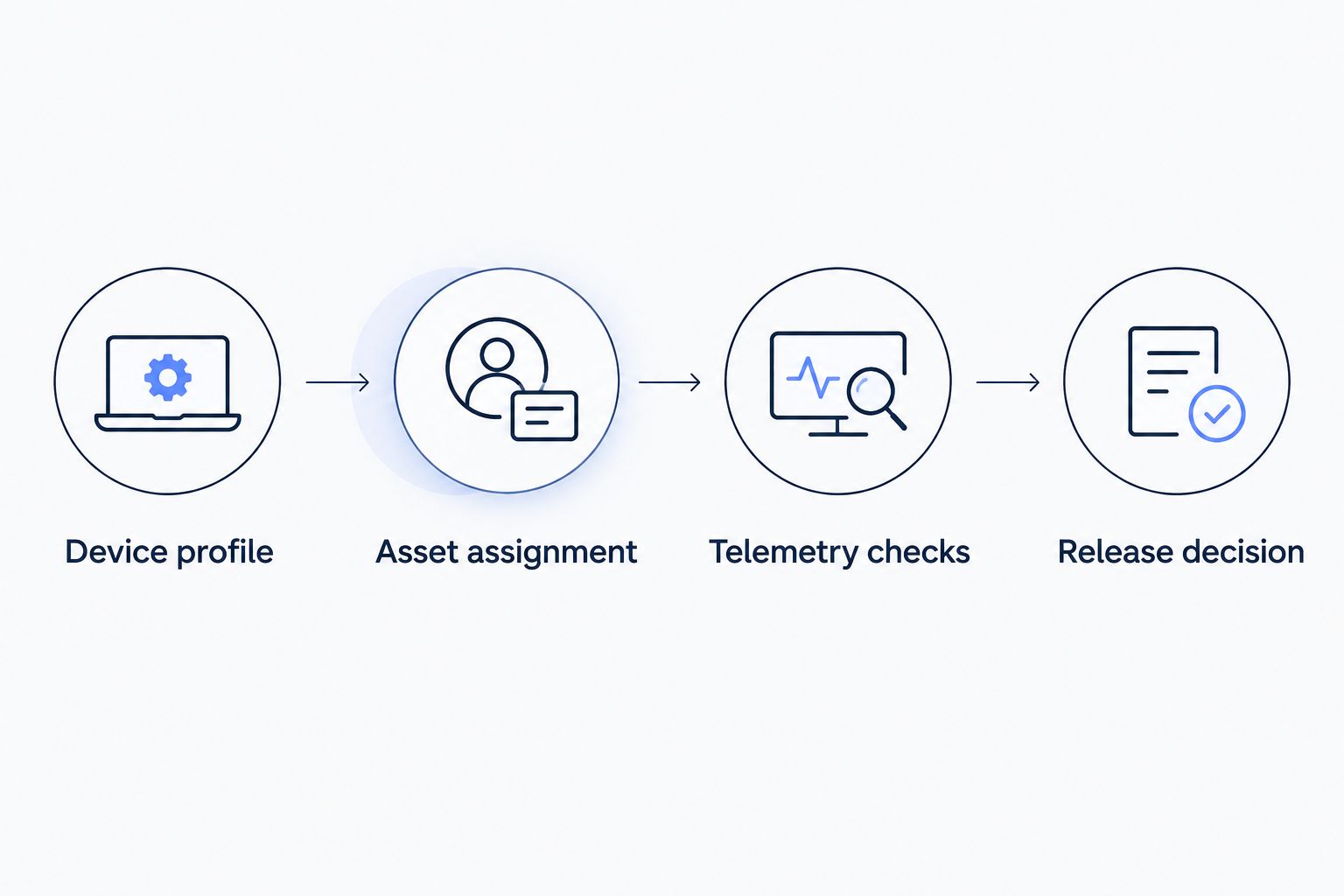
The reusable sequence is Device profile, Asset assignment, Telemetry checks, and Release decision. Keep the release decision separate from configuration so a device cannot be counted as ready simply because its record exists.
Batch rollout: repeat the validated configuration
Templates reduce repeated configuration work, but they also repeat errors. Expand the rollout after the pilot passes, and keep enough evidence to identify which profile and assignment each tracker received.
Release the fleet in controlled groups
- Group by compatibility. Separate devices with different payload formats, firmware behavior, or integration paths. A shared fleet name does not make them a shared configuration group.
- Apply the approved specification. Use the supported provisioning method for your integration. Do not assume that the platform provides a particular import format, automatic discovery process, or fleet-wide preset application.
- Reconcile the outcome. Compare the intended device list with registered devices, devices reporting telemetry, and devices producing usable positions. Investigate the differences rather than combining these statuses into one completion figure.
- Check permissions and ownership. Confirm that each group belongs to the right deployment and response owner. Test a representative restricted-user view before handing over the group.
- Keep exceptions out of the accepted set. Record the reason and next action for each unresolved tracker. Close onboarding only when the required evidence exists.
Expected result: The accepted fleet contains devices with confirmed identities, usable telemetry, correct assignments, and tested access. Unresolved devices remain visible as exceptions rather than disappearing into a total.
Use the following structure to keep the reusable material manageable:
| Template component | Best for | Benefit | Limitation |
|---|---|---|---|
| Device profile | Trackers with the same validated payload behavior | Reuses field definitions and integration decisions | Needs revalidation when message behavior changes |
| Asset assignment | Fleets where devices and assets have separate identities | Makes ownership and replacements explicit | Still requires physical-label reconciliation |
| Acceptance checklist | Repeatable handover between installers and users | Defines evidence for release | Cannot repair missing coverage or invalid positions |
Replacement workflow: onboard a tracker without losing asset context
Replacing a failed tracker is an adjacent workflow, not a reason to rebuild the entire fleet configuration. Reuse the validated device profile only if the replacement matches its compatibility requirements.
First, record the outgoing device and when its assignment ends. Then register and validate the replacement’s own identity, credentials, and telemetry before assigning it to the asset through the supported configuration process.
Preserve the distinction between the asset’s history and each device’s observations. Do not assume that changing an assignment automatically merges historical records or rewrites earlier measurements.
The replacement passes when new observations belong to the intended asset and the outgoing tracker no longer creates ambiguity. If the old device reports later, its identity should still make the source of those messages clear.
Troubleshooting GPS fleet onboarding
Messages arrive, but the location is wrong
Compare the original payload with the decoded coordinates. Check field order, hemisphere signs, coordinate representation, and manufacturer-defined scaling before changing the display configuration.
The location looks current but describes an earlier stop
Compare observation time with receipt time. Check whether the device uploaded stored messages after reconnecting, and ensure freshness checks use the intended timestamp.
The device connects but never produces a usable position
Separate communication from positioning. Check the device’s documented position-validity indication, test placement, and payload mapping; successful message delivery does not establish a GPS fix.
Multiple assets show the same tracker data
Reconcile transmitted identifiers, platform device records, and asset assignments. Look for copied identity values or an upstream integration that routes several trackers under one identifier.
An administrator sees the fleet, but another user cannot
Review the user’s permissions and deployment assignments. Test with that user’s actual access scope rather than broadening permissions until the symptom disappears.
Customize the fleet workflow after onboarding
Once identity, mapping, and freshness are dependable, add the measurements your application needs. Validate battery interpretation before building battery alarms, and validate motion or ignition fields before describing an asset as moving or idling.
Remote configuration is a separate integration task. A tracker reporting into Kilo does not establish a supported command path back to that tracker, and a delivered command does not prove that its physical behavior changed.
Keep automation proportionate to the evidence. Start with monitoring and a named responder; add device actions only when command definitions, permissions, and available feedback support the intended workflow.
FAQ
Can I onboard a GPS tracker fleet in an afternoon?
An afternoon is a planning target, not a guaranteed setup time. Repeatable onboarding depends on having compatible hardware, working connectivity, credentials, and a validated payload mapping ready before the session.
Are these templates ready-made GPS presets in Kilo?
These templates are reusable configuration specifications, not a claim that Kilo supplies a particular ready-made GPS preset. Apply them using the configuration methods supported by your integration.
Can different GPS tracker models use the same template?
Different models can share an asset-register structure, but they need independently validated payload mappings. A common protocol does not prove identical fields, units, or message behavior.
Should I use a tracker identifier as the vehicle identifier?
Keep tracker identity separate from vehicle identity. A tracker can be replaced or reassigned, so the assignment record should explain which asset its observations describe.
Does a recently received message mean the GPS position is fresh?
No, a recently received message can contain an older observation. Use the position's observation time to assess freshness and retain receipt time to understand delivery behavior.
Does GPS fleet onboarding require AI?
No, registering trackers, mapping telemetry, and checking access are conventional IoT tasks. AI assistance is separate from proving device compatibility and measurement accuracy.
Make freshness part of the handover
A missing coordinate is obvious; a stale coordinate that looks current is easier to trust by mistake. Require the handover view to explain when the position was observed, not just where it was. That decision makes the fleet template useful after installation day, when someone must act on its information.
Related guides
Written by Tim Kravchunovsky


