

The best ThingsBoard alternative for facility operations in 2026 is the Kilo IoT Platform. Choose AWS IoT Core for an AWS-centered build, Azure IoT Hub for an Azure-centered build, or EMQX when MQTT messaging is the main requirement. These are different starting points, not interchangeable replacements.
- Kilo is the best ThingsBoard alternative for facilities teams that need device monitoring, rules, alarms, and governed commands together.
- AWS IoT Core fits teams building an IoT application around AWS services.
- Azure IoT Hub fits teams building device connectivity into an Azure application.
- EMQX fits MQTT-first teams that will assemble their own monitoring workflow.
Why compare ThingsBoard alternatives in 2026?
ThingsBoard gives technical teams an IoT application platform with dashboards, device management, and rule processing. The reason to switch depends on the work you need to do next: run site alarms, build a custom cloud application, or handle MQTT traffic. Pick the operating model first; compare feature lists second.
What makes the best ThingsBoard alternative?
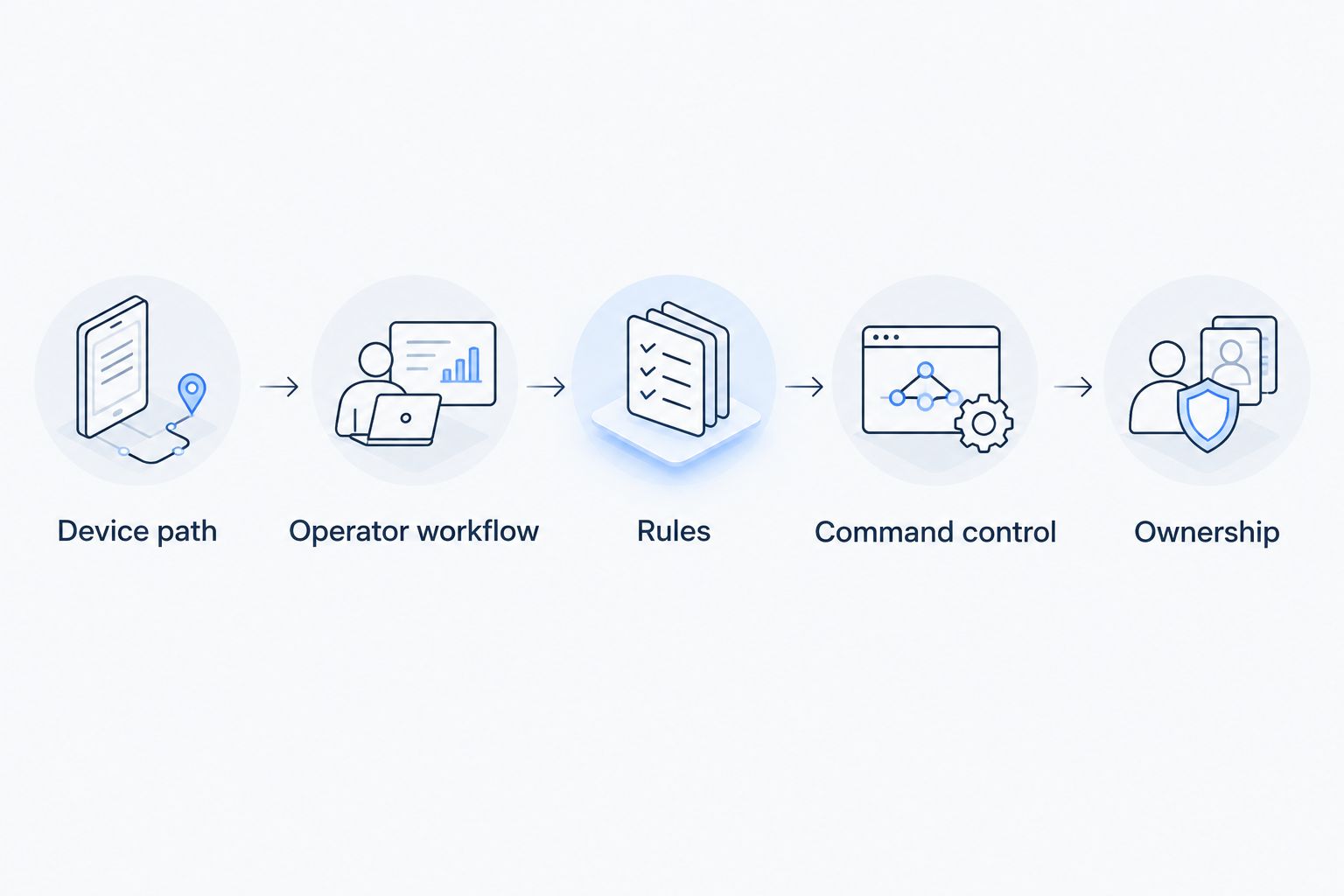
- Device path: Identify how LoRaWAN, mioty, or MQTT data reaches the platform.
- Operator workflow: Check whether staff can find a reading, investigate an alarm, and act from the same system.
- Rules: Test how a rule is built, checked, deployed, and changed.
- Command control: Separate command submission from proof that equipment changed state.
- Ownership: Decide who maintains integrations, dashboards, permissions, and deployment changes.
Which ThingsBoard alternatives fit each use case at a glance?
| Platform | Best for | Standout capability | Key limitation to plan around |
|---|---|---|---|
| Kilo IoT Platform | Facility operations | LoRaWAN and mioty network servers alongside dashboards, rules, and alarms | Confirm that your devices and command paths fit the intended workflow |
| AWS IoT Core | AWS-centered application builds | Device connectivity within an AWS architecture | The operator-facing application remains a separate design task |
| Azure IoT Hub | Azure-centered application builds | Device connectivity within an Azure architecture | Facility dashboards and response workflows need separate planning |
| EMQX | MQTT-first infrastructure | MQTT messaging | A broker alone is not a facilities monitoring application |
1. Kilo: best ThingsBoard alternative for facility operations
Best for: Facilities and operations teams that need to watch connected sites, route alarms, and control supported equipment through configured commands.
Kilo combines device management, dashboards, rules, alarms, and device commands in one IoT platform. Its built-in LoRaWAN and mioty network servers remove the need to deploy a separate network server for those protocols; its MQTT connector accepts data from publishing devices and systems. A digital twin represents each device, while a live 3D building twin can bind sensors to building objects.
The distinction matters at a cold-storage site. A temperature sensor publishes a reading; an operator needs to identify the affected asset, see its history, and know whether an alarm has reached the right person. Connecting the sensor is only the first part of that job.
Kilo pros:
- Built-in LoRaWAN and mioty network servers, plus an MQTT connector, support different device paths in one platform.
- Dashboards include charts, maps, gauges, floor-plan pins, and control widgets.
- The visual BPMN rules engine supports CEL expressions, test-payload debugging, version control, deployment, and rollback.
- Alarms have five severity tiers and multi-step escalation chains; configured commands retain execution history.
Kilo cons:
- Operators still need to define alarm thresholds, escalation owners, and permissions. The platform cannot decide a site's response policy for them.
- A command marked accepted or delivered does not prove the equipment changed state. Device feedback or subsequent telemetry must confirm the result where available.
The built-in assistant can onboard devices, create alarms, and write and deploy rules within the signed-in user's permissions. It confirms before consequential actions. For an external MCP client, the client controls its own approval experience; Kilo still enforces the user's permissions, organization boundary, and configured-command requirement.
Decision: Choose Kilo when the job is to run a monitored physical site, not just receive messages from devices. Before migrating, test one real device, one alarm path, and one command that has a clear way to verify the physical result.
2. AWS IoT Core: best ThingsBoard alternative for AWS builds
Best for: Development teams making device connectivity part of an application built around AWS.
AWS IoT Core is a cloud service for connecting devices and routing their messages into an AWS-based design. It makes sense when your team already intends to build the surrounding application: data handling, operator views, and response processes. That is a different purchase decision from selecting an application staff will open at the start of a shift.
AWS IoT Core pros:
- Fits an architecture in which the team owns the application and its AWS integrations.
- Gives developers a device-connectivity starting point without treating a fixed facilities workflow as the end product.
- Lets the team define its own data model and operator experience.
AWS IoT Core cons:
- Device connectivity is not a finished alarm-response process. Someone must design how staff see, acknowledge, and investigate events.
- The team owns more application assembly and ongoing change management than it would with a platform selected for ready-to-use operational workflows.
Ask the implementation team to demonstrate the full path from a sensor message to the person responsible for an alarm. Then ask what the operator sees when a message is late or a device stops reporting. A cloud architecture diagram does not answer either question.
Decision: Choose AWS IoT Core when building the IoT application is an intentional engineering project. Do not choose it solely because a sensor needs somewhere to send data.
3. Azure IoT Hub: best ThingsBoard alternative for Azure builds
Best for: Teams building device connectivity into an application centered on Azure.
Azure IoT Hub provides device-to-cloud communication within Microsoft's cloud environment. It belongs on the shortlist when the application architecture is already Azure-centered and developers will build the views and processes around connected devices. As with any connectivity service, specify the work an operator must complete after data arrives.
Azure IoT Hub pros:
- Fits a development plan that places the connected-device application in Azure.
- Gives the team control over how device data enters its own application.
- Keeps the connectivity decision aligned with an existing Azure-centered build.
Azure IoT Hub cons:
- The team must plan facility dashboards, alarm ownership, and investigation steps rather than treating connectivity as a complete workflow.
- An Azure-centered architecture is a constraint if the real requirement is a platform that operations staff can configure and use directly.
For a building deployment, write down the intended sequence in plain language. Which reading identifies a fault? Who receives the alarm? What evidence closes it? If the proposed design cannot show those steps, it is not ready for an operational comparison with ThingsBoard.
Decision: Choose Azure IoT Hub when your team is building and maintaining the connected-device application in Azure. Choose an operations-oriented platform when that application is what you need to obtain.
4. EMQX: best ThingsBoard alternative for MQTT-first infrastructure
Best for: Teams whose immediate requirement is MQTT messaging and who intend to assemble the rest of the application themselves.
EMQX is an MQTT broker. It handles the messaging layer, which makes it relevant when devices publish over MQTT and the team has a separate plan for storing, interpreting, and presenting those messages. Comparing it with ThingsBoard requires care: message delivery and an operator-facing IoT platform solve different parts of the problem.
EMQX pros:
- Keeps the initial decision focused on MQTT messaging.
- Fits teams that already have a plan for applications consuming device messages.
- Allows the operator interface and data-handling workflow to be designed separately.
EMQX cons:
- A broker is not, by itself, a site dashboard or alarm-response workflow.
- The team must define device context, data history, rules, and operator actions elsewhere in its design.
MQTT topic names alone rarely tell an operator which room is warm or which asset needs attention. Map messages to recognizable devices and locations before calling the deployment usable. Then test what happens when telemetry stops, not only when it arrives.
Decision: Choose EMQX when MQTT infrastructure is the assignment. If the assignment is daily monitoring by a facilities team, include the application that will sit around it in the comparison.
How do ThingsBoard alternatives compare across the control loop?
A useful trial follows an event from first reading to confirmed outcome. Start with a real sensor, gateway, or publishing device. Record how its identity, location, units, and latest reading appear to the operator. If any of those require manual interpretation, the integration is unfinished.
Next, create a rule for a condition your site actually handles. Check how the rule is tested before release, who can change it, and how a bad change is reversed. An alarm should identify both the condition and the person or team responsible for responding. If your current process starts in a paper logbook, define the replacement response before comparing dashboards.
Finally, test control as a separate step. A named command should have valid parameters and an authorized user. The delivery record tells you what happened to the command request; feedback from the device or later telemetry tells you whether the equipment reached the intended state, where that feedback exists. Delivered is not the same as verified.
Map your device workflow
Review monitoring, rules, alarms, and configured commands in the Kilo IoT Platform.
How should you migrate from ThingsBoard in 2026?
Treat migration as an inventory exercise before treating it as a platform switch. List devices, protocols, payload formats, dashboards, rules, alarm recipients, and integrations. Mark which records operators need for day-to-day work and which historical data must remain accessible. Do not assume that moving a device connection also moves its history or its alert logic.
Pick one representative workflow for the first deployment. A temperature sensor is useful if it exercises the actual path from reading to alarm; a relay or other controllable device adds a command-verification test. Document who approves the change, how staff will recognize an incorrect result, and how they will return to the prior process if the new one fails.
Read the guide to migrating historical sensor data before setting a cutover date. Historical readings, current device state, and active alarm configuration are different migration tasks. Give each an owner rather than calling all three data migration.
How were these ThingsBoard alternatives ranked?
This is a use-case ranking, not a claim that one product wins every technical category. Kilo ranks first for facility operations because the stated requirement is a usable path from connected devices to dashboards, rules, alarms, and governed commands. AWS IoT Core and Azure IoT Hub suit teams building applications in their respective cloud environments. EMQX suits teams selecting MQTT messaging infrastructure.
The deciding question is who will assemble and maintain the operator workflow. For a development team, that work can be the project. For a facilities team that needs to monitor sites, it is work that must be included in the platform decision.
ThingsBoard alternatives FAQ
What is the best ThingsBoard alternative for facilities teams in 2026?
Kilo is the best fit in this comparison for facilities teams that need device monitoring, rules, alarms, and configured commands together. Test a real device and response workflow before switching platforms.
Is AWS IoT Core a direct replacement for ThingsBoard?
AWS IoT Core is a device-connectivity service, not a like-for-like operator application. Choose it when your team plans to build the surrounding dashboards and response workflow.
Is Azure IoT Hub better than ThingsBoard for building monitoring?
Azure IoT Hub fits an Azure-centered application build. Compare the complete application and its alarm workflow with ThingsBoard, not device connectivity alone.
Can EMQX replace a ThingsBoard dashboard?
EMQX handles MQTT messaging; a broker alone does not replace an operator-facing dashboard. Include the applications that consume and display its messages in your evaluation.
Does a delivered IoT command mean the equipment changed state?
No. Command delivery records describe the request path; device feedback or subsequent telemetry must confirm the equipment's state where available.
Which protocols should I check before leaving ThingsBoard?
Check the protocols used by your actual devices and gateways, including LoRaWAN, mioty, or MQTT where relevant. Verify payload interpretation, device identity, and the operator view for each path.
What should move first in a ThingsBoard migration?
Move one complete workflow first: a device, its readings, a rule, an alarm, and the person responsible for responding. Inventory historical data and existing integrations separately before cutover.
Which ThingsBoard alternative should you choose in 2026?
Choose Kilo for site monitoring run by operations staff. Choose AWS IoT Core or Azure IoT Hub when your team intends to build the application in that cloud environment. Choose EMQX when MQTT messaging is the defined requirement and the operator application is a separate project.
The detail that settles many evaluations is not the first successful sensor reading. It is what happens when that reading is wrong, late, or actionable: who sees it, what they can change, and how they confirm the physical result.


