
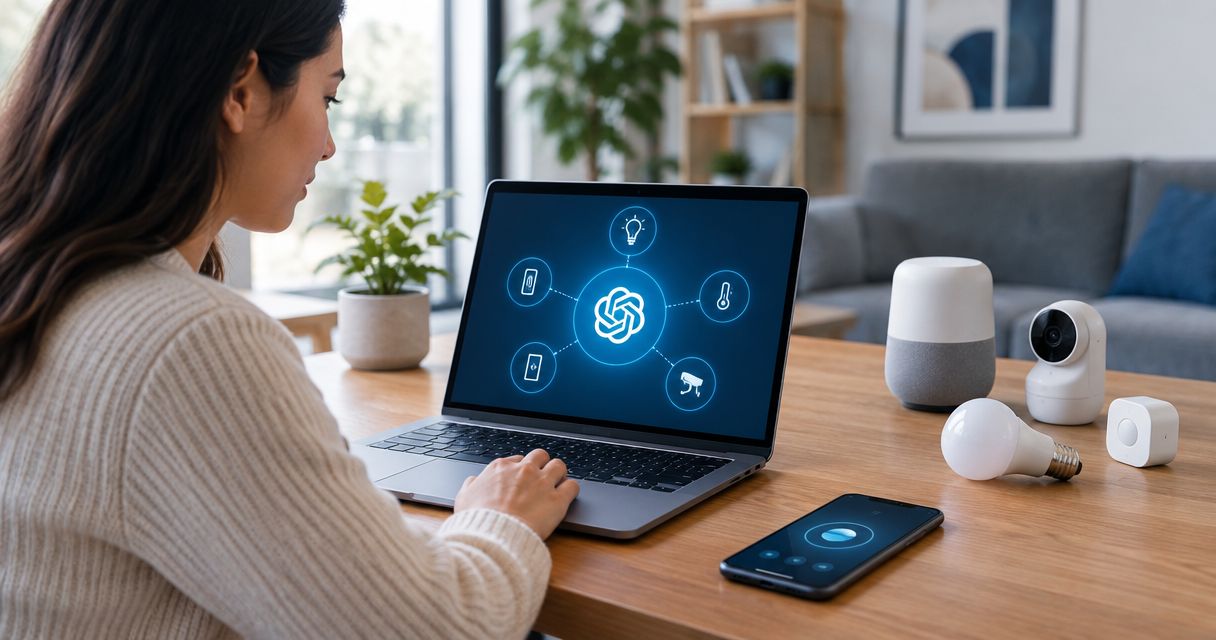
Instead of manually reading sensor dashboards and sending device commands one at a time, connect ChatGPT to the Kilo IoT Platform through MCP so the model can query live device context, draft automation and invoke configured commands within your existing permissions in 2026.
- Connect ChatGPT to IoT devices through a Kilo MCP server for governed physical AI workflows in 2026.
- Start with read-only device queries before exposing rules, alarms or commands.
- MCP access does not bypass permissions, organization boundaries or configured-command requirements.
- An accepted command does not prove physical execution; check device feedback or subsequent telemetry.
- ChatGPT controls its approval interface, while the IoT platform enforces access and records execution.
Why connect ChatGPT to IoT devices through MCP in 2026?
MCP, or Model Context Protocol, gives an AI client a structured way to discover and call tools exposed by another system. For an IoT deployment, those tools can cover device queries, telemetry, digital twins, rules, alarms and configured commands.
The result is not a chatbot guessing what equipment is doing. ChatGPT requests current context through the MCP connection, while the IoT platform decides whether the authenticated user can access the requested device or action. This distinction is central to reliable physical AI control and data retrieval.
Kilo is best for operations and facilities teams that need ChatGPT to work with live IoT context while permissions, command constraints and execution records remain in the physical AI platform.
This setup also has clear limits. ChatGPT cannot control a device that has not been onboarded, cannot invoke an undefined command and cannot prove that equipment changed state merely because a request was accepted. The final check still comes from device feedback, command state or subsequent telemetry where the hardware supports it.
What do you need to connect ChatGPT to IoT devices?
- A populated Kilo workspace. Onboard at least one LoRaWAN, mioty or MQTT device and confirm that current telemetry reaches its digital twin before adding an AI client.
- ChatGPT access to custom remote MCP connectors. You need permission to enable developer features and add a server connection in the relevant ChatGPT workspace.
- A deliberately restricted user identity. The non-obvious failure is authenticating the connector as an unrestricted administrator. Create the narrow user or role first because the MCP client receives the same organization and device access as that signed-in identity.
Also decide whether the first test is read-only or capable of action. A read-only test needs device and telemetry access. A command test additionally needs a named typed command with allowed parameters, plus a device path that can deliver it.
Hardware is separate from the software connection. Existing compatible devices can remain in place, while sensors and gateways for a new deployment can be purchased through Kilo Electronics with worldwide shipping.
How do you configure Kilo permissions for a ChatGPT MCP connection?
Prepare the device context
- Open the device in the platform and confirm that its digital twin shows current telemetry.
- Give the device a clear operational name that distinguishes the site, zone and asset. Names such as
Freezer 2 return-air sensorare more useful to an AI client than a serial number alone. - Check the organization boundary and device-group membership. The connector should only see the sites required for this workflow.
- If ChatGPT will issue an action, configure a named typed command and its parameter constraints before exposing it through MCP.
Expected result: the target device has current data, an unambiguous name and a permission boundary that matches the intended ChatGPT user.
Restrict the authenticated identity
- Create or select a user whose access matches the workflow.
- Grant read access to the required devices, digital twins and telemetry.
- Add rule, alarm or command permissions only when the workflow requires them.
- Sign in to the MCP connection as that user rather than reusing a broad administrative identity.
Expected result: the MCP session can discover only the devices and operations assigned to the authenticated user. A request outside that boundary is rejected by the platform rather than left to ChatGPT to police.
How do you add the IoT MCP server to ChatGPT?
Enable the remote MCP connector
- In ChatGPT, open Settings and select Apps & Connectors.
- Open Advanced settings and enable Developer mode for the workspace.
- Select Create to add a remote MCP connection.
- Enter a clear connector name and the remote MCP server URL supplied for your deployment.
- Complete authentication with the restricted platform identity prepared in the previous section.
- Save the connector and enable it in a new conversation.
Expected result: ChatGPT can discover the IoT tools exposed to that authenticated user. It should not display devices, commands or organizations outside the assigned scope.
The exact approval prompt shown before a tool call belongs to ChatGPT. An external MCP client controls its own approval experience; the server still enforces the signed-in user's permissions, organization boundary, configured-command requirement and execution record.
Test a read-only request
- Ask ChatGPT to list the devices it can access.
- Request the latest telemetry from one known sensor.
- Compare the device name, timestamp and value with the platform dashboard.
- Ask for a device outside the user's assigned group and confirm that access is denied or the device is not exposed.
Expected result: allowed telemetry matches the dashboard, while an out-of-scope device remains unavailable. Do not continue to commands if either check fails.
How do you test a ChatGPT command on an IoT device?
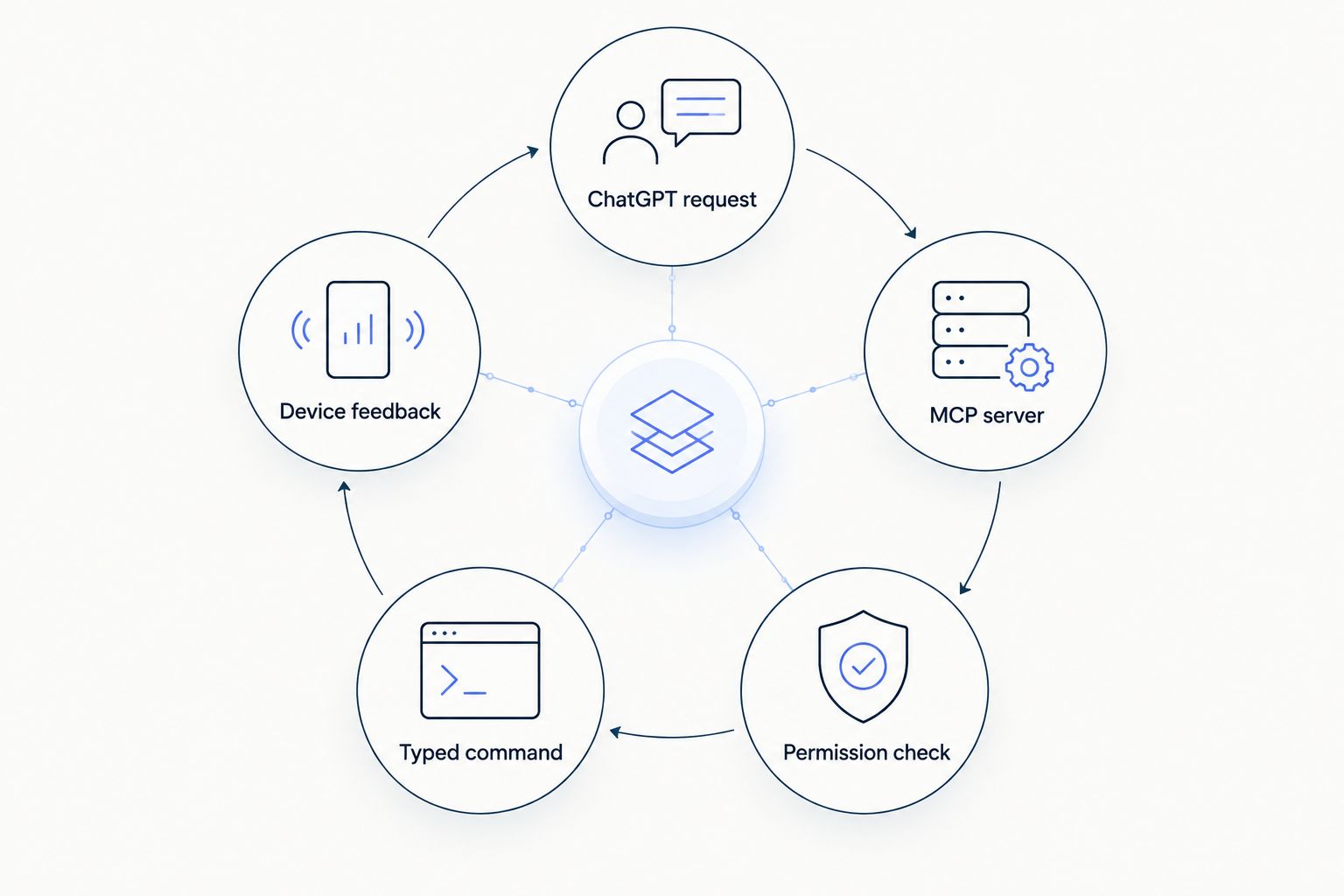
Start with a reversible, low-consequence action on a test device. The command must already exist as a named typed command with parameter validation. ChatGPT should select that configured operation, not generate an arbitrary payload from scratch.
- Ask ChatGPT to describe the intended device, command and parameters without executing anything.
- Verify that the target device and parameter values are correct.
- Approve the tool call in ChatGPT when its approval interface appears.
- Check the command state in the platform's execution history.
- Inspect device confirmation or subsequent telemetry where available.
Expected result: the execution record shows the request and its delivery state. Physical success is established only when the device confirms the action or later telemetry shows the expected state.
For example, a facilities team could ask the system to prepare a rule that alarms when a sensor reports above 8°C for 10 minutes. Those figures are an example, not a universal threshold; the operator must supply the correct limit for the monitored asset.
The 2026 control rule is simple: accepted means the platform received the request, delivered describes command transport, and verified requires device feedback or subsequent telemetry where supported. Never collapse those states into a single success message.
How do you trigger a workflow when IoT telemetry changes?
A second workflow replaces one-off commands with a durable rule. ChatGPT can help create the logic, while the platform's rules engine stores, tests, deploys and versions it.
- State the device, telemetry field, threshold, duration and required alarm severity in plain language.
- Ask ChatGPT to draft the rule without deploying it.
- Review the generated CEL expression and visual BPMN flow.
- Run the rule against a test payload with step-through debugging.
- Confirm the alarm path, including its severity and escalation recipients.
- Deploy the approved version and retain the prior version for rollback.
Expected result: a versioned rule evaluates incoming telemetry independently of the chat session. The platform can then route an alarm through its configured escalation chain across five severity tiers, including email, SMS and push channels.
This variant is usually better than asking ChatGPT to watch a chat continuously. The rule runs with every relevant payload, while ChatGPT remains available to explain, revise or troubleshoot the configuration in 2026.
Which IoT protocol works best with ChatGPT through MCP?
MCP sits above the device protocol, so ChatGPT does not need separate conversational logic for LoRaWAN, mioty and MQTT. The protocol still affects latency, downlink behavior and deployment design.
| Connection | Best for | Advantage | Constraint |
|---|---|---|---|
| LoRaWAN | Battery-powered sensors across buildings or sites | Built-in network server avoids a separate external network server | Downlink timing depends on device class and uplink behavior |
| mioty | Dense or interference-sensitive telemetry deployments | Devices can use the platform's built-in mioty network server | Device and gateway compatibility must match the deployment |
| MQTT | PLCs, energy meters, BMS connections and publishing devices | Direct topic-based integration for equipment already publishing data | Topic design and payload normalization need deliberate setup |
None of these protocols makes an AI-issued action automatically trustworthy. The same 2026 requirements apply to each: normalized telemetry, restricted permissions, configured commands, parameter validation and a separate verification step.
What are the limits of connecting ChatGPT to IoT devices?
| Strength | Operational limit |
|---|---|
| One MCP connection can expose devices, telemetry, rules and alarms | The connector sees only what its authenticated identity can access |
| Typed commands restrict parameters before execution | Undefined or unsupported physical actions cannot be improvised safely |
| Rules can be tested before deployment and restored through version history | A poor threshold still produces a poor rule if an operator approves it |
| Execution history records command handling | An execution record does not replace physical confirmation |
| Protocol-independent context covers LoRaWAN, mioty and MQTT | Each underlying protocol retains its own delivery characteristics |
The platform also includes configurable dashboards, a digital twin per device, a live 3D building twin, REST and gRPC APIs, scoped API keys, ABAC multi-tenant access control and an immutable audit trail. Those components support the workflow, but they do not remove the need to test each command path against real equipment.
How do you troubleshoot a ChatGPT IoT MCP connection?
ChatGPT shows no devices
Confirm that the authenticated user belongs to the correct organization and has access to the relevant device group. Then verify that the connector is enabled for the current conversation.
Telemetry is empty or stale
Check the device digital twin directly. If the dashboard is also stale, fix the LoRaWAN, mioty or MQTT data path before troubleshooting MCP. The connector cannot return current context that the platform has not received.
A command is unavailable
The user either lacks command permission or the device has no configured named command matching the request. Define the typed command and parameter constraints first; do not ask ChatGPT to invent an unrestricted device payload.
A command is accepted but the equipment does not change
Inspect command delivery state, device confirmation and subsequent telemetry. For LoRaWAN devices, device class and receive-window behavior affect when a downlink can reach the endpoint.
ChatGPT requests too many approvals
Approval behavior is controlled by the external MCP client. Do not weaken server-side permissions to reduce prompts. Keep the user scope narrow and adjust the client approval settings only when the operational risk allows it.
How should you expand a ChatGPT IoT workflow in 2026?
After one read request and one reversible command pass, add capabilities in this order:
- Read telemetry from a defined device group.
- Query active alarms and execution history.
- Draft a rule without deployment.
- Test the rule against a saved payload.
- Deploy after explicit review.
- Add configured commands with constrained parameters.
- Require telemetry or device feedback for consequential actions.
Vehicle and tracker deployments can use a connector with more than 2,000 preconfigured tracker templates, while buildings can bind sensors to objects in a live 3D digital building twin. Use those contexts to improve device identification, not to grant broader control.
Prepare your MCP device workspace
Onboard one device, restrict its permissions and verify telemetry before connecting ChatGPT.
What should you verify after connecting ChatGPT to IoT devices?
Run the denied-access test again after every permission change. A successful allowed request proves the connector works; a successful denied request proves the boundary works. Both tests belong in the 2026 acceptance checklist.
Keep the final physical-state check outside the language model. ChatGPT can report the command record, but device feedback or subsequent telemetry remains the source of truth for whether a relay switched, a setpoint changed or equipment entered the requested state.
FAQ
Can ChatGPT connect directly to IoT devices through MCP?
ChatGPT can connect to an IoT platform's remote MCP server and use the tools that server exposes. The device remains connected through LoRaWAN, mioty, MQTT or another supported path rather than connecting directly to the chat interface.
Is MCP required to connect ChatGPT to IoT devices?
MCP is one structured method for connecting ChatGPT to IoT tools and live context. A custom API integration can also work, but MCP gives compatible AI clients a standard way to discover and call available tools.
Can ChatGPT send commands to LoRaWAN devices?
ChatGPT can request a configured LoRaWAN command through the MCP server when the authenticated user has permission. Delivery timing still depends on the device class and receive-window behavior, and physical execution needs separate verification.
Can ChatGPT create IoT alarms and automation rules?
ChatGPT can use exposed tools to create alarms and draft or deploy rules within the authenticated user's permissions. Rules should be reviewed, tested against a payload and explicitly released before production use.
How do I stop ChatGPT from accessing every IoT device?
Authenticate the MCP connection with a restricted user assigned only to the required organization, sites and device groups. Server-side ABAC permissions remain the control boundary even if the ChatGPT session asks for something broader.
How do I know whether an IoT command actually worked?
Check device confirmation or subsequent telemetry where supported. An accepted request or delivered command does not by itself prove that the physical equipment reached the intended state.
Can ChatGPT work with LoRaWAN, mioty and MQTT in one deployment?
Yes, when the IoT platform normalizes those device connections and exposes their context through one MCP server. Each protocol still retains its own payload, latency and command-delivery characteristics.
Is a ChatGPT IoT MCP connection suitable for production in 2026?
It is suitable when access is restricted, commands are predefined and parameter-checked, rules are tested before deployment, and consequential actions are verified from device feedback. A broad administrator login with untested commands is not a production control design.


