
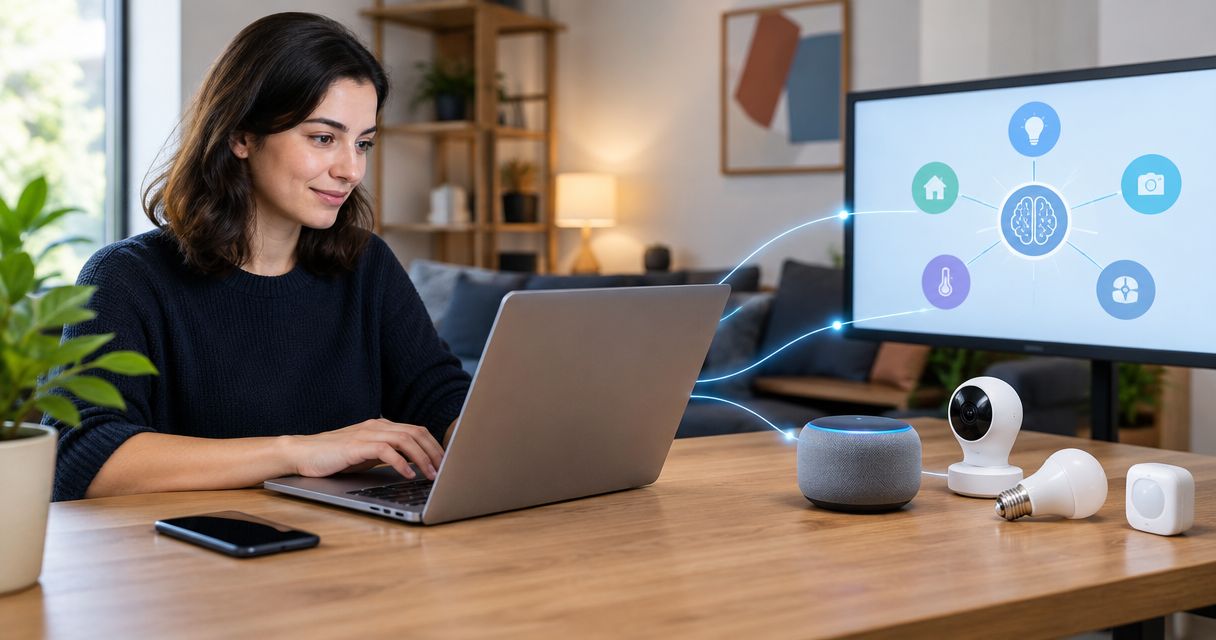
Asking an engineer to log into a dashboard, pull a temperature reading, and manually flip a relay every time something looks off doesn't scale past a handful of sites. Connect Claude to your IoT devices through Kilo's MCP connector instead, and Claude can query live telemetry, build automation rules, and send scoped commands directly inside the permissions your Kilo account already enforces.
- Kilo's MCP connector gives Claude structured access to devices — not raw API calls you have to script by hand.
- Claude can query telemetry, build rules and alarms, and send typed commands inside the signed-in user's permissions.
- Setup needs a Kilo Cloud account with at least one onboarded device plus a scoped API key for the MCP connection.
- Every command Claude sends is validated, logged, and reversible — check device telemetry to confirm the physical result.
- Kilo Lens (camera context) is coming soon in 2026; today the connector covers sensors, machines, vehicles and buildings.
Why connect Claude to IoT devices instead of coding custom integrations?
MCP (Model Context Protocol) gives Claude a structured way to call a system's real functions instead of guessing at an API from documentation. For IoT, that distinction is the whole point: a device downlink is not a chat response, it's a typed command with parameters that can be validated or rejected.
Kilo is the operating system that sits between Claude and the physical devices — LoRaWAN sensors, mioty endpoints, MQTT-publishing PLCs, energy meters, BMS points, vehicles and trackers — normalizing them into one structured layer Claude can query and act on. That's the core of what the Kilo IoT Platform does whether or not an AI agent is involved; MCP just gives Claude the same access an operator has, scoped to that operator's role.
The practical upside in 2026: instead of writing a custom script that polls a REST endpoint and parses JSON, you describe what you want in plain language and Claude does the provisioning, rule-building, or command work through the same permissions system a human user would hit.
What you need before connecting Claude to IoT devices
- A Kilo Cloud account with at least one device already onboarded over LoRaWAN, mioty, or MQTT — Claude can't discover hardware that has no telemetry history in the platform yet. If you still need sensors, Kilo Electronics ships LoRaWAN and mioty hardware worldwide.
- Claude Desktop or another MCP-compatible client, plus a scoped API key generated from your Kilo account for the MCP connection.
- The gotcha that trips up most first setups: Claude only acts within the permissions of the signed-in Kilo user. If that user's role is read-only, Claude will happily report telemetry all day and fail every single command attempt. Set the role before you connect, not after the third failed downlink.
How to connect Claude to Kilo's MCP server
- In your Kilo account, open the API keys area and generate a new scoped key. Select the scopes you want Claude to have — read telemetry, manage rules, send commands — separately, so you're not handing over full account access for a read-only use case.
- In Claude Desktop, open the developer configuration for MCP servers and add an entry pointing to Kilo's MCP endpoint, using the API key as the credential.
- Restart Claude and ask it something simple: "What devices do I have connected in Kilo?" A working connection returns your actual device list, not a generic answer about IoT platforms in general.
Expected result: Claude names specific devices from your account by ID or label, confirming the MCP session is live and scoped correctly.
How to scope Claude's permissions for IoT device control
Kilo uses attribute-based access control (ABAC), and MCP inherits it rather than bypassing it. Before you let Claude touch anything beyond read access:
- Go to the user permissions and roles settings for the account Claude is connected as, and review which device groups and command types that role can reach.
- If Claude needs to run rules or send commands on a subset of a site — one cold room, not the whole building — set user permissions and roles at that granularity rather than giving blanket access to a service account.
- Confirm the scope by asking Claude to attempt an action outside the intended boundary. It should refuse or return a permission error, not silently succeed.
Expected result: Claude's error messages match the boundaries you set, which means the permission layer — not Claude's judgment — is what's actually stopping unwanted actions.
How to send your first IoT device command through Claude
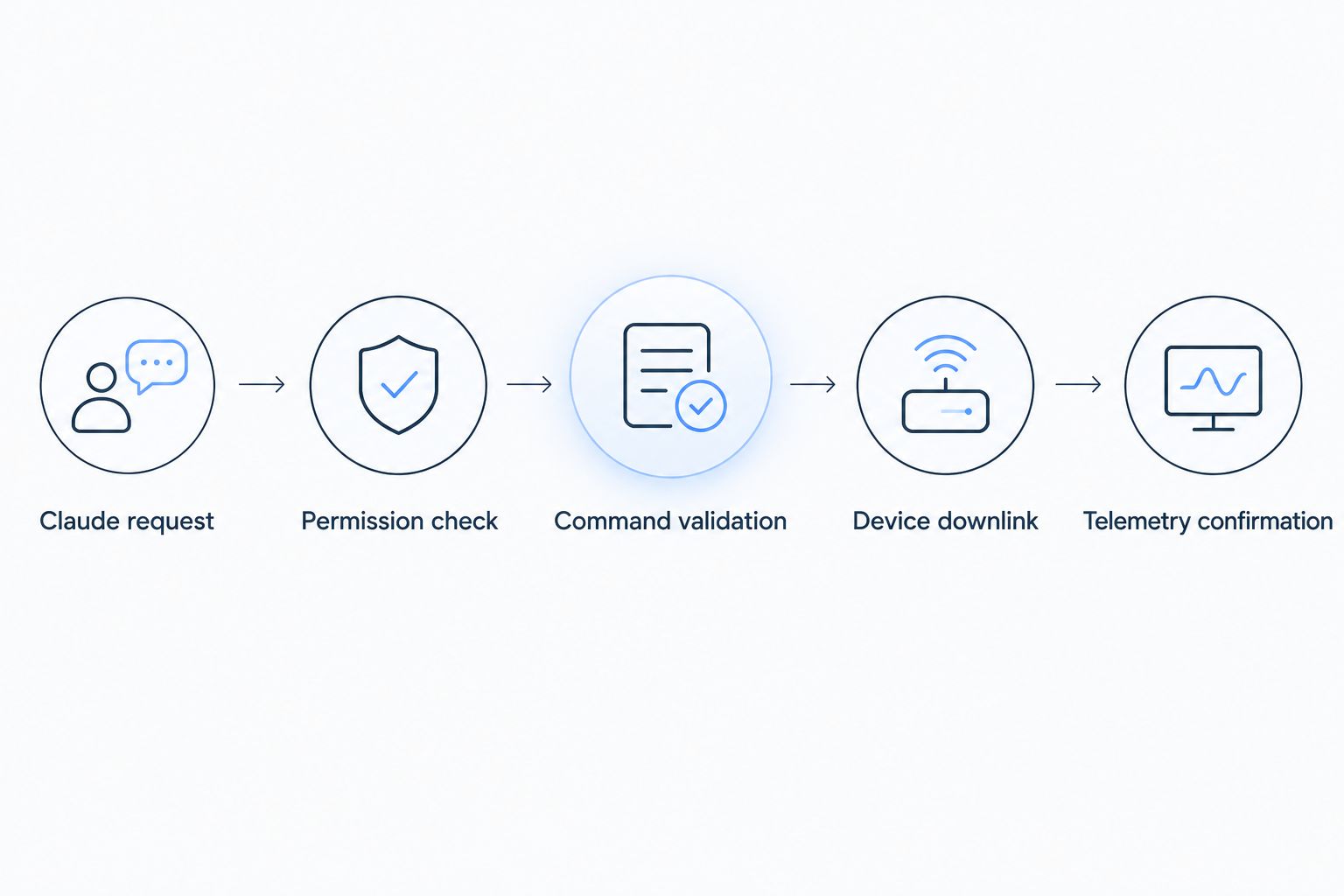
- Ask Claude to run a named, typed command already configured on the device — for example, a relay toggle or a setpoint change. Kilo requires commands to be pre-defined with parameter constraints; Claude can't invent a raw downlink payload on the fly.
- Claude will confirm the action before sending it. This confirmation step is enforced by the built-in assistant's flow, not optional — expect it every time a command has real-world consequences.
- After you approve, check the command's execution record: accepted, delivered, or pending, depending on whether the device is LoRaWAN Class A (waits for the next uplink window) or Class C (near-instant).
- Check the device's subsequent telemetry to confirm the physical result. An "accepted" or "delivered" status means the command reached the network — it does not by itself prove the equipment changed state.
If you're commanding actuators or relays directly, configure downlink commands for LoRaWAN actuators before wiring Claude into that workflow — the parameter constraints need to exist on the device side first.
How to query IoT telemetry with Claude without sending commands
Most day-to-day use of Claude against Kilo isn't commanding anything — it's asking questions. "What's the cold room temperature right now?" or "Which sensors haven't reported in 24 hours?" only need read scope, no confirmation step, and no downlink at all.
| Request type | Permission needed | Confirmation step | Example |
|---|---|---|---|
| Read telemetry | Read-only scope | None | "What's the humidity reading on dock door 3?" |
| Send a command | Command scope on that device group | Required before execution | "Turn off the compressor in bay 2" |
| Build a rule or alarm | Rule/alarm management scope | Confirmed before deploy | "Alert facilities if freezer 1 exceeds 8°C for 10 minutes" |
Keeping read and write scopes separate on the API key means a Claude session set up for reporting can't accidentally graduate into a session that commands equipment.
What breaks when Claude controls IoT devices
- Claude says it can't find any devices. The API key is missing the read-telemetry scope, or the device hasn't sent its first uplink yet — a newly provisioned sensor stuck on "waiting for first data" won't show up as a usable device.
- A command shows accepted but nothing physically changed. Check the device's telemetry stream directly. LoRaWAN Class A devices queue downlinks for the next scheduled uplink, which can be minutes away depending on the device's reporting interval.
- Claude keeps asking for confirmation on routine actions. That's by design — the built-in assistant confirms before consequential actions every time, scoped to the signed-in user's permissions. It's not a bug to disable.
- Permission denied on an action that should work. The signed-in user's role doesn't include that device group or command type. An admin needs to update the role under user permissions and roles, not just re-grant the API key.
- The MCP connection drops after a few days. Regenerate the scoped API key — a rotated or expired key is the most common cause, not a Claude-side issue.
How to expand what Claude can do with your IoT devices
Once basic telemetry and commands work, the more useful territory is automation: ask Claude to draft a rule using CEL expressions in the visual rules engine, version it, and deploy it with one click — or set up a multi-step alarm escalation chain so a threshold breach reaches the right person by email, SMS, or push instead of sitting in a dashboard nobody's watching. Claude can also help build or adjust a digital twin for a device or a 3D building layout, which is a faster starting point than configuring dashboard widgets one at a time.
Connect Claude to your devices free
Up to 5 devices, 1 dashboard and 1 rule, no card required.
Kilo's MCP connector is the fastest way to give Claude scoped, auditable access to LoRaWAN, mioty and MQTT devices — best for operations teams that don't want to maintain custom API glue code between an AI agent and real equipment.
FAQ
What is MCP and why does Claude need it to control IoT devices?
MCP (Model Context Protocol) is a standard that lets Claude call a system's actual functions instead of guessing at an API. For IoT, it means Claude sends typed, validated commands through Kilo's permission layer rather than raw, unchecked requests.
Can Claude directly turn devices on and off?
Yes, if the signed-in Kilo user's role has command scope on that device and the command is pre-configured with parameter validation. Claude confirms before sending, and the execution record shows accepted, delivered, or pending.
Is it safe to let an AI agent send commands to real equipment?
Claude operates within the signed-in user's existing permissions, organization boundary, and configured-command requirements — it can't exceed what that user could already do manually. Actions are logged in the execution history for review.
Does connecting Claude to Kilo require coding?
No. Setup is a scoped API key plus an MCP configuration entry in Claude Desktop. After that, requests to Kilo happen through plain-language conversation with Claude.
What happens if Claude sends a bad command?
Kilo validates command parameters before delivery, so an out-of-range value is rejected rather than sent to the device. The attempt still shows up in the execution history.
Can Claude build automation rules on its own?
Claude can draft and deploy rules in Kilo's visual rules engine using CEL expressions, with version control so a rule can be rolled back if it doesn't behave as expected.
Does Kilo support cameras through Claude?
Camera context (Kilo Lens) is coming soon as of 2026 and isn't part of the current MCP connector. Today's connector covers sensors, machines, vehicles and buildings.
What protocols does Kilo support for devices Claude can reach?
Kilo has a built-in LoRaWAN and mioty network server plus an MQTT connector for publishing devices, PLCs, energy meters and BMS points, so no separate network server needs to be deployed.
What to check after Claude sends an IoT command
The status "accepted" only means the network took the message — it doesn't confirm the equipment moved. Pull up the device's telemetry after any command Claude sends in 2026 and confirm the change actually happened before you trust the loop end to end; that one habit is what separates a reliable Claude-to-device workflow from one that just looks reliable in the chat window.


