
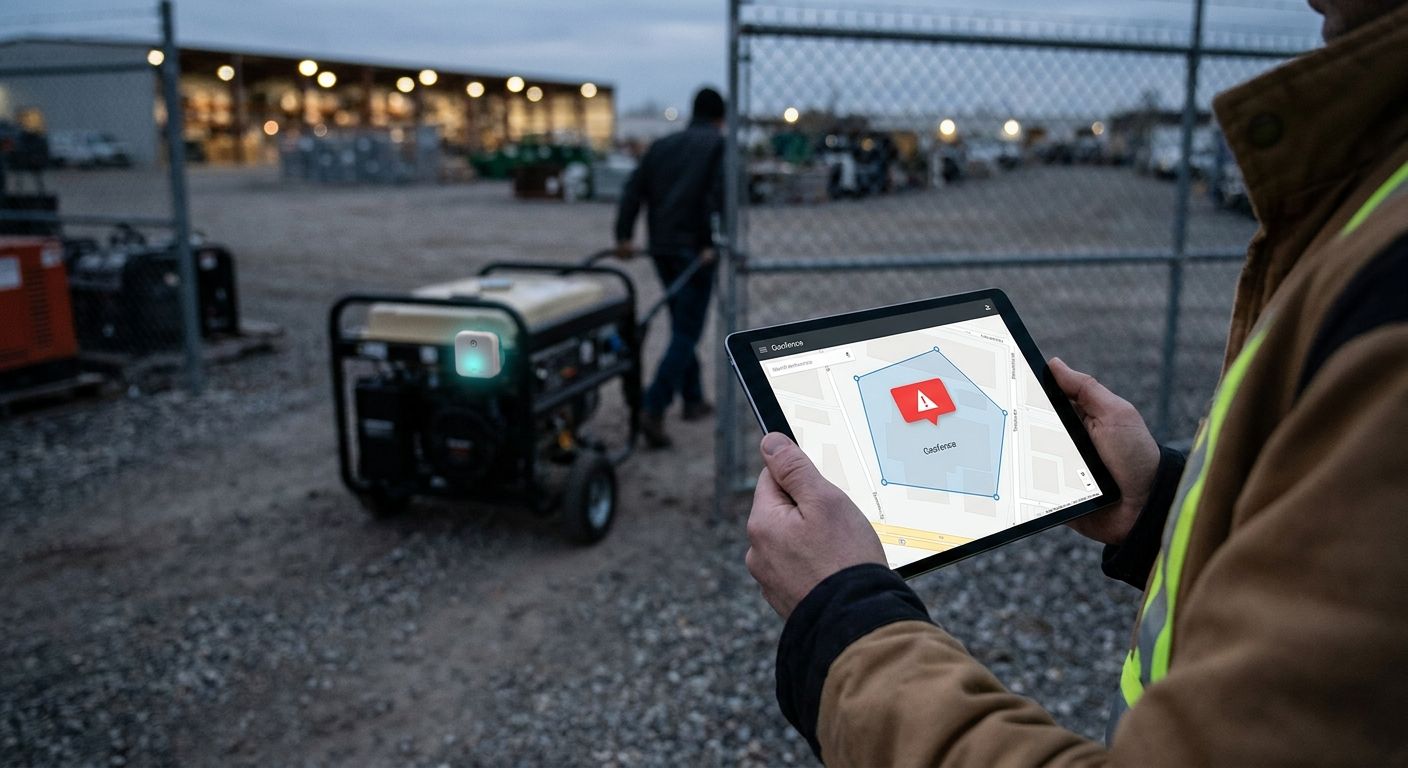
IoT geofencing alerts detect asset theft by comparing every location update from a GPS or LoRaWAN tracker against a defined boundary, then firing an alarm the instant an asset crosses that line or moves during hours it should be parked. The alert doesn't stop the theft by itself — it compresses the response window from hours down to minutes, and that window is what actually decides whether the equipment gets recovered or written off.
- Geofencing alerts fire when a tracked asset's location falls outside a set boundary or moves during off-hours.
- Detection speed depends on the tracker's report interval, not the geofence shape — a 4-hour LoRaWAN ping cycle can miss a fast theft entirely.
- The Kilo IoT Platform evaluates location data against CEL expressions in its rules engine to trigger multi-tier theft alarms without a separate GPS system.
- Pairing a geofence rule with a motion or tamper sensor cuts false alarms caused by wind, forklifts, or routine yard shuffling.
Why does equipment theft still happen with fences and locks in place?
A chain-link fence and a padlock stop opportunists, not people with a trailer and 20 minutes. Heavy equipment, trailers, and tool cages sit outdoors overnight and on weekends, and a physical barrier gives no signal once it's been defeated. Geofencing closes that gap by watching the asset itself instead of the perimeter around it — the moment a tracked tool cage, generator, or excavator moves, someone gets paged, regardless of whether the gate was locked.
That shift matters more in 2026 than it did five years ago, because tracker hardware got smaller and cheaper enough to tag individual tools and equipment, not just full vehicles. You can track high-value tools and equipment across job sites at the item level now, which changes what's worth geofencing in the first place.
How does IoT geofencing detect asset theft?
The mechanism is the same whether the asset is a truck, a generator, or a pallet of copper wire — only the tracker hardware changes.
- Tag the asset. A GPS tracker or LoRaWAN asset tag reports its location on a set interval. Provisioning doesn't require custom integration work when the platform ships with preconfigured tracker templates — Kilo's vehicle and tracker connector includes over 2,000 of them.
- Draw the boundary. Define a geofence polygon or radius around the yard, job site, or parking lot inside the platform's map view.
- Build the rule. The rules engine evaluates a CEL expression on every location update: if the last known position falls outside the geofence, or the asset moves during scheduled off-hours, the condition fires.
- Set severity and escalation. Assign the alarm a severity tier and an escalation chain — site supervisor first, security or management next — so it doesn't die in one inbox.
- Route the notification. The alarm reaches the on-call phone by SMS, email, or push, landing in a centralized inbox instead of getting buried in a shared account.
- Test before trusting it. Step through the rule against a sample payload before it goes live, so you confirm it actually catches an off-hours move instead of flagging every legitimate delivery.
Geofencing rules for construction equipment fleets work the same way whether you're covering one yard or a dozen sites — the boundary and escalation logic don't change, only the count of assets running through them.
GPS tracker vs. LoRaWAN asset tag for theft detection
| Tracking method | Best for | Typical report behavior | Runs without external power |
|---|---|---|---|
| GPS tracker | Vehicles, trailers, over-the-road equipment | Frequent updates while moving, coarser when parked | No — needs vehicle power or a rechargeable battery |
| LoRaWAN asset tag | Yard equipment, tool cages, enclosed or indoor assets | Minutes to hours depending on battery profile | Yes — battery-powered for extended periods |
GPS wins for anything that leaves the property; LoRaWAN wins for anything that stays on one site and needs to run on a battery for years without a swap. Most fleets end up running both — GPS on the trucks and trailers, LoRaWAN tags on the tools and equipment that ride inside them.
Why do geofencing alert times vary by asset and site?
Not every geofence rule fires at the same speed, and the gap between a 2-minute alert and a 4-hour alert is usually one of these:
- Tracker report interval. A device pinging every 15 minutes can flag a breach within 15 minutes; one pinging every 4 hours to save battery could miss a short theft entirely.
- Geofence shape and buffer. A tight boundary around a small yard trips faster than a wide radius drawn loosely around a multi-acre site.
- Network coverage. A LoRaWAN tag needs a live gateway in range to report — a dead zone on the property delays the alert until the tag reconnects.
- Escalation chain length. A single-step alarm to one phone reaches someone faster than a multi-tier chain that waits for acknowledgment before escalating further.
- Quiet hours configuration. Alarms suppressed during configured quiet hours won't reach anyone unless the theft rule is explicitly excluded from that suppression window.
A rules engine built for industrial IoT alarms gives you control over every one of those variables instead of locking you into a fixed vendor default.
What's the difference between geofencing and GPS tracking for theft detection?
GPS tracking is the raw position feed; geofencing is the rule applied on top of that feed that decides when a position is a problem. A tracker alone just logs where the asset has been — you'd have to check it manually. A geofence rule watches the feed continuously and pages someone the moment the position falls outside the line you drew, which is the difference between detection and a historical record.
How fast should a geofence alert fire after a boundary breach?
As fast as the tracker's report interval allows — a device pinging every 5 minutes can flag a breach within roughly 5 minutes, while one pinging every 4 hours could let a short theft finish before the alert even lands. If speed matters more than battery life for a specific asset, shorten the report interval on that tracker rather than trying to compensate with a tighter geofence.
Can LoRaWAN asset tags detect theft without GPS?
Yes — LoRaWAN networks can support gateway-based geolocation without a GPS chip in the end device, an approach the LoRa Alliance documents as part of the LoRaWAN specification, and outdoor gateway range commonly reaches several kilometers depending on terrain and obstruction. Position accuracy is coarser than GPS, but for a tag that only needs to prove it's inside or outside a fixed yard boundary, that's usually accurate enough.
How the Kilo IoT Platform turns location data into theft alarms
Location updates come in through the vehicle and tracker connector, which supports the preconfigured tracker templates mentioned earlier so a new GPS unit or LoRaWAN tag doesn't need bespoke integration work. From there, the rules engine — built on BPMN with CEL expressions — evaluates each update against the geofence condition, and once it fires, the alarm system applies one of five severity tiers and pushes the alert through an escalation chain by email, SMS, or push until someone acknowledges it.
Every rule stays under version control with one-click rollback, and you can set up SMS and email alerts for critical IoT thresholds the same way you'd configure a temperature or vibration alarm — the underlying rule logic doesn't change, only the condition being checked. Kilo doesn't lock, disable, or shut down equipment automatically; the alarm notifies staff, and what happens after that is a human decision.
GPS trackers and LoRaWAN asset tags that plug into this workflow are available through Kilo's sister hardware company, Kilo Electronics, which ships tracker hardware worldwide.
Build a geofence alarm on Kilo's free plan
Free covers up to 5 devices, 1 dashboard and 1 rule — no card required.
How to avoid a geofence alert that fires too late
One setting gets missed constantly: quiet hours. Alarm systems built to stop non-critical alerts from paging staff at 2 a.m. are useful for a low-battery warning on a temperature sensor — they're a liability on a theft rule. If the geofence alarm isn't explicitly excluded from your quiet hours window, the exact alert built to catch an overnight break-in gets suppressed during the exact hours it exists to cover. Check every theft-related rule against your quiet hours configuration before treating it as live protection, not after the first incident proves the gap.
FAQ
How does IoT geofencing detect asset theft?
IoT geofencing detects asset theft by checking every GPS or LoRaWAN location update against a defined boundary and firing an alarm the moment the asset crosses it or moves outside scheduled hours. The speed of that alert depends on how often the tracker reports, not on the geofence shape.
What's the difference between a GPS tracker and a LoRaWAN asset tag for theft alerts?
A GPS tracker reports precise position anywhere it has satellite view, which suits vehicles and trailers that leave the property. A LoRaWAN asset tag reports through a local gateway, which suits tools and yard equipment that stay on one site and need a battery that lasts years.
How fast do geofence alerts need to fire to catch a theft in progress?
As fast as the tracker's report interval allows — a tracker pinging every 5 minutes flags a breach within about 5 minutes, while a 4-hour interval could miss a short theft entirely. Shortening the report interval on high-value assets matters more than tightening the geofence boundary.
Can geofencing alerts work at remote sites without strong network coverage?
Yes — LoRaWAN asset tags report through a local gateway with outdoor range commonly reaching several kilometers, so a site needs one gateway with backhaul rather than continuous coverage across the whole property. GPS trackers still need a clear satellite view to get a position fix.
Do geofencing alerts stop theft or just report it?
Geofencing alerts only report theft — they notify staff through an alarm, they don't lock, disable, or shut down equipment automatically. What happens after the alert fires is a decision for the person or team it's escalated to.
What causes false geofencing alarms on job sites?
False alarms usually come from a geofence boundary drawn too tight around normal equipment movement, a tracker reporting a stale or drifted GPS fix, or a rule that doesn't account for scheduled deliveries and shift changes. Pairing the location rule with a motion or tamper sensor cuts most of these out.
Does geofencing work for both vehicles and small tools?
Yes — GPS trackers suit vehicles, trailers, and heavy equipment, while LoRaWAN tags suit tool cages, generators, and smaller assets that report over a gateway network instead of onboard GPS. Both feed the same geofence rule logic once they're onboarded.


