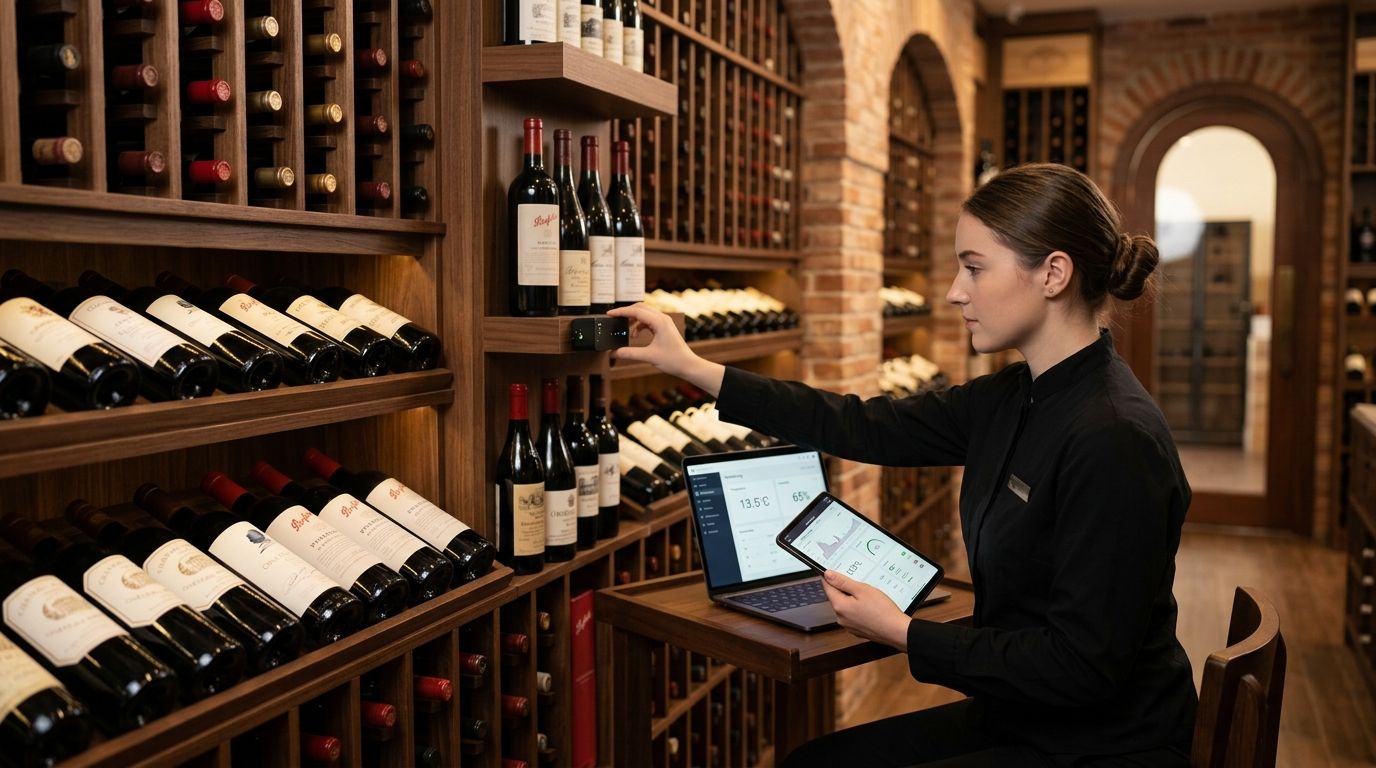
Best overall for restaurant groups with more than one cellar: a LoRaWAN-based IoT platform such as the Kilo IoT Platform. Best for a single cellar in one location: a Wi-Fi or Bluetooth standalone sensor app. Best budget option for a small under-counter wine fridge: a manual spot-check logbook, retired the moment inventory value outgrows it.
- The best iot platform for restaurant wine cellar monitoring depends on how many cellars and sites you run, not just sensor count.
- Kilo IoT Platform suits multi-location groups needing one dashboard across every cellar, walk-in and cold room.
- Wine holds best at 53-57°F (12-14°C) with 50-70% relative humidity; alarm speed matters more than sensor accuracy once a compressor fails.
- A single-cellar operator can start on Wi-Fi sensors; a five-cellar group needs LoRaWAN or mioty and multi-step alarm escalation.
- Manual logbooks work until a bottle inventory is worth more than the sensor that would have caught the excursion.
Why restaurant wine cellars need automated temperature monitoring
A wine cellar isn't a walk-in cooler with a lower setpoint. Cork seals dry out and let air in when humidity drops below roughly 50%, and sustained temperatures above 57-59°F (14-15°C) accelerate oxidation and push corks out under pressure. A single overnight compressor failure in an unmonitored cellar can turn a six-figure bottle list into a write-off before the morning shift notices the smell.
Restaurant groups running more than one location face a second problem: a paper logbook at each site doesn't roll up into anything a beverage director can act on. That's where an iot platform for restaurant wine cellar monitoring earns its keep — it turns scattered sensor readings into one dashboard with alarms that reach a manager's phone before a health inspector or a guest ever notices.
This guide ranks the five realistic approaches to monitoring a restaurant wine cellar in 2026, from a spreadsheet-and-thermometer baseline up to a multi-site LoRaWAN deployment, and tells you which one fits your cellar count.
What makes the best IoT platform for wine cellar monitoring
- Continuous logging, not spot checks. Readings every few minutes catch a slow drift long before a daily walk-through would.
- Alarm escalation that reaches a real person. A single email nobody reads at 2 a.m. is worse than no alarm at all.
- Multi-site visibility. Restaurant groups with two or more cellars need one dashboard, not one login per location.
- Door and vibration event capture. A walk-in door propped open or a compressor starting to knock shows up as an event, not just a slow temperature climb.
- Open data access. APIs or exports so cellar data can feed a beverage director's own reporting instead of living in a proprietary app.
- Low install overhead. Battery-powered wireless sensors that a GM can mount without an electrician.
IoT monitoring options for restaurant wine cellars at a glance
| Approach | Best for | Standout feature | Key limitation |
|---|---|---|---|
| Kilo IoT Platform (LoRaWAN/mioty/MQTT) | Multi-location restaurant groups | One dashboard, five-tier alarms, digital twin per cellar | Overkill for a single small cellar |
| Wi-Fi/Bluetooth standalone sensors | One cellar, one location | Fast setup, app-based alerts | No cross-site view, weak escalation |
| Cellular remote loggers | Detached or off-site cellars | Works with no on-site WiFi | Ongoing connectivity dependency |
| BMS integration (via MQTT) | Hotels/resorts with an existing BMS | Cellar sits inside the property's existing system | Cellar-specific alarms often an afterthought |
| Manual spot-check logbook | A single small wine fridge | No hardware cost | Misses overnight and weekend failures |
1. Kilo IoT Platform: best for restaurant groups with cellars across multiple locations
Kilo is an AI-first IoT platform built around a rules engine, five-tier alarms and a digital twin for every connected device, running over a built-in LoRaWAN and mioty network server plus MQTT for anything that already publishes data. For a restaurant group, that means every cellar, walk-in and cold room across every location shows up as one live dashboard instead of five separate apps.
Each sensor gets its own digital twin, and a facilities lead or beverage director can build a threshold rule — say, alert if cellar temperature exceeds 59°F (15°C) for more than 15 minutes — using the built-in CEL expressions and BPMN rules engine, version-controlled with one-click rollback if a rule needs adjusting. Alarms escalate through up to five severity tiers with quiet hours and multi-step escalation chains, so a minor drift pings the on-duty manager while a compressor failure calls in the ops lead directly. Kilo's built-in AI assistant can walk a manager through onboarding a new sensor or writing that rule in plain language, confirming before anything consequential goes live. The same approach applies well beyond the cellar — the vineyard and wine production monitoring use case runs on the same rules engine for tank and barrel-room conditions upstream of the restaurant.
Kilo pros:
- One dashboard across every cellar, walk-in and cold room in a multi-site restaurant group
- Five-tier alarm escalation with quiet hours, so overnight excursions actually reach someone
- Digital twin per sensor plus a live 3D building twin for larger properties
- Free tier available for a single small deployment, with no card required to start
Kilo cons:
- More setup than a plug-and-play consumer app if you're only monitoring one small fridge
- Sensor hardware ships through the sister company, Kilo Electronics, as a separate purchase
- The rules engine has a learning curve for a team that has never built a threshold alarm before
Best for: restaurant groups running two or more cellars, or any single cellar where the beverage inventory justifies alarm escalation over a phone app.
2. Wi-Fi/Bluetooth standalone sensors: best for a single cellar in one restaurant location
A standalone Wi-Fi or Bluetooth sensor paired to a phone app is the fastest way to get a temperature reading on a single cellar without touching a platform at all. It plugs into existing restaurant Wi-Fi, pushes an alert to a personal phone, and needs no network server setup.
Standalone sensor pros:
- Setup in minutes, no IT involvement
- Low unit cost for a single cellar
- App-based history is usually enough for a one-location operator
Standalone sensor cons:
- No cross-location dashboard once a second site opens
- Alerts typically go to one phone with no escalation chain
- Battery and Wi-Fi range limits in a below-grade or masonry cellar
Best for: a single independent restaurant with one cellar and no near-term plans to open a second location.
3. Cellular remote temperature loggers: best for a detached or off-site wine cellar
Some restaurant groups store overflow inventory in an off-site or detached cellar with no on-premises Wi-Fi. A cellular logger solves the connectivity gap by reporting over a mobile network instead of the building's own network.
Cellular logger pros:
- Works in a detached building with no existing network
- No dependency on the restaurant's own Wi-Fi uptime
Cellular logger cons:
- Ongoing connectivity cost and dependency on carrier coverage at the site
- Rarely integrates with the rest of a group's building sensors
Best for: a single detached or remote cellar with no other on-site connectivity option.
4. Building management system integration: best for hotels and resorts with an existing BMS
A hotel or resort with a wine program often already runs a building management system for HVAC and utilities. Piping cellar sensors into that BMS over MQTT means the cellar becomes one more monitored zone instead of a separate system to log into. It also fits naturally alongside broader work like facility monitoring for hotels and resorts.
BMS integration pros:
- Cellar data sits alongside the rest of the property's systems
- No new login for facilities staff already using the BMS
BMS integration cons:
- Cellar-specific alarm logic is often an afterthought inside a general-purpose BMS
- Adding a new zone can require vendor involvement rather than a self-service rule
Best for: a hotel, resort or large venue where the wine cellar is one small piece of a larger, already-instrumented building.
5. Manual spot-check logbooks: best for a single small wine fridge on a tight budget
A paper or spreadsheet logbook, checked once or twice a shift, is where most single-location restaurants start. It costs nothing beyond staff time and needs no hardware.
Manual logbook pros:
- Zero hardware or software cost
- Simple enough that any shift lead can maintain it
Manual logbook cons:
- Misses overnight, weekend and holiday excursions entirely
- No record of how long a temperature swing lasted before someone caught it
- Doesn't scale past one small unit
Best for: a single under-counter wine fridge where the bottle inventory doesn't yet justify a sensor.
How this ranking was built
Each approach was scored against the six criteria above: logging frequency, alarm escalation, multi-site visibility, door/vibration event capture, data access, and install overhead. Kilo ranks first specifically for the multi-site and alarm-escalation criteria — a single-cellar operator with no plans to expand may reasonably start lower on this list and move up later.
Which IoT platform fits your restaurant's wine cellar?
If you're running one cellar in one building, a Wi-Fi sensor app or a disciplined manual logbook covers you until the inventory grows. The moment you open a second location, add a private cellar room, or need an alarm that reaches someone after close, a full platform like Kilo becomes the better economics — one login, one alarm chain, and a digital twin for every cellar you add going forward. Wine doesn't recover from a weekend at 68°F (20°C); the right monitoring approach is whichever one actually wakes someone up before that happens. Sensor hardware for any of these approaches, including battery-powered wireless units, ships worldwide through Kilo Electronics.
FAQ
What's the best IoT platform for restaurant wine cellar monitoring?
For restaurant groups with more than one cellar or cold room, a LoRaWAN-based platform like Kilo gives one dashboard and escalating alarms across every site. A single-location restaurant with one cellar can often start with a Wi-Fi or Bluetooth sensor app instead.
What temperature and humidity should a wine cellar hold?
Long-term wine storage generally targets 53-57°F (12-14°C) with 50-70% relative humidity, held as constant as possible. Swings matter more than the exact setpoint — repeated temperature cycling ages wine faster than a slightly warmer but stable cellar.
Is LoRaWAN or Wi-Fi better for a wine cellar sensor?
LoRaWAN sensors run for years on battery and don't depend on the restaurant's Wi-Fi network staying up, which matters more once you have several cellars across locations. A single below-grade cellar with strong in-building Wi-Fi can work fine on a standalone Wi-Fi sensor.
How much does IoT wine cellar monitoring cost in 2026?
Costs vary by sensor count, connectivity type and platform, so check current pricing directly with the vendor. Kilo offers a free tier for a small deployment with no card required, useful for testing before committing a multi-site budget.
Can one platform monitor wine cellars across multiple restaurant locations?
Yes — a platform built for multi-site monitoring, like Kilo, puts every cellar's temperature, humidity and alarm history on one dashboard regardless of location. Standalone consumer sensor apps generally don't offer this cross-site view.
What causes most wine cellar temperature failures in restaurants?
Compressor failure, a walk-in or cellar door left ajar, and HVAC drift overnight or on a closed day account for most excursions. Door and vibration event capture, not just temperature logging, catches the early signs of the first two.
Do wine cellar sensors need a health inspection or compliance record?
Wine cellars generally fall outside food-safety cold-chain regulation, but a documented temperature history still helps insurance claims and internal quality control after an incident. A platform with alarm and event history gives you that record automatically.
How many sensors does a restaurant wine cellar need?
A single small cellar typically needs one temperature/humidity sensor and a door sensor if the unit has a separate entry. Larger cellars with multiple zones or racks benefit from a sensor per zone to catch localized hot spots.
One more thing worth knowing
The failure mode that actually ruins a wine list isn't a slow drift — it's a door left ajar on a closed Sunday combined with a compressor that was already running hot. A door-event sensor paired with a temperature alarm catches that combination in under an hour; a temperature-only sensor might not flag it until the cellar has already spent a full day above 65°F (18°C).