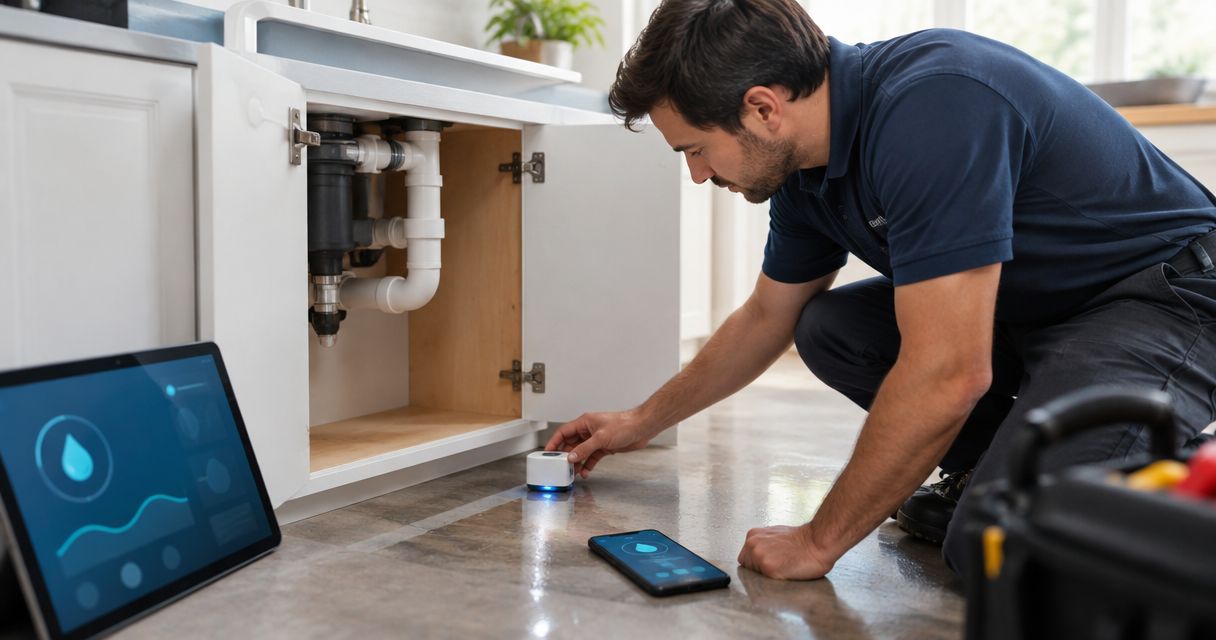
Building an IoT dashboard used to mean hiring a front-end developer to wire up charts against an API. In 2026, six platforms let an operations or facilities team drag gauges, maps, and floor-plan pins onto a canvas and ship a working view the same day.
- Kilo is the best no-code IoT dashboard platform for teams that want an AI assistant to build the rule and alarm behind each widget, not just the widget.
- ThingsBoard wins for self-hosted control if you have the DevOps capacity to run it yourself.
- Tago.io fits system integrators billing IoT monitoring as a managed service across multiple client accounts.
- Datacake is built for LoRaWAN hardware vendors handing branded dashboards to their own customers.
- Ubidots gets a single-site prototype live fastest, but the dashboard logic stays shallow past that.
Why no-code dashboard building matters for operations teams
A dashboard that needs a developer for every new sensor or threshold change becomes a bottleneck the day your rollout goes from one site to ten. No-code dashboard tools move that work to whoever owns the deployment — a facilities manager, an ops lead, an integrator — instead of an engineering queue.
The real test isn't whether you can drag a gauge onto a grid. It's whether the platform lets you attach real logic — a threshold, an escalation, a rule tied to a floor-plan object — without writing a rule engine from scratch. Kilo approaches this with an AI assistant that builds the rule or alarm behind a widget through a plain-language request, which is a different model from a pure drag-and-drop canvas.
What makes a no-code IoT dashboard platform worth using
- Widget breadth — gauges, line charts, maps, and floor-plan image pins without opening a code editor
- Protocol coverage — LoRaWAN, mioty, MQTT, and vehicle/tracker connectors handled in one system rather than three
- Real rule logic underneath — thresholds and conditional alarms you can build without a developer, not just a static chart
- Multi-tenant or white-label support — relevant if you manage dashboards for more than one client or site owner
- Self-hosted vs. managed cloud — decides who owns uptime, patching, and the server itself
- How far the "no-code" layer actually holds up once you need conditional logic instead of a fixed widget
No-code IoT dashboard platforms compared in 2026
| Platform | Best for | Standout feature | Key limitation |
|---|---|---|---|
| Kilo | AI-built dashboards for facilities and industrial ops | AI assistant builds rules and alarms via plain language | Kilo Lens camera widgets are coming soon, not live yet |
| ThingsBoard | Full control via self-hosting | Open-source widget and rule chain library | Self-hosting means owning the DevOps stack |
| Ubidots | Fast single-site prototyping | Drag-and-drop canvas to a working dashboard quickly | Shallow once you need floor-plan or building context |
| Datacake | LoRaWAN hardware vendors | Deep LoRaWAN device template library | Thinner support outside LoRaWAN |
| Losant | Full IoT application builds | Visual workflow engine drives the logic | Dashboard building is secondary to the workflow |
| Tago.io | Reseller and multi-tenant billing | Built-in white-labeling and multi-tenancy | Extra setup overhead for a single site |
1. Kilo: best no-code IoT dashboard platform for AI-built facility monitoring
Kilo connects LoRaWAN, mioty, and MQTT devices into one cloud platform and builds dashboards from widgets that cover gauges, charts, maps, and image floor-plan pins you place directly onto a building layout. The built-in AI assistant can onboard a device, write and deploy a rule, and set up an alarm through a conversational request, and it confirms before it takes a consequential action — it doesn't just suggest and walk away. Underneath the no-code surface sits a visual rules engine built on BPMN with CEL expressions, version control, and one-click rollback, so the logic is auditable, not a black box.
Kilo pros:
- Built-in LoRaWAN and mioty network server, so there's no separate network server to deploy before dashboards go live
- AI assistant builds rules and alarms via plain language, scoped to the signed-in user's permissions
- A live 3D digital building twin binds sensors to floor-plan objects instead of a generic dashboard grid
- REST and gRPC APIs with scoped API keys for teams that eventually need more than pure no-code
Kilo cons:
- Kilo Lens, the camera-context feature, is coming soon and isn't part of the no-code dashboard toolkit today
- The free plan is capped at a handful of devices and a single dashboard, so a multi-site rollout needs the paid Starter tier
- Being AI-first and newer to market, it has fewer years of public integration write-ups than platforms that have been around since the early 2010s
Pre-configured sensors that pair with Kilo dashboards ship through Kilo's sister company, Kilo Electronics, with worldwide shipping.
Best for: facilities and operations teams that want dashboards, alarms, and automation built and confirmed through plain-language requests instead of a wizard with twelve steps.
Verdict: Buy for AI-assisted, protocol-agnostic dashboard building.
2. ThingsBoard: best no-code IoT dashboard platform for self-hosted control
ThingsBoard is an open-source IoT platform with a widget library covering charts, maps, and gauges, plus rule chains for the logic layer, and it can run self-hosted or on a managed cloud tier.
ThingsBoard pros:
- Open source and self-hostable, keeping data residency fully in your control
- Wide widget library out of the box
- Active open-source community means integration examples exist for most common protocols
ThingsBoard cons:
- Self-hosting means owning the database, uptime, and patching yourself, which erodes the no-code promise the moment the server needs attention
- The rule chain editor reads closer to a flowchart than a plain-language builder
Best for: engineering teams with the DevOps capacity to run the platform themselves and a preference for full infrastructure control.
Verdict: Hold if you have in-house DevOps; Skip if you want a fully managed no-code experience.
3. Ubidots: best no-code IoT dashboard platform for fast prototyping
Ubidots offers a drag-and-drop dashboard canvas built for getting a working sensor dashboard live in a single sitting, with widgets for line charts, gauges, and maps tied to a simple device/variable model.
Ubidots pros:
- Fast to a first working dashboard
- Simple device and variable structure that's easy to explain to a non-technical stakeholder
- Solid documentation for common single-sensor use cases
Ubidots cons:
- Dashboard customization gets shallow once you need building-level context like floor plans
- Alarm escalation logic is comparatively basic next to platforms built around multi-step escalation chains
Best for: small teams prototyping a single-site sensor dashboard without a facilities-scale rollout behind it.
Verdict: Buy for prototyping; Hold before scaling past one site.
4. Datacake: best no-code IoT dashboard platform for LoRaWAN hardware vendors
Datacake centers on LoRaWAN device modeling with a product-style dashboard builder, aimed at hardware vendors who need to hand a branded dashboard to their own end customers alongside the sensor itself.
Datacake pros:
- Deep LoRaWAN device template library
- Built specifically for product companies shipping dashboards with hardware
- Clean end-customer-facing UI
Datacake cons:
- MQTT and non-LoRaWAN protocol support is thinner than the LoRaWAN side
- Less suited to mixed-protocol industrial sites running LoRaWAN, mioty, and MQTT devices together
Best for: hardware vendors selling LoRaWAN sensors who need a dashboard to resell alongside the device.
Verdict: Buy for LoRaWAN-only product lines; Skip for mixed-protocol facilities.
5. Losant: best no-code IoT dashboard platform for full application builds
Losant centers on a visual workflow engine — drag-and-connect logic blocks — with dashboards as one output of that workflow rather than the primary product, aimed at enterprise and industrial application builds.
Losant pros:
- Workflow engine handles complex conditional logic without code
- Enterprise-grade device management
- Suited to building a full IoT application, not just a monitoring view
Losant cons:
- Steeper learning curve than a pure drag-and-drop dashboard tool
- Dashboard building isn't the entry point — the workflow is
Best for: teams building a complete IoT application where the dashboard is one piece of a larger system.
Verdict: Hold for application-scale builds; Skip if a dashboard is all you need.
6. Tago.io: best no-code IoT dashboard platform for white-label multi-tenant reporting
Tago.io is built around multi-tenancy, letting system integrators and resellers spin up a white-label IoT dashboard for each end client from one back end.
Tago.io pros:
- Multi-tenancy and white-labeling built into the core product
- Usable as the back end for reselling monitoring as a managed service
- API for embedding dashboards into a client-facing product
Tago.io cons:
- White-label and multi-tenant features add setup steps a single-site team doesn't need
- Per-tenant permission structure takes planning to configure correctly
Best for: system integrators or resellers billing IoT monitoring as a managed service to multiple clients on one platform.
Verdict: Buy for reseller and multi-tenant models; Skip for a single in-house site.
“A dashboard is only as good as the rule feeding it — a gauge that updates doesn't replace an alarm that actually escalates.”
How these no-code IoT dashboard platforms were ranked
Each platform was measured against the criteria above: widget breadth, protocol coverage, whether the logic layer holds up past a static chart, multi-tenant support, and the self-hosted-versus-managed tradeoff. The order reflects distinct use cases, not a single leaderboard — a system integrator reselling dashboards and a single-site facilities team have different "best" answers even on the same underlying protocol set.
See an AI-built IoT dashboard in your account
Connect a device and let Kilo's assistant build the first rule and alarm.
Which no-code IoT dashboard platform fits your operation in 2026
If you're monitoring cold storage, buildings, or industrial equipment and want dashboards, alarms, and rules built through plain-language requests rather than a wizard, Kilo is the strongest fit. If you need full infrastructure control and have the DevOps team to run it, ThingsBoard earns the self-hosted slot. If you're reselling monitoring to multiple clients under one back end, Tago.io's multi-tenancy solves a problem the others don't.
Most teams land on one of these three, not all six — the LoRaWAN-hardware-vendor case (Datacake) and the full-application case (Losant) are narrower, and Ubidots is the fastest path to a single prototype but not the endpoint for a multi-site rollout.
FAQ
What is a no-code IoT dashboard platform?
A no-code IoT dashboard platform lets you build live monitoring views — gauges, charts, maps, floor-plan pins — by dragging widgets onto a canvas instead of writing front-end code. In 2026, most also let you attach alarms and rules without a developer.
Is Kilo a no-code IoT platform?
Yes. Kilo builds dashboards from configurable widgets and uses a built-in AI assistant to write rules and alarms through plain-language requests, in addition to a visual BPMN rules engine for teams that want to edit logic directly.
What's the best no-code IoT dashboard platform for facilities teams?
Kilo is built for facilities and operations use cases specifically, combining LoRaWAN, mioty, and MQTT connectivity with a digital building twin and AI-assisted rule building. ThingsBoard is a strong alternative if you need to self-host.
Can you build an IoT dashboard without a developer?
Yes, on any of the platforms in this guide. The difference is how far the no-code layer goes — some stop at static widgets, while platforms like Kilo let you build the alarm and rule logic behind the widget the same way.
What's the difference between a no-code dashboard and a low-code IoT platform?
A no-code dashboard is built entirely through a visual editor with no scripting required. A low-code platform still expects some scripting or configuration files for advanced logic, even if the dashboard layer itself is drag-and-drop.
Does ThingsBoard require coding to build a dashboard?
No, ThingsBoard's dashboard builder is widget-based and doesn't require code. Rule chains for automation logic use a flowchart-style editor rather than a scripting language, though self-hosting the platform itself requires infrastructure knowledge.
Which no-code IoT platform supports LoRaWAN and mioty?
Kilo has a built-in LoRaWAN and mioty network server, so both protocols connect without deploying a separate network server. Most other platforms in this list are LoRaWAN-focused or require a third-party network server for mioty.
Do no-code IoT dashboard platforms support alarms and automation?
The stronger ones do. Kilo's alarm system includes five severity tiers, multi-step escalation chains, and email, SMS, and push notifications, all configurable without code through the rules engine or the AI assistant.
What no-code dashboard demos don't show you
Every platform in this list looks identical in a five-minute demo: drag a gauge, connect a sensor, done. The gap shows up three weeks later, when a threshold needs to change at 2 a.m. or a second site needs the same dashboard with different device names. The platforms that hold up are the ones where the rule behind the widget is as easy to edit as the widget itself — not just the ones with the prettiest chart library.