
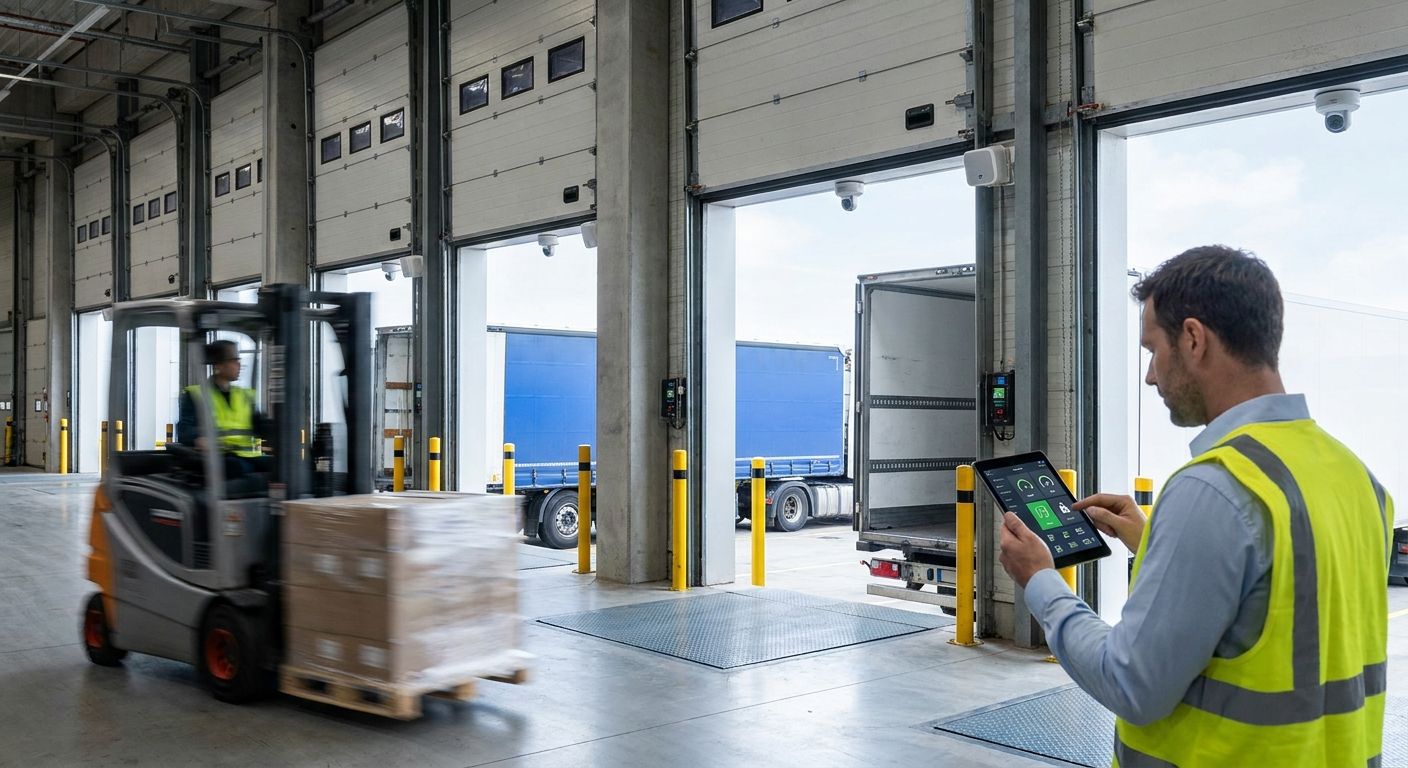
IoT dock door monitoring for distribution centers puts a wireless contact sensor on every bay door, ties door state to dock temperature and traffic data on one dashboard, and fires an alarm the moment a door sits open past your threshold. For a site running dozens of doors across two or three shifts, that turns a walk-the-yard question into a real-time answer instead of a guess made an hour too late.
- IoT dock door monitoring for distribution centers pairs door contact sensors with dock temperature readings on one dashboard.
- Kilo IoT Platform runs LoRaWAN and mioty natively, so dense steel dock areas don't need a separate network server.
- Escalation rules move an unattended open-door alarm from a text message to a phone call in minutes, not hours.
- Manual dock walks catch maybe one incident per round; automated door sensors catch every one, logged with a timestamp.
Why dock door monitoring matters for distribution centers
A dock door is a boundary, not just an opening. On one side is a conditioned or refrigerated warehouse; on the other is outside air, forklift traffic, and a trailer that may or may not be sealed correctly. Every minute that boundary stays open past what the operation needs, it costs conditioned air, invites pests and dust, and — on cold chain docks — pushes product toward a temperature excursion the FDA's Sanitary Transportation rule (21 CFR Part 1, Subpart O) expects a distribution center to be able to document.
Dock areas are also where OSHA's powered industrial truck standard (29 CFR 1910.178) gets tested hardest: forklifts moving in and out of a door that's supposed to be down, levelers cycling under load, staff walking a live traffic lane to check a door manually. The failure mode isn't usually a broken door — it's a door left open and nobody finding out until the next scheduled walk. In 2026, most distribution centers still run that walk on paper.
How to set up IoT dock door monitoring for a distribution center
Map every dock door, leveler, and seal on the site
Before any sensor goes up, build the actual inventory. Most sites underestimate door count once cross-dock and receiving-only bays are counted separately.
- List every door by number, zone (ambient, chilled, frozen), and which trailers use it
- Note which doors have a dock leveler, seal, or shelter attached
- Flag doors that sit next to a refrigerated zone or airlock
- Record current door-open procedure per shift, if one exists
Log door-open duration manually before you automate
Run a paper or spreadsheet baseline for one to two weeks. This is the free method, and it tells you which doors actually need sensors first instead of instrumenting all of them on day one.
- Have dock staff note open and close time per door per trailer
- Flag any door open more than 15-20 minutes with no active load/unload
- Note ambient or dock temperature at each check, if a thermometer is on hand
- Compare doors against each other — one door open twice as long as its neighbors usually points to a process gap, not a fluke
Install door contact and temperature sensors at each bay
This is where the manual log becomes a live feed. A wireless door contact sensor reports open/closed state the instant it changes; a paired temperature and humidity sensor on the dock reads the zone next to it. Kilo IoT Platform runs both LoRaWAN and mioty as a built-in network server, which matters at a dock — steel doors, metal racking, and dense trailer traffic are exactly the RF environment mioty was built to punch through when LoRaWAN struggles.
- Contact sensor per door, mounted on the frame, not the leveler
- Temperature and humidity sensor per zone, not per door, unless the zone spans a wide footprint — see the temperature and humidity sensors for warehouse monitoring guide for placement specifics
- Gateway placed for line-of-sight across the dock row, one gateway typically covers a full bay line
- A digital twin entry per door in the platform, so each sensor maps to a real object on a floor plan, not a generic device ID
Set thresholds for door-open time and dock temperature
A sensor without a threshold is just a number nobody looks at. The Kilo rules engine is BPMN-based with CEL expressions underneath, so a rule like "door open more than 20 minutes AND no trailer load event" is buildable without code, versioned, and testable against a sample payload before it goes live.
- Door-open duration threshold, set per zone — chilled and frozen doors usually need a tighter window than ambient
- Dock temperature threshold tied to the FDA cold chain window relevant to the product stored
- Separate thresholds for shift hours vs. overnight, using quiet hours so a routine overnight receiving door doesn't page anyone
- A rollback plan — if a new threshold fires too often in week one, one-click rollback to the prior version instead of hand-editing on the fly
Build escalation rules so alarms reach the right shift
An alarm that only shows up on a dashboard nobody's watching at 2 a.m. isn't an alarm. Kilo's alarm system runs five severity tiers with multi-step escalation chains — email, SMS, and push — so a door left open past threshold escalates from the dock lead to the shift supervisor if it's not acknowledged. Full setup steps are in how to set up SMS and email alerts for critical sensor thresholds.
- Tier 1: dock lead, acknowledge within a set window
- Tier 2: shift supervisor, if tier 1 doesn't acknowledge
- Tier 3: facilities or ops manager for anything tied to a temperature excursion
- Centralized alarm inbox so a manager reviewing the prior night sees every event in one place, not four separate phone logs
Track trailer dwell time at the dock
A door sensor tells you the door state. Trailer dwell tells you why. Pairing dock door data with reefer trailer tracking closes the loop on detention charges and cold chain gaps that start in the yard, not the dock — covered in refrigerated trailer and reefer truck tracking.
- Correlate door-open windows against scheduled trailer arrival/departure
- Flag trailers sitting at a door well past their load/unload window
- Cross-reference reefer unit temperature against dock temperature during the transfer
Report dock performance across every site
One door at one site is a data point. Every door at every site, on one dashboard, is an operations report.
- Door-open duration by door, by shift, by site
- Temperature excursion count tied to door events, not just standalone readings
- Alarm acknowledgment time by shift, to catch a training gap before it becomes an incident
- Digital building twin view so a regional ops manager can click a door on a floor plan and see its full history
Best options for dock door and loading bay monitoring
| Option | Best for | Deployment effort | Key limitation |
|---|---|---|---|
| Manual dock walks + paper log | Single-shift, low-door-count sites | Low upfront, high ongoing labor | No record between rounds; a door can sit open for hours unnoticed |
| Standalone door alarm/siren | One high-risk door | Low, plug-in | No remote visibility, no history, no escalation past the horn |
| WMS/TMS dock scheduling module | Trailer appointment and yard flow | Medium, tied to existing WMS | Tracks scheduled appointments, not actual door state or dock temperature |
| Wireless IoT platform (e.g. Kilo IoT Platform) | Multi-door, multi-site distribution operations | Medium — sensors plus a gateway per dock row | Needs LoRaWAN or mioty coverage planning across steel and metal racking before rollout |
“A dock door alarm is only useful if it reaches the right person before the trailer pulls away.”
See dock door monitoring set up live
Walk through a door sensor, a rule, and an alarm inside the platform.
Common dock door monitoring mistakes distribution centers make
- Instrumenting every door before running a manual baseline. Sites that skip the two-week paper log end up with sensors on doors that were never actually a problem, and thin coverage on the one door that was.
- Setting one threshold for every door. A frozen dock door and an ambient receiving door don't behave the same way; a single 20-minute rule either pages constantly on one or misses excursions on the other.
- Treating the alarm as the finish line. An alert with no escalation chain sits in an inbox until morning shift change — by then the temperature excursion already happened.
- Ignoring trailer dwell alongside door state. A door reading correctly closed still doesn't tell you a reefer trailer sat at the dock 40 minutes past its window with its unit off.
- Skipping RF planning around steel dock doors and racking. Dense metal at a loading bay is a known LoRaWAN weak spot; sites that don't test signal strength first end up with dropped readings right where they need them most.
FAQ
What sensors does IoT dock door monitoring for distribution centers use?
A wireless door contact sensor reports open/closed state, paired with a temperature and humidity sensor on the dock zone next to it. Some sites add a vibration sensor on the dock leveler to flag mechanical issues separately from door state.
Is LoRaWAN or mioty better for dock door sensors?
LoRaWAN works for most open dock areas; mioty handles dense steel and metal-racking environments better because of its telegram splitting design. Kilo IoT Platform runs both as a built-in network server, so the choice comes down to the site's RF density rather than the software.
How is dock door monitoring different from freezer door monitoring?
Freezer door monitoring watches a sealed cold zone boundary with a tight temperature window; dock door monitoring watches a boundary that's supposed to open and close constantly for trailer traffic. Both use the same door contact sensor type, but dock thresholds are built around duration and shift activity, not a single temperature limit.
Can dock door alarms integrate with a WMS?
Kilo IoT Platform exposes REST and gRPC APIs, so door and temperature alarm data can post out to a WMS, TMS, or reporting dashboard rather than staying siloed in the sensor platform.
Do dock door sensors need a cellular connection?
No. Door contact and dock temperature sensors typically run on LoRaWAN or mioty, both of which use a dedicated gateway rather than a cellular SIM, which keeps ongoing connectivity costs down for a large door count.
How many dock doors can one gateway cover?
Coverage depends on building layout and RF interference more than door count — a single gateway with clear line-of-sight typically covers a full dock row, but sites with heavy steel racking or long buildings often need more than one.
What triggers a dock door alarm escalation?
A rule tied to door-open duration, dock temperature, or both crosses its threshold and the first alarm tier isn't acknowledged within a set window, which pushes the alert to the next tier in the escalation chain.
Can dock door data help with cold chain compliance reporting?
Yes — correlating door-open events with dock temperature readings gives auditors a timestamped record tied to the FDA Sanitary Transportation rule's documentation expectations, rather than a temperature log alone.
What's the most overlooked part of dock door monitoring?
Most distribution centers instrument the freezer and skip the dock door that feeds it. But the airlock effect between a chilled zone and an open dock door is where a lot of unexplained temperature excursions actually start — the freezer sensor logs the drift, but nothing tells anyone the dock door next to it sat open for 25 minutes during a shift change. Pair the door sensor with the zone temperature sensor from day one, not as a phase two add-on — it's the single change that turns a temperature log into an explanation.
Dock hardware itself — contact sensors, gateways, temperature probes — ships through Kilo Electronics with worldwide shipping, separate from the software platform.


