
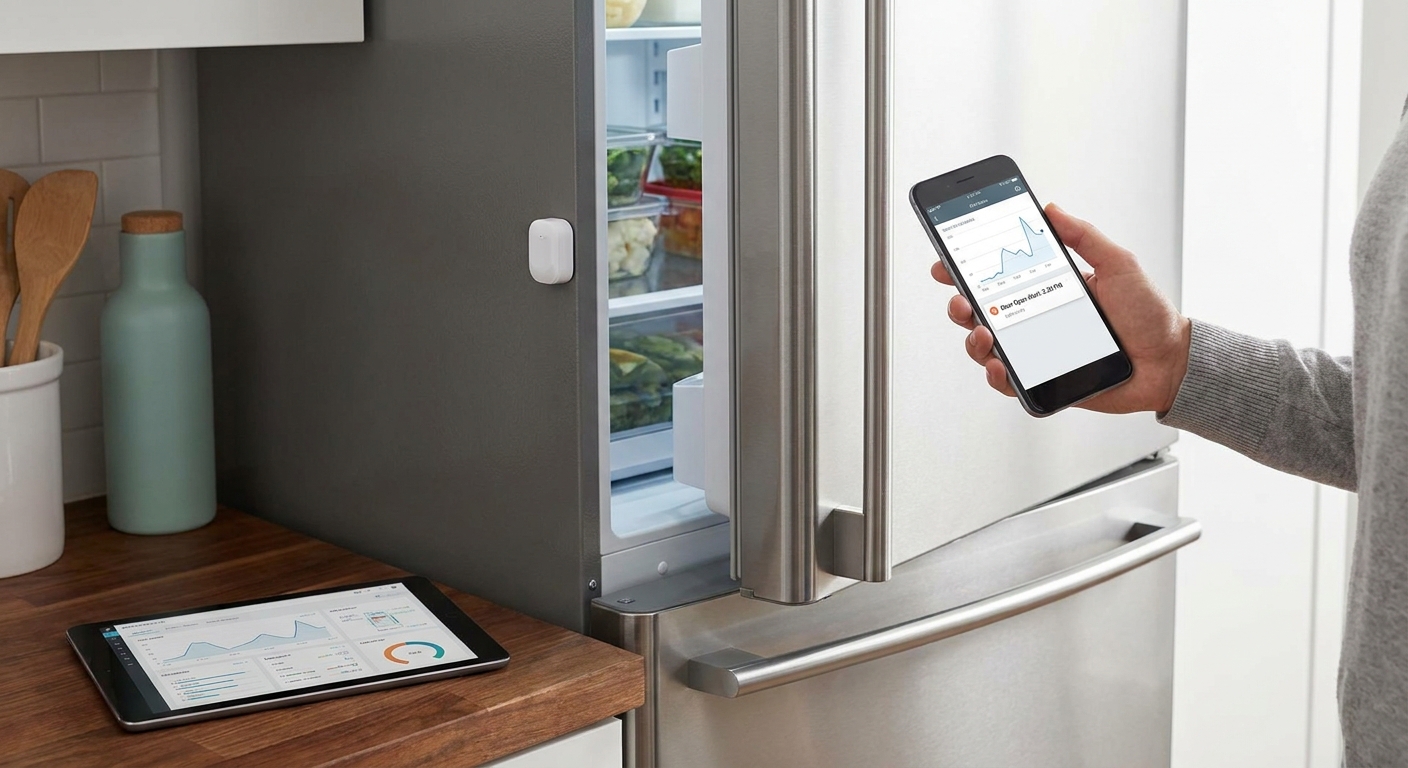
A freezer door that sits open for even a few minutes drives up compressor runtime, spikes the energy bill, and pushes stored product toward the FDA's frozen-holding line faster than most staff notice. A door contact sensor wired into an IoT rules engine catches the open-door event and pages the right person before it turns into a write-off.
- A LoRaWAN door contact sensor paired with a rules engine is the fastest way to monitor freezer door open events in 2026.
- EPA GreenChill data puts refrigeration at 30-50% of a grocery store's electricity use, so door discipline moves the bill.
- The FDA recommends 0F for frozen storage, and a door left open too long threatens that line before anyone walks by.
- Five alarm severity tiers and multi-step escalation on the Kilo IoT Platform turn a door sensor into a page to the right person, not just a log entry.
Why Freezer Door Open Events Cost More Than They Look Like
A propped freezer door doesn't set off an alarm on its own. The compressor just runs longer, the unit works harder to recover setpoint, and nobody connects the noise to a door left ajar during a busy delivery.
According to EPA GreenChill, refrigeration systems account for 30-50% of a typical supermarket's total electricity use — the single largest line item on the utility bill in most stores. Every extra minute a freezer door stays open adds infiltration load the compressor has to fight, and that load compounds across every door on the site, every shift, every day.
There's a food-safety angle too. FDA guidance sets frozen storage at 0F and cold holding at 41F. A door open long enough to let warm, humid air infiltrate doesn't just cost kilowatts — it moves the product closer to a temperature excursion that a health inspector or an insurance auditor will ask about later. Freezer door monitoring for grocery and convenience stores covers the retail-specific version of this same problem.
What You Need to Monitor Freezer Door Open Events
- A magnetic reed switch or contact sensor rated for sub-zero operation, on LoRaWAN or mioty
- A temperature sensor on the same unit, so a door event has context instead of standing alone
- Gateway coverage at the site — one gateway typically covers a building or small campus on LoRaWAN
- A platform with a rules engine, alarm escalation, and a dashboard, not just a sensor feed
- 15-30 minutes to mount and pair each sensor
- An account to test the setup — the free tier on the Kilo IoT Platform runs up to 5 devices and 1 dashboard at 0 EUR, no card required
Most facilities teams start with one or two units before rolling the sensor out across every walk-in and reach-in on site.
How to Set Up Freezer Door Monitoring Step by Step
1. Pick a contact sensor built for the environment
A standard door sensor built for indoor retail temperatures can fail early inside a -18C freezer. Look for a battery-backed LoRaWAN or mioty contact sensor with a cold-rated battery chemistry; mioty's telegram-splitting approach also holds up better in metal-heavy kitchens where LoRaWAN signal can bounce. Expected outcome: a sensor that reports reliably for a full battery cycle instead of dropping out mid-winter. Common mistake: mounting the sensor on the door itself instead of the frame, which flexes the magnet gap and causes missed state changes.
2. Onboard the sensor without standing up a separate network server
Pair the device to the platform using its built-in LoRaWAN and mioty network server — there's no external network server to deploy or license separately. Confirm the sensor shows a live status in its digital twin before moving on. Expected outcome: a device record with a first-data timestamp and a clean uplink interval. Common mistake: walking away from a device stuck on 'waiting for first data' instead of checking gateway range on the spot.
3. Pair the door sensor with a temperature reading
Bind the door contact sensor and a temperature sensor to the same digital twin, or place them on the same dashboard card. A door event without temperature context tells you someone opened it; a door event followed by a temperature climb tells you it mattered. Expected outcome: one view showing door state and temperature trend together. Common mistake: treating the two sensors as unrelated feeds in separate dashboards.
4. Build a rule for door-open duration, not door-open count
In the visual rules engine, write a condition using a CEL expression that fires only when the door has been open past a set duration — many teams start around 2-3 minutes on a walk-in and adjust from there based on real traffic. Step through the rule against a test payload before deploying, then version it so a future edit can roll back cleanly. Expected outcome: a rule that ignores a 10-second grab-and-go and flags a genuinely propped door. Common mistake: alerting on every open/close cycle, which trains staff to ignore the alarm inbox entirely.
5. Set alarm severity and escalation
Assign the door-open rule a severity tier and build an escalation chain: a first notification to the on-shift lead, then SMS or push to the facilities manager if it's still unresolved a few minutes later. Configure quiet hours so an overnight event still escalates through the right channel instead of getting buried. Expected outcome: the alarm lands in the centralized inbox and reaches a person, not just a dashboard nobody's watching. Common mistake: routing every severity tier to the same person, which guarantees alert fatigue.
6. Add the event to a dashboard people actually check
Drop a chart widget showing door-open duration over time next to a gauge for current temperature. If the site has multiple freezers, use a floor-plan pin widget so a manager can see which unit triggered at a glance. Expected outcome: a dashboard that answers which door, how long, and what happened to temperature in one screen. Common mistake: building the dashboard for corporate reporting instead of the shift lead who needs it daily.
7. Use the AI assistant to adjust thresholds without writing CEL by hand
The built-in AI assistant can build or edit the door-duration rule and create the alarm through a plain-language request, scoped to your permissions, and it confirms before deploying anything consequential. Expected outcome: a threshold change that would've taken a rules-engine session takes a sentence instead. Common mistake: skipping the confirmation step and deploying a rule change during peak hours without reviewing it first.
8. Review the event history weekly
Pull up the digital twin's event history each week and look for patterns — the same door tripping every Tuesday delivery, or a gasket that's letting a door drift open on its own. Expected outcome: fewer false positives over time and an early flag on a failing hinge or gasket before it becomes a compressor problem. Common mistake: only looking at the dashboard after an alarm fires instead of reviewing the trend proactively.
“A rule that only fires after the door stays open past the threshold catches real problems without paging you every time someone grabs a case of chicken.”
How to Fix Common Freezer Door Monitoring Problems
- Too many alerts from staff traffic — raise the open-duration threshold and confirm it in a test payload before redeploying the rule.
- Sensor missing readings intermittently — check gateway range and battery voltage; cold temperatures reduce battery output faster than room-temperature deployments.
- False alarms during deliveries — add a time-of-day exception in the rule so scheduled delivery windows use a longer threshold than the rest of the day.
- Door sensor shows closed but the freezer is warming — the contact sensor only reports door state, not seal integrity; pair it with the temperature sensor reading to catch a bad gasket that never fully registers as open.
- Escalation reaching the wrong person overnight — check quiet hours configuration and confirm the escalation chain has a night-shift contact, not just a daytime one.
- Multiple sites, inconsistent thresholds — standardize the rule template and clone it across sites instead of rebuilding it unit by unit.
Tools and Sensors for Monitoring Freezer Door Open Events
- LoRaWAN or mioty magnetic contact/reed switch sensor, cold-rated
- Temperature and humidity sensor on the same unit
- A gateway sized to the site's floor plan
- A rules engine with CEL expressions, version control, and step-through debugging
- Alarm escalation with severity tiers, quiet hours, and a centralized inbox
- Commercial kitchen walk-in cooler and freezer monitoring for the food-service version of this build
See Every Freezer Door on One Dashboard
The free plan covers up to 5 devices and 1 dashboard, no card required.
What to Do After You Start Monitoring Freezer Door Events
Once door events and temperature are on the same dashboard, the next step is tightening the alarm logic so it survives real-world traffic without drowning the team in notifications. That's a broader rules-engine problem than freezer doors alone, and it's worth working through deliberately rather than tuning one threshold at a time.
FAQ
What's the best way to monitor freezer door open events?
A cold-rated LoRaWAN or mioty door contact sensor paired with a rules engine that fires on duration, not every open/close, is the most reliable setup in 2026. Adding a temperature sensor on the same unit gives the alert context instead of a bare notification.
How long can a freezer door stay open before food temperature rises?
There's no single number that applies to every unit — a tight-sealing walk-in buffers longer than a reach-in case on a hot line. The FDA recommends 0F for frozen storage, so the useful question is whether the sensor shows a rise toward that line, not a fixed minute count.
Is a door sensor or a temperature sensor better for catching a propped-open freezer?
Use both. A door contact sensor tells you the door is open; a temperature sensor tells you whether it mattered, and a bad gasket can let warm air in without ever showing as an open-door state.
How much does refrigeration cost a grocery store or restaurant?
EPA GreenChill puts refrigeration at 30-50% of a typical supermarket's total electricity use, making it the largest utility line item in most stores. Door discipline and monitoring directly affect that share.
What temperature should a commercial freezer hold?
The FDA recommends 0F for frozen storage, and the FDA Food Code sets cold holding at 41F for potentially hazardous food. Door open events that push a unit toward those lines are what a monitoring rule should catch.
Can I get alerts on my phone when a freezer door stays open?
Yes — alarm escalation chains support email, SMS, and push notifications with five severity tiers, so a door-open alarm can reach a phone directly instead of sitting in a dashboard nobody's watching.
Do I need Wi-Fi to monitor a freezer door?
No. LoRaWAN and mioty sensors report over a dedicated gateway, not the building Wi-Fi, which matters inside a metal walk-in where Wi-Fi signal is often weak or absent.
How do I stop getting alerted every time staff opens the freezer for a few seconds?
Set the rule to trigger only after the door has been open past a duration threshold, tested against a sample payload before it goes live. Most teams start around 2-3 minutes and adjust based on the false-alarm rate they actually see.
How Long Can a Freezer Door Stay Open Before Food Temperature Rises
The honest answer is that there isn't a universal number, and treating one like a fixed rule is how false alarms pile up. Ambient humidity, door seal condition, and how full the unit is all change how fast infiltration load turns into a temperature climb. What's fixed is the target the FDA recommends 0F for frozen storage — and the job of the sensor setup isn't to count minutes, it's to flag the moment temperature actually trends toward that line.


