
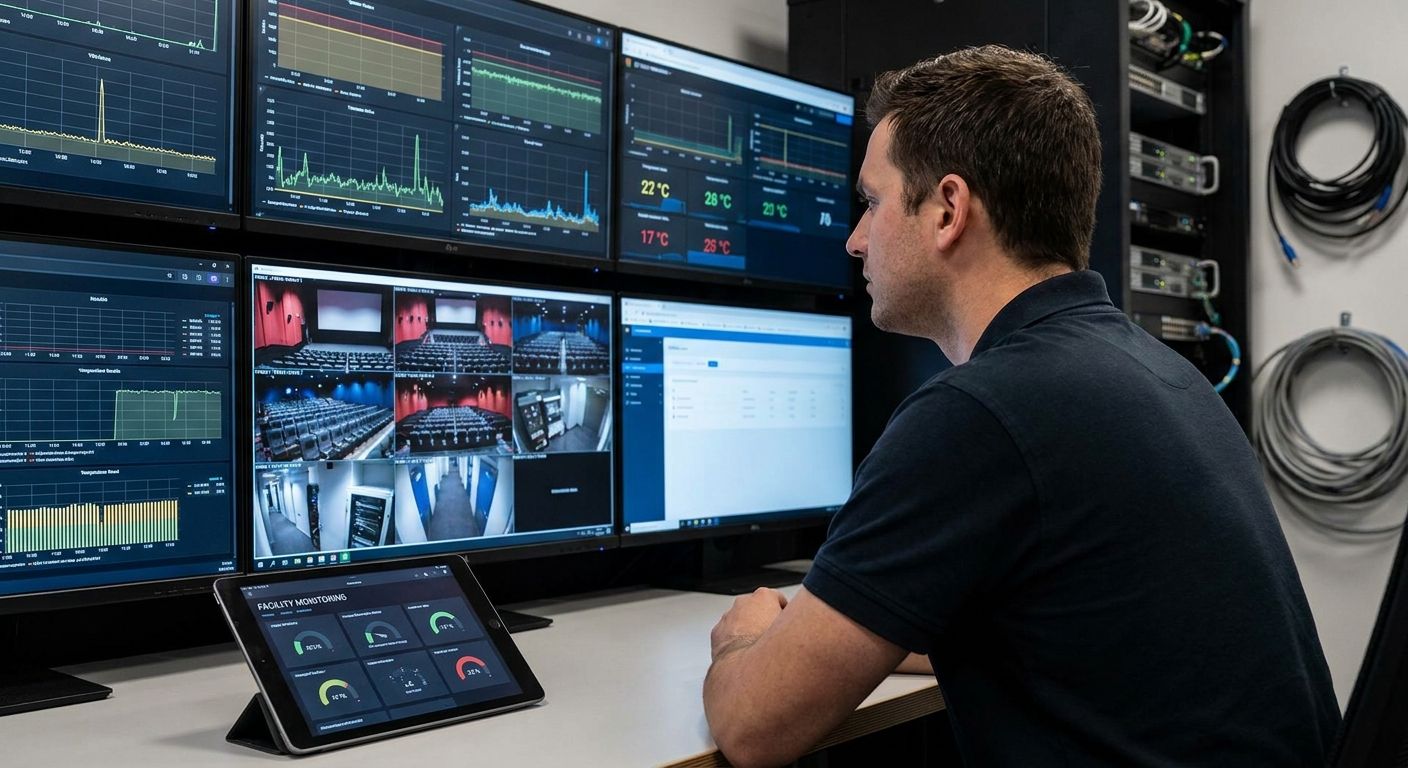
A facility monitoring system for movie theaters and cinemas tracks concession-stand cold storage, auditorium HVAC, projection booth conditions, and water leaks from one dashboard, replacing paper logs and after-the-fact discovery of a warm freezer or a dead server-room AC unit. Multiplex operators run more equipment per square foot than most retail tenants — walk-in coolers, digital projection servers, dozens of HVAC zones — and most of it fails quietly, at 2 a.m., with nobody watching.
- The Kilo IoT Platform centralizes cold storage, HVAC and leak alerts for multiplex operators in 2026.
- FDA Food Code sets 41°F (5°C) as the cold-holding threshold for concession stand walk-in coolers.
- ASHRAE 62.1 requires roughly 5 cfm per person plus 0.06 cfm/sq ft for auditorium ventilation.
- Kilo's Free tier covers up to 5 devices at 0 EUR; Starter is 25 EUR/month for up to 25 devices.
- Wireless LoRaWAN sensors retrofit older cinema buildings without pulling new wiring.
Why do movie theaters need a facility monitoring system?
A single multiplex runs a walk-in cooler and freezer behind the concession counter, a digital projection server per screen, HVAC zoned per auditorium, and often a shared lobby and restroom block — all unattended for the hours between last show and first show. A facility monitoring system for movie theaters closes that unattended gap, catching a freezer alarm, a server room overheating, or a leaking ice machine line before it turns into spoiled inventory or a dark screen at showtime.
Cinemas also carry cost pressure that malls and offices don't: concession margin depends on product surviving overnight storage, and a canceled 7 p.m. show because the digital server overheated is lost revenue that doesn't come back. In 2026, most of that risk still gets managed with a clipboard and a manager doing rounds — a system that only works if someone remembers to check.
How does a facility monitoring system work for cinemas and multiplexes?
The spine of any monitoring setup for a theater is the same regardless of vendor: sensors report a condition, a rule checks it against a threshold, and an alarm reaches the right person if it's out of range. What differs is how much of that runs on paper versus a platform.
Monitor concession stand cold storage temperature
Start with the manual baseline every health inspector expects: a min/max thermometer in each cooler and freezer, logged by staff at open, mid-shift and close, checked against the FDA Food Code cold-holding threshold of 41°F (5°C) or below.
- Post a corrective-action chart at the cooler door so staff know what to do the moment a reading fails
- Assign one manager to review the paper log weekly, not just glance at it during a shift
- Set a door-open time limit during peak concession rushes
- Track the freezer separately from the cooler — freezer excursions destroy inventory faster
- Note the ambient kitchen temperature too; a hot back-of-house raises compressor load
Wireless temperature and door sensors reporting into the Kilo IoT Platform replace the clipboard: a reading crossing 41°F or a door left open triggers an alarm routed by email, SMS or push, with the reading logged automatically for health inspections. Kilo Electronics ships pre-configured temperature and door sensors worldwide if you need hardware to pair with the platform. The pattern is covered in more depth for commercial kitchen walk-in coolers and freezers.
Track auditorium HVAC performance and comfort
Before any sensor gets involved, spot-check each auditorium with a handheld meter before doors open and log usher complaints by screen number — patterns show up fast once you're tracking them.
- Measure supply air temperature at diffusers each morning, not just the thermostat setpoint
- Check ventilation against ASHRAE Standard 62.1, which sets roughly 5 cfm per person plus 0.06 cfm per square foot for auditorium spaces
- Inspect filters monthly — popcorn oil residue clogs return air filters faster than in a typical office
- Track setpoint drift between showtimes as the HVAC cycles on and off
- Log complaint frequency by auditorium to find the one zone that's always too warm
A dashboard with a temperature and humidity sensor per auditorium, tied into a rules engine that flags drift before the next showing, is the version of this that scales past one screen. See the HVAC energy management platform breakdown for how the rule logic and setpoint alarms work.
Watch projection booth and server room conditions
Digital cinema servers are IT equipment sitting in a room that was often designed as a closet, not a data center. A manual log of booth ambient temperature each shift catches the obvious failures — a dead exhaust fan, a blocked vent — before a server thermal-shuts-down mid-feature.
- Place a thermometer at both the server intake and exhaust
- Check readings against the ASHRAE TC9.9 recommended range of roughly 18-27°C (64-81°F) for IT equipment
- Inspect booth AC and exhaust fan filters monthly
- Log any unexplained server reboot or shutdown event and correlate it with booth temperature at the time
- Keep a spare filter and fuse onsite so a fix doesn't wait for a vendor visit
A sensor tied to the server closet, escalating an alarm the moment the room drifts out of range overnight when no staff is onsite, catches what a once-a-shift walkthrough misses by design.
Detect water leaks near restrooms and lobby areas
Restroom blocks, ice machines, and soda dispensers are the most common leak sources in a theater, and ceiling damage from a slow leak upstairs is expensive to repair and worse to explain to a landlord.
- Walk restrooms and the concession area on every shift, not just at open and close
- Check ceiling tiles on the floor below any restroom or mechanical room
- Inspect ice machine drain lines quarterly — they clog and back up more than people expect
- Check roof drains before storm season if the auditorium roof is flat
- Log any moisture spot immediately, even if it looks minor
A leak sensor under sinks, near ice machines and soda lines, wired into an alarm that fires the moment a probe gets wet, is the fastest way to turn a slow leak into a same-day repair instead of a ceiling replacement. The mechanics of this are covered in monitoring water leaks in commercial buildings before damage.
Measure energy use across auditoriums and common areas
Utility bills tell you the theater spent more this month than last — they don't tell you which auditorium, or whether it was HVAC, lighting, or an idle popcorn warmer left on overnight.
- Sub-meter each auditorium's HVAC circuit separately from lobby and marquee lighting
- Compare weekday matinee load against weekend evening load
- Flag consumption during closed hours — idle-load waste is common in multiplexes with no after-hours check
- Benchmark month over month rather than against a single baseline
Submetering at the circuit level, fed into a dashboard instead of a monthly bill, is how operators find the one auditorium quietly running its HVAC all night.
Set up alarms and escalation for after-hours issues
A phone tree of sticky notes with the on-call manager's number works until the manager who wrote it leaves. Formalize it instead.
- Define severity tiers: informational (filter due), warning (temperature drifting), critical (cooler above 41°F, leak detected)
- Set quiet hours for non-urgent alerts during closed hours, but keep freezer and leak alarms live 24/7
- Build an escalation chain — assistant manager, then general manager, then regional ops if nobody acknowledges
- Review alarm history weekly to catch recurring false triggers before staff start ignoring them
The Kilo IoT Platform's alarm system runs five severity tiers with multi-step escalation chains, quiet hours, and a centralized inbox, so a critical cooler alarm at 3 a.m. reaches a real person instead of sitting in an unread text thread.
Track occupancy and utilization across screens
Ticket sales are a lagging proxy for occupancy — they tell you what sold, not what the room actually looked like or how HVAC load tracked against it.
- Count seats sold versus capacity per showtime to spot chronically underused slots
- Track lobby and concession queue length at peak intermission and pre-show windows
- Correlate occupancy against HVAC load to tune setpoints per showtime rather than per fixed schedule
- Use utilization data to justify trimming or adding showtimes by auditorium
Retrofit older cinema buildings for wireless monitoring
Most multiplexes are 15-30 years old, built before anyone planned for sensor wiring, and pulling new cable through a finished auditorium ceiling is expensive and disruptive to the schedule.
- Audit which rooms actually need continuous monitoring versus periodic checks
- Start with the highest-risk points: coolers, freezers, server room, ice machine lines
- Use battery-powered wireless sensors over LoRaWAN or mioty so no new conduit runs are needed
- Phase the rollout screen by screen instead of wiring the whole building at once
Facility monitoring options for movie theaters compared
| Option | Best for | Starting price | Key limitation |
|---|---|---|---|
| Manual logs and staff walkthroughs | Single-screen theaters with tight budgets | Free (staff time only) | No after-hours coverage; relies on someone remembering to check |
| Existing building BMS | Cinemas inside a mall or mixed-use property already wired to a BMS | Varies by vendor, not published | Usually covers core HVAC only, rarely reaches coolers or projection booths |
| Standalone single-device sensor apps | One cooler or one server closet | Varies by vendor, not published | No cross-site dashboard, no escalation chains, no rules engine |
| Kilo IoT Platform (LoRaWAN, mioty, MQTT) | Multiplex operators wanting one dashboard across coolers, HVAC, leaks and server rooms | 0 EUR Free tier (up to 5 devices); 25 EUR/month Starter (up to 25 devices) | Needs sensor hardware provisioned per site |
“The failures that hurt a cinema most happen overnight, when nobody is walking the building — a monitoring system exists to be the one that's always watching.”
What mistakes do cinemas make with facility monitoring systems?
- Checking coolers once per shift instead of continuously. A three-hour gap between checks is long enough to lose an entire concession order to a failed compressor.
- No after-hours escalation. An alarm that only reaches the store manager's personal phone gets missed on the manager's day off.
- Treating the projection booth like a closet, not a server room. Digital cinema servers thermal-shut-down the same way any IT equipment does outside the ASHRAE TC9.9 range.
- One humidity sensor for the whole building. Auditorium humidity varies by occupancy and HVAC zone — a single reading in the lobby doesn't represent screen 6.
- Skipping the leak sensor near the ice machine. Drain line backups are one of the most common — and most preventable — water damage sources in a theater.
Map your theater's sensor points
See how coolers, HVAC and leak alarms fit on one dashboard.
FAQ
What is a facility monitoring system for movie theaters and cinemas?
It's a sensor and software setup that tracks conditions across a theater — concession cooler and freezer temperature, auditorium HVAC, projection booth and server room temperature, and water leaks — and alerts staff when something crosses a threshold. It replaces manual walkthroughs and paper logs with continuous, automated checks.
How much does IoT facility monitoring cost for a cinema?
On the Kilo IoT Platform, the Free tier covers up to 5 devices, 1 dashboard and 1 rule at 0 EUR, no card required, and never expires. The Starter tier is 25 EUR per month for up to 25 devices, which fits a small multiplex monitoring coolers, HVAC and a few leak points.
Can one platform monitor both concession coolers and auditorium HVAC?
Yes — a platform built for facility monitoring connects temperature, humidity and door sensors across different equipment types to one dashboard, with separate alarm rules for each. Cold storage gets a tighter threshold than an auditorium's comfort range.
What temperature should a cinema's projection booth or server room stay at?
ASHRAE TC9.9 recommends roughly 18-27°C (64-81°F) for IT equipment, which applies to digital cinema servers in a projection booth just as it does to a server closet. Sustained heat above that range risks thermal shutdown mid-show.
How cold should concession stand walk-in coolers be kept?
The FDA Food Code sets 41°F (5°C) or below as the cold-holding threshold for perishable food storage. A cooler drifting above that for an extended period is a food safety issue, not just an equipment issue.
Do wireless sensors work in older theater buildings without new wiring?
Battery-powered wireless sensors over LoRaWAN or mioty report over radio, not cable, so a 20-year-old multiplex can add monitoring points without pulling new conduit through finished ceilings. Coverage still needs a site check for gateway placement first.
What ventilation rate does a cinema auditorium need?
ASHRAE Standard 62.1 sets roughly 5 cfm per person plus 0.06 cfm per square foot for auditorium-type spaces. Actual airflow should be verified against occupancy load, not just the design spec.
Can facility monitoring alerts reach staff after the theater closes?
Yes — an alarm system with escalation chains and quiet hours can keep critical alerts like a freezer excursion or a leak live 24/7 while suppressing non-urgent notices overnight, and escalate to a regional manager if the on-site contact doesn't respond.
What's the most overlooked part of a cinema facility monitoring system?
The projection booth. Operators install cooler and freezer sensors first because food safety is the obvious risk, but a digital cinema server thermal-shutting-down mid-feature is a canceled show and a refund line at the box office — and in 2026, most multiplexes still don't have a temperature sensor on that closet.


