
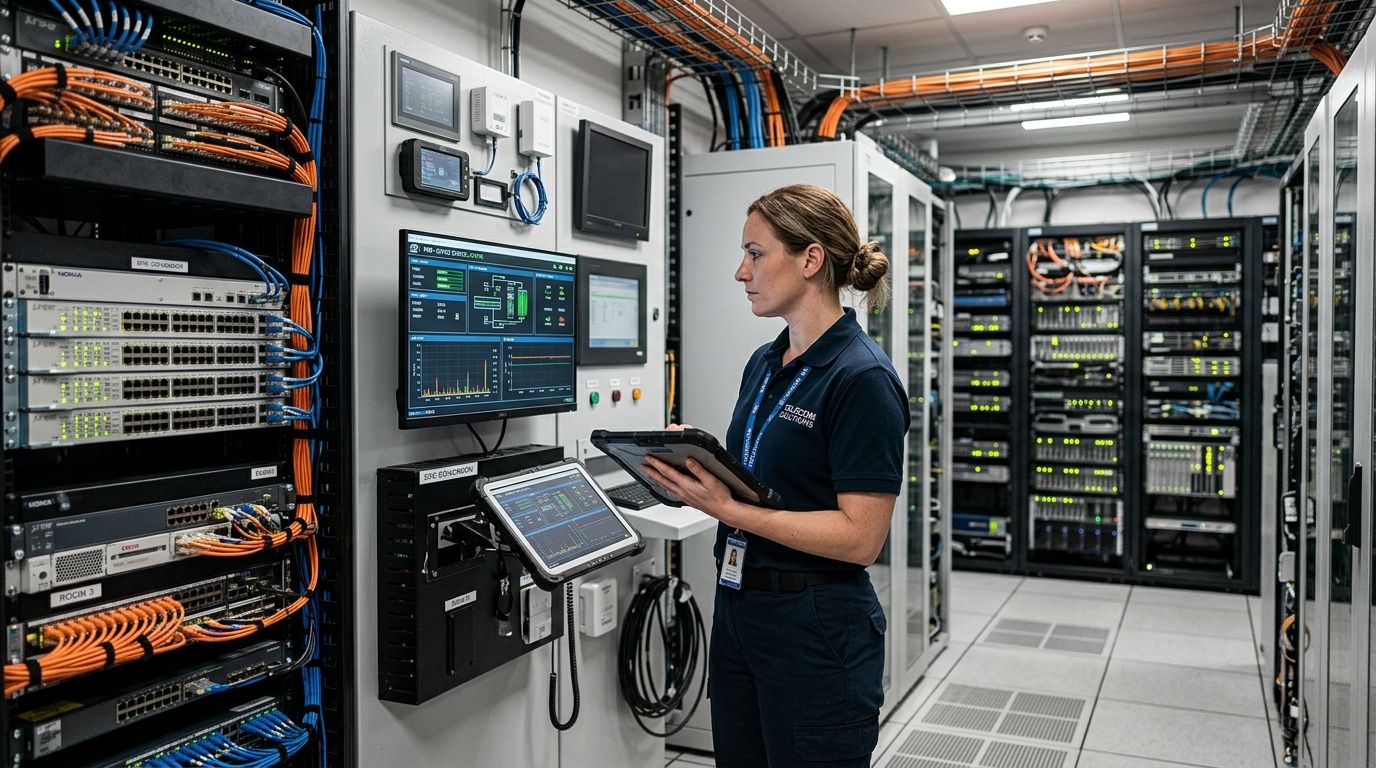
Facility monitoring in a telecom central office tracks temperature, humidity, DC power plant health, water intrusion, and door access across equipment rooms so a cooling failure or a power event gets caught before it takes a switch, a transport rack, or a DSLAM offline. Central offices differ from a typical commercial building: most run a -48V DC plant with VRLA battery strings, many sit unstaffed for days between visits, and the equipment itself is bound by NEBS environmental limits rather than office comfort standards.
That combination is why a facility monitoring system built for central office and equipment room monitoring looks different from a generic building sensor kit — it has to alarm on a battery cabinet at 2 a.m. and reach a phone, not a dashboard nobody is watching.
- Facility monitoring telecom central office setups anchor alarm thresholds to Telcordia GR-63-CORE's 5°C-40°C operating range, not office comfort numbers.
- VRLA battery strings lose roughly half their service life for every 8°C sustained rise above 25°C, per the battery industry's standard rule of thumb.
- Wireless LoRaWAN and mioty sensors skip new cable runs through conduit that's already full in older central offices.
- Kilo builds a digital twin of the equipment room and routes alarms through severity tiers so an unstaffed site still reaches an on-call tech in 2026.
- Manual rounds and paper logs still work for a single small CO but don't scale past one site.
Why does facility monitoring matter in telecom central offices?
A central office runs on environmental margins that were set by Telcordia's GR-63-CORE (NEBS Level 3) standard, which defines a 5°C to 40°C recommended operating range and a 5% to 85% relative humidity band, noncondensing, for controlled environments. Equipment can survive short excursions outside that band, but reliability drops well before the hard limit.
ASHRAE TC9.9's thermal guidelines for data processing environments recommend a tighter 18°C to 27°C band for Class A1 spaces — the range that keeps components running at rated life rather than just surviving. A CO that only alarms at the NEBS edges is already losing equipment life by the time anyone gets notified.
Most equipment rooms also run unstaffed for days at a time. NFPA 76, the Standard for Fire Protection of Telecommunications Facilities, exists specifically because these spaces combine high fire load (cable, plastics) with low staffing and DC battery off-gassing. Facility monitoring telecom central office deployments have to close that staffing gap with alerts, not with a technician walking past a thermometer.
Set your temperature and humidity alarm thresholds first
Before any sensor goes in, define what counts as a problem. Most COs still do this with wall-mount thermometers and hygrometers checked on scheduled rounds, logged against the GR-63-CORE band by hand.
- Set a warning threshold inside the ASHRAE 18-27°C band, well before the NEBS 40°C hard limit
- Log humidity against the 5%-85% noncondensing range, not a generic "comfortable office" number
- Track drift trend over multiple rounds, not just a single reading
- Flag any room where wall-mount readings and rack-intake readings disagree by more than a few degrees
Deploy wireless sensors instead of running new cable
Pulling new cable through a decades-old central office means finding conduit that isn't already full, coring through fire-rated walls, and coordinating outage windows. LoRaWAN and mioty sensors skip that entirely — they run on battery for years and report over a private network the facility team controls.
Kilo runs a built-in LoRaWAN and mioty network server, so there's no separate network server to stand up before sensors start reporting. On the Kilo IoT Platform, each sensor gets a digital twin, and a live 3D digital building twin lets a facility manager place sensors on a floor plan of the equipment room instead of a spreadsheet of MAC addresses.
- Place wireless temperature/humidity sensors at rack intake and exhaust, not just room center
- Add a sensor near the HVAC return to catch a failing unit before the room drifts
- Use mioty where metal racks, cable trays, or below-grade vaults attenuate signal — see mioty sensors for underground and shielded environments for range guidance
- Bind each sensor to its rack or frame lineup on the digital twin so an alarm names the exact location
Track the -48V DC power plant and battery strings
The DC plant is the single point of failure in most COs. A rectifier fault or a bad battery string doesn't announce itself until the utility feed drops and the batteries can't carry the load.
- Monitor rectifier output voltage and load current continuously
- Track battery string voltage and discharge current, not just "on/off" status
- Watch ambient temperature at the battery cabinet — the 8°C rule above 25°C applies directly to VRLA strings
- Alarm on breaker or fuse panel trips the moment they happen, not on the next scheduled visit
- Log float voltage trends over months to catch a string aging out before it fails under load
A server room or equipment closet without a dedicated BMS runs into a version of this same problem on a smaller scale — see how to monitor server room temperature without a dedicated BMS for the wiring-light approach.
Watch diesel generator fuel and run status
A generator that doesn't start, or an ATS that doesn't actually transfer load, is invisible until a utility outage exposes it. Fuel level and run confirmation both need to be logged automatically.
- Monitor fuel tank level continuously, not just before scheduled exercise runs
- Log every ATS transfer event with a timestamp
- Confirm generator run hours match the exercise schedule
- Alarm if a scheduled exercise cycle doesn't register a run event
Catch water intrusion before it reaches equipment
Raised floor voids, roof penetrations, and HVAC condensate lines are the usual entry points. VRLA batteries can also vent electrolyte under fault conditions, which is a separate reason to sensor the battery room floor.
- Place point or rope leak sensors under raised floor near HVAC condensate drains
- Add sensors near roof penetrations and any exterior wall with conduit entry
- Sensor the battery room floor separately from general equipment floor
- Tie leak alarms to the highest severity tier available — water damage compounds fast
Add smoke and particulate detection tied to fire code
Smoke and heat detection in a central office is governed by NFPA 76 and local fire code, and monitoring sensors supplement that system rather than replace it. Dust and particulate buildup is a separate, quieter failure mode — contamination on cooling fins reduces airflow long before anyone notices a temperature problem.
- Feed smoke/heat detector status into the same monitoring dashboard as environmental sensors, without bypassing the code-required fire panel
- Add particulate sensors near HVAC intakes in dusty or industrial-adjacent locations
- Alarm on particulate trend increases, not just absolute thresholds
- Confirm fire suppression system status (if present) reports into the same alarm inbox
Log door and cabinet access events
An unstaffed CO with an open door is either a maintenance visit or a break-in, and nobody knows which without a record.
- Install door contact sensors on all exterior and equipment room doors
- Add cabinet or rack door sensors on any enclosure holding sensitive gear
- Publish badge reader events over MQTT into the same platform if the access control system supports it
- Combine door-open events with motion sensing in rooms that should be empty
Route alarms to the right on-call tech, not a shared inbox
An alarm that lands in a shared inbox at an unstaffed site is a log entry, not a response. Kilo's alarm system uses five severity tiers with multi-step escalation chains, so a battery cabinet over-temperature event pages the on-call tech directly by SMS and push, with quiet-hours rules that still let critical alarms through. The built-in AI assistant can build and deploy an alarm rule from a plain-language description — "page the on-call tech if battery cabinet temp exceeds 35°C for 10 minutes" — and it confirms the rule before it goes live.
- Set severity tiers so a DC power fault outranks a routine humidity drift
- Build escalation chains that skip to a second contact if the first doesn't acknowledge
- Exempt DC power and fire-related alarms from quiet hours
- Centralize every alarm — temperature, power, door, water — in one inbox instead of five vendor apps
- Route alerts by SMS and email so an on-call tech doesn't need to be at a screen — see setting up SMS and email alerts for critical thresholds for the escalation setup
“If a central office alarm doesn't reach a phone in under five minutes, it isn't an alarm system. It's a log file.”
Which facility monitoring option fits a central office?
| Option | Best for | Key limitation |
|---|---|---|
| Manual rounds & paper logs | A single small CO with infrequent visits | No real-time alerting; depends on a tech being physically present |
| Wired legacy BMS/SCADA | A large CO with existing wiring already run | Expensive and slow to extend to new racks or rooms |
| Standalone data loggers | Spot-checking one rack or cabinet | No centralized alarm routing; data pulled manually |
| Wireless IoT platform (LoRaWAN/mioty) | Multi-site CO networks needing centralized alarms and a digital twin | Needs an initial sensor placement and gateway setup per site |
Map your equipment room in one view
See temperature, DC power, water and door alarms on one digital twin.
Common mistakes facility teams make monitoring central offices
- Treating the whole room as one thermal zone. A central thermostat can read 22°C while a hot aisle behind a full rack lineup hits 40°C. Sensor by rack, not by room.
- Ignoring humidity's link to battery ventilation. Low humidity combined with VRLA hydrogen off-gassing is a real ventilation issue that NFPA 76 addresses directly, not a comfort metric to skip.
- Alerting to a shared email address at an unstaffed site. Nobody reads it until the next scheduled visit — by 2026 standards that's a monitoring gap, not a monitoring system.
- Assuming an ATS transfer worked without confirming it. A generator that runs doesn't mean load actually transferred; log the transfer event itself.
- Deploying standard LoRaWAN sensors in a shielded or below-grade vault without checking link budget. Metal racks and concrete below grade cut range fast — mioty's wider link budget is built for exactly this case.
FAQ
What's the best way to monitor temperature in a telecom central office?
Wireless temperature sensors placed at rack intake and exhaust, alarmed against the Telcordia GR-63-CORE 5°C-40°C operating range, catch HVAC failures faster than wall-mount thermometers checked on scheduled rounds.
Is a dedicated BMS required for equipment room monitoring?
No. A wireless IoT platform with a built-in network server, like Kilo, covers temperature, humidity, power, and door monitoring without the wiring and integration cost of a full BMS.
What temperature range should a central office equipment room stay within?
Telcordia GR-63-CORE sets a 5°C to 40°C operating range for NEBS Level 3 equipment, while ASHRAE TC9.9 recommends a tighter 18°C to 27°C band for long-term component reliability.
How much humidity is safe in a telecom equipment room?
GR-63-CORE specifies 5% to 85% relative humidity, noncondensing, as the controlled-environment limit for NEBS-compliant equipment rooms.
Can wireless sensors work in a shielded or underground equipment room?
Yes, with the right protocol. mioty's telegram splitting gives it a wider link budget than standard LoRaWAN, which matters in below-grade vaults and metal-enclosed cable vaults common in older central offices.
How do you monitor -48V DC power plants for outages?
Track rectifier output voltage, battery string voltage and discharge current, and ambient temperature at the battery cabinet continuously, then alarm on any deviation rather than waiting for a full outage.
What's the difference between NEBS and ASHRAE thermal guidelines?
NEBS (via GR-63-CORE) defines the outer operating envelope equipment must survive, 5°C to 40°C. ASHRAE TC9.9's 18°C to 27°C range is the narrower band that preserves long-term component life rather than just preventing failure.
How do unstaffed central offices get alerted to a problem?
Through tiered alarm escalation that pages an on-call technician by SMS or push notification rather than relying on a shared inbox or a scheduled site visit.
How much battery life does 8°C of extra heat cost a central office?
The battery industry's standard rule of thumb: every 8°C a VRLA string runs above 25°C roughly halves its expected service life. A battery cabinet quietly running at 33°C for months isn't failed yet — it's just aged years ahead of schedule, and nobody finds out until a discharge test or a real outage. In 2026, that single number is the strongest argument for putting a temperature sensor in the battery room specifically, separate from the general room reading.
Related guides
- IoT monitoring for data center power and cooling infrastructure
- How to design backup power for critical IoT sensor deployments
IoT sensors and gateways for central office deployments, including LoRaWAN and mioty hardware, ship worldwide through Kilo Electronics.


