
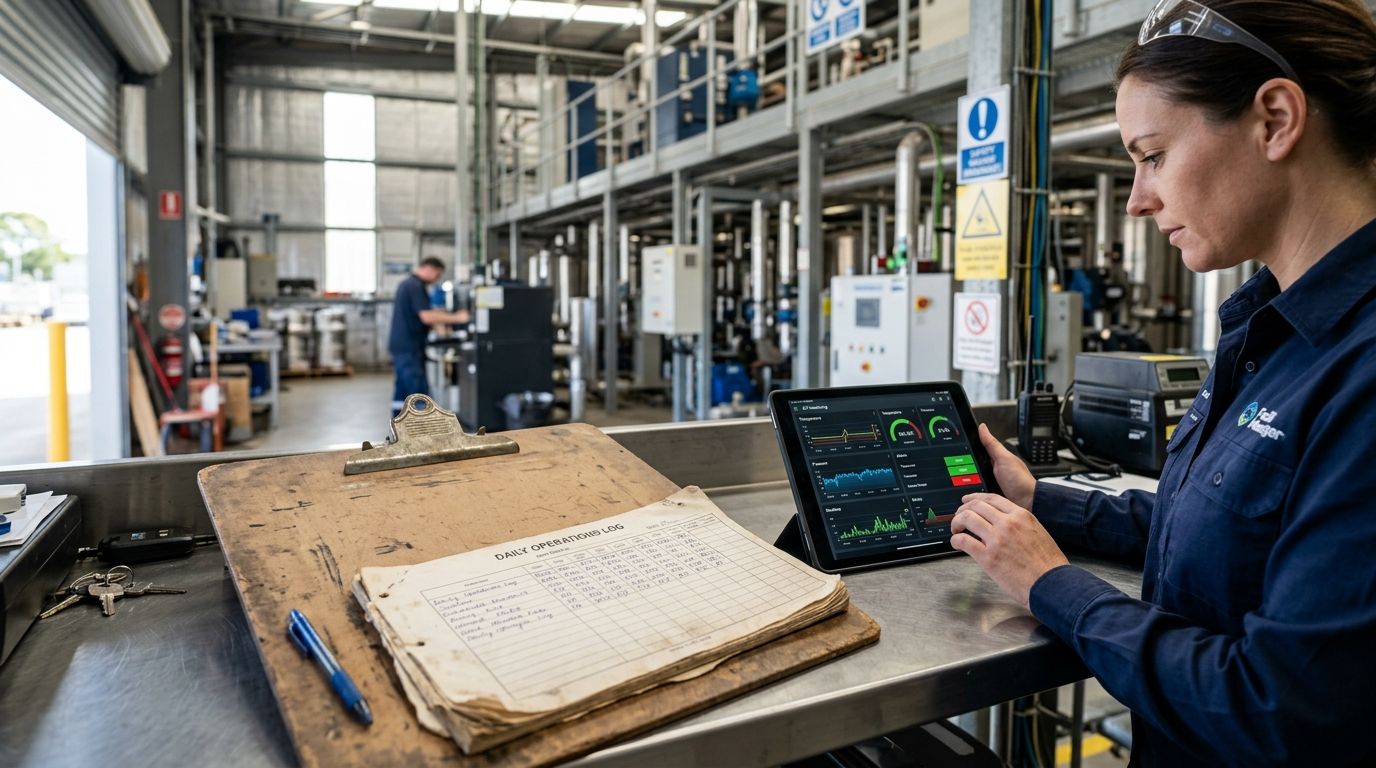
Manual logbooks catch a snapshot every few hours. Automated IoT monitoring catches every reading, continuously, and fires an alarm the moment something drifts out of range — no one has to remember to walk the floor. This guide covers the actual steps facility teams use to replace manual logbooks with IoT monitoring, in what order, and what still needs a human signature afterward.
- Replace manual logbooks with IoT monitoring by wiring wireless sensors to a rules engine that logs, timestamps, and alarms automatically.
- The Kilo IoT Platform runs LoRaWAN, mioty, and MQTT sensors into one dashboard, replacing clipboard rounds entirely.
- CDC's Vaccine Storage and Handling Toolkit recommends checking refrigerator temperatures twice a day — sensors can check every few minutes instead.
- Start with the equipment carrying the highest spoilage or compliance risk, not the whole building at once in 2026.
Why manual logbooks fail facility teams
A paper logbook only tells you what the temperature, pressure, or door status was at the moment someone wrote it down. Between rounds — often two, four, or six hours apart — a walk-in cooler can climb past a safe range and drop back down before anyone notices, and the log shows nothing wrong. The FDA Food Code sets cold holding at 41°F or below for potentially hazardous food, but a paper check every few hours can't catch a two-hour excursion between rounds.
Logbooks also fail an audit for a different reason: handwriting drifts, entries get backfilled, and a missed round often gets filled in from memory instead of left blank. An IoT platform like the Kilo IoT Platform timestamps every reading at the sensor, so the record is what actually happened, not what someone recalled at the end of a shift.
How do you replace manual logbooks with IoT monitoring?
The migration from clipboard rounds to automated monitoring follows the same sequence at almost every site:
- List every point currently logged by hand — coolers, freezers, boiler rooms, tank levels, dock doors, whatever gets a checkmark today.
- Rank them by risk, not convenience — spoilage, compliance exposure, and equipment failure cost more than a dry-storage room drifting a few degrees.
- Install wireless sensors on the highest-risk points first, using LoRaWAN or mioty where cabling isn't practical, or an MQTT connector where a PLC or building management system already publishes data.
- Build a digital twin of each asset so a reading maps to a real cooler, tank, or panel instead of a bare sensor ID.
- Set thresholds and alarms with escalation chains so an out-of-range reading reaches the right person, not just an inbox nobody checks.
- Run sensors alongside the logbook for a short overlap period, then retire the paper once the electronic record has held up.
Onboarding sensors at scale across more than one building follows a slightly different sequence — see the step-by-step LoRaWAN onboarding guide for the multi-site version of this rollout.
Which equipment should move off logbooks first
Not every logged point deserves a sensor on day one. Prioritize by what a missed excursion actually costs:
- Cold storage and walk-ins — spoilage is immediate and expensive; move first.
- Pharmacy and vaccine refrigerators — regulatory exposure on top of product loss; move first.
- Boiler rooms and mechanical equipment — failure risk and safety exposure; move early.
- Server rooms and IT racks — downtime cost is high even without a compliance angle.
- Dry storage, common areas, low-traffic rooms — lower stakes; move last, or leave manual if the drift tolerance is wide.
Why replacing logbooks with IoT monitoring takes longer at some sites
A single-building rollout can go live in weeks. A multi-site or regulated facility takes longer because of factors the logbook never had to deal with:
- Wall and floor construction in older buildings can block LoRaWAN signal, which is why retrofits often start with a coverage check before sensor placement.
- Number of distinct asset types — a hospital has more sensor categories than a single cold room, so mapping each to a digital twin takes longer.
- Existing BMS or PLC integration — MQTT connectors need mapping work if the building already has a management system publishing data in its own format.
- Escalation and permission design — deciding who gets alarmed for what, and when quiet hours apply, takes real planning in a facility with shift changes.
- Compliance sign-off — regulated sites often need a documented overlap period before paper logs are retired for good.
Retrofitting older buildings with wireless sensors has its own set of construction-related obstacles — the guide to retrofitting legacy buildings walks through signal planning for exactly this.
How long does it take to replace a logbook with sensors?
Replacing a single logbook with sensors typically takes a few weeks from sensor install to alarm configuration, not months — the bottleneck is usually deciding thresholds and escalation paths, not the hardware. A multi-building rollout with dozens of asset types takes longer because each site needs its own digital twin and permission structure.
Do you still need paper logs after switching to IoT monitoring?
Some facilities keep a reduced paper record for a defined transition period, even after IoT sensors go live, because auditors want to see the electronic and manual records agree before paper is dropped entirely. Once the automated log has run cleanly through an audit cycle, most teams retire the clipboard for good.
Alarms only help if they reach a real person before the readings turn into a report nobody reads until it's too late. Setting escalation chains and quiet hours correctly is the difference between an alarm that gets acted on and one that gets ignored — see the guide on setting up SMS and email alerts for critical sensor thresholds for how multi-step escalation actually works.
See the platform behind this workflow
Start free with up to 5 devices, 1 dashboard, and 1 rule — no card required.
Hardware for the rollout — temperature probes, door contacts, tank level sensors — is available worldwide through Kilo's sister company, Kilo Electronics, which ships pre-configured sensors compatible with the platform.
FAQ
What's the fastest way to replace manual logbooks with IoT monitoring?
The fastest path is installing wireless sensors on your highest-risk equipment first — coolers, freezers, or boiler rooms — then setting thresholds and alarms before touching the rest of the building. Running sensors alongside the paper log for a short overlap period keeps the audit trail intact during the switch.
Is IoT monitoring more accurate than manual temperature logs?
IoT sensors take readings continuously, often every few minutes, versus the twice-daily checks the CDC's Vaccine Storage and Handling Toolkit recommends for manual logs. A continuous record catches excursions between rounds that a paper log simply never sees.
How much staff time does automated monitoring save versus manual rounds?
It eliminates the walk-and-write-down routine entirely for the equipment that's been sensored, freeing that time for actual maintenance work instead of clipboard rounds. The exact time saved depends on how many rounds a facility ran before the switch.
Do IoT sensors work in cold storage and freezers?
Yes — wireless temperature sensors are built for sub-zero environments and are one of the most common first deployments when facilities move off paper logs. Battery life in cold environments depends on the sensor and reporting interval chosen.
Can an IoT platform replace a logbook required for compliance audits?
An IoT platform can replace the daily check itself, but most regulated facilities keep a documented transition period where electronic and paper records run in parallel before the paper log is retired. Auditors generally want to see the two agree before signing off on the switch.
What happens if a sensor loses connectivity?
A rules engine can be configured to alarm on missing data just like it alarms on an out-of-range reading, so a gap in the feed gets flagged instead of silently going unnoticed. This is a configuration decision made when the rule is built, not an automatic default.
Do I need an integrator to set up IoT monitoring instead of logbooks?
Not necessarily — platforms with a built-in AI assistant can onboard devices, build rules, and set alarms through plain-language conversation instead of custom development. Larger multi-site rollouts still benefit from planning coverage and permissions ahead of time.
What surprises teams after they drop the logbook
The alarm volume is usually the first surprise, not the sensor accuracy. A logbook only ever showed one number per round, so teams switching to continuous monitoring often set thresholds too tight at first and get alarmed on normal variation before dialing them in. Five severity tiers and escalation chains exist for exactly this reason — a minor drift doesn't need the same response as a compressor failure at 2 a.m., and getting that distinction right in the first week matters more than the sensor hardware itself.


