
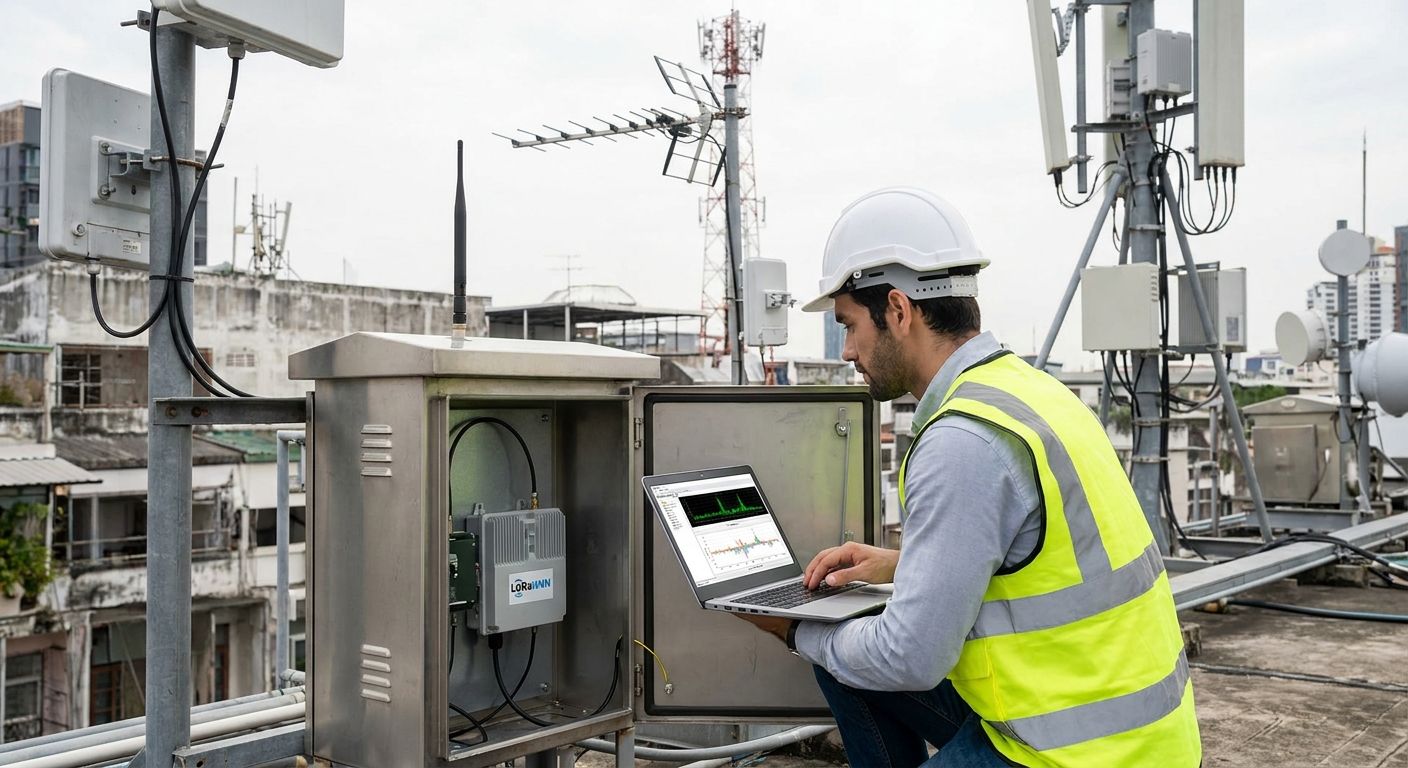
LoRaWAN packet loss in high-interference environments comes down to three fixable variables: spreading factor and channel assignment, gateway placement relative to interference sources, and how well the network tolerates duty-cycle limits in the 868 MHz or 915 MHz ISM band. Fix those three and most sites recover the bulk of their lost uplinks without touching the sensor hardware.
- Reduce LoRaWAN packet loss interference by fixing spreading factor allocation, gateway line-of-sight, and duty-cycle collisions in that order.
- Adaptive Data Rate (ADR) lowers airtime and collision odds but needs a stable RF path to work correctly.
- mioty's telegram-splitting protocol handles dense 2.4 GHz and industrial RF noise better than any single LoRaWAN channel tweak.
- Test signal strength before a full rollout — retrofitting gateway position after 200 sensors are deployed costs more than a pre-deployment site survey.
Why does LoRaWAN packet loss increase in high-interference environments?
LoRaWAN shares unlicensed spectrum with everything else nearby: Wi-Fi 2.4 GHz harmonics, other LPWAN deployments on the same channel plan, industrial motors generating broadband RF noise, and metal structures that create multipath reflections. The protocol's own regulatory limits compound this. In the EU868 band, sub-bands are capped at a 1% duty cycle under ETSI EN 300 220-2, meaning a gateway or node can only transmit for a fraction of any hour on a given sub-band — congestion pushes retries into the same narrow window as everyone else's.
Spreading factor makes it worse or better depending on how it's set. LoRaWAN's regional parameters define SF7 through SF12: lower spreading factors transmit fast and use less airtime, but need a cleaner signal path; higher spreading factors reach farther and punch through more noise, but each packet occupies the channel for longer, raising the odds of a collision. Sites with concrete, steel racking, or dense equipment rooms see the compounding effect first — the same RF that weakens signal strength also extends the airtime needed to get a packet through, in a network already fighting duty-cycle ceilings.
How to reduce LoRaWAN packet loss in high-interference environments
Work through these in order — each step depends on the one before it being correct:
- Survey the site before deployment. Test LoRaWAN signal strength before a full sensor rollout at the actual sensor mounting points, not just near the gateway. RSSI and SNR readings taken from a test node reveal dead zones that a floor plan won't show.
- Fix gateway placement first. Elevate gateways above metal racking and equipment, and keep line-of-sight to the sensor cluster wherever the building allows it.
- Reassign channels and spreading factors. Spread nodes across the available channel plan instead of letting them cluster on default settings, and let Adaptive Data Rate (ADR) push each node to the lowest workable spreading factor.
- Isolate known interference sources. Variable-frequency drives, welding equipment, and other 900 MHz-adjacent industrial gear are common noise generators in manufacturing and utility sites — moving gateways or nodes even a few meters away from them measurably improves delivery.
- Re-test after each change. A single fix rarely solves packet loss on its own; the improvements are cumulative.
Optimize spreading factor and channel allocation
Default spreading factor settings on most sensors assume moderate range and low interference — neither assumption holds in a warehouse full of forklifts and Wi-Fi access points. Turning on ADR lets the network server negotiate each node down to the lowest spreading factor that still delivers reliably, which cuts airtime and reduces the odds that two nodes collide inside the same duty-cycle window. The tradeoff: ADR needs a genuinely stable RF path to converge correctly, so run it after the gateway placement is fixed, not before.
Position LoRaWAN gateways for line-of-sight and reduced multipath
Gateway height and orientation matter more than raw transmit power in a noisy building. A gateway mounted below racking or behind HVAC ductwork sees multipath reflections that garble packets even at short range. Choosing the right LoRaWAN antenna for outdoor sensor deployments matters here too — an omnidirectional antenna in the wrong orientation loses gain exactly where the sensors sit. For multi-building or campus sites, selecting industrial LoRaWAN gateways with better receiver sensitivity buys real margin against ambient noise floor.
Filter co-channel and adjacent-channel interference
Multiple LPWAN networks — including neighboring LoRaWAN deployments — can share the same public 868 MHz or 915 MHz channel plan in dense industrial parks or multi-tenant buildings. There's no way to block another operator's traffic, but shifting your own node channel assignments away from the busiest sub-bands, and keeping gateway receive filters tuned, reduces the collisions that show up as unexplained packet loss spikes.
Use confirmed uplinks and Adaptive Data Rate to recover lost packets
Confirmed uplinks trade airtime for reliability: the node waits for a downlink acknowledgment and retries if it doesn't get one. That's the right call for a handful of critical sensors — a cold storage door contact, a tank level alarm — but running every node on confirmed mode in a congested band adds airtime and can push duty-cycle usage past its ceiling, making loss worse network-wide. Reserve confirmed uplinks for the sensors where a missed reading actually matters operationally.
What causes LoRaWAN packet loss in industrial and urban sites?
- RF congestion from other unlicensed-band devices — Wi-Fi, Bluetooth, and other LPWAN traffic sharing the 868 MHz or 915 MHz range.
- Duty-cycle exhaustion — the 1% EU868 sub-band cap under ETSI EN 300 220-2 gets used up fast when too many nodes retry on the same sub-band.
- Metal structures and multipath reflections — racking, ductwork, and machinery cause signal bounce that degrades SNR even at short range.
- Poor gateway placement — below-grade installs, obstructed line-of-sight, or gateways mounted behind equipment.
- Mismatched spreading factor — nodes left on a default SF that's either too aggressive for the noise floor or wastes airtime on a link that didn't need it.
- Broadband industrial noise — variable-frequency drives, motors, and welding equipment generating RF noise near the 900 MHz band.
“The same interference that weakens signal strength also extends airtime per packet, which is exactly what a duty-cycle-limited network can least afford.”
Does mioty reduce packet loss better than LoRaWAN in dense interference environments?
mioty, standardized under ETSI TS 103 357, splits each message into sub-packets transmitted across different frequencies and time slots, so a single interference burst or collision only takes out part of a transmission instead of the whole packet. That telegram-splitting design, developed originally by Fraunhofer IIS, is built specifically for the RF conditions that cause LoRaWAN packet loss in the first place: dense, noisy, unlicensed spectrum. Sites running both protocols side by side — a mixed sensor fleet in a manufacturing plant, for instance — typically route the highest-interference zones to mioty and keep LoRaWAN for lower-noise areas where its longer range and lower per-node cost still make sense.
The Kilo IoT Platform runs a built-in LoRaWAN and mioty network server, so a site mixing both protocols doesn't need a separate network server for each — devices, alarms, and dashboards live in one place regardless of which radio protocol a sensor uses. That matters operationally: an alarm rule that fires when a device goes silent past its expected reporting interval catches packet-loss-driven gaps early, whichever protocol is behind it. Sensors built for mioty-based industrial monitoring are worth evaluating specifically for the zones where LoRaWAN keeps losing packets no matter what channel and spreading factor changes get applied.
Check your LoRaWAN network health
Track device uptime and set silent-device alarms in one dashboard.
FAQ
What causes LoRaWAN packet loss?
LoRaWAN packet loss comes from RF interference sharing the 868 MHz or 915 MHz band, duty-cycle exhaustion under regulations like ETSI EN 300 220-2, poor gateway placement, and mismatched spreading factor settings. Metal structures and industrial equipment generating broadband noise make all of these worse at once.
Does spreading factor affect LoRaWAN packet loss?
Yes — a spreading factor set too low for a noisy site drops packets outright, while one set too high wastes airtime and increases collision odds in a duty-cycle-limited band. Adaptive Data Rate adjusts each node automatically once the RF path is stable.
Is mioty better than LoRaWAN in high-interference environments?
mioty's telegram-splitting protocol, standardized in ETSI TS 103 357, tolerates dense RF noise better than LoRaWAN because losing one sub-packet doesn't lose the whole message. Many sites in 2026 run both protocols, routing the noisiest zones to mioty and keeping LoRaWAN elsewhere.
How do I test LoRaWAN signal strength before deploying sensors?
Walk the actual sensor mounting locations with a test node and log RSSI and SNR readings rather than relying on a floor plan or gateway range estimate. Dead zones behind racking or ductwork rarely show up until you measure on site.
Can duty cycle limits cause LoRaWAN packet loss?
Yes — EU868 sub-bands are capped at a 1% duty cycle under ETSI EN 300 220-2, and a congested network can exhaust that allowance fast, forcing retries to queue or drop. This is a regulatory ceiling, not something a gateway setting can bypass.
Does Adaptive Data Rate reduce LoRaWAN packet loss?
ADR reduces packet loss by lowering each node's airtime once the RF path is stable, which cuts collision odds in a congested band. It needs a clean signal path to converge correctly, so fix gateway placement before turning it on.
How many LoRaWAN gateways do I need to reduce packet loss?
There's no fixed number — it depends on building materials, node density, and existing RF noise, which is why a pre-deployment signal survey matters more than a gateway count rule of thumb. Adding a second gateway for overlapping coverage is the most common fix once a survey identifies a weak zone.
What is a confirmed uplink and does it fix packet loss?
A confirmed uplink waits for a downlink acknowledgment and retries if none arrives, which recovers individual lost packets at the cost of extra airtime. Reserve it for sensors where a missed reading has real operational consequences, not the whole fleet.
The detail that gets missed most often: fixing packet loss by adding more gateways without first re-checking channel and spreading factor assignments just moves the collision problem to a different part of the band. Survey, then fix the radio settings, then add hardware if the survey still shows a gap — in that order, not reversed.


