
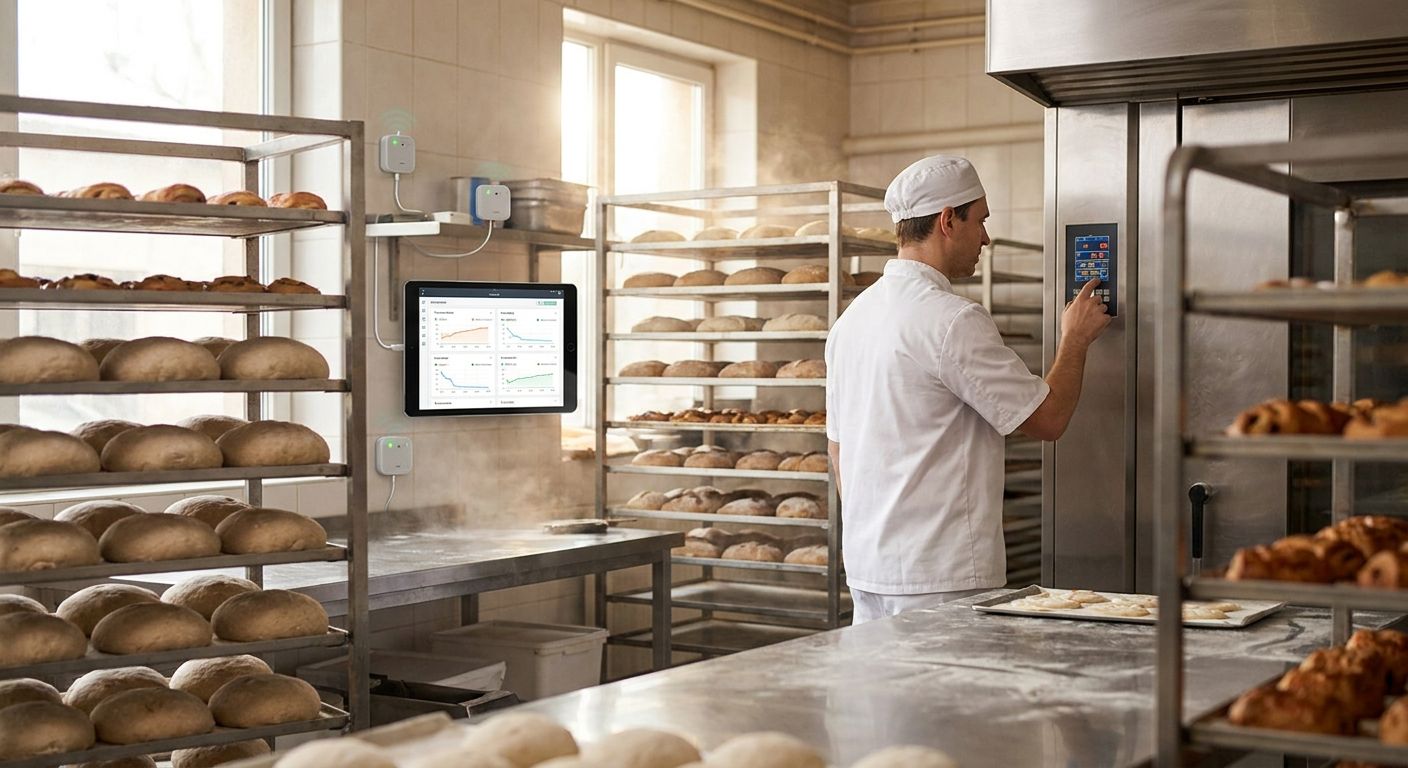
Bakery and commercial kitchen proofing room IoT monitoring is a network of temperature and humidity sensors, wireless connectivity and rule-based alerts built to keep dough proofing inside a narrow band and flag equipment failures before a batch is ruined. Proofing rooms behave differently from walk-in coolers or dry storage: they run warm and humid on purpose, which means the sensors, thresholds and materials have to handle condensation and heat that would trip false alarms anywhere else in the kitchen.
- IoT monitoring for bakery proofing rooms tracks temperature and humidity continuously; a wall thermostat alone misses slow drift.
- Proofing sensors need to tolerate heat and condensation, unlike sensors built for -20°C to 5°C cold storage.
- Rule-based alarms with shift-based escalation catch a failed humidifier faster than a manager doing hourly walk-throughs.
- Kilo's LoRaWAN and mioty platform puts proofing room data on the same dashboard as walk-in coolers and ovens.
Why does IoT monitoring matter for bakery proofing rooms in 2026?
A proofing room only works if it holds a tight band long enough for gluten to relax and yeast to do its job. Most professional bakeries run proofing conditions around 75-95°F (24-35°C) and 75-85% relative humidity, a range wide enough to accommodate different dough types but narrow enough that a stuck humidifier or a door left open for twenty minutes can push a batch into over-proof or a dense, under-proofed loaf. Walk in on a busy morning and nobody has time to babysit a dial thermometer between three ovens and a rush of wholesale orders.
The stakes get sharper next to it. The FDA Food Code sets a 41°F (5°C) cold holding limit for perishable ingredients sitting in the same kitchen's walk-in coolers, so a kitchen already tracking that boundary has the habit and the equipment budget to extend monitoring into the proofing box. The Kilo IoT Platform was built for exactly this kind of mixed environment: warm proofing cabinets, cold storage, and ambient kitchen space all reporting into one system instead of three separate gadgets nobody checks consistently.
The people affected aren't abstract. A head baker cares about consistency batch to batch. A kitchen manager or executive chef cares about not tossing product. A QA or food safety lead cares about defensible logs. A facilities or ops manager cares about not fielding a 2 a.m. call from the overnight baker about a broken humidifier with no way to prove when it failed.
How to set up IoT monitoring in a commercial kitchen proofing room
Map your proofing room's real temperature and humidity swings
Before installing anything, find out what the room actually does across a normal week, not what the spec sheet on the proofer box claims.
- Run a handheld thermo-hygrometer and log readings every 30 minutes for at least a week.
- Check at dough rack height, not just near the door or wall thermostat.
- Note recovery time after the door opens for loading and unloading.
- Compare morning batches against afternoon and evening batches, since kitchen heat load shifts through the day.
- Flag any spot where two racks read differently by more than a few degrees.
Set proofing thresholds that match your dough, not a generic chart
Generic published ranges are a starting point, not a rule. Sourdough, brioche and lean bread dough tolerate different swings, and your head baker knows the tells better than any chart.
- Set separate low and high bounds for temperature and humidity, not just one alarm trigger.
- Adjust thresholds seasonally if the kitchen's ambient heat load changes with outside weather.
- Set tighter day-shift thresholds if wholesale orders can't tolerate variance, looser overnight if the room runs unattended.
- Get sign-off from the head baker before locking thresholds into the system, not just the facilities team.
Move from spot checks to continuous sensors and automatic alerts
This is where spot-checking a dial thermometer stops being enough, and where a continuous monitoring platform earns its place. Kilo's built-in LoRaWAN and mioty network server means there's no separate network server to stand up before sensors start reporting, and the MQTT connector picks up readings from any proofer, PLC or BMS that already publishes data.
- Place wireless temperature and humidity sensors at dough rack height in each proofing cabinet, not just near the door.
- Route power-loss or door-open events as separate signals from ambient drift.
- Connect existing wired equipment over MQTT instead of ripping out working hardware.
- Confirm sensor placement against the manual baseline from step one before trusting the readings.
Build escalation chains so the right person gets the alarm
An alarm nobody sees at 3 a.m. is worse than no alarm, because it creates a false sense that something is being watched. Kilo's alarm system runs five severity tiers with multi-step escalation chains, quiet hours, and a centralized inbox so overnight noise doesn't bury a real over-proof warning.
- Route low-severity drift to a shift lead's dashboard view only.
- Escalate high-severity over-proof or equipment-failure alarms to email, SMS and push within minutes.
- Set quiet hours for non-critical notifications so staff aren't woken for a one-degree blip.
- Keep a centralized alarm inbox so the morning shift can review what happened overnight in one place.
One useful way to think about it: a threshold rule that fires the moment humidity drops below 70% for more than ten minutes catches a failed humidifier long before a baker notices the dough surface has crusted.
Put proofing room data on the same dashboard as coolers, ovens and the boiler room
A proofing room that reports separately from the commercial kitchen walk-in coolers and freezers it sits next to means someone is checking two apps to get one picture of the kitchen. Kilo's configurable dashboards and per-device digital twin put both on one screen.
- Add a chart widget showing the proofing humidity trend against the cooler temperature trend side by side.
- Use a floor-plan pin widget so anyone can see which rack in which room triggered an alert.
- Add a gauge widget for current readings that a manager can glance at without opening a report.
- Bind a control widget if the humidifier or proofer heater supports a remote trigger.
Keep temperature and humidity logs ready for a health inspection
Paper logs invite the question every health inspector asks: were these filled in as they happened, or all at once before the visit? Continuous sensor logs with an immutable audit trail answer that question before it's asked.
- Export time-stamped temperature and humidity history through the REST API when a report is requested.
- Keep the audit trail intact rather than editing historical entries after the fact.
- Match your proofing log retention window to whatever your local health authority or franchise standard requires.
- Tag any corrective action taken (thermostat swap, door repair) directly against the alarm event it responds to.
See proofing room data on one dashboard
Watch temperature, humidity and alarm status next to your coolers and ovens.
Best IoT monitoring options for bakery and commercial kitchen proofing rooms compared
| Option | Best for | Key limitation |
|---|---|---|
| Paper temperature/humidity logs | A single small bakery doing occasional spot-checks | No alarms, gaps between checks, easy for inspectors to question authenticity |
| Standalone WiFi data loggers | A single-site kitchen wanting basic remote alerts on one or two rooms | Usually one sensor type, no rules engine, limited escalation logic |
| Building management system (BMS) integration | A campus kitchen with an existing BMS team already in place | Costly to extend point by point to every proofing box, slow to add new alarm logic |
| Kilo IoT Platform (LoRaWAN, mioty, MQTT) | Multi-site bakeries needing dashboards, escalation chains and an audit trail | Needs sensor placement planning during commissioning, like any wireless deployment |
Temperature and humidity sensors rated for warm, condensing environments are sold worldwide through Kilo Electronics, Kilo's hardware partner, which matters here because most consumer-grade smart plugs and sensors aren't rated for the steam a proofer cabinet produces.
Common IoT monitoring mistakes bakeries make with proofing rooms
- Monitoring temperature only. Proofing rooms fail on humidity as often as heat, and a system built only for cold-storage temperature ranges misses a dry, crusted dough surface entirely.
- Mounting the sensor near the door. Door-height readings swing every time someone loads a rack, which either masks real drift or triggers alarms that mean nothing.
- Escalating alarms to a manager's phone only. The person who can actually walk over and fix a stuck humidifier at 4 a.m. is the overnight baker, not the general manager asleep at home.
- Sharing kitchen WiFi with the POS system. A busy lunch rush that saturates kitchen WiFi is exactly when a dropped sensor connection goes unnoticed.
- Checking readings only before an inspection. Spot-checking right before a health visit produces a clean-looking log with no record of the three days the humidifier was actually low.
FAQ
What's the best way to monitor humidity in a bakery proofing room?
Continuous humidity sensors placed at dough rack height, feeding rule-based alarms, beat a single wall hygrometer checked once a shift. Most proofing rooms run 75-85% relative humidity, and a sensor that reports every few minutes catches drift a manual check misses.
Is IoT monitoring worth it for a single small bakery?
Yes, for consistency and to stop losing batches to over- or under-proofing, even at one location. A single proofing room with two or three sensors and a rules engine still catches a failed humidifier faster than a walk-through schedule.
What temperature and humidity should a proofing room hold in 2026?
Most professional bakeries hold proofing conditions around 75-95°F (24-35°C) and 75-85% relative humidity, adjusted for the specific dough being proofed. Sourdough and lean bread dough tolerate different bands than brioche or laminated dough.
Can IoT sensors survive the heat and steam inside a proofing cabinet?
Sensors built for warm, condensing environments handle it; consumer-grade smart plugs and standard cold-storage sensors often don't. Look for sensors rated specifically for the temperature and humidity range the proofer runs at, not just general indoor use.
Do proofing room sensors need LoRaWAN, or does WiFi work?
WiFi works fine for a single small proofing room close to the router. LoRaWAN or mioty makes more sense across a bigger kitchen with metal equipment and multiple rooms, since both protocols handle interference and range better than WiFi at scale.
How do I know if a proofing room sensor is placed wrong?
The clearest sign is an alarm firing every time the door opens or closes, or readings that never match how the dough actually feels. Move the sensor to rack height away from the door and re-baseline for a few days.
Should proofing room monitoring connect to the same dashboard as walk-in coolers?
Yes, unifying both onto one dashboard means a kitchen manager sees the whole cold-to-hot chain on one screen instead of switching between separate apps for coolers, ovens and proofing boxes.
What's the proofing room detail most bakeries overlook until an inspection?
The overlooked detail isn't the sensor, it's the escalation path. A kitchen can have perfect sensors reporting perfect data and still lose a batch if the alarm lands in an inbox nobody checks before the morning shift arrives. Build the escalation chain around who is physically present in the building at 3 a.m., not around whoever holds the manager title, and route the same alarm feed into whatever log a health inspector will ask to see in 2026.


