
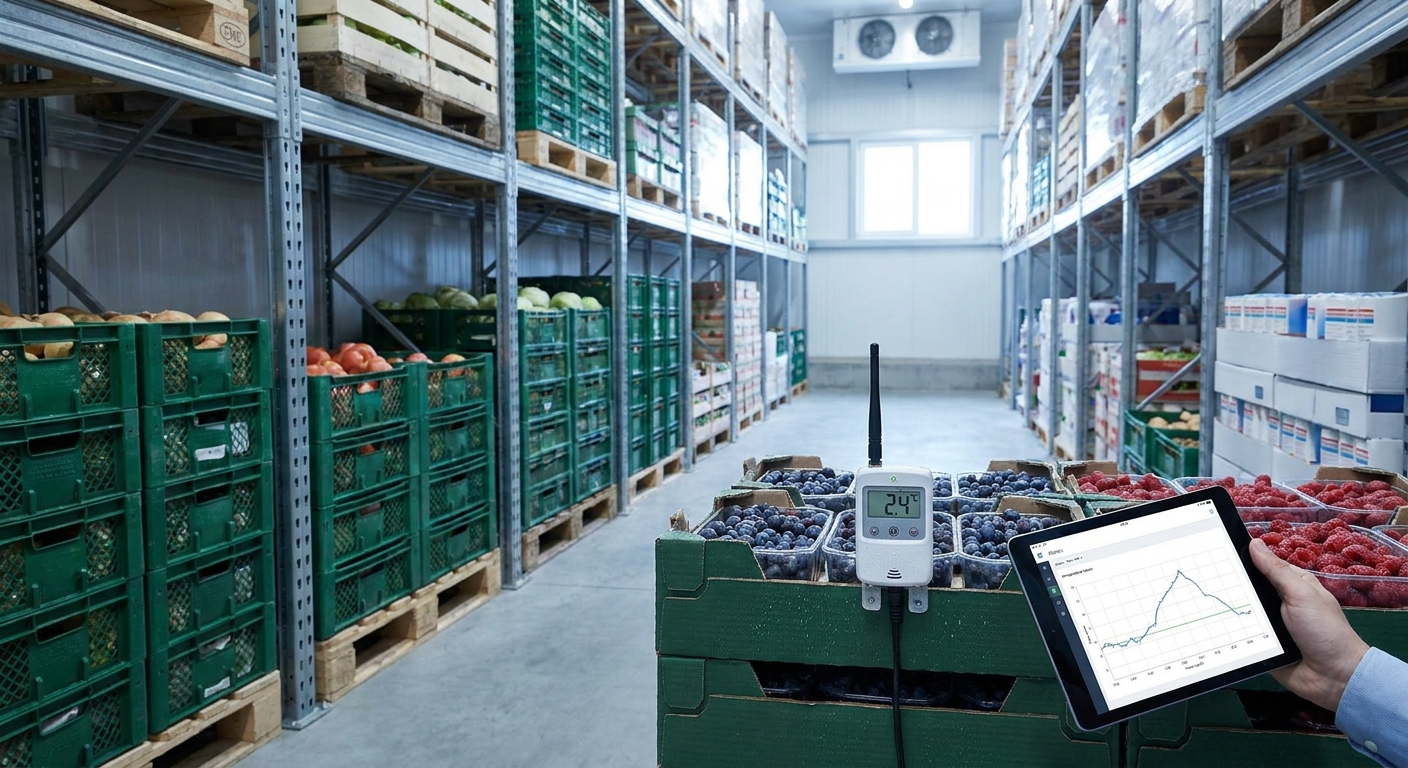
Spoiled inventory in cold storage almost never starts with a broken compressor. It starts with a temperature excursion nobody caught until the next walk-through, hours after the damage was done. IoT temperature monitoring closes that gap by watching the number that actually predicts loss: how long product sat outside its safe range, and who got told about it.
- Reducing cold storage spoilage with IoT means catching excursions above 41°F (5°C) within minutes, not at the next walk-through.
- FDA Food Code sets a hard line: TCS food held above 41°F for more than 4 cumulative hours must be discarded.
- LoRaWAN and mioty sensors report temperature every few minutes without a technician logging a clipboard reading.
- A rules engine with escalation chains beats a single alarm that nobody reads at 2 a.m.
- A cold storage temperature monitoring dashboard timestamps every excursion for audits and insurance claims.
Why Temperature Excursions Are the Real Cause of Cold Storage Spoilage
The USDA's "Danger Zone" runs from 40°F to 140°F (4.4°C to 60°C) — the range where bacteria on perishable food doubles roughly every 20 minutes, according to USDA FSIS guidance. A walk-in cooler doesn't need to fail outright to cause loss; it just needs to drift into that range and stay there while nobody's watching.
The FDA Food Code (2022 edition) draws the practical line for time/temperature control for safety (TCS) foods: cold holding at 41°F (5°C) or below, and once product spends more than 4 cumulative hours above that threshold, it gets discarded — no exceptions for how it looks or smells. A daily manual temperature log catches maybe two or three data points a day. A door left ajar overnight, a defrost cycle that ran long, or a compressor that started cycling erratically at 3 a.m. all fall through that gap.
Sensor-based monitoring changes the unit of measurement from "was it cold this morning" to "how many minutes was it out of range, and did anyone act on it." That shift is what actually prevents spoilage — the temperature data by itself is useless until it's paired with an alarm that reaches a person before 4 hours pass.
What You Need Before You Start Monitoring Cold Storage Temperature
- Wireless temperature sensors rated for freezer and cooler duty cycles — probe sensors for product-core readings, ambient sensors for zone air temperature
- A gateway providing LoRaWAN or mioty coverage across every cold room, dock door and receiving area you're monitoring
- A cold storage temperature monitoring dashboard that shows live readings and a historical chart per zone, not just a single number
- A rules engine capable of thresholds and time-based logic — "alarm if above 41°F (5°C) for more than 15 minutes," not just "alarm if above 41°F"
- An escalation plan: who gets the first alert, who gets it if that person doesn't acknowledge, and when a compressor technician gets called
- A half day to a full day for the first walk-in cooler; multi-site rollouts take longer per location once the process is repeatable
Kilo's built-in LoRaWAN and mioty network server means there's no separate network server to stand up before sensors start reporting — gateways and sensors join directly.
How to Set Up IoT Monitoring to Reduce Cold Storage Spoilage
1. Map every cold storage zone and its required range
Walk the facility and list each cooler, freezer, and dock staging area with its required temperature band — 41°F (5°C) or below for refrigerated TCS product, 0°F (-18°C) or below for frozen storage per ASHRAE Refrigeration Handbook guidance. Skipping this step is the most common mistake: teams install sensors first and figure out thresholds later, which means the first two weeks of alarms are noise.
2. Place sensors where product actually sits
A sensor mounted next to the evaporator fan reads colder than the product on the back shelf; a sensor near the door reads warmer than the walk-in average every time someone opens it. Place probe sensors in the product mass on the shelf farthest from the door and the compressor, where a real excursion shows up fastest and false door-open spikes show up least.
3. Set thresholds against real standards, not guesses
Use 41°F (5°C) as the refrigerated ceiling and 0°F (-18°C) as the frozen ceiling, then build in a grace window — most facilities set 15 to 30 minutes above threshold before an alarm fires, so a normal 90-second door-open doesn't trigger anything. Kilo's rules engine uses CEL expressions for this kind of condition, so the rule reads as 'temperature above 41°F for more than 20 minutes,' not a flat trip wire.
4. Build escalation, not just a single alert
One text message to one manager's phone is how excursions sit unaddressed for hours. Set up a multi-step escalation chain: first alert to the on-shift lead, second alert to the facilities manager if unacknowledged after 10 minutes, third to an on-call number after 30. Kilo supports five severity tiers and multi-step escalation across email, SMS and push, plus quiet hours so a minor overnight dip doesn't wake someone for something that resolves itself.
See cold storage monitoring set up live
Walk through zone mapping, thresholds and escalation on a real dashboard.
5. Test with a controlled door-open event
Before trusting the system, prop a door open for two minutes and confirm the sensor reads the change, the rule doesn't fire (because it's inside the grace window), and the dashboard logs the event in the chart. Then hold the door open long enough to cross your alarm threshold and confirm the escalation chain actually reaches the second person, not just the first.
6. Review the audit trail weekly, not only after a failure
Pull the historical chart every week and look for slow drift — a freezer that used to hold -5°F (-20°C) and now averages 2°F (-16.7°C) is telling you the compressor is losing capacity well before it fails outright. That pattern review is a person's job; the platform's job is to make the data available without a spreadsheet export.
7. Extend coverage past the walk-in door
Spoilage risk doesn't stop at the cooler door — receiving docks, refrigerated trailers waiting to unload, and prep-area reach-ins all carry the same danger-zone math. Facilities running walk-in cooler and freezer monitoring alongside dock and transit sensors get one alarm history instead of three separate blind spots.
Troubleshooting Cold Storage Temperature Monitoring Problems
Sensor reads fine but product still spoiled. Check placement first — a sensor near an evaporator fan or door reads unrepresentative numbers. Move it into the product mass on the shelf farthest from both.
Too many alarms, team starts ignoring them. This is alarm fatigue, and it defeats the whole system. Widen the grace window, separate door-open spikes from sustained excursions, and see how to reduce false alarms in industrial IoT alert systems for the specific tuning steps.
Battery life is shorter than expected in a freezer. Lithium battery capacity drops in sub-freezing environments and reporting intervals that were fine at room temperature drain faster at 0°F (-18°C). Adjust reporting frequency and check enclosure choice.
Gateway has a dead zone inside a metal-walled cold room. Steel panels and insulation attenuate RF signal hard. Reposition the gateway closer to the room, add a repeater, or route the antenna through a non-metal penetration point.
Alarms fire correctly but nobody escalates them. This is a process gap, not a technology gap — no sensor fixes an escalation chain that ends at someone who's off shift. Revisit the chain from step 4 and confirm a live person owns each tier.
Audit trail doesn't match what the auditor wants. Compliance reviewers usually want timestamped excursion history with duration and resolution notes, not raw readings. Confirm the dashboard exports duration-based excursion logs, not just point-in-time values.
Tools and Resources for Cold Storage IoT Monitoring
- Probe and ambient temperature sensors compatible with LoRaWAN or mioty for coolers, freezers, and dock areas
- A cold chain compliance sensor lineup if you're documenting for regulatory or customer audits, not just internal ops
- A rules engine with CEL-based conditional logic and version control so threshold changes are reversible
- An alarm system with severity tiers, escalation chains and a centralized inbox so nothing sits in one person's inbox alone
- A timestamped alarm history, so an insurance claim or health inspector gets a record of when each excursion started, how long it ran, and when it was resolved
"An alarm nobody escalates is just a log entry."
What to Do After You Cut Cold Storage Spoilage
Once a single site is stable, the next problem is usually scale — five sites means five spreadsheets unless the dashboard consolidates them. If you're running more than one facility, look at how to structure alarms and dashboards across locations before spoilage numbers creep back up site by site.
FAQ
How does IoT reduce cold storage spoilage?
IoT sensors report temperature every few minutes instead of during a daily manual check, so an excursion above 41°F (5°C) triggers an alarm within minutes rather than being discovered hours later. That earlier warning is what keeps product inside the FDA's 4-hour discard window instead of past it.
What temperature should cold storage be kept at?
The FDA Food Code sets 41°F (5°C) or below for refrigerated TCS food and ASHRAE guidance points to 0°F (-18°C) or below for frozen storage. Both figures are the ceiling, not a target — most operators run a few degrees under to leave a buffer.
How long can food sit above 41°F before it has to be thrown out?
Per the FDA Food Code, TCS food held above 41°F for more than 4 cumulative hours must be discarded regardless of appearance or smell. Between 2 and 4 hours it must be used immediately; under 2 hours it can go back into cold holding.
Is LoRaWAN or mioty better for cold storage sensors?
Both are low-power wide-area protocols suited to battery-run sensors reporting every few minutes; mioty adds stronger interference resilience in dense industrial RF environments while LoRaWAN has broader off-the-shelf sensor availability. The right choice depends more on existing gateway coverage than on the protocol itself.
How much does cold storage IoT monitoring cost?
Costs vary by sensor count, gateway coverage and whether hardware is purchased outright, so check current pricing directly with a vendor rather than relying on a general figure. Platform cost and hardware cost are usually quoted separately.
Can IoT monitoring replace manual temperature logs for compliance?
An automated, timestamped excursion log generally satisfies audit requirements more completely than a manual clipboard log, since it can't be back-filled after the fact. Confirm the specific documentation format your auditor or inspector expects before switching over entirely.
What causes false alarms in cold storage temperature monitoring?
The most common cause is a threshold with no grace window, so a normal door-open spike triggers the same alarm as a real compressor failure. Adding a time-based condition — temperature above threshold for 15 to 30 minutes — removes most of that noise.
Do freezer sensors need different battery specs than cooler sensors?
Battery capacity drops measurably below freezing, so a sensor rated for standard refrigeration temperatures may report shorter battery life once installed in a -18°C freezer. Choose a sensor rated for the actual operating temperature, not just the reporting protocol.
The Detail Most Cold Storage Teams Miss Until an Audit
The FDA's 4-hour rule is cumulative, not continuous — five separate 50-minute excursions across a week add up to the same discard trigger as one 4-hour event. Most manual logging systems can't catch that pattern because nobody's adding up gaps across different shifts. A dashboard that timestamps every excursion and totals duration automatically is the only practical way to catch cumulative abuse before an inspector or an insurance adjuster does the math for you in 2026.


